
Yuvomi
Self-hosted family planner for tasks, calendar, shopping, meals, and budget
Alternative to: cozi, familywall, skylight
About
Versions (423)
v2.82.0
2026-10-28Added
- Today at a glance shows the shape of the day. The sheet is one card now: the overview’s seal, the title and the day in one line (“6 events left · 1 task overdue”), then a timeline with a lane for the household and one for everyone with something timed today - appointments, your own shift, planned meals as a dot at their usual time - and all-day appointments as a band above it. What is over steps back to grey, a violet line marks now, and the next thing coming is raised with an edge in its module’s colour and a flag above where it starts (“15:00 · in 2 hrs”, counting down each minute), readable even on a block too narrow for its time. The hours ahead get the width: what lies more than an hour back is squeezed into at most a third of the timeline (every second hour labelled there), so later titles are no longer cut off, and the layout only shifts on the hour. A block shows its full title and start on hover. A click on a block rings it and slides its row open below - start and end, the full title, who it is for and which calendar - and the row opens it; the timeline is one tab stop, left and right move along, up and down switch lanes, and Esc folds the row and returns to the block you opened. A screen reader hears “Emma: School, 08:00 until 13:00, in progress”, and focus stays put when the sheet rebuilds or the window crosses 900px. Below it, “Also today” holds what has no place on the timeline in three cells, shopping last, and a footer line carries the closing sentence or “+N more”. Under a sheet width of 900px - tablets, narrow windows, phones - the timeline is a compact strip of bars - only lanes with something still ahead, appointments at the same time on thin rows of their own instead of one merged bar - and tapping it unfolds the whole day like “+N more”, which now sits as the last row instead of a footer of its own. Every bar still ahead is a row below it, behind “+N more” if need be: each appointment once, even when it is for two people, meals and your shift until their time has passed. These rows lead in order of time, all-day ones on top, and one in progress says “in progress” instead of its start; “Also today” follows with tasks, medication, shopping and the rest. When space runs short the rest gives way first, so what is running or next stays in view. The header counts the same on every width: the appointments still ahead - in progress, coming and all-day - and says so (“6 events left”), dropping the part once none is left. A coming one names “15:00 · in 2 hrs” or “in 25 min” in its module’s colour. The timeline only appears when the Calendar tile is not on the overview, so it never repeats it.
- A closed app opened without a connection shows your saved lists (#2293). Until now only an app left in the background kept them; a fresh start without signal stopped at “server can’t be reached”. Now calendar, tasks, the shopping list, contacts and the overview open on the state this device last loaded, read-only, with a strip at the top that says so. As soon as your server answers again, the session is checked and the page refreshes; an expired session goes to the sign-in as before, and once the session has expired the saved state is not shown and is deleted. A remote sign-out reaches the device when it is back online. Split guests keep their old behaviour; a wall display has no session and gets its own limit (see Changed). Signing out now always deletes the saved data on the device, also when the app was not yet controlled by its service worker. After this update, a device shows its saved state again once it has been online with the app.
- One entry of a waste calendar can fill several bins (#2273). Some cities name two bins in
one entry when they share a day - Dresden writes “Leerung Bio-Tonne, Blaue Tonne”. In the import
and in a source’s mappings, each label now shows your waste types as chips: pick every bin the
entry names, and each gets its own pickup on that day, with its own colour and reminder. No chip
picked means the label is not imported. Existing mappings carry over (migration 267). API
clients send and read
type_ids; the singletype_idis still accepted and returned. - A synced calendar can bring its events in for several people (#1897). The default
assignee of a Google or CalDAV calendar and of a calendar subscription is now a set: a shared
“Together” calendar assigns its events to both of you, your own calendars stay with one person
each. The field in each calendar row opens a menu with one switch per member; the first person
chosen gives an event its colour. The other rules follow the set: an event moved between two
calendars takes the new calendar’s people while its assignment is still exactly the old
calendar’s, “Apply to existing appointments” fills in all of them, and a new event assigned to
exactly the people of one calendar is created there. Existing single assignments carry over
(migration 265). API clients send
default_assignee_user_ids; the singledefault_assignee_user_idis still accepted and returned. - A reminder list mapped to Tasks can assign its new tasks (#1221). Next to the list in the reminder sync settings, choose who gets the tasks the sync brings in from it. Only new tasks get them; an assignment you change or clear later stays.
- A calendar import can assign its events (#1940). Choose people in the import form: every new event of the run is assigned to them, and an event you imported before - the same appointment in a second family member’s link - is not created again but gets them added. So two children’s feeds leave a shared dentist appointment as one event with both, and running an earlier import again with a person assigns what it brought in. Without a person the import works as before.
- A recurring shared expense that keeps failing says so on its row (#1746). When the hourly
run cannot book a series for an unexpected reason, the series keeps running and is retried
every hour, as before - so a fault on our side never stops a household’s rent - but its row,
read view and edit dialog now say “Booking failed - retrying every hour” instead of the error
living only in the server log. A booking, an edit or a pause for a known reason clears it. API
clients see
failed_aton each recurring expense (migration 263). - A subscription books to an account, and can be shared or private (#1277, #1701). The
subscription dialog has an Account field once the budget has accounts: every payment the
subscription books goes to it, the next one as soon as you save. A payment already booked is an
ordinary entry - change its account in the budget for a month someone else paid, and a later
edit of the subscription leaves it alone. When the chosen account is archived, the subscription
books without an account and says so quietly on its row and under the field; restoring the
account books to it again, and deleting it clears the choice. In the personal budget mode the
dialog also has Visibility, as on a budget entry: a new subscription starts shared, a private one
and its payments are seen only by you. For API clients
account_idis new on/api/v1/budget/subscriptions, withaccount_nameandaccount_archivedin the answer;/metaaddsbudget_modeandaccounts, and an unknown account answers400with reasonsubscriptions_account_not_found(migration 264). - A recurring shared expense with a start date in the past asks before booking the gap
(#1748). Creating one, or moving its next date, to a day before today used to book one missed
date per hour until it had caught up. The dialog now asks, as resuming does: start from the next
date (the default) or book the missed dates. API clients send
missed: "skip"or"book"onPOSTandPUT; without it the date stays as before. - A note can be private, and a note can be locked to its author (#1514, #1602). The note
editor has Visibility - “All family members” or “Only me” - and “Lock editing”, next to colour
and pin. A private note is gone for everybody else, administrators included: from Notes, the
Overview tile and its counts, and search. A locked note can still be read by everyone, but only
its creator and administrators can change, pin, file into categories or delete it - ticking its
checklist items included, unlike a locked task. Only the creator changes the visibility; the
lock is the creator’s and the administrators’. Cards show a lock or a crossed-out eye next to the
name. Existing notes stay visible to everyone and unlocked. For API clients the fields are
visibilityandlockedon/api/v1/notes; a locked note answers403with reasonnote_locked. - Health vitals show every reading, not only a daily average (#1699, #1798). Week, month and year draw a low-high band per day (per month in the year) with the mean as the dot on it, so a 55 in the morning and a 190 at lunch no longer become one unremarkable point; a day with a single reading looks as before. A new Day range shows one date on an hour axis with each reading at its time. Blood pressure is one bar per reading from diastolic to systolic, readings of the same day side by side, a value without its pair as a point; the pulse keeps its own chart below. “Recent measurements” now shows the time and the note of each reading.
- A shared-expenses group shows what each person paid and where the money went (#1888, #1941).
Below the balances, each person has one line per currency with what they paid at the till and,
under it, their own share - paid minus share is their balance before any payment between members.
Next to it, the group adds up its expenses per category and currency, largest first. Both count
every expense of the group, not only the ones the list has loaded, in the currency the balances
are kept in, without conversion; deleted expenses and payments between members do not count.
Expenses and recurring expenses now have a Category field, and a filter next to the expense list
shows one category at a time - it offers the categories the group uses, and an empty result says
the filter is why. Editing an expense without sending a category, through the app or
PUT /api/v1/split-expenses/expenses/{id}, now keeps its category instead of resetting it to “General”. For API clients the totals aremember_totalsandcategory_totalsonGET /api/v1/split-expenses/groups/{id}/balances; the OpenAPI description lists both. - Choose the night hours on each device, and the screensaver dims in them too (#2234, #1901). Settings - This device - Night hours sets “dim from” and “dim until” by whole hour, 22:00 to 06:00 as before unless you change it, on the household’s clock and for this device only. Wall mode dims in these hours, and the photo screensaver now does as well, with or without wall mode: photos, clock and caption at half brightness, so the hallway stays dark at night. A screensaver that is already showing dims and brightens again by itself at the next photo. A reload at night no longer briefly shows the day state on a device whose own clock is in another time zone.
- The Calendar tile can show only the calendars you choose (#2062). Its options now list the
household’s calendars - your own, synced ones and subscriptions - for a multi-select; with nothing
selected it shows every calendar, as before. The choice applies to the list, the week strip and
the “more” hint, and to the wall, which follows the same tile setting. Appointments that belong to
no calendar, such as birthdays, stay; birthdays keep their own switch. A calendar that is removed
later drops out of the choice by itself, and if none of the chosen ones is left the tile shows all
calendars again. For API clients the choice is
events_calendaronGET /dashboardand its catalogue issourcesonGET /calendar/calendars; the OpenAPI description lists both. - A shopping item that jumps back to its old list now says why (#1912). When a mirrored item is moved to another list and the CalDAV server keeps refusing it there, the new list is gone from the server, or the old list stays switched off for a week, the item goes back to the list it came from. Until now only the sync log knew. The person who moved it now gets a notice at the bell, as a toast and as a push: the item, the list it is back on, and that the new list did not take it. After the week-long wait it says instead that the item was not moved because syncing for the old list is off, and that it shows up there again once that list is switched on. Tapping it opens that list. Nobody else gets it, and household channels never do.
- Google Calendar explains its own setup instead of stopping at “Not configured” (#2221). An admin whose server has no Google credentials yet used to see only “Not configured (missing .env variables)”, twice. The Google card now names the variables that are still missing, shows the redirect URI to register at Google with a copy button and warns when Google would refuse it (an IP address or plain HTTP), lists the four steps, links the full guide and offers the ways that need no Google setup at all: subscribe to the calendar’s secret iCal address or import it once as an .ics file. The status route reports only the names of missing variables, never their values, and not to API tokens or the wall display.
- Yuvomi has a Portainer app template.
deploy/portainer/portainer-template.jsondeploys the existing Portainer stack (docs/docker-compose.portainer.yml) and asks only for the session secret, the database encryption key, the host port and the base URL. It is meant for the Lissy93/portainer-templates catalog, which pulls it frommainevery night, so the template never pins an older version. The installer schema tests check that every field exists in the stack and that no field locks a setting. - Stock: the page lists products, with their batches underneath (part 2 of #1448). Without a
filter, stock is sorted into sections by category, in the order of your shopping categories.
A product with one batch looks as before and now names its storage location. A product with
several batches shows its total and where it is, such as “4 l in all · 2 places”, and warns
when one of them has expired or expires soon; tap it to open the batches, each with its own
location, best-before date, stepper and cart. A product whose last batch is used up stays
listed as out of stock, with a cart that puts it on the shopping list; swipe it away or use
its menu to delete it, with undo like a batch. The expired, expiring soon and running low
filters still list single batches, now with the product’s total where it has several, and a
chip for each storage location that holds stock lists what is there. For API clients,
GET /api/v1/pantryadditionally returnsproducts,import-pantryacceptspantry_product_id, andDELETE /api/v1/pantry/products/{id}deletes a product without batches.
Changed
- A wall display keeps its saved lists for 72 hours after its last contact with your server. Until now a display kept the lists it had loaded for as long as it stayed open without a connection, with no end. Saved data on a device now ends with its session, and a display has none, so your server now gives it a sliding limit: every answer it receives moves the limit to 72 hours from now. A display that loses the connection over a weekend still shows its calendar and tasks; one that has been offline longer shows the unreachable state and deletes the saved lists. A display you remove or block in the settings deletes them as soon as it is online again. A display restarted without a connection now opens on its saved lists instead of “server can’t be reached”, with the same strip as on a phone. For that it keeps a small record of its own: its name and colour, which modules it may show, and the size of the household - no names of family members, no contact details and no sign-in data. It ends with the same 72 hours.
- The calendar head names the period, not the module (#1797, #1462). On a computer “October 2026” (in the agenda its span) is now the title of the head, the year in grey, the arrows right in front of it and “Today” behind it; the arrows no longer stand 300px apart, and nothing behind the title moves when the month changes. “Calendar” stays the page heading for screen readers. Overlapping shift schedules no longer add a row to the head on phones and tablets: a warning sign sits in the title row, and tapping it shows every overlap with a link to the schedule (on a computer the short text stays and opens the same list).
- A dialog sheet lightens its backdrop as you drag it, and sheets rise from the bottom edge (#1801,
#1802). On a phone, pulling a dialog down now fades the dimmed, blurred page behind it with your
finger, like the “More” sheet already did; the sheet itself stays solid, and released early both
come back. Dialogs, the “More” sheet and search now rise over their full height from the bottom
edge on a damped spring that never swings past its place, instead of appearing 24px above it with
a fade. Closing by tap or Esc is unchanged. Browsers without CSS
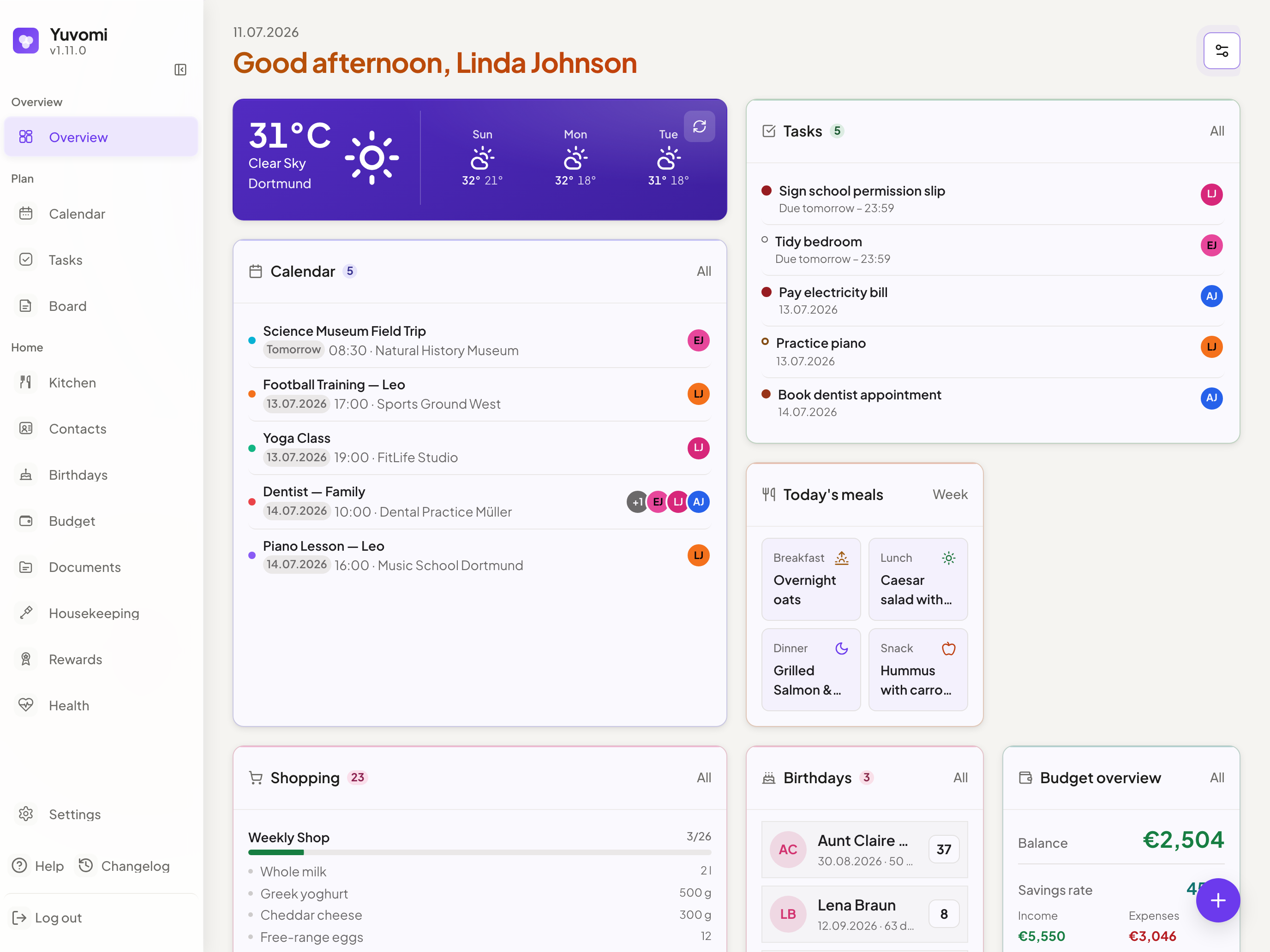
linear()easing (Chrome before 113, Safari before 17.2, Firefox before 112) keep the previous entrance, and with reduced motion sheets still only fade. The sidebar’s active pill glides on the same kind of spring, as far as before but settling sooner. - Every tile on the overview is as tall as what it shows. From tablet width up, a tile used to take the height of its neighbours in the same row, so a list with two entries stood as tall as one with five and the rest was blank card - with every tile shown, a fifth to a quarter of the card area was empty. Now each tile reports its height from its own data: the rows it shows (at most as many as its size allows, so the size you pick is the limit), the header and the padding, and an empty tile is a single line. Tiles pack below one another without gaps, and no column stays empty beside full ones; where a gap would still open up, a neighbour closes it, and in Customize extra height shows as a dashed slot, so you see which height is content and which is space. Customize now shows exactly the grid you get afterwards: the bar floats over the tile’s header instead of pushing the tile down. A tile changes its height smoothly when an entry is added or done, and the weather tile is the first to grow into free width, where it shows more days. A 1920px screen now has three wider columns instead of four narrow ones, so appointment details are no longer cut off. Titles in the tiles’ rows stay on one line from tablet width up; the full title is one tap away. The same goes for the module name and the note under each key figure: up to four figures share one row at any width, instead of wrapping into a second row that Customize cut off.
- A tile stretched to close a gap shows more of its list. When a list tile on the overview gets extra height to close a gap beside taller neighbours, it fills it with entries it already has but did not show at its size - more tasks, appointments, birthdays, countdowns, expiring food, shifts, waste pickups, notes, rewards or expense categories, whole rows only - and “+N more” counts down, or goes once everything is shown. Without more entries the space stays as it was; the tiles keep their places, and phones are unchanged. The overview now loads the eight nearest birthdays and the five largest expense categories, so a stretched tall tile has rows to show. The recent points in a child’s small rewards tile come the same way and sit above “1 request awaiting approval”, as in the tall tile.
- Every list on the overview reads the same, and a phone shows more of it. Tasks, appointments, birthdays, countdowns, expiring food, shifts, waste pickups, family, rewards and shopping lists now share one row: a mark at the front of the same size (a face, a symbol or a dot), the title in the weight it has in its module, one line beneath it, and at most one detail at the end (“turns 41”, “2 days left”, “30 points”) - nine different row styles had made each tile a new thing to learn. Every row you can tap now darkens as you press it. An appointment’s line says “Today · 17:00 · Sportplatz West” instead of a badge that pushed the time to a line of its own on a phone, so every appointment takes two lines at most, and the family tile’s shared appointment uses the full width instead of being cut short. “2 to approve” in the rewards tile is a row that leads to the approvals rather than a grey bar that looked disabled. On a phone, tile headers and the space above the first row are 16px slimmer, the header of the overview sits 28px higher, and the “Today” sheet and the tiles below it are spaced like the tiles themselves. In Customize on a phone or tablet, a tile with options has its options button back - one tap - while “Move forward” and “Move back” stay in the menu for mouse and trackpad.
- ”+ New” on the overview adds a task, an appointment or a note right where you are. The form opens over the overview - the same one as in the module - instead of switching to the module first, and after saving the overview stays where you scrolled it: no loading placeholders, and the new entry slides into its tile. Cancel or Esc returns focus to ”+ New”. A shopping item still opens the shopping list, where items are typed into the line above the list.
- Tiles on the overview are dragged like every list in the app, by finger too. In Customize, each tile now has a grip at the end of its bar: hold it and drag, with the mouse or on a phone or tablet. The tile you hold stays fully visible and lifted, the place it will land is an empty dashed slot, and the neighbouring tiles make room as you move - as when reordering a shopping list. Up and down buttons and the arrow keys on the grip still work as before. The tile size is chosen with a labelled segment - Small, Wide, Tall, Square - instead of four unlabelled shapes, and the note about who a change applies to is one line now, with “More about this” for the rest.
- Arranging the overview changes only the tile you touch. In Customize, moving a tile, changing its size or options, hiding it or bringing it back no longer redraws the whole overview: the tile changes in place and responds noticeably faster, its neighbours glide to their new places without overshooting, and the button you pressed keeps the focus. With reduced motion the tiles that moved fade in where they land instead of jumping. When Customize opens, the shelf of hidden tiles and the bar on each tile fade in instead of standing there in the first frame.
- The overview loads in its own shape and comes back sooner. While it loads, the overview now shows its header - date, greeting, buttons - and the “Today” sheet with its rows where they will be, and the tiles in the order and widths you arranged; the quick-add button carries its plus from the first frame. On the phone the tiles used to wait at the top of the screen and slide down some 640px when the sheet arrived; now they start where they end up. Coming back to the overview holds the screen for less time: tiles out of view are laid out when they come near, and the page is laid out once instead of twice.
- The number tiles on the overview are made like the other tiles. They had the corners, shadow and padding of the budget’s cards and stood between the tiles as a second kind of card; now they share the tiles’ surface, corners and shadow, sit as far apart as the tiles around them, and lead with the module’s seal and name in the weight of a tile header. Key figures across the app - health, inventory, home help, split expenses, the budget tile’s balance and the fasting timer - are now semibold like the leading figures already were, and stand out by their size instead of a heavier weight. On the overview the number steps down with the width of the row, so “10 im Monat” no longer runs past the edge of its tile on a phone, and one that still does not fit gets a size smaller. The numbers of a row stay on one line when one module name wraps, and from 1024px the gap below the row is the grid’s 20px instead of 41px.
- The overview’s tiles speak one language, down to their empty and error states. A tile with nothing in it says so in one quiet line with its one action at the end - “No waste types yet · Add” - and the action no longer drops below the sentence on a phone or in a narrow tile; the same line as in Health. A tile that could not load has the header of every other tile, with its seal and as a heading for screen readers, and “Try again” at the end of its line. The weather’s refresh button sits in the tile header like the other header buttons and now visibly spins while it loads. The fasting tile shows a small ring beside its sentence instead of a large dial around it, and “Start fasting” is no longer a second filled button next to ”+ New”. Planned meals sit on a neutral surface in light and dark, with the colour left to each meal’s icon, “+17 more” in a shopping list reads like every other “more” line, the weather’s glow behind the icon is softer in dark mode, hover highlights only appear with a mouse instead of sticking after a tap, and the ”+ New” menu on a phone closes faster than it opens. In Customize, each tile’s ”…” menu offers “Move forward” and “Move back”, so tiles can be rearranged with a mouse without dragging.
- The preferences API answers in English (#1695).
/api/v1/preferencesand its holiday routes still sent most refusals in German (“timezone_hint_dismissed muss true oder false sein.”, “Interner Fehler”); everyerrorthere is now an English sentence, with the same status codes. API clients that compared the German text need to compare the new one. In the app nothing reads that text any more: a setting that cannot be saved now says so in your language instead of showing the server’s sentence. - The Google and Outlook calendar routes answer in English (#1695).
/api/v1/calendar/google/*,/api/v1/calendar/outlook/*and the default-assignee routes under/api/v1/calendar/external-calendarsstill refused in German (“calendarId fehlt oder ist ungültig.”, “Interner Fehler”); everyerrorthere is English now, with the same status codes. The calendar sync settings no longer show that text: a failed Google or Outlook action says so in your language, and an expired Google sign-in that cannot be reconnected on the spot says to reconnect. - Managing local calendars refuses in English and names its reason in the API description
(#1695, #2267).
/api/v1/calendar/calendarsanswered a server error with “Interner Fehler”; it now says “Internal server error.”. The OpenAPI description now listscross_module_access(403 without write access to the calendar) at creating, reordering, renaming and deleting a calendar and atGET /calendar/sync-targets, where the routes already sent it. - The reminders API refuses in English and names its reason in the API description (#1695,
#2267).
/api/v1/remindersstill sent its refusals in German (“entity_type und entity_id sind erforderlich.”, “Erinnerung nicht gefunden.”); everyerrorthere is English now, with the same status codes. The OpenAPI description now listsmodule_access_denied(403 when the caller may not read or write the module the reminder’s entry belongs to) at every reminders route that already sent it. - The notes API refuses in English (#1695, #2267).
/api/v1/notesstill answered in German or with German field names (“Inhalt is required.”, “Die Notiz hat sich inzwischen geändert.”, “Interner Fehler”); everyerrorthere is English now and names the request field (content,title,color), with the same status codes. The OpenAPI description now lists the reasons of a refused checklist tick (stale,out_of_range,not_a_checklist_line). Editing a note with a number as its text or title no longer fails with a server error; it is saved as text, as creating a note already did. - The quick links API refuses in English (#1695).
/api/v1/quick-linksstill answered “Schnellzugriff nicht gefunden”, “Keine Berechtigung”, “ids muss ein Array sein” and “Interner Fehler”; everyerrorthere is English now, with the same status codes and reasons. - The inventory API refuses in English and names its reason in the API description (#1695,
#2267).
/api/v1/inventory/itemsand its tracked dates, service log and booking links still answered in German or with German field names (“Kilometerstand darf nicht negativ sein.”, “Kategorie must be one of: …”, “Maximal 10 Fristen je Gegenstand.”); everyerrorthere is English now and names the request field (odometer,category,interval_months…), with the same status codes. The OpenAPI description now listsinventory_item_not_found(404) at the history and service log routes, where they already sent it. - The contacts API refuses in English and names its reasons in the API description (#1695,
#2267).
/api/v1/contactsstill answered “Interner Fehler”, “Familienmitglieder können nicht aus der Kontaktliste gelöscht werden.” and sentences with German field names (“Telefon may be at most 100 characters long.”, “Geburtstag must be in YYYY-MM-DD format.”); everyerrorthere is English now and names the request field (phone,birthday,firstName…), with the same status codes and reasons. The OpenAPI description now listscategory_exists,category_in_use,category_last,contact_email_protectedandfamily_member_contactat the contact routes, andcontacts_contact_not_foundat the vCard download, where they already sent them. - The health API refuses in English (#1695, #2267).
/api/v1/healthstill answered “Ungültige ID.”, “Ungültige Person.”, “Person nicht gefunden.”, “caregiver_ids muss eine Liste sein.”, “value_num kann nicht geleert werden.” and two German 403 sentences; everyerrorthere is English now, with the same status codes. The OpenAPI description ofPUT /health/caregivers/{subjectId}now namesaccount_deactivated, which it already sent. - Calendar subscriptions, the Apple connection and event targets refuse in English (#1695).
/api/v1/calendarstill answered “Abonnement nicht gefunden.”, “name: Pflichtfeld, max. 100 Zeichen.”, “from/to müssen YYYY-MM-DD sein”, “target_caldav_account_id: ungültige Konto-ID.” and “Interner Fehler” for subscriptions, the Apple connection, reading a range, the holiday feed and the sync target of an event; everyerrorthere is English now, with the same status codes. - The shopping, tasks, push and weather APIs refuse in English (#1695). They still answered
“order muss ein nicht-leeres Array von IDs sein.”, “Menge may be at most 100 characters long.”,
“sync_target: erwartet …”, “Maximal 2 Verschachtelungsebenen erlaubt.”, “endpoint ist
erforderlich.” or “Ungültiger Icon-Code.”; every
errorthere is English now and names the request field (quantity,notes,category,name), with the same status codes and reasons. - The meal plan, pantry and recipes APIs refuse in English (#1695, #2267). They still answered
“Mahlzeit nicht gefunden”, “Mindestens eine Mahlzeit ist erforderlich.”, “Menge darf nicht negativ
sein.”, “Lagerort nicht gefunden.” and sentences with German field names (“Titel is required.”,
“Mahlzeit-Typ must be one of: …”); every
errorthere is English now and names the request field (title,meal_type,quantity…), with the same status codes and reasons. The meal plan and the pantry no longer show the server’s sentence in a toast but their own, in your language. The OpenAPI description now listsrecipe_mirroredandcross_module_accessat the recipe, meal and pantry routes that already sent them. - The API description names every reason a route sends (#2267). The OpenAPI spec now lists
the
reasonvalues of the sign-in and account routes (invalid_code,not_enabled,account_cannot_sign_in,password_login_disabled,browser_session_required,setup_completed,account_deactivated), the category and subcategory management of budget and tasks, the shopping lists (shopping_list_not_found,nothing_open,recipient_no_email,smtp_unconfigured),display_onlyanddisplay_actionfor paired displays, andcross_module_accesswhere a route needs a second module. A failed SSO link names itsoidc_link_errorvalues. - A new API token now starts with an expiry and a module limit. Until now a token created with
only a name never expired and could do everything the selected person may do. The form now offers
30 days, 90 days (preselected), 1 year, a custom date or no expiration, and shows the end date; the
module limit is on, with the read/write table open. No expiration and full access are still
available, as a deliberate choice. Existing tokens and the API are unchanged:
expires_atandscopesstay optional for integrations that create tokens themselves.
Fixed
- Customizing the overview no longer starts or ends a fast. Like every other tile content there, the fasting tile’s start and finish button now rests while you arrange tiles; before, it started a fast that the tile did not show until you left the overview.
- A key figure no longer runs to the edge of its card. A figure that only ran into the card’s padding kept its full size - on an overview tile it stood 3px from the edge; it now steps down a size like one that overflows the card, on the overview and in the modules alike.
- A subscription or loan payment booked to an account in another currency is in that account’s currency (#2302). An account in US dollars got its subscription payments and loan installments in the household currency, so its balance added dollars and euros as if they were one. A subscription now converts its payment into the account’s currency with the cached exchange rate; a loan installment books unconverted when the loan is in the account’s currency, with the loan’s fixed rate when the account is in the household currency, and through both rates for a third currency - without a known rate the installment is refused instead of booked with a wrong amount. Archiving, deleting or switching the currency of an account converts the subscription payment still waiting on it. Bookings made before this update stay as they are and count as the account’s currency: payments a subscription or loan booked earlier on such an account are still in the household currency and can be corrected by hand.
- Accounts in another currency show their own currency (#2302). The accounts page wrote every balance, starting balance and available credit with the household currency sign, so 5,000 yen read as 5,000 euros. Each account now shows its amounts in its currency, and the amount field of a budget entry follows the account you pick, with its sign and decimal places. Net worth over accounts in several currencies is converted with the cached exchange rates and marked as an approximation (≈, with the date of the rates); without a rate it shows the total per currency instead of adding dollars and euros.
- Filtered to one account, the budget overview is in that account’s currency (#2302). The balance, income, expenses, transfers, pending amount and category chart of an account in dollars still showed euros, so the numbers next to the statement were not the statement’s. All of them now switch together to the account’s currency while the filter is set, and each entry in the list shows its own account’s currency. Without a filter the overview stays in the household currency as before.
- Settings - Wall tablets names the pairing address before a code exists (#2294). A tablet
pairs at your instance’s
/pairaddress, not through the sign-in page, but the page only said so next to a freshly generated code. It now shows the two steps and the full address up front, so an admin who opens the page first - or whose instance signs in through OIDC only - knows where the tablet goes. - A recurring event from a one-time calendar import keeps its time zone (#2306). An imported weekly appointment at 17:00 in Vienna moved to 16:00 after the clocks changed, and an occurrence the file had cancelled after the change could show up again or take its neighbour with it. The import now keeps the time zone of the series, as calendar subscriptions, CalDAV and iCloud do, so the time stays put and the cancelled occurrence is gone on its own day. Events imported before stay as they are.
- A shared reminder list connected through two CalDAV accounts shows each task and shopping item once (#1906). When two family members each connected their own account to the same list, every task and item stood in Yuvomi twice. Now the account that brings an entry in first owns it, and the other account neither adds, changes nor removes it, as for events since #1879. Entries that are already double are merged on update (migration 268): the older one stays and takes over the comments, documents and assignees of the other; the other’s completions are dropped, since they mirror the same tick. Deleting a CalDAV account now leaves its tasks and shopping items synced without an account, and the next account that has them takes them over instead of adding them again (#1885).
- A CalDAV or iCloud server that says “too many requests” or “unavailable” gets a rest for the rest of the run (#2135). Since #2133 a sync stopped sending deletions and changes to an account after such an answer, but the same run still cleaned up leftovers of unconfirmed uploads and uploaded new events, tasks and shopping items to it. Now nothing more goes to that account until the next run, in the full sync and in the attempt right after an edit; a calendar or list that is only read-only for you still holds up nothing else. A leftover past its one-day grace is no longer given up on such an answer either, so it cannot come back as an entry.
- “List” in a shopping item’s edit dialog no longer offers lists you cannot add to (#2283).
A shopping list that mirrors a reminder list shared with you read-only is left out of the
choice, as calendars and reminder lists already are for events and tasks: an item moved there
would have stayed on Yuvomi only, because the server refuses it. An item already on such a list
keeps it. API clients see
accepts_new_itemson each list, and a move to a list without it is refused with 400. - A synced entry is removed only after a sync has seen it on the server (#1839). Before #1837 an upload the server refused still marked the entry as synced, and the next sync took the missing object for “deleted elsewhere” and removed the entry here; a few such entries can still be in a database. Now an event, task or shopping item counts as synced to CalDAV or iCloud only once a sync has found it there. One that was created in Yuvomi and never found becomes local again and is uploaded once more instead of being deleted; an entry a sync has seen and someone then deleted elsewhere goes as before. Existing entries start as not seen, so the first sync after the update deletes nothing it has not seen (migration 266).
- An occurrence cancelled in a subscribed or synced calendar stays cancelled after a clock change (#2000). For a series with its own time zone, an occurrence the provider cancelled or moved could stay visible once its UTC day and its local day fell apart: a New York series at 19:30 kept showing a cancelled winter occurrence, a daily Berlin series at 01:30 hid the occurrence before the cancelled one after the switch to summer time, and the countdown named a different next occurrence than the calendar. ICS subscriptions, CalDAV and iCloud now match a cancellation by the occurrence’s original start, and the next CalDAV or iCloud sync corrects one stored the old way. Google Calendar and cancellations a provider no longer sends follow separately.
- “New - Task” on the Overview opens the new-task form again. The ”+ New” button on a computer and the quick-action button on a phone switched to Tasks and stopped there, because they still looked for the add button under the name it had before the add buttons were unified. Event, Note and Shopping were not affected.
- Finishing, editing or deleting from a sheet over the Overview leaves the Overview where it was. Completing a task, changing or deleting an event, or starting or ending a fast in a sheet opened from the Overview rebuilt the whole page: the loading placeholders flashed, the page shrank to the height of the screen and a computer scrolled back to the top. The Overview now updates in place - the row that goes away closes, the scroll position and the focus stay - and the half-hourly weather update only redraws it when the forecast changed.
- A long reminder list name no longer squeezes the module picker in the sync settings (#2284). The picker keeps the width of its value; next to a long name on a phone it moves below the name, and a long name wraps instead of running past the row.
- A read-only shared calendar or reminder list is no longer offered as a target (#1840). The CalDAV sync now reads, for each calendar and list, whether your account may add entries to it. The target pickers for events and tasks offer only those that take new entries, and nothing is sent to one that does not - until now every upload there was refused and retried on every sync. A read-only calendar or list can still be selected for reading. An event, task or shopping item that already waits for one keeps its target, and the sync settings name the calendar or list as read-only with the number of entries that will not arrive. The legacy Apple Calendar connection uploads into the first iCloud calendar that takes new events instead of simply the first one. Servers that do not report permissions behave as before.
- The event form says when an event will upload to iCloud (#1927). With the legacy Apple Calendar connection set up, a quiet line under the calendar picker says that events in the chosen calendar are uploaded to iCloud, as soon as you pick the default calendar - also when you move an event there from a calendar that stays local. A household with only the default calendar has no picker; there the same line sits under the date and time, unless the event goes to a Google or CalDAV calendar instead. Without the connection the form is unchanged.
- Deleting a CalDAV account no longer leaves events and tasks pointing at it (#1885). An event or task created in Yuvomi and meant for that account’s calendar or reminder list kept the deleted account as its target, and the event stood in no calendar at all. The target now goes with the account: the entry stays in Yuvomi, is never sent, and the event is back in your default calendar.
- A task that fails to open from the Overview says why in your language (#1909). When a task tapped on an Overview tile could not be opened, the toast showed the server’s text or an English code message. It now says the app’s own sentence (offline, not found, no permission, or that the task could not be loaded) in your language.
- The error screen and the toast for an unhandled error no longer show raw technical text (#1909). When a page failed to open or an action failed without its own message, the app could show the server’s text or an English code message such as “foo is not defined” as its sentence. Both now say the app’s own sentence in your language (offline, not found, server error, timeout, no permission, or an unexpected error); the technical details stay in the collapsible section of the error screen.
- A folder upload whose folder was deleted meanwhile can start again from the dialog (#1995). When someone deleted the chosen folder while a folder upload ran, every entry failed on its own and the dialog could only be closed. The upload now stops at the first such answer, the dialog stays open with your selection, offers the current folders with the top level chosen and shows a fresh preview, so one click uploads again. If only a folder inside the target went away, the target stays chosen and the preview creates that folder anew.
- A too large receipt for a housekeeping visit says so (#2258). Saving a visit with a receipt above the upload limit showed only that the visit could not be saved. The dialog now names the limit before anything is sent and stays open with your entries.
- A too large event attachment says so (#2255). Saving an event with a file above the upload limit showed only that the event could not be saved. The dialog now names the limit before anything is sent and stays open with your entries.
- The Immich screensaver settings say what went wrong in your language (#1909). Saving or testing the Immich connection showed the server’s English text, such as “Immich returned 401.”. The settings now say in your language whether the URL, album ID or API key was refused, whether Immich rejects the key, answered with an error or cannot be reached, and what to check.
- Saving, resetting or deleting an event speaks your language when something goes wrong (#1909).
These toasts showed the server’s German text in every language. They now say the app’s own
sentence: an event someone else deleted in the meantime (the dialog closes and the calendar
reloads; deleting it counts as done), a calendar chosen in the dialog that was deleted meanwhile
(the dialog stays open with the current calendars), a repeat that would leave no event from the
start date, and a series end before the start. Everything else says the general save or delete
sentence. The API keeps its
errortext, now in English, and adds areasonfor each case. - Calendar management speaks your language when something goes wrong (#1909). Creating,
renaming, reordering or deleting a calendar showed the server’s German text in the toast, in every
language. The dialog now says its own sentence: a calendar someone else deleted in the meantime
(the list reloads itself, and deleting it counts as done), a name that is empty or too long (the
rename field now has the same 80-character limit as the create field), an order that changed in
the meantime (the current order is shown), and a calendar only an admin may delete because it is
exported. The API keeps its
errortext, now in English, and adds areasonfor each case. - Editing an appointment from the overview shows the whole form again. The colour choice, the icon picker, the attachment and the spacing of the date rows were missing their styles when the form opened over the overview instead of in the calendar - “Colour” stood there without a single colour to pick.
- A CalDAV rate limit or outage no longer sends a moved shopping item back (#2137). When a target reminder list responds with 429 or 5xx while a shopping item is being moved there, the move now waits instead of counting as a failure, so five such answers no longer return the item to its old list. After a rate limit, an outage or a dropped connection the sync sends nothing more to that account until the next pass.
- A shopping item moved away from a CalDAV list that is switched off no longer waits forever (#1911). Its entry used to stay in the old list and the move never finished. After seven days the item now returns to the list its entry is in, and the entry on the server stays untouched. If the old list no longer exists on the server, the item stays on its new list and is added there as a new entry. This also works when every list of the old account is switched off. A list that has been switched to tasks no longer counts as the old shopping list, a list switched off during the move stops it, and a failed follow-up at the new place no longer forgets the old entry.
- A transfer arriving on the filtered account now shows in the month cards (#2207). With the
ledger filtered to one account, the Transfers card counted only money leaving it; a transfer
coming in (for example savings into checking) showed in the list and the account balance, but in
no card. Filtered to one account, the card now shows incoming and outgoing transfers apart. The
Balance card stays income minus expenses, and the unfiltered month is unchanged. The summary API
adds
transfers_inwhenaccount_idis set. - An iCalendar feed with a quoted parameter containing a colon is no longer mis-parsed (#2189).
A property such as
DESCRIPTION;ALTREP="data:text/html,Spritzen":Spritzenwas split on the first colon, so the description shown was the wholeALTREP="data:text/html,Spritzen"value instead of justSpritzen. The parser now finds the first colon outside any double-quoted parameter, so quoted values likedata:text/html,...are kept inside the parameter and the real value is read. - Yuvomi warns when local document storage would keep files only in the container layer. With
DOCUMENT_STORAGE_LOCAL_ENABLED=truethe start-up check only warned when the folder was missing. The image creates/documentsitself, though, so on the default path the folder always existed and the warning never came, even with nothing mounted on it - uploads then vanished with the next update while the database still listed them. A Portainer Git stack is one such setup: its documents mount is commented out and cannot be enabled there. The check now asks the same question the modules page asks for/app/modules, whether the folder sits on a volume or bind mount, and warns when it does not. Outside a container, and wherever the mount table cannot be read, it stays quiet. - Creating a second API token no longer switches “Acts as” to another person. After the first token the form reset the person to the first entry of the list, so the next token silently acted as someone else. The token form also names the Pantry module in the scope table instead of “pantry”, fits the custom date and time on a phone, and labels “Acts as” in every language.
- A household member’s contact knows their profile birthday (#2214). The contact card of a household member offered “Add to Birthdays” as soon as it carried a birth date, although the member already had a birthday from their profile, and using it or the birthday import would have added the same person a second time. The contact now offers “Show in Birthdays” for that entry, the import lists the person as already there and skips them, and a hand-made birthday can no longer be linked to that contact. Who may not read the calendar still sees no birthday on the contact.
- The Apple Calendar card shows the app-specific password path as plain text, and it is current.
The hint printed
<strong>tags around the address in every language. It now names Apple’s current path, account.apple.com > Sign-In and Security > App-Specific Passwords, in each language’s own wording; the CalDAV and CardDAV password hints point to account.apple.com too. - “Manage participants” opens its dialog again when nobody collects points yet (#2210). Since v2.79.0 the button in the empty Points tab did nothing: it carried a different hook than the same entry in the standings menu, and only the menu entry was wired. With no participants this button is the only way to enroll the first family member. Both now share one hook, and a test checks that each of them opens the dialog.
Security
- An account’s currency must be a real currency code (#2302). The budget API stored any text up to eight characters as an account currency, and a code like “XYZ1” stopped the whole budget page from rendering for everyone in the household. Accounts now take only the supported ISO 4217 codes, and the app shows an unusable stored code in the household currency instead of failing.