
Yuvomi
Self-hosted family planner for tasks, calendar, shopping, meals, and budget
Alternative to: cozi, familywall, skylight
v2.71.0
2026-09-30Added
- Brazilian Portuguese as its own language (#1437, translated by @dareoon). The app, the
web installer and the command-line installer speak pt-BR as the 25th language, next to the
existing Portuguese. A Brazilian browser or
LANG=pt_BR.UTF-8picks it on its own, as does a household whose region is Brazil for the entries Yuvomi writes itself; every other Portuguese region keepspt. Holiday names in Brazil stay Portuguese under the new data language.
Changed
-
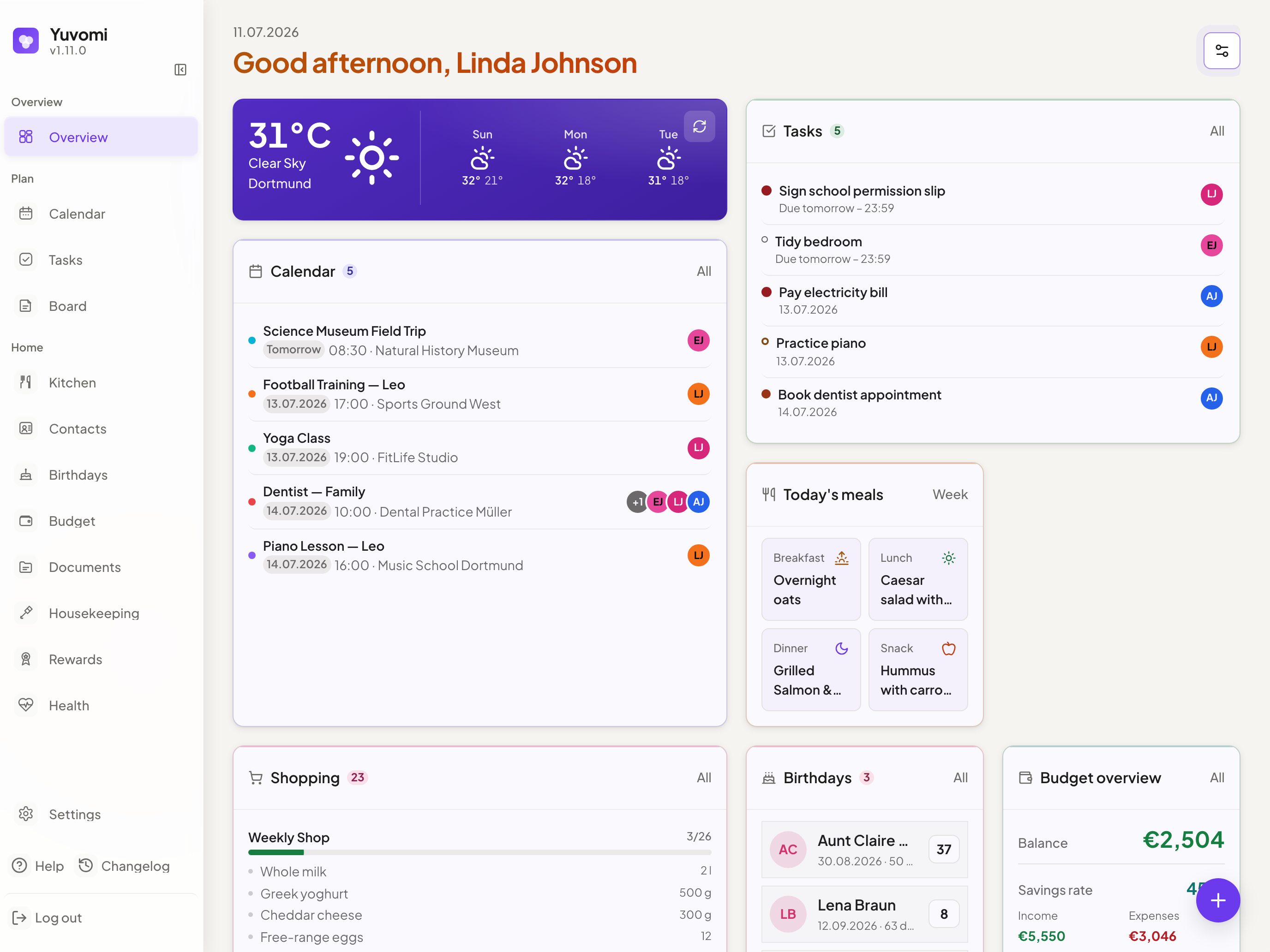
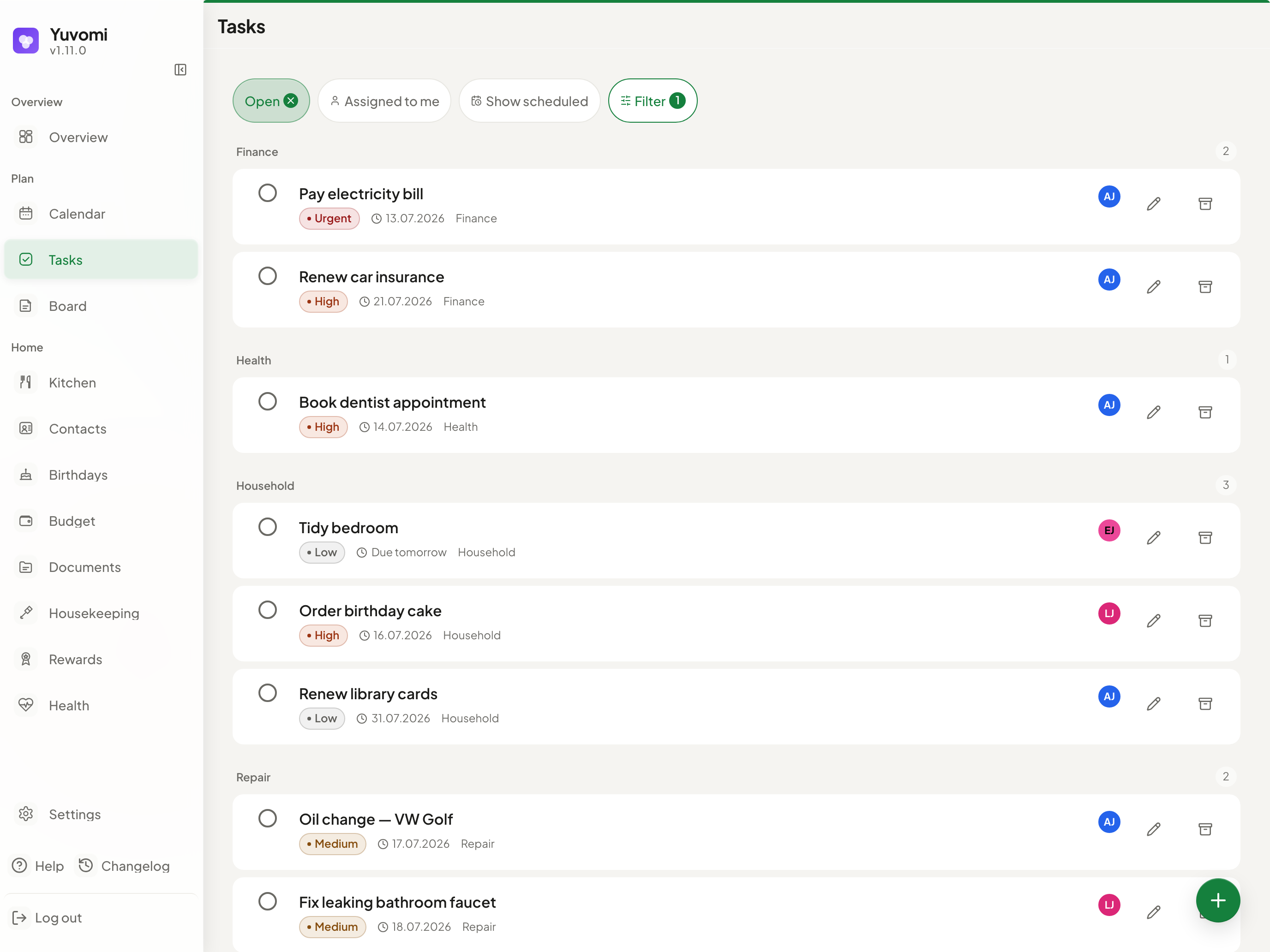
The website and README screenshots show v2.70.0, and the family section shows the wall mode. Every screenshot on yuvomi.cloud and in both READMEs was taken again against 2.70.0, in English and German, light and dark. In the section for the family, a screenshot of the wall mode on a landscape tablet takes the place of the three-circle drawing, loaded as WebP in the current theme and language like the other screenshots. The preview image a shared link shows now carries the headline and modules of the page it opens.
-
In the demo data, today’s morning dose is already taken. At the evening hour the screenshots are taken, an open 08:00 dose showed as overdue in red on the overview and in the wall mode; now only the evening dose is still open today. Only a database filled by
scripts/seed-demo.jsis affected. -
The README says only what Yuvomi does, and the manual install no longer starts on the placeholder keys. The meal plan becomes a shopping list through an import you confirm, not on its own, and booking a shop back into the pantry is its own dialog with amount and unit. Modules are switched off, not on, and Inventory, Waste collection and Schedule start off. The line about the local network names all five integrations that stay blocked on private addresses until you opt in, and that Paperless and Papra may reach them out of the box. The guided setup prepares Yuvomi for an HTTPS reverse proxy but fetches no certificate, which the README and the website now say instead of “configures HTTPS”, and it answers only on the server itself, so the README shows the SSH tunnel for other devices. The README also names arm64 (Raspberry Pi 4/5), that Yuvomi refuses to start with a placeholder key, WebDAV as backup target, restoring another installation’s backup and the Proxmox guide. In
docs/installation.md, the short Docker and Podman commands created.envand started the container in one copy block; the secrets are now generated first, the placeholders replaced by hand, and the start follows in a block of its own. -
The README opens as a family planner and leads to the website. The first line says what Yuvomi is, “The self-hosted family planner”, with the website’s claim beneath it, and the tour on yuvomi.cloud is now the first link, again under Documentation and in the footer. A new section shows the wall mode and what the family gets: the kitchen tablet, the app on every phone, invite links and access per role. The twenty modules appear as five groups in the order of the app menu, with the full table one click away, and the requirements, outbound connections and LAN rules fold away under the install steps. A new question explains how safe access from outside is. The German README now addresses its readers as “ihr” like the website, and its tables no longer run wider than a phone screen. The website says the week’s meal plan reaches the shopping list through one import, not one tap.
-
The installation guide covers rootless Podman without a route to the internet. The app works, but everything that reaches outside fails: the weather tile says the weather is currently unavailable, and ICS subscriptions and CalDAV to outside servers stop updating. A new entry under troubleshooting in
docs/installation.mdshows how to recognise it (a test from inside the container ends inENETUNREACH, its routing table is empty) and the fix,Network=podmanin the Quadlet unit, together with what the bridge network changes for sign-in lockout and rate limits without a reverse proxy.
Fixed
-
The weather tile no longer vanishes when the weather provider fails. With weather set up (Open-Meteo or OpenWeatherMap), a failed request to the provider removed the tile from the overview, from the hidden widgets you can add back under Customize, and took the weather line in the header with it. The tile now stays in place and says the weather is currently unavailable, with its refresh button to try again, and picks the weather up on the next automatic refresh. Without any weather set up, the tile is not offered at all, like a switched-off module. The server log now names the provider and the cause of a failed request (HTTP status or error code, or a missing API key), at most once per half hour per cause, and
GET /api/v1/weatheranswers{ data: null, reason }withnot_configuredorupstream_error. -
A switch that is off is easy to see, and in Arabic and Persian “on” sits on the left. The track of a switch that is off was a light grey that nearly vanished into its row, in light and dark mode alike; it is now dark enough to stand out against every surface a switch appears on, also while the pointer rests on the row. In right-to-left languages the knob now moves to the left when a switch is on, as on iPhone and in the web installer. The installer’s switches get the same track colour.
-
In the installed app on an iPhone, no dark strip sits under the tab bar any more. Below the floating tab bar, a bar the height of the home indicator area covered the page in the surface colour. It was built to continue an opaque tab bar to the screen edge. Since 2.70.0 the page scrolls on under the tab bar, so the strip cut it off above the edge and took taps meant for the row behind it. The page now runs to the edge of the screen. Only the app added to the home screen was affected, not the browser tab.
-
Members who may write to the meal plan can now edit and delete recipes somebody else added (#1577). Saving a recipe that another member had created failed with “Not authorized”, even for an admin, because editing and deleting were tied to whoever created the recipe. Recipes belong to the household like tasks, shopping and notes: write access to the meal plan is what counts. A member with read-only access still cannot change them, and recipes mirrored from Mealie or Tandoor stay read-only for everybody. Deleting someone else’s recipe looked like it worked because the row disappears at once, but it came back after the undo window with the same error.
-
Pairing a display in German says “Tablet”, not “Tablett”. “Tablett” is a serving tray; the four strings of the display pairing now use the word the website and the README use.
-
The app no longer looks up openweathermap.org on every load. A leftover
dns-prefetchhint made each browser resolve that name even with Open-Meteo as the weather source. Nothing in the browser talks to OpenWeatherMap directly: its icons come through Yuvomi’s own server. -
The web installer’s hints name the current places in the app’s settings. Since the settings were reorganised in 2.70.0, four hints pointed to pages that no longer exist. The household location is saved under Settings → Household → Integrations (was Settings → Integrations), SMTP is managed under Settings → Household → Email (SMTP), the timezone is changed under Settings → Account → Appearance, and further CalDAV accounts are added under Settings → Modules → Calendar, in every installer language.
-
A command-line restore refuses to run while Yuvomi is running (#1530).
scripts/restore-backup.jsreplaced the database without knowing whether a server was working on it: the file changed under the server’s open connection, and the server kept writing to the old one. Yuvomi and the restore now both hold a lock onyuvomi.db.locknext to the database. The restore stops with “Restore refused” while a server holds it, and a server that starts during a command-line restore waits until it has finished, with a log line every 30 seconds. A second server on the same database waits the same way. The operating system drops the lock when the process ends, also after a crash, so nothing is left to clean up. Do not deleteyuvomi.db.lockwhile Yuvomi runs. If the file cannot be created or locked, Yuvomi logs a warning and works as before; the lock does not reach across machines (NFS withnolock) or from a Docker Desktop host into its containers. -
Changing a recurring payment for all future months no longer rewrites its first booking (#1035). The first entry of a series was also its template, so choosing “Change all future occurrences” changed the title, amount, category, subcategory, account and responsible members of a booking that could lie years back. Moving a rent series to a new account moved the rent of January 2020 with it, and both account balances were wrong afterwards. A series now keeps its own definition: the change applies to the series and to every entry from today on, while entries already booked, the first one included, keep their values. Correcting only the first entry no longer changes every future month either, and editing it now asks “only this or all future”, like every other entry of the series; switching “Recurring” off there still ends the series without that question. Visibility still applies to the whole series on purpose: whoever makes a series private means its past entries too. Existing series are carried over on update without changing any entry.