
Yuvomi
Self-hosted family planner for tasks, calendar, shopping, meals, and budget
Alternative to: cozi, familywall, skylight
v2.66.0
2026-09-13Added
-
Notes gain category management, a category picker and an AND filter. Manage personal categories and, when permitted, household categories on the Notes board, then select several categories to show notes that belong to every selection. Household categories remain assignable for members who cannot manage them. The dashboard Notes widget supports the same filter. Category badges stay on one line; a +N control reveals and correctly announces the remaining categories on hover, focus or tap, and category icons remain intact after switching between reading and editing.
-
The holiday country list now includes the United States, Canada, the United Kingdom, Australia and New Zealand (#965). OpenHolidays, the free API behind Settings → Calendar’s holiday sync, doesn’t cover these five - their public holidays are computed locally instead (fixed dates, n-th-weekday rules, Easter offsets, and each country’s own documented weekend-observance rule), the same approach already used for Brazil. The United Kingdom is offered as three regions - England & Wales, Scotland, and Northern Ireland - since their holidays genuinely differ, not just their names. None of the five has school-holiday data available, so the school-holiday toggle is disabled with an explanation when one of them is selected, rather than silently syncing nothing. For any other country not covered by OpenHolidays or this local list, an ordinary ICS calendar subscription (Settings → Personal → Calendar subscriptions) can still bring in its public holidays - now mentioned there directly.
-
A new event goes to the calendar of the person it is assigned to (#1060). A Google or CalDAV calendar that names a default assignee in the sync settings now works in both directions: events imported from it get that person, and a new event assigned to exactly that person gets that calendar as its target in the event dialog. Your own choice in the dialog always wins, and without a match the personal default target from Settings applies as before. Nothing is picked when two people are assigned, or when two calendars name the same person - the dialog says so instead of guessing. Existing events are never moved on their own, and Apple and Outlook calendars are not chosen this way; the sync settings say both where the default assignee is set.
-
The calendar filter can hide a connected calendar or subscription, and show the events nobody is assigned to (#1064). The filter sheet lists every calendar and ICS subscription with events in the loaded range, each with its colour and a switch. Hiding one removes its events from all four views and the agenda, remembered on the device for each account. A hidden calendar stays in the list under its name even when none of its events is on screen, so it can always be switched back on. A new event created for a hidden calendar stays out right away, not only once it has synced. The person axis gains “Unassigned”: on its own it shows only the events and tasks nobody is assigned to, together with people it adds them. A person filter saved before this update keeps its behaviour - it does not contain the new entry, so unassigned events stay out, as they did.
-
An event’s location opens in a map (#1110, from discussion #1047). The event detail carries an “Open in Maps” action whenever the event has a location; it opens an OpenStreetMap search for that text in a new tab, the same search Contacts already uses for an address. It is an explicit action rather than a link on the location itself, because the field is free text: “Zoom” or “Room 3B” is not an address, and the action never claims it is. The link is built on the device and used only when tapped - no geocoding, nothing looked up in advance. An address imported over CalDAV with escaped line breaks is searched as one line.
-
A shopping item can carry a price and the shop it was bought at (#1003, first cut). Both sit in the item dialog, where the item is already open - the checkbox stays the fastest gesture in the app and gains no second step. The price is stored in whole minor units (cents, yen, fils) rather than as a decimal: the purchase history this is groundwork for adds these numbers up, and money in a floating point sums visibly wrong.
The shop is a managed list, not free text on the row: two spellings of the same shop would split that history in half. The field is a combobox - choose an existing shop or type a new one, which is created on save - so the first shop in a fresh household has a place to come from without a second dialog over the first. Renaming and deleting live under “Manage shops” in the list menu, the same component that manages the categories. Deleting a shop keeps the prices and only clears the assignment: what was once paid stays true.
What is not here yet is the matching of an item to its earlier purchases - whether the same list text is enough or something more stable is needed. Until that is decided, a price is a note on the item, and no history is derived from it.
-
A budget entry can name who is responsible for it (#1057, first cut). One or more household members marked as looking after an entry - “who handles the water bill” - picked in the entry dialog and shown as avatars on the row. It moves no money. Marking someone responsible creates nothing they owe; settling up between people stays in Split Expenses, and the hint under the picker says so.
It is deliberately not
owner_id. That column is the privacy axis: it is fixed to the creating person and not editable, because the visibility of private entries hangs off it. Reusing it would have handed the responsible member the private-entry semantics of the row - a permissions bug that looks like a feature. Responsibility is a second axis, in its own table, so several people can share one entry.On a recurring series the label belongs to the series: newly materialised instances inherit it, and editing the series moves it on every instance from today onwards while already-booked months keep whoever was responsible then. Unlike the account, a virtual series inherits it too - the label cannot distort a balance. In a one-person household the picker does not appear at all.
The overview can be filtered and grouped by responsible member: clicking the avatars on a row filters to that person, a chip clears it again, and a toggle groups the list. The groups are deliberately not disjoint - an entry two people share appears under both - so each group head carries a count rather than a sum; a per-group total would invite adding them up, and the total would be wrong.
A handover to Split Expenses sits under the picker: it switches to that tab and opens a new expense with the title, amount and date filled in and the responsible members pre-selected as participants. The dialog is not skipped - the split method, the currency and the group are decisions Budget cannot make, and the claim only comes into existence once it is confirmed there. Responsible members who are not in the group are dropped from the pre-selection; if none are left, it falls back to the group’s default split rather than an expense with no participants.
-
Inventory items and subscriptions can record the account they are registered under (#1004). One field per module: the e-mail address or username a device or a service runs on. It is deliberately not a password field and never will be - a username without its password is a phone-book entry, which is why it can live unencrypted in the normal database and be searched like any other text. The permanent boundary is in
docs/SCOPE.md, section 2, and the field’s own hint says so where it is filled in.On inventory the field is household-wide, and that is a decision rather than an oversight:
inventory_itemscarries neither an owner nor a visibility, access is decided once per member at module level (#467), and an owner-scoped field would have meant inventing an ownership model for the whole module just to hold one column. The reporter chose that himself - account names are usually e-mail addresses, and anyone already trusted on the network has seen those. On subscriptions the column sits in a row that already hasowner_idandvisibility, so it follows both without extra work. Inventory’s own search matches on it too, since “where is the device that runs on this address” is the question the field exists for. -
Planned meals show their recipe’s picture, for recipes mirrored from Mealie or Tandoor (#1059, step one). The thumbnail proxy has existed since the provider sync landed, but only the recipe list used it; the meal planner and the “today’s meals” tile rendered text. Both now show the picture where the recipe has one, so a household running a recipe manager gets a visual planner with no new field and no upload. Recipes typed into Yuvomi still have no image - that is step two, and it is the storage work.
A card without a picture is untouched: no placeholder, no indent, the same title width it had before. The first cut gave every card an image slot so all of them would line up, which turned out to be exactly the layout change the issue rules out - measured in the week view, the slot cost 32px plus spacing out of a roughly 100px column, in every cell, and a household without a recipe manager would have paid a third of its title width for a meaningless cutlery icon. Row height is what stays equal: the same card measures 121px with a picture and 121px without.
-
A recipe typed into Yuvomi can carry its own picture (#1059, step two - the part most households need, since most do not run a recipe manager). One image per recipe, chosen and cropped in the recipe dialog the same way an inventory photo is, and shown wherever the provider thumbnail already appeared: the planner and the “today’s meals” tile. Where a recipe has both, its own image wins - someone who uploads one has chosen that picture.
The image is served from
GET /api/v1/recipes/{id}/imagerather than travelling with the recipe. The column holds a data URL of up to 5 MB; shipping that with every row of a recipe list, or with a week of meals, would have dwarfed the rest of the response for a 32-pixel preview. Lists carry ahas_own_imageflag instead, and the stored data URL never leaves the server as part of a record. Saving a recipe without touching the image leaves it alone; only an explicit clear removes it. -
A household can name the four meal slots itself (#1058). Breakfast, lunch, dinner and snack are now shown under whatever your household calls them - set in Settings → Modules → Kitchen, next to the switch that decides which slots appear at all, because which slots and what they are called is one setting. The name is not a translation: it shows in every language exactly as it was typed, which is the point -
fr,fr-CAandfr-BEdo not agree on what the evening meal is called, and no locale file can settle that per household. An empty field means the built-in word, so nothing changes for anyone who does not rename. The slot keys are untouched: recipe suitability, the Mealie and Tandoor mapping and the planner rows all keep working, and nothing migrates. The four slots now come from one place in the client rather than five copies, so the planner, the overview tile and the recipe form always say the same word. -
Marking a housekeeping visit as paid asks first, and an admin can take a payment back (#1136). “Mark paid” settled a visit with a single tap - in the report list, in the visit report and in the staff log alike - and checked off the visit’s payment task on the way. A paid visit is settled: from then on only an admin can edit or delete it, so a stray tap was not a small thing. All three buttons now open the same confirmation, and it names what happens: the linked payment task is checked off, and only an admin can undo it afterwards. Cancelling from the visit report leaves the report open. The way back sits in the visit report: on a paid visit an admin sees “Undo payment”, which marks the visit as pending again and reopens a linked payment task. Whether that button appears is decided by the server for each visit, and the server checks the role again when the payment is taken back.
Changed
-
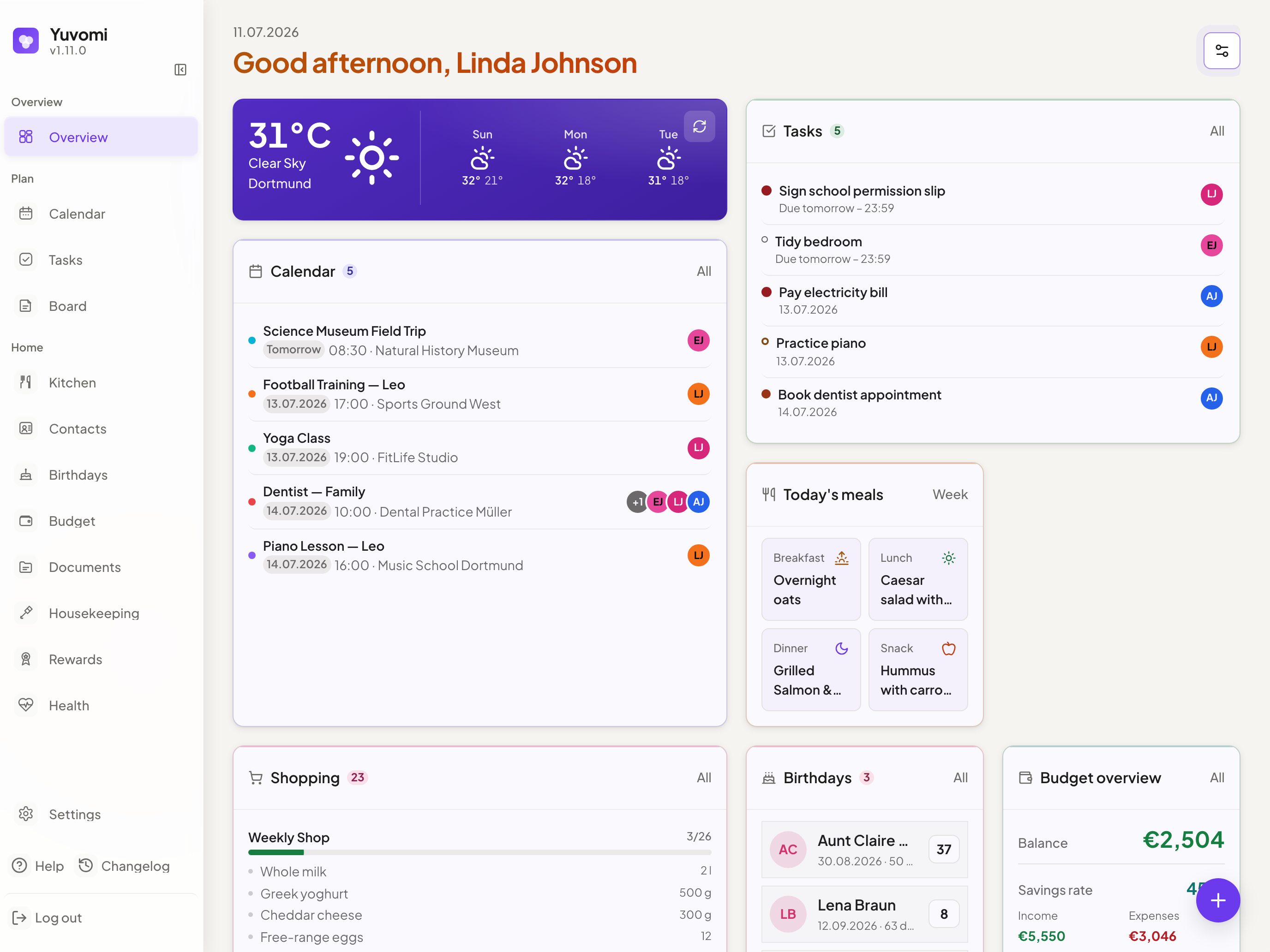
Dashboard widgets share one header grammar, and more section headings adopt the shared title style. Three widget header treatments coexisted on the dashboard: most widgets carried a module seal, a title and an optional “view all” link, but Weather and Clock opened straight into their content with no header at all. Both now open with the same seal+title header as their 15 neighbours - the large temperature and the clock face stay exactly as prominent as before, they just get a name above them like everywhere else. The metrics tile row is deliberately left alone: each tile already names a different module with its own seal and label, and forcing one title over several modules would misrepresent it, not fix it.
Separately, Rewards’ four section headings and a genuinely unstyled Inventory category heading now use the shared
u-section-titlerole instead of a private declaration that had drifted a few pixels off it (Inventory’s had no declared size at all - it inherited the browser default, not any design token). Notes’ and Budget’s section headings, already the right size through their own container rule, now say so directly in markup as well, growingu-section-title’s adoption beyond the two files it was previously confined to..inputand.form-inputstay aliased to the same rule - renaming roughly 300 existing uses is not worth the review cost - but the alias site and DESIGN.md’s Inputs/Fields section now say which one is canonical for new code:.form-input, the name.form-group/.form-field/.form-labelalready use. -
A scaled ingredient quantity is now written in the household’s own digits. Scaling a recipe wrote the number in Latin digits even where the rest of the line used Persian or Arabic ones, so a doubled “۲ x ۵۰۰ g” came back as “4 x ۵۰۰ g” - one line in two scripts. That was deliberate at the time: the server could only read Latin digits, and a quantity it could not read dropped out of the shopping list totals. Now that both sides share the same transliteration, the reason is gone.
Quantities already stored stay readable, and so do quantities written before a household changes its region: reading gives the configured region’s digits precedence and falls back to every other system, the same way the server does. Without that, this change would have produced data the app itself could no longer read.
-
The recurring-payment dialog now says that editing a series also rewrites its first booking (#1035). A series original is two things at once: the template every future occurrence is built from, and the first hand-entered booking.
PUT /budget/:id/serieswrites title, amount, category and account to that one row with no date predicate, so raising the rent for all future months also rewrites what the very first month says - a booking that may be years old. Separating the two meanings of that row needs a migration and a decision about whatrecurrence_parent_id IS NULLshould mean afterwards; until then the dialog where the choice is made states what happens. The delete dialog is unchanged: “Delete entire series” already says it.
Fixed
-
Split Expenses no longer shows three ways to add an expense at once, or a second page title under Budget’s own heading. Viewed as Budget’s Split Expenses tab, the tab used to offer its own header button and its own floating button for adding an expense, on top of Budget’s own generic toolbar button and FAB - both of the latter only ever repeated the tab’s own button under the hood. Budget’s generic add action is now switched off for this tab, the same way it already is for Reports; the tab’s own floating button is the one primary action, and its header button steps back to a secondary one. The tab’s own
<h1>- a second page title stacked under Budget’s - is now a section heading instead, matching how it already looked in a lighter type size. Deleting a group now gets the same restrained red treatment used for a destructive action elsewhere in the app, instead of looking identical to editing or archiving it. -
The demo data’s birthday reminders now come days ahead, not minutes before noon on the day. The demo seed wrote reminder lead times as
1d,3dand1w, while Yuvomi stores them as minutes and reads only the leading digits, so they became one minute, three minutes and one minute again: every demo birthday reminded shortly before noon on the birthday itself, and the birthday form showed a lead time it does not offer. The seed now uses the form’s own values (a day, two days, a week - the former three days became two), and a guard keeps it to those. Only a database filled byscripts/seed-demo.jsis affected. -
A dismissed birthday reminder stays dismissed. Dismissing a due birthday reminder only lasted until the next check: the sync that keeps a birthday’s reminder in step looked for an active row, found none, removed the dismissed one and created the same reminder again - so it was back within a minute, and could be pushed a second time. The reminder now stays dismissed until its time actually changes: a different lead time, a changed date, or next year’s birthday.
-
A housekeeper can check out again, and work a second session on the same day (#1133, #1138). The one button that carries both directions was disabled while someone was checked in, and it is the only thing that triggers the check-out path - so that path was unreachable: a household could check a housekeeper in and never close the session from the app. The button now offers “Check out” in that state. Behind it, two answers had collapsed into one: a worker’s “currently working” and “was here today” both reported the last session of the day, so someone stayed “checked in” after checking out. They are separate again. The check-in route matched the same mistake and refused a second check-in for the rest of the day, which made split shifts, a break with resumed work, and two separate visits impossible; it now only refuses while a session is actually open. Overlapping sessions stay blocked, and each session keeps its own rate, calendar event and payment task. The line under the name still shows today’s visit once it is closed.
-
The formatting toolbar over a task’s note shows its icons again (#1141). Switching a task’s detail view into edit mode builds that form only then, but the icon-replacing pass over the whole overlay had already run before the form existed, so the 13 buttons of the markdown toolbar (bold, list, link, and so on) stayed blank. The edit form now gets its own icon pass right after it is built.
-
An event moved to another CalDAV calendar can be deleted or edited right away (#593). A move creates the event in the new calendar and removes it from the old one, but until the next sync Yuvomi kept pointing at the old copy. Deleting the event in that window went to an address that no longer existed, counted as done, and the next sync brought the event back from the new calendar. An edit was dropped the same way, and moving the event back to where it came from was not recognised as a move. The event now points at the new calendar and its new copy as soon as the move succeeds, as moves to Google calendars already did. An event deleted while its move is still under way has its new copy deleted as well, and an edit or a move made while a change is still being sent to the server stays queued instead of being dropped.
-
A change to a synced calendar no longer collides with a sync that is already running (#593). Every create, edit and delete tries to reach the server right away, and the scheduler runs its own sync every few minutes. Both did the same bookkeeping at the same time, so one could clear the other’s notes between two network calls: an event deleted while its move to another calendar was still under way left its new copy behind, and the next sync brought the deleted event back. A provider now runs one pass at a time - the immediate attempt, the scheduled sync and a second scheduled tick wait for each other instead of overlapping, and a burst of edits during a slow pass is followed by one catch-up pass rather than one per edit. This covers Google, CalDAV, iCloud and the CalDAV reminder lists behind Tasks and Shopping.
-
Keyboard focus comes back after a confirmation, an input dialog or the calendar’s detail popover (#1083). Confirm a delete, rename a list or a subtask, pick a folder to move to, and the page reloads its list - which rebuilds the very button you came from. Focus fell to the page body, so keyboard and screen-reader users started over at the top. These paths now put focus back on the rebuilt control, or on the page itself when that control is gone: in Tasks, Shopping, Documents, Health, Subscriptions, Housekeeping, Inventory, Meals, Rewards, the Schedule, Split Expenses, the quick links and several Settings pages (API tokens, invitations, document storage, recipe providers, calendar subscriptions and accounts). On desktop, the calendar’s detail popover now returns focus to the event it was opened from when it closes through Escape or one of its actions; a click elsewhere still leaves focus where it went. Deleting a contact or an event from its detail view puts focus back on the page as well.
Where a dialog appears on only some paths - rejecting a reward redemption asks, fulfilling it does not - focus is pulled back only on the path that asked. Otherwise it would land on the trigger of some earlier, unrelated dialog. The guard that holds all of this learned three shapes it could not see: dialogs that deliver their answer after closing (
confirmModal,promptModal,selectModal,confirmOverModal), a reload inside atryblock or after anif, and a callback handed in as a parameter. -
An edit or a move made while a change is still on its way to Google is no longer dropped (#593). A change to a synced Google event is sent in the background. If the event was edited again, or moved to another calendar, while that request was still under way, finishing it cleared the note that more was waiting: Google kept the older version, and the next sync could write it back over the newer edit. A second move made during a move was lost the same way, and moving the event back to its old calendar while the first move was running was not recognised at all. Only what actually reached Google now counts as done, and anything newer stays queued for the next attempt. An edit made while the event is being moved goes to its new calendar in the same run instead of waiting for the next sync.
-
Choosing the calendar an event already sits in withdraws a move that has not gone out yet (#593). A move to another calendar is queued and carried out by the sync, and that attempt can fail - the server may be unreachable right then. Choosing the original calendar again in that window looked like no change at all, so the queued move stayed: the next sync moved the event into a calendar nobody had chosen any more, while the dialog showed the one that was. A target pointing back at the calendar the event sits in now withdraws the queued move, and a target pointing at a third calendar replaces it. Only the choice made in that edit counts: an edit that leaves the target alone keeps a queued move, and a target stored on an older event that differs from its actual calendar is still never read as a wish to move. Withdrawing also works while the sync is set to read-only or its account is gone - it changes nothing at the provider, and a move the user took back must not come back to life once writing is allowed again. Google and CalDAV alike.
-
The event detail names the day a multi-day event ends (#1102). The “When” row showed the start date and, of the end, only the time: an event from 10 September 14:00 to 12 September 11:00 read as “14:00 - 11:00” on a single day that ends before it begins, and an all-day event across three days named only the first. When an event ends on another day, the row now carries that day as well - start date and time to end date and time, or first to last day for an all-day event. “Another day” is the rule the calendar grid already uses rather than a second one: a timed event that ends at 00:00 still belongs to the evening it started in (#804), and the end of an all-day event stays inclusive. The range separator now comes from the same locale string as the day view’s date range, a hyphen where the time range used to carry an en dash.
-
Dialog content on a phone scrolls again with Reduce Motion turned on (#981). A freshly opened dialog stands at the top, so every swipe inside it began as a tracked swipe-to-close gesture, and on every upward frame that gesture wrote
translateY(0)to the panel. Normally the sheet’s entrance animation holds its end state and outranks that inline style, so the write changed nothing. With Reduce Motion the animation is switched off, the write turned the panel’s transform fromnoneinto a matrix on every swipe, and iOS dropped the scroll. Measured in the iOS simulator with the setting on: the same upward swipe left the content 0 to 30 px down in three runs. An upward movement of more than 10 px before the sheet has been pulled is now content scrolling - the gesture lets go and never touches the panel’s style. Below that, the same threshold that already applied downwards, nothing is decided, so a finger that wobbles upward as it lands can still pull the sheet closed. A pull that has already started stays tracked when the finger reverses, so the panel still returns to rest. Under the same setting the swipe now ends 500 to 675 px down. -
The Module options settings page describes what it actually contains. Its description named only Budget, Health and Housekeeping - accurate when it was written, but Tasks and Schedule have since grown their own sections on the same page without the sentence ever being updated. Reworded to describe the page’s purpose instead of enumerating its sections, so it can’t go stale the same way again the next time a module gains a section here.
-
The person filter in the task history is no longer a row of blank buttons on a phone (#1068). Below 640px the label-loss rule removes every
.group-toggle__label; it is built on the assumption that an icon stays behind, which is true for the view switcher next to it. These chips had none, so nothing remained but the tinted surface of the active one. The loss was not only visual:display: nonetakes the text out of the accessibility tree as well, so the buttons were just as nameless to a screen reader. Each chip now carries what the rest of the module already uses to identify a person - their avatar, the same disc the history rows below it show - and “All” gets an icon from the same family as the switchers. The name itself moved onto the button asaria-label, where no media query can take it away. -
A recurring event synced from Google no longer shows an end time hours after its start (#1089). Every occurrence of a series is generated from the master, and its end was derived by adding the duration to the new start. Which format that end was written in depended on a test that asked the wrong value: it looked for a
Zin the master’s start, while the occurrence’s own start may well carry a numeric offset (15:25:00-04:00, as Google sends it) or be rebuilt as UTC from the series timezone. Neither matched, so the end went down the wall-clock branch and was formatted with the SERVER’s local getters. The row then held two storage formats at once: an instant for the start, a zoneless wall-clock time for the end. The browser converts only the first, so the two stood side by side on different clocks - off by exactly the offset between the server and the viewer, which is why it stayed invisible wherever the two agree. Reported from a UTC server viewed in New York: 3:25pm to 3:30pm was displayed as 3:25pm to 7:30pm. The end now follows the storage format of the start it belongs to. Locally created series are unaffected: there both sides read the same server zone and the conversion cancels out. -
Late Notes saves no longer close a replacement dialog or hide a failed save. A save response now belongs to the editor that started it. If that editor has already closed or is waiting behind a discard confirmation, the current dialog and its unsaved fields stay intact; network failures remain visible in the global error toast. A late category-name conflict follows the same ownership rule: it offers the rejected name again only while the page and dialog flow that requested the rename are still current, and otherwise reports the conflict without replacing newer work.
-
An ingredient written in the household’s own digits now counts towards the shopping list. Moving a meal plan to the shopping list adds up the same ingredient across meals. The server read the quantity with an ASCII-only pattern, so a Persian, Arabic, Hindi or Thai amount - “۲۵۰ g” - matched nothing at all, and the ingredient dropped out of the totals: the list showed it twice underneath itself instead of once with the sum. A household using its own digits quietly got a worse shopping list than one using Latin ones.
The server has no locale, so it now accepts every digit system rather than one region’s. The mapping is derived from
Intlrather than kept as a table - 770 digit characters across 77 systems is not something anyone would keep current by hand. Only real digits count: the one system whose “five” is an ordinary Chinese character is left out, so a五in an ingredient stays a word.Two details follow from what a character actually means. The Arabic thousands separator says so unambiguously, unlike a comma, so “١٬٠٠٠ g” now reads as a thousand grams; a plain “1,000 g” is left as it was, because there the server cannot tell grouping from a decimal point. And a fraction stays on the text path rather than being read as its numerator - “١/٢ kg” was never a quantity of one, and neither was “1/2 kg”, which had been getting that wrong unnoticed.
Quantities written with foreign characters go through a stricter reading than plain ASCII ones, because they had no behaviour at all before: a grouping has to look like one along its whole length, several groups are read as one number, and a comma inside Bengali or Devanagari digits is refused rather than guessed - it groups there, so reading it as a decimal point would be off by a thousand, and the server cannot know which was meant. Plain ASCII quantities keep reading exactly as they always have; changing that is a decision of its own.
-
An edit made while the list is refreshing is no longer thrown away. Checking an item off the shopping list, or stepping a pantry quantity up or down, marks the row immediately and sends the change to the server behind it. Both pages stay usable while a refresh is in flight - after managing categories or storage locations, after switching lists, after importing a meal plan. A refresh that had read the server before the edit arrived back after it, carrying the older value, and overwrote what had just been changed. The row jumped back, the counter beside the list tab disagreed with it, and the next tap sent the wrong value on - unchecking something the server considered unchecked already.
The item was never actually lost - the server had it - which is what made this hard to see: a reload showed the right thing, so the wrong row only lasted until the next visit to the page.
Pending edits now survive a refresh. Each one is remembered until a refresh comes back that demonstrably started after the server confirmed it, and only the affected rows are re-applied on top of the fresh data. Everything else in the response lands untouched, so the refresh still delivers what it ran for. Discarding the whole response instead would have taken the renamed categories with it - the very thing the refresh exists to bring. A refresh that is overtaken by a later one now steps aside rather than writing an older picture over a newer one.
A refresh answered from the offline cache no longer counts as proof.
/shoppingis in the service worker’s read-only offline whitelist, so on a dropped connection the last cached response comes back with its original success status and is otherwise indistinguishable from a fresh one - while being arbitrarily old, since writing does not clear that cache. Taking it at face value put the pre-edit value straight back on the row, which is exactly the situation this is for: standing in the shop on a bad connection. The read now carries whether it came from the cache.If the change to the server does fail, the row goes back to what the server last said rather than to what it showed before the tap. Those are the same value in the ordinary case and differ exactly when someone else in the household changed the same row in the meantime - and then the value from before the tap is a number the server has never held.
In the pantry the pending step also lost track of its own row: a refresh replaces the stored items with new objects, and the delayed request still held the old one, so the server’s answer was written into an item that no longer belonged to anything. The row and the item are now looked up again when the answer arrives.
-
A saved filter no longer offers a category, tag or person that has been deleted. The Tasks filter bar keeps the last three filter sets as one-click chips. Nothing checked whether what they name still exists, so deleting a category, renaming or merging a tag, or removing a household member left a chip that put the dead value straight back into the query on click. The list then filtered on something the server has never heard of and stayed empty - and reloading did not help, because the value lives in the browser’s local storage.
The chips are now filtered when they are read rather than cleaned up when they are written: a single place decides it, and it stays right even when the change happened in another tab or on another device. A set that has nothing left to offer disappears from the bar. Nothing is rewritten in storage, so a category that comes back brings its chip back with it, and a load error - where the app has no reliable list to compare against - leaves every chip alone rather than sweeping them away. Offline counts as such a case: the list of categories, tags and members can itself come from the offline cache and be arbitrarily old, which would hide a chip that is still valid just as readily as it would keep a dead one.
-
Deleting a category now updates the page behind the dialog. Every module that offers “manage categories” kept showing the category you had just deleted: the filter chips in Contacts, the grouping in Shopping, the storage locations in Pantry, the places and categories in Inventory, plus Tasks and Budget. The server had deleted it, the screen had not noticed, and picking the stale entry afterwards ran into an error from a category that no longer existed. A reload fixed it, which is how it stayed hidden.
The cause was a matter of order. Confirming the deletion closes the dialog first and sends the request second, so the “something changed” signal arrived after each page had already stopped listening. Refreshing now happens when the change actually lands rather than when the dialog closes.
Shopping had a second version of the same staleness, and renaming triggered that one: it stores a category by its name rather than by an internal key, so both renaming and deleting rewrite the items themselves. The list only reloaded its categories, leaving the affected entries under their old heading at the bottom of the list. It now reloads the items with them.
-
A fractional ingredient quantity with a stray separator is no longer scaled into a wrong number. Scaling a recipe reads a leading fraction like “1 1/2 cups” as well as a plain amount. Where a denominator ran straight into a separator - “1/2,5 cup” - only the “1/2” was read, the result was multiplied, and the leftover “,5 cup” was appended, so doubling it produced “1,5 cup”: a quantity that looks deliberate and is wrong. The check that already refused this for plain amounts now covers the fraction forms too, and such a line is left exactly as written.
-
Scaling a recipe now reads and writes ingredient quantities in the region that is actually set. Applying a recipe to a meal and changing the servings factor rescales every ingredient, and that step parsed the number itself with the comma hard-wired as a decimal point. Under a region that groups thousands with a comma, “1,000 g” was therefore scaled up from 1, putting an ingredient in the recipe a thousandfold too small with nothing to show for it. Under Persian or Egyptian Arabic the number was not recognised at all, so that line stayed at its original amount between correctly scaled siblings - the recipe was simply wrong.
The result was written the same way it was read: the separator was copied off the input, so a “1.5” mirrored in from Mealie or Tandoor stayed “1.5” in a German kitchen. Both directions now follow the set region - the reading side through the same transliteration as prices and shopping quantities, the writing side through the same number format - so a scaled quantity comes back out in the notation the household reads, and the app can read its own output again the next time. The separator is presentation and follows the region wherever the region uses one the server reads - a comma in German, French or Czech, a dot in US English or Swiss German. Persian and Arabic use a third one, and there readability wins and the dot is written.
A grouped quantity is refused rather than guessed, and refusing here means the line is left exactly as it was: the quantity is the ingredient’s own text, and the original is the only answer that invents nothing. The same applies to a number that breaks off mid-separator - “1,5 kg” under a region where the comma separates nothing would otherwise have been read as 1. Fractions (“1 1/2 cups”), plain amounts and free text like “a pinch” keep behaving as they did.
-
A quantity like “1,000 g” on the shopping list is no longer read as 1 before it goes into the pantry. Taking a checked item over to the pantry pre-fills the quantity field from the free text on the row, and that step parsed the number itself, with the comma hard-wired as a decimal point. Under a region that groups thousands with a comma - en-US among them - “1,000 g” therefore arrived as 1 g, off by a factor of a thousand, and nothing said so. Under Persian or Egyptian Arabic the number was not recognised at all: the field shows the region’s own digits, and a quantity typed in them fell back to “1 piece” no matter what it said.
The number now goes through the same transliteration as the price fields (#1003): the digits and the decimal separator come from the region that is actually set, and a grouped number is refused rather than guessed - “1,000 g” could mean one gram or a thousand, both readings are defensible, and the wrong one is off by a factor of a thousand. Refused means the row falls back to “1 piece”, which says visibly that nothing was understood, in a dialog where the quantity sits in a field you can correct before it is saved. The same applies to a number that breaks off mid-separator, which a grouping check cannot catch: “٢٬٥٠” has only two digits after the separator, and under Persian the ASCII comma separates nothing at all. Only the leading number decides: “6 x 1.000 ml” is six bottles of a litre each, and the 1.000 further along - which is never read - does not make the line unreadable. “1,5 kg”, “250 g” and “6 x 1 l” keep reading exactly as they did.
-
Closing a dialog no longer drops keyboard focus when the button that opened it was re-rendered meanwhile. The shared modal layer remembers the element that opened it and hands focus back on close. If the page had swapped that button out in the meantime - the category manager re-renders its section after every rename, reorder or new entry, while the dialog is still open - the remembered pointer referred to a node no longer in the document. Calling
focus()on it does nothing at all, silently: focus fell todocument.body, and anyone working by keyboard or screen reader lost their place in the page and had to tab in from the top.The layer now checks whether the remembered element is still connected, and falls back in two steps: it looks for a live element under the same id, which finds the button that was rebuilt in the same spot, and otherwise puts focus on the page root - the same target the skip link uses. Not a good place, but a place inside the page, which
document.bodyis not. The root is made focusable first: the app shell gives ittabindex="-1", but the five auth pages render their own<main id="main-content">without one, and focusing an element that cannot take focus is the very no-op this entry is about.The same break has a second, more common shape: a handler that re-renders after the dialog closed -
closeModal()andrenderGrid()on the next line. There the restore was correct and got re-rendered away a moment later, which no check at close time can see. Measured: 30 such places, and the typical trigger there is not a toolbar button but a list row - a note card, a meal cell - which carriesdata-idordata-actionrather than an id. The layer now looks the element up again by those attributes, and where the target is destroyed right after the restore it takes a second pass on the next frame: only if the target really vanished, only if focus actually fell todocument.body, and only if no dialog has opened in the meantime. Where nothing broke, nothing moves - the common path is unchanged.Eleven of those places re-render after an
await, which is past that frame. There only the page knows when it is done, so it says so:refocusAfterRender()runs the same three checks and does nothing where nothing broke. A scanner in the test suite finds the pattern rather than a list of files, so a new place that re-renders after anawaitis caught without anyone editing the test.A third shape hides between the two and was found in review: a handler that re-renders asynchronously while the dialog is still open -
await loadBudgetMeta(); renderBody();in the category manager. Close the dialog while that request is in flight and the opening button is still connected, so the restore correctly lands on it and the re-render detaches it a moment later. Measured in the browser, focus ends up ondocument.bodyagain. Eleven handlers of that shape now pull focus across their own re-render, with a second scanner holding the line.Where the trigger is a list row, the row itself is what identifies it: inventory and pantry put
data-idon the row and onlydata-actionon the button inside it, so every row looks alike from the button’s side. The lookup now carries the row it sat in, and where more than one candidate still matches it returns none and falls back to the page root, because a wrong focus target puts the reader somewhere they did not choose. Not everydata-value carries identity, though: a subtask’s rename button also holds its title, and that is what just changed - so the lookup makes a second pass on the identifying fields alone, still insisting on a single match.The scanners look through wrappers as well: a handler that awaits
reload()rebuilds the page just as much as one that callsrenderContent()directly, and the name says nothing about it. Counting only names beginning withrenderleft 25 places uncovered across six more modules. They follow those wrappers through nesting, too -reloadMedViews()callsreloadMeds(), and only that one reaches a render - and they count an awaited callback as a rebuild, sinceawait onChanged()replaces the whole list without naming anything.Focus is now also checked for arrival rather than assumed: a rebuilt button can come back
disabled- the redeem button in Rewards does, once the points no longer suffice - and focusing it is the same silent no-op the whole entry is about. Where it does not take, the page root does. And where that root was chosen as a stand-in, a later rebuild is allowed to take the focus off it again, so a loader that swaps its opener for a skeleton and rebuilds it after the request does not leave the reader stranded at the top of the page. What decides is whether the target still holds focus, not whether it is still in the document: deleting a task hides its row rather than removing it, and a hidden row keeps its place in the tree while dropping focus tobody.Measured across the seven callers of the category manager, exactly one - the budget page - puts its button inside the very section it re-renders while the dialog is open. The others keep theirs in a toolbar their handler does not touch, and the shopping menu turned out to be a non-case: the popover hands focus back to its trigger before the page handler even runs.
-
Paying extra on a loan now shortens the remaining term, not only the balance (#964). Since #954 the remaining principal follows the money you actually paid, but the remaining term beside it stayed plan-based and still said 100 installments after you had doubled a payment - the exact number the reporter was looking at. It now shows what the account balance implies, with the contractual figure in brackets: 98 (plan: 100).
Only that one figure moves. Monthly payment and total interest genuinely describe the contract - the bank will not send a smaller invoice because you overpaid - and they stay as they are. The remaining term is the one number in the group where the contract and the balance disagree and the balance is what was being asked about. Both are shown so the contractual view does not quietly disappear.
The projection is arithmetic, not advice: it carries the contractual annuity forward at the contractual rates, including the switch to the follow-up rate at the end of a fixed period. It says nothing about whether overpaying is worthwhile - early-repayment penalties keep that question out of scope (#935). Where the sum cannot be computed - an instalment that does not cover the interest - the plan figure stands alone rather than an invented one.
-
A month-end series in its own timezone no longer drifts across a DST change (#985). A series imported over CalDAV or ICS carries the timezone it was created in. Its recurrence was computed on UTC days, and where the UTC day and the local day disagree - a late-evening event, say 23:30 in New York, stored as 04:30Z the next day - the month-end rule was suspended and the series ran on its fixed UTC day instead. That fixed offset tracks the local month end only while the UTC offset stays put. From the March transition onwards it does not: measured on a New York series at 23:30, every following occurrence landed on the 1st instead of the last day of the month - not one missed date, all of them.
The recurrence now advances on the event’s local date and converts back to UTC per occurrence, so
BYMONTHDAYapplies again to the date it actually means, and the local time of day stays put across the transition. Events without their own timezone - everything created in Yuvomi - are unaffected and take the same path as before.Two dates now run side by side, deliberately: the rule advances locally, while the display window, the
EXDATEexceptions and the emitted instance stay on the UTC day. Exceptions are normalized to the UTC day on import, so comparing them against the local one would have made them miss exactly the events this fix is about. -
A “last day of the month” series now leaves Yuvomi with a start date its own rule accepts (#986). A series created from a mid-month date stores
DTSTARTas entered - say 15 January - together withRRULE:FREQ=MONTHLY;BYMONTHDAY=-1. Internally that is unambiguous, and the calendar never shows the 15th. Outbound it was not: RFC 5545 3.8.5.3 calls the recurrence set of an unsynchronizedDTSTARTundefined, so a subscribing client was free to render the 15th and every month end - one occurrence more than Yuvomi shows. Every outbound path (ICS feed, CalDAV, Apple, Google, Outlook) now emits the first date the rule actually matches.The end moves with it.
end_datetimeis an absolute timestamp, not an offset: leaving it behind would have produced an event that ends before it starts. It shifts by the same number of days, so the duration and the stored time format survive untouched.Two things stay exactly as they were. An imported series is handed back word for word (#756) - a foreign calendar may carry an unsynchronized
DTSTARTon purpose, and Yuvomi is not the referee on a round trip. And aBYDAYrule is left alone (#549), where a start on a weekend is a deliberate, older decision. The transformation is read-only at the point of serialization: the stored value never changes, which is what made the write-time attempt in #984 unworkable. -
An event from a subscribed calendar now names its source everywhere an event is read (groundwork for #1064). A subscribed event already inherited its subscription’s colour, but the name came from
external_calendarsalone: the calendar list, the search and the dashboard all readcal_nameas null for it, so it showed up in the subscription’s colour without ever saying which subscription that was. The detail endpoint went further and did not select the column at all, for any event - its own comment promised “the same event object as the read path”, and that promise held for the colour only, so a freshly created or edited event came back without its calendar name. All six queries now read the name from both sources, the way the colour already did. An event with no source keepscal_name: null. -
The schedule overview now sets its blocks in the same size as the calendar (#1065). A block in the overview carries what a calendar tile carries - a title plus one line of time and custom field - but stood two type steps smaller than one, in narrower columns, which made a school timetable hard to read at a glance. It now uses the same
--text-xsthe calendar uses. The height was already there: a 45-minute lesson is 42px tall on the condensed hour scale, and two lines cost about 35px including padding; measured across 60 blocks, none clips in either direction. Putting the custom field on a third line of its own, as the report asked, would need about 51px per block and therefore a taller hour scale - that is a change to the scale, not to the block, and is not part of this fix. -
Editing one occurrence of a local recurring event now keeps it linked to its series (#975). The edited occurrence keeps all three series scopes when reopened, follows later series changes for fields that were not deliberately changed, and keeps its original recurrence slot even when moved to another date. The replacement and its skipped original slot are saved atomically, and the read-only ICS feed now exports the replacement with standard
RECURRENCE-IDsemantics. Imported series keep their existing whole-series behavior. Generated local series and local series targeted for outbound sync retain their previous standalone-edit and deletion scopes. Historic detached edits are left unchanged rather than guessed back into a series. iCloud auto-sync excludes linked replacements and their masters, without excluding ordinary deletion-only exceptions. Detaching a linked replacement retains its original-slot exception, so outbound targeting or a recurrence-rule round trip cannot resurrect a duplicate master occurrence. Changing a whole-series recurrence rule no longer forgets previously deleted occurrences. Truncating a series likewise retains later exclusions, and splitting a linked series transfers every later exclusion except the new anchor even when the successor rule cannot currently reach it, so a later extension cannot resurrect a deleted slot or duplicate a detached replacement. A no-difference only-this save removes an exclusion only when it also removes the linked replacement that owned that exclusion. Save confirmations preserve entered values on validation or server errors. Outlook checks actual writable push targets before accepting linked-series auto-sync, and MCP upcoming results retain their unrestricted future horizon while recurrence generation stops at the requested result count. ICS deletion exceptions keep the series’ local time across daylight-saving changes even when the stored UTC day differs; each exception needs at most three local-date candidates, not a series scan.