
TREK
A self-hosted travel/trip planner with real-time collaboration, interactive maps, PWA support, SSO, budgets, packing lists, and more
Alternative to: tripit, wanderlog
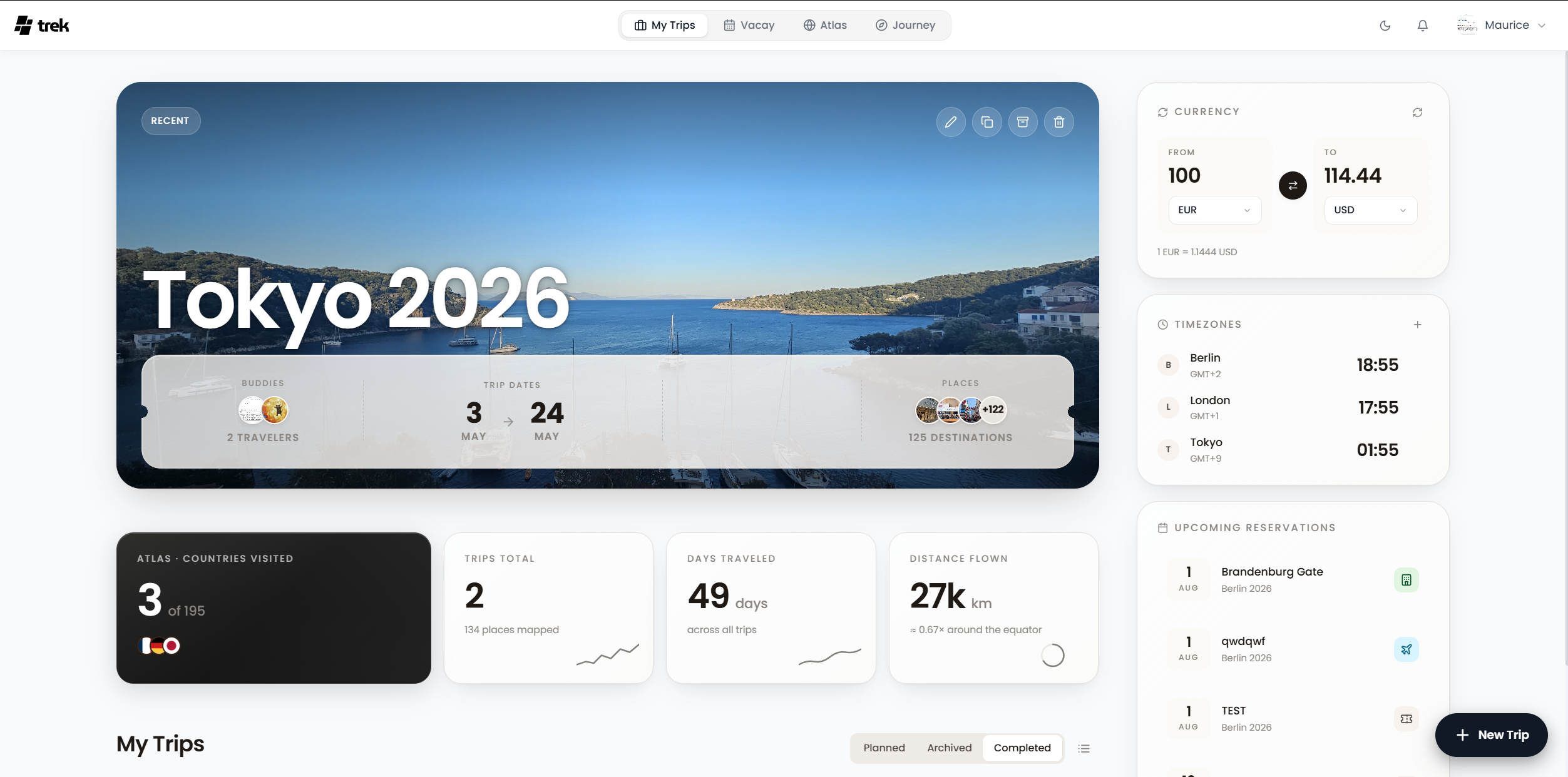
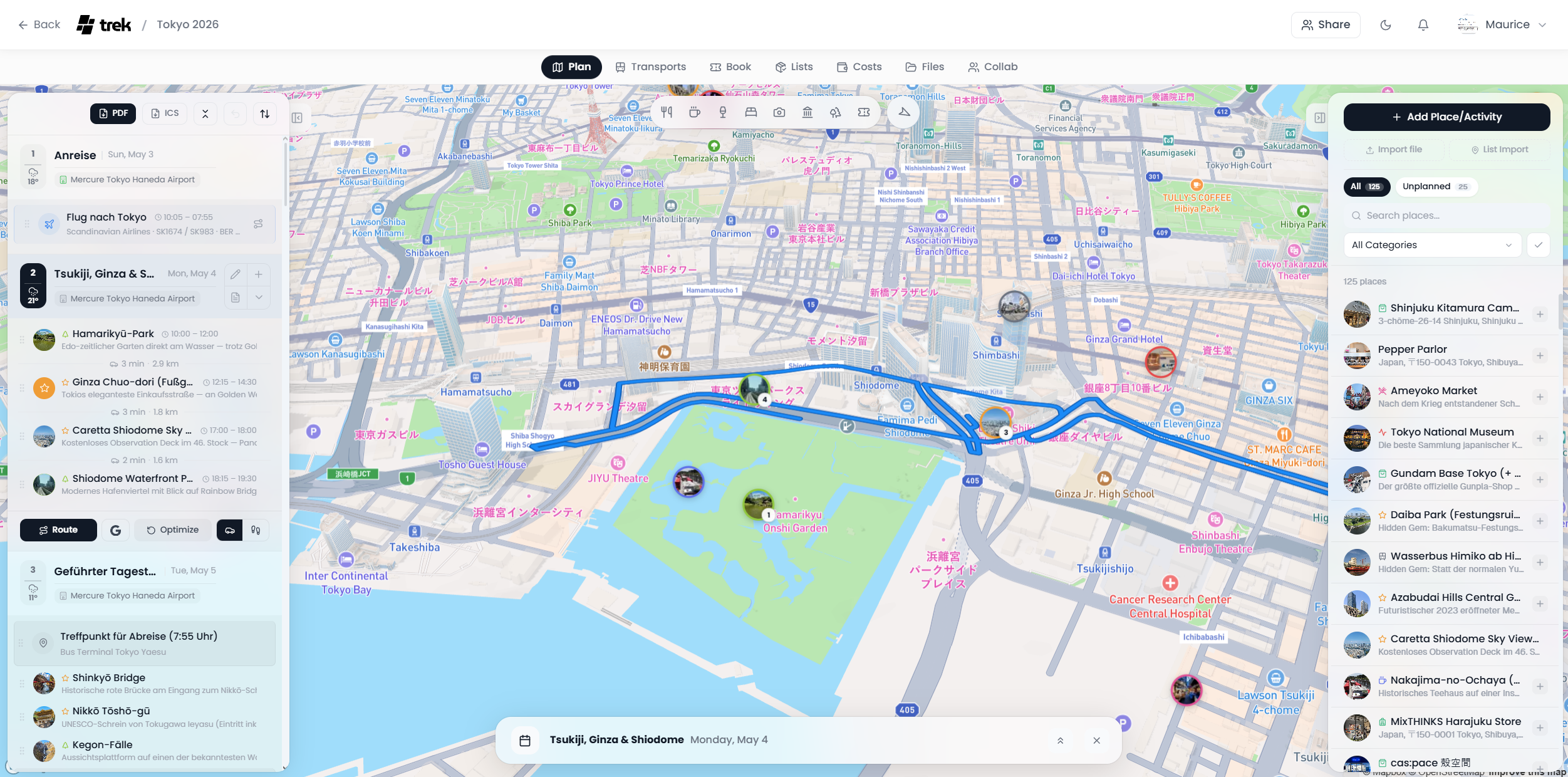
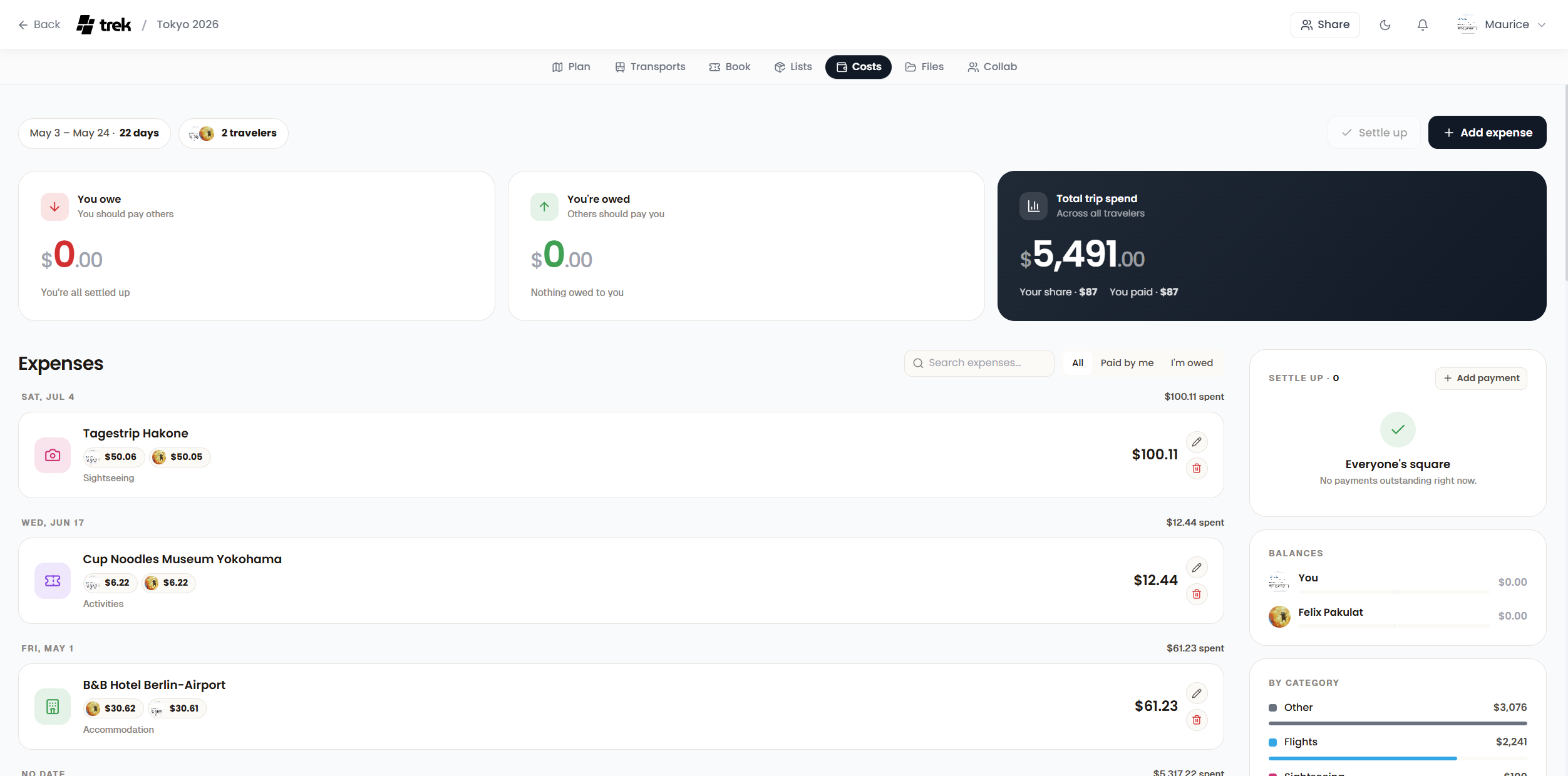
About
Versions (81)
v2.5.2
2026-03-22What’s New
Progressive Web App (PWA)
NOMAD can now be installed as a native-feeling app on iOS and Android — no App Store needed.
- Install: Open in browser → Share → “Add to Home Screen”
- Offline support: Service Worker caches map tiles, API data, uploads, and static assets
- Standalone mode: Runs fullscreen without browser UI, with custom app icon and themed status bar
- Auto-update: New versions are picked up automatically via the Service Worker
New Branding
- Custom geometric NOMAD logo with light/dark variants
- Logo integrated across navbar, login page, demo banner, admin panel, and PDF exports
- MuseoModerno font for login tagline
- Plane takeoff animation on successful login
- Liquid glass hover effects on dashboard spotlight card and widgets
- “made with NOMAD” footer on exported PDFs
- NOMAD version displayed as branded badge in profile dropdown
Bug Fixes
- Mobile note reorder — Notes can now be reordered on mobile (missing
tripIdprop fixed) - Atlas city counting — Postal codes no longer create duplicate city entries (e.g., “Tokyo” and “Tokyo 131-0045” now count as one)
- Atlas country detection — Added Japanese (日本), Korean (한국), and Thai (ไทย) country names
- PDF note positioning — Notes in the middle of a day now appear in the correct position (was always pushed to the end)
- PDF note icons — Renders the actual note icon instead of a hardcoded notepad for every note
- File source badges — Long place names now truncate with ellipsis on mobile instead of overflowing
- Navbar dropdown — Profile menu no longer hidden behind mobile plan/places buttons
- Dark mode contrast — Dashboard trip card hover and day planner header hover are now visually distinct from content background
- Settings buttons — Shortened “Profil speichern”/“Account löschen” to “Speichern”/“Löschen” for mobile
UI Improvements
- Mobile navbar shows only the NOMAD icon, desktop shows full logo
- Top padding before first item in day planner sections
- Improved drag & drop stability with larger drop zones and reduced line flickering
- Brand images protected from right-click save/copy/drag
Full Changelog: https://github.com/mauriceboe/NOMAD/compare/v2.5.1…v2.5.2