
TREK
A self-hosted travel/trip planner with real-time collaboration, interactive maps, PWA support, SSO, budgets, packing lists, and more
Alternative to: tripit, wanderlog
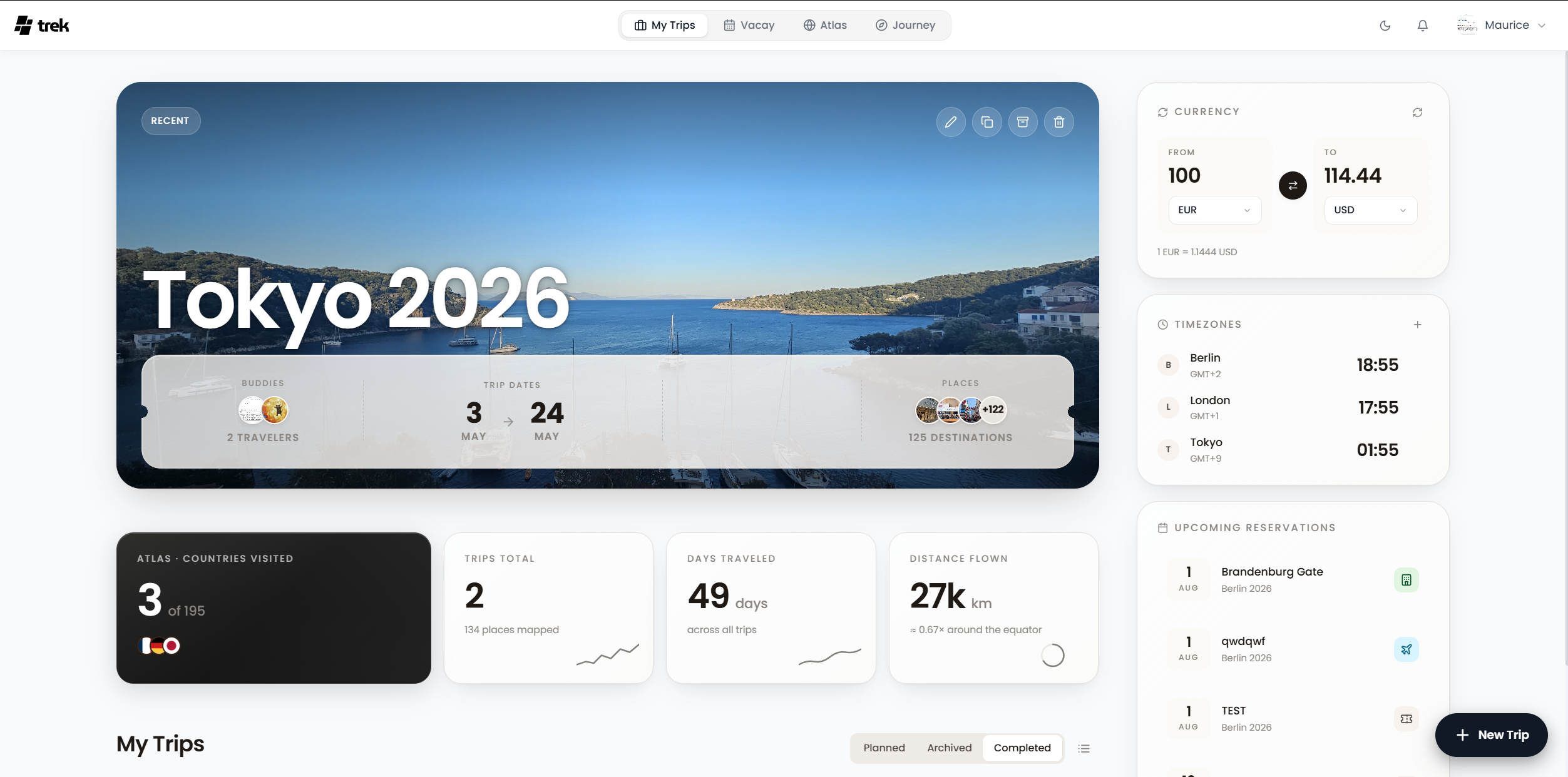
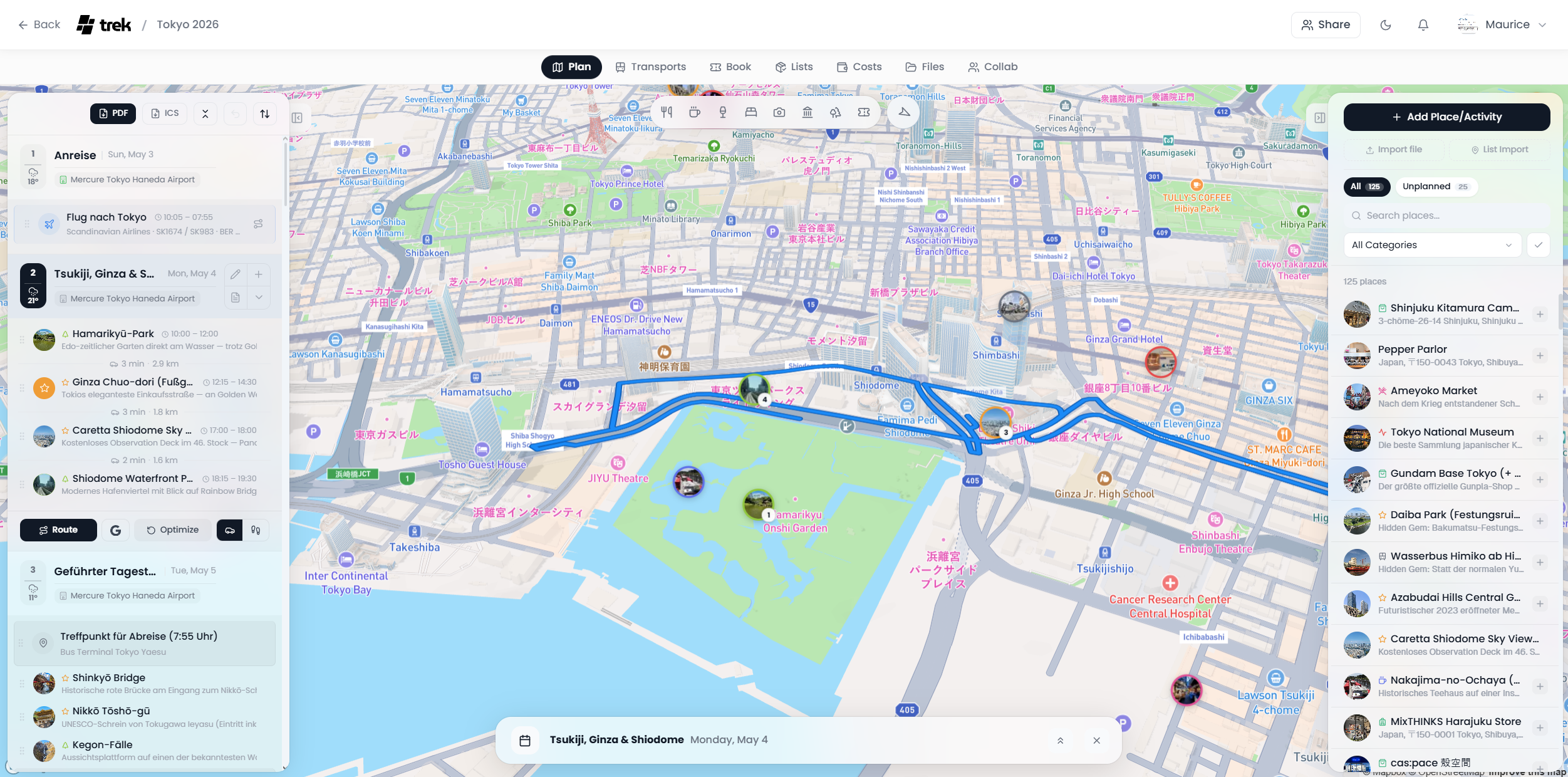
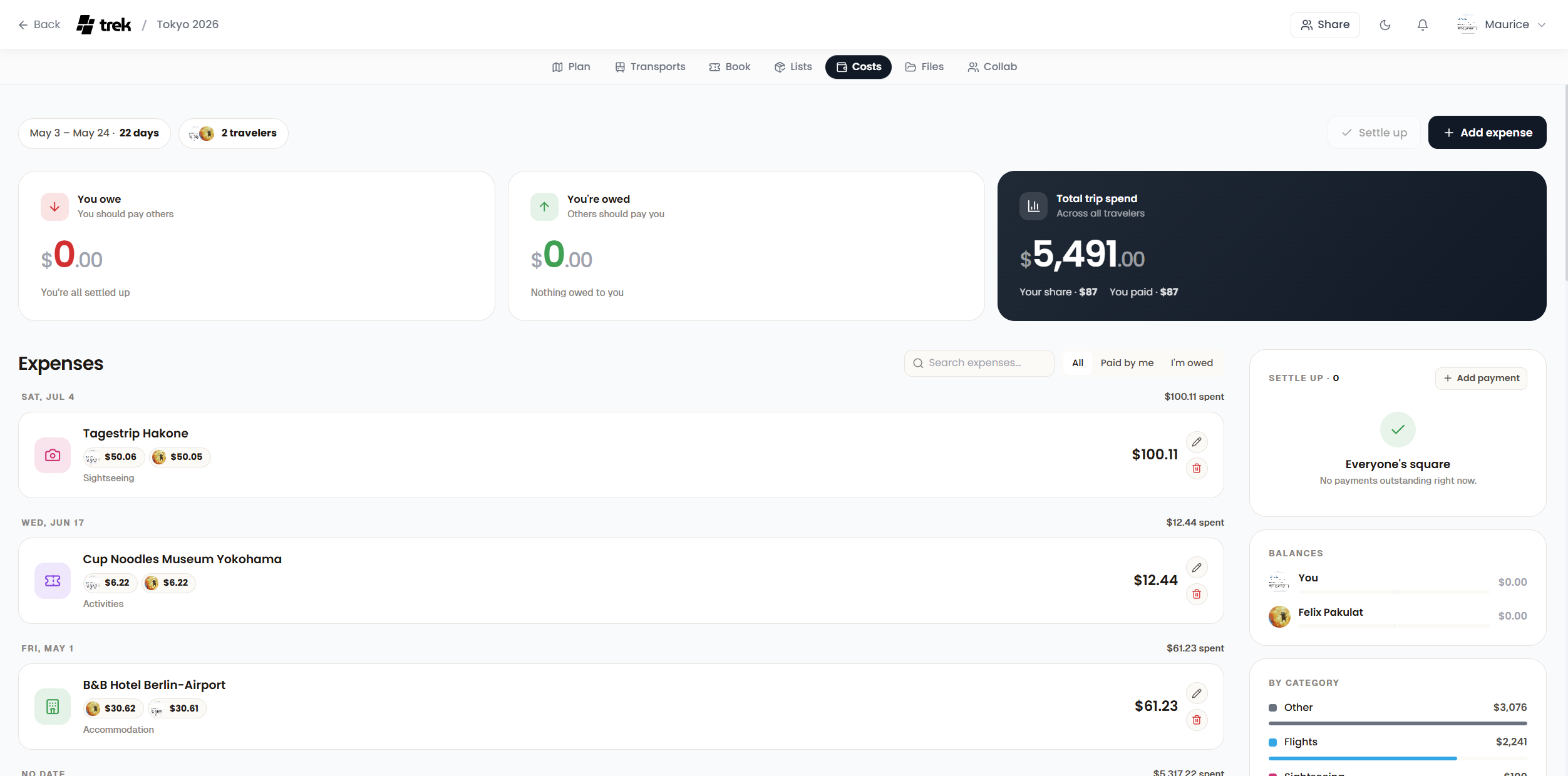
TREK is a self-hosted, real-time collaborative travel planner. It combines drag-and-drop trip organization, interactive maps, expense tracking with multi-currency support, packing lists, and a travel journal. Trips can be shared with multiple users via role-based access, invite links, SSO, and passkeys.
TREK Docker Compose example
Self-host TREK on your own server, homelab, or VPS starting from this Docker Compose example.
It runs TREK in Docker containers using the official mauriceboe/trek:latest image, with persistent volumes and automatic restarts preconfigured.
Review the environment variables and adjust them to your setup, save the file as compose.yml (or docker-compose.yml), and start the stack with docker compose up -d.
services:
  app:
    image: mauriceboe/trek:latest
    read_only: true
    security_opt:
      - no-new-privileges:true
    cap_drop:
      - ALL
    cap_add:
      - CHOWN
      - SETUID
      - SETGID
    tmpfs:
      - /tmp:noexec,nosuid,size=128m
    environment:
      # Node runtime mode — leave as production
      NODE_ENV: "production"
      # Port the app listens on inside the container
      PORT: "3000"
      # Recommended. Encrypts secrets at rest. Generate with: openssl rand -hex 32.
      # If left empty, TREK auto-generates a key on first boot (fresh installs).
      ENCRYPTION_KEY: ""
      # Timezone for logs, reminders and scheduled tasks (e.g. Europe/Berlin)
      TZ: "UTC"
      # Log verbosity: info = concise user actions; debug = verbose admin-level details
      LOG_LEVEL: "info"
      # Comma-separated origins for CORS and email notification links (e.g. https://trek.example.com)
      ALLOWED_ORIGINS: ""
      # Public base URL — required only when OIDC/SSO is enabled; also used as the base URL for links in email notifications
      APP_URL: ""
    volumes:
      - data:/app/data
      - uploads:/app/uploads
    restart: unless-stopped
    healthcheck:
      test: ["CMD", "wget", "-qO-", "http://localhost:3000/api/health"]
      interval: 30s
      timeout: 10s
      retries: 3
      start_period: 15s

volumes:
  data:
  uploads:
Prefer a managed setup? WinterFlow installs, configures, and updates TREK for you using this same Docker Compose configuration.