
Stirling PDF
PDF application that lets you edit PDFs on any device, anywhere
Alternative to: adobe acrobat, smallpdf, ilovepdf
v3.0.0
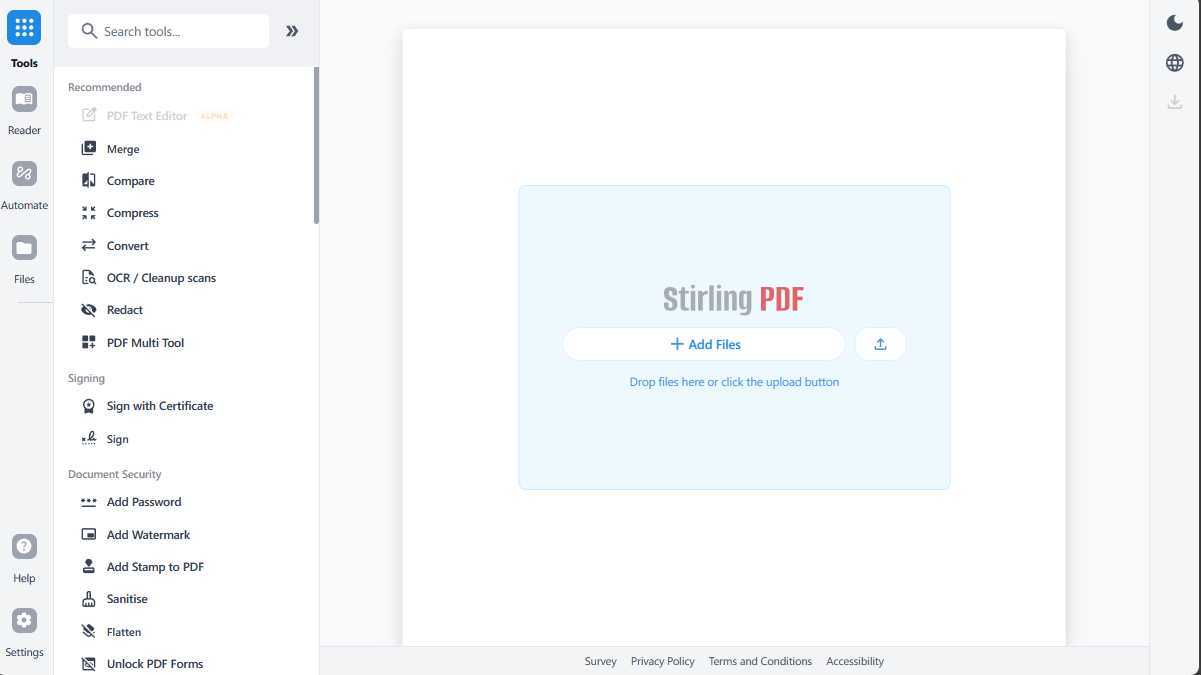
2026-09-24Stirling PDF V3.0 is live! With this update we are introducing a lot of exciting new changes, A brand new automation system, Free OAuth SSO for all, brand new text editor and a ton of new features, bug fixes and security fixes
We have a new system along side the “PDF Editor” called the “PDF Processor” The PDF Processor takes the tools you already use in Stirling PDF and lets you run them across a large numbers of files with a variety of sources (Folders/FTP/S3 etc) The idea is, If you need to OCR 10,000 files, Compress a whole folder or convert a whole document library this should be a tool which can help with that and allow it to listen and run for future files as they arrive This is the first major release of Processor and we will be improving it quickly based on how people use it. Full Processor guide with examples AI is also available as an optional part of Processor. You can use AI to understand documents, classify them, extract information, and help automate processing. AI is fully optional (and off by default) and can use various models including locally/self-hosted models depending on your setup. Automation now includes 1,000 PDFs per month free. This allowance applies to automated processing through Processor, API, and AI features. Linking your server to stirling.com gives you an additional 500 PDFs per month and access to our hosted AI (If you dont want to host your own). Normal PDF Editor usage remains free and unlimited. In addition, we are also making OAuth SSO free for all users.
V3.0 also includes major improvements to the PDF Editor side of things:
- The already mentioned free OAuth SSO
- Brand new Text Editor, now out of alpha you should expect drastic better UI, performance and compatibility
- Improved Form Editor and form creation
- Auto form detection
- New Quick access bar
- Auto rotate
- Major redaction improvements
- PDF/UA conversion (WIP)
- PDF Portfolio support
- Dedicated Reader view
- Sign from your phone using a QR code
- RFC3161 timestamps
- Search across all Stirling PDF
- Mobile UI improvements
- File handling and file history improved for desktop so deleted files delete in stirling UI
- Brand new Files Library
- New desktop folders to mount folders from disk into stirling to run automation on (Will be expanded on in future updates)
- Brand new Settings Page
- Smarter tool suggestions based on previous tool usage
- General UI improvements and bug fixes
- Several bug fixes and security improvements!
Please try V3.0 and let us know what you think. We will be shipping fixes, improvements, and new Processor and editor capabilities over the next few weeks with releases expected to be near weekly, with a greater focus on community PRs going forward.
What’s Changed
Bug Fixes
- fix(frontend): respect analytics config before initializing PostHog by @Ludy87 in https://github.com/Stirling-Tools/Stirling-PDF/pull/6812
- fix(ci): upload Playwright reports from the correct frontend directory by @Ludy87 in https://github.com/Stirling-Tools/Stirling-PDF/pull/6859
- Fix Playwright tests in Firefox and Safari by @jbrunton96 in https://github.com/Stirling-Tools/Stirling-PDF/pull/6868
- Fix intermittently failing Playwright tests by @jbrunton96 in https://github.com/Stirling-Tools/Stirling-PDF/pull/6886
- fix(ui): shared Button content-sizing + padding props, and button call-site cleanups by @EthanHealy01 in https://github.com/Stirling-Tools/Stirling-PDF/pull/6914
- fix(portal): translate policy category labels in PolicySummary by @ConnorYoh in https://github.com/Stirling-Tools/Stirling-PDF/pull/6964
- Fix policy running of Redact by @jbrunton96 in https://github.com/Stirling-Tools/Stirling-PDF/pull/6972
- fix: align portal icons with supported Material Symbols names by @Ludy87 in https://github.com/Stirling-Tools/Stirling-PDF/pull/6884
- fix(desktop): preserve RGBA format for Tauri app icon by @Ludy87 in https://github.com/Stirling-Tools/Stirling-PDF/pull/6990
- fix(i18n): localize hardcoded frontend text in English and German by @Ludy87 in https://github.com/Stirling-Tools/Stirling-PDF/pull/6993
- fix(temp-files): prevent cleanup of active registered directories by @Ludy87 in https://github.com/Stirling-Tools/Stirling-PDF/pull/7006
- fix(frontend): make development label detection cross-platform by @Ludy87 in https://github.com/Stirling-Tools/Stirling-PDF/pull/6988
- fix(licenses): fall back to license URL for backend dependency links by @Ludy87 in https://github.com/Stirling-Tools/Stirling-PDF/pull/7046
- fix(editor): respect no-login settings visibility in config navigation by @Ludy87 in https://github.com/Stirling-Tools/Stirling-PDF/pull/6807
- fix(admin-settings): correctly mask Telegram bot tokens in settings output by @Ludy87 in https://github.com/Stirling-Tools/Stirling-PDF/pull/6822
- fix(admin-settings): prevent hydration error in the Admin General section by @Ludy87 in https://github.com/Stirling-Tools/Stirling-PDF/pull/6823
- fix(sign): preserve PNG signature placement and page content by @Ludy87 in https://github.com/Stirling-Tools/Stirling-PDF/pull/7093
- fix(viewer): dynamic page number input width based on total page count by @balazs-szucs in https://github.com/Stirling-Tools/Stirling-PDF/pull/6607
- fix(saas): personal teams must be allowed to share a name (new signups get no team) by @ConnorYoh in https://github.com/Stirling-Tools/Stirling-PDF/pull/7180
- fix(saas): provision a new user and their personal team atomically by @ConnorYoh in https://github.com/Stirling-Tools/Stirling-PDF/pull/7193
- fix(desktop): persist default-app banner dismiss and fix Linux detection by @wesley-ka in https://github.com/Stirling-Tools/Stirling-PDF/pull/7112
- fix(storage): don’t query the encryption key registry when storage is off (unblocks backend:dev:saas) by @ConnorYoh in https://github.com/Stirling-Tools/Stirling-PDF/pull/7265
- fix(search): Fix PDF viewer search showing 0 of 0 results by @balazs-szucs in https://github.com/Stirling-Tools/Stirling-PDF/pull/7228
- fix(ui): resolve double scrollbar issue in Sidebar Categories modal by @balazs-szucs in https://github.com/Stirling-Tools/Stirling-PDF/pull/7142
- fix(ui): handle 404 policy error on upload without toast popup by @balazs-szucs in https://github.com/Stirling-Tools/Stirling-PDF/pull/7254
- fix(storage): delete share access records before expired share links by @Ludy87 in https://github.com/Stirling-Tools/Stirling-PDF/pull/7161
- Fix pt-BR download label mislabeled as “Baixar (JSON)” by @posthog-eu[bot] in https://github.com/Stirling-Tools/Stirling-PDF/pull/7043
- fix(saas): give auth-bootstrap data fetching a single owner by @ConnorYoh in https://github.com/Stirling-Tools/Stirling-PDF/pull/7194
- Fix hidden circular dependency in watched folders code by @jbrunton96 in https://github.com/Stirling-Tools/Stirling-PDF/pull/7308
- fix(frontend): keep file persistence working when IndexedDB refuses blobs by @EthanHealy01 in https://github.com/Stirling-Tools/Stirling-PDF/pull/7314
- fix(auth): remove signup page from self-hosted builds by @Frooodle in https://github.com/Stirling-Tools/Stirling-PDF/pull/7406
- fix(ui): improve mobile language selector positioning by @Ludy87 in https://github.com/Stirling-Tools/Stirling-PDF/pull/7158
- fix(build): ensure
./gradlew cleanremoves stale SaaS build artifacts by @Ludy87 in https://github.com/Stirling-Tools/Stirling-PDF/pull/7434 - fix(frontend): allow null users in mock API options by @Ludy87 in https://github.com/Stirling-Tools/Stirling-PDF/pull/7357
- fix(frontend): remove Automate operation timeout by @staticdev in https://github.com/Stirling-Tools/Stirling-PDF/pull/7082
- fix(desktop): stop Task from eating the PowerShell variables in jlink… by @samuelsl27 in https://github.com/Stirling-Tools/Stirling-PDF/pull/7258
- Fix a11y on DividerWithText by @jbrunton96 in https://github.com/Stirling-Tools/Stirling-PDF/pull/7482
- fix(ui): update MergeFileSorter button size from ‘md’ to ‘sm’ by @balazs-szucs in https://github.com/Stirling-Tools/Stirling-PDF/pull/7328
- fix(frontend): preserve pdf link targets in desktop viewer by @Frooodle in https://github.com/Stirling-Tools/Stirling-PDF/pull/7235
- fix(ci): locale path and docs by @Ludy87 in https://github.com/Stirling-Tools/Stirling-PDF/pull/7525
- Fix corner radius on Mantine checkboxes in Processor by @jbrunton96 in https://github.com/Stirling-Tools/Stirling-PDF/pull/7537
- Fix tools which crash in the Pipelines page by @jbrunton96 in https://github.com/Stirling-Tools/Stirling-PDF/pull/7538
- fix(billing): enforce en-US locale for billing money formatting (#7487) by @vivekmaddy16 in https://github.com/Stirling-Tools/Stirling-PDF/pull/7498
- fix: allow anonymous access to /invite/:token accept page by @admiralXS in https://github.com/Stirling-Tools/Stirling-PDF/pull/7612
- fix: restrict share link route tokens to UUID length by @Ludy87 in https://github.com/Stirling-Tools/Stirling-PDF/pull/7626
- fix(desktop): inset macOS and Linux app icons to platform icon grids by @Frooodle in https://github.com/Stirling-Tools/Stirling-PDF/pull/7646
- Fix flaky e2e tests by @jbrunton96 in https://github.com/Stirling-Tools/Stirling-PDF/pull/7595
- Regenerate expired test certificates and guard against future expiry by @Frooodle in https://github.com/Stirling-Tools/Stirling-PDF/pull/7682
- Fix tool panel scrolling so the action button stays reachable by @Frooodle in https://github.com/Stirling-Tools/Stirling-PDF/pull/7688
- fix: validate frontend dependency installation by @Ludy87 in https://github.com/Stirling-Tools/Stirling-PDF/pull/7625
- fix: clean up Add Stamp image preview blob URLs by @NGU-152002 in https://github.com/Stirling-Tools/Stirling-PDF/pull/6779
- Fix refreshing causing you to go to the Processor by @jbrunton96 in https://github.com/Stirling-Tools/Stirling-PDF/pull/7694
- Fix redirect bugs in SaaS by @jbrunton96 in https://github.com/Stirling-Tools/Stirling-PDF/pull/7721
- fix(api): fix endpoint set concurrency and in-memory leaks by @balazs-szucs in https://github.com/Stirling-Tools/Stirling-PDF/pull/7505
- fix(forms): Fix checkbox export values and wide dropdown options by @balazs-szucs in https://github.com/Stirling-Tools/Stirling-PDF/pull/7288
- fix(portal): keep the processor’s cache across a trip to the editor by @ConnorYoh in https://github.com/Stirling-Tools/Stirling-PDF/pull/7729
- fix(billing): the paid tier is Team, and it is not unlimited users by @ConnorYoh in https://github.com/Stirling-Tools/Stirling-PDF/pull/7730
- fix(csv): keep exported cell values literal in spreadsheet imports by @kah-ja in https://github.com/Stirling-Tools/Stirling-PDF/pull/7227
- fix(frontend): stop Google Drive picker crashing on setZIndex by @fgava77 in https://github.com/Stirling-Tools/Stirling-PDF/pull/7440
- fix(billing): resolve a user’s team from users.team_id, not their oldest membership by @ConnorYoh in https://github.com/Stirling-Tools/Stirling-PDF/pull/7797
- fix(licensing): stop concurrent signups exceeding the licensed user limit by @ConnorYoh in https://github.com/Stirling-Tools/Stirling-PDF/pull/7806
- fix(mail): bound the SMTP timeouts so a wedged relay cannot park a thread by @ConnorYoh in https://github.com/Stirling-Tools/Stirling-PDF/pull/7879
- fix(test): replace MinIO images with Silo by @Frooodle in https://github.com/Stirling-Tools/Stirling-PDF/pull/7989
- fix(usage): make fleet statistics available across tiers without unauthorized UI requests by @ConnorYoh in https://github.com/Stirling-Tools/Stirling-PDF/pull/7959
- fix(settings): merge partial admin section saves instead of replacing… by @Frooodle in https://github.com/Stirling-Tools/Stirling-PDF/pull/7545
- fix(recent-files): fix recent files sidebar scrollbar not working on macOS by @balazs-szucs in https://github.com/Stirling-Tools/Stirling-PDF/pull/7885
- fix(frontend): prevent PDF preview and worker memory leaks by @Ludy87 in https://github.com/Stirling-Tools/Stirling-PDF/pull/7281
- fix(ci): add conditional checks for Tauri signing keys in workflow matrices and environment configurations by @balazs-szucs in https://github.com/Stirling-Tools/Stirling-PDF/pull/7128
- fix: use the SaaS login session for Usage & Billing by @ConnorYoh in https://github.com/Stirling-Tools/Stirling-PDF/pull/8006
- fix(frontend): prevent duplicate entry preloads in WebKit by @ConnorYoh in https://github.com/Stirling-Tools/Stirling-PDF/pull/8050
- fix(files): lock processing-folder files until completion by @reecebrowne in https://github.com/Stirling-Tools/Stirling-PDF/pull/8120
- fix(processing-folders): keep desktop disk results in place by @reecebrowne in https://github.com/Stirling-Tools/Stirling-PDF/pull/8125
- fix(desktop): allow processing in mounted subfolders by @reecebrowne in https://github.com/Stirling-Tools/Stirling-PDF/pull/8141
- fix(ci): restore alpha tag publishing for main-branch pushes by @balazs-szucs in https://github.com/Stirling-Tools/Stirling-PDF/pull/7880
Enhancements
- Portal: Procurement surface — layout rework + stateful mock backend by @reecebrowne in https://github.com/Stirling-Tools/Stirling-PDF/pull/6785
- Fix rearrange-pages DUPLICATE producing shared page nodes (pypdf cyclic-references CI break) by @Frooodle in https://github.com/Stirling-Tools/Stirling-PDF/pull/6851
- Portal policies by @reecebrowne in https://github.com/Stirling-Tools/Stirling-PDF/pull/6852
- Add portal access control and S3/MCP/API integration configs by @Frooodle in https://github.com/Stirling-Tools/Stirling-PDF/pull/6795
- Disable update check and notification in SaaS mode by @Frooodle in https://github.com/Stirling-Tools/Stirling-PDF/pull/6863
- Fix tooltip positioning on Add Page Numbers by @jbrunton96 in https://github.com/Stirling-Tools/Stirling-PDF/pull/6885
- feat(account-link): Phase 2 — instance metering + daily usage sync by @ConnorYoh in https://github.com/Stirling-Tools/Stirling-PDF/pull/6839
- Clean up typos in docs, comments, and UI copy by @PeterDaveHello in https://github.com/Stirling-Tools/Stirling-PDF/pull/6045
- Set App version to v2.14.1 by @ConnorYoh in https://github.com/Stirling-Tools/Stirling-PDF/pull/6891
- Convert to consistently use JS modules by @jbrunton96 in https://github.com/Stirling-Tools/Stirling-PDF/pull/6854
- Portal procurement: real pricing/trial/quote spine + linked-gated checkout (vertical slice) by @ConnorYoh in https://github.com/Stirling-Tools/Stirling-PDF/pull/6861
- SUI - setting up mantine backed SUI components by @reecebrowne in https://github.com/Stirling-Tools/Stirling-PDF/pull/6890
- Improve type safety of tool definitions by @jbrunton96 in https://github.com/Stirling-Tools/Stirling-PDF/pull/6895
- feat(ui): add dedicated third-party license sections to settings by @Ludy87 in https://github.com/Stirling-Tools/Stirling-PDF/pull/6820
- Fix missing app icon on Linux/Wayland by @LFd3v in https://github.com/Stirling-Tools/Stirling-PDF/pull/6875
- Update Frontend 3rd Party Licenses by @stirlingbot[bot] in https://github.com/Stirling-Tools/Stirling-PDF/pull/6889
- Fix cert sign not showing under certain instances by @Frooodle in https://github.com/Stirling-Tools/Stirling-PDF/pull/6908
- feat(portal): build portal for SaaS and self-hosted via file-override layer by @ConnorYoh in https://github.com/Stirling-Tools/Stirling-PDF/pull/6900
- Portal/editor switcher by @reecebrowne in https://github.com/Stirling-Tools/Stirling-PDF/pull/6907
- Support bidirectional mapping for Change Metadata by @jbrunton96 in https://github.com/Stirling-Tools/Stirling-PDF/pull/6906
- Embed admin portal as its own app in the jar behind buildWithPortal by @Frooodle in https://github.com/Stirling-Tools/Stirling-PDF/pull/6911
- feat(portal): replace free-tier carousel with static welcome hero by @ConnorYoh in https://github.com/Stirling-Tools/Stirling-PDF/pull/6901
- Block file exit points while a per-file policy run is enforcing by @reecebrowne in https://github.com/Stirling-Tools/Stirling-PDF/pull/6904
- Portal: real Free PDF Editors usage card (self-hosted) by @ConnorYoh in https://github.com/Stirling-Tools/Stirling-PDF/pull/6919
- feat(portal): wire procurement “Schedule a call” to Calendly by @ConnorYoh in https://github.com/Stirling-Tools/Stirling-PDF/pull/6920
- Support tool selection in Pipelines page in Portal by @jbrunton96 in https://github.com/Stirling-Tools/Stirling-PDF/pull/6905
- Wire portal audit tab and documents to real audit data by @Frooodle in https://github.com/Stirling-Tools/Stirling-PDF/pull/6912
- Portal: prep for SaaS launch — hide unfinished sections, fix api client, docs link by @ConnorYoh in https://github.com/Stirling-Tools/Stirling-PDF/pull/6921
- Portal procurement: enterprise licence-key mechanism (generate at trial, upgrade on subscription, view/download) by @ConnorYoh in https://github.com/Stirling-Tools/Stirling-PDF/pull/6902
- Add portal user management and access control by @Frooodle in https://github.com/Stirling-Tools/Stirling-PDF/pull/6913
- Add Storybook preview deploy + changed-stories comment on PRs by @Frooodle in https://github.com/Stirling-Tools/Stirling-PDF/pull/6929
- Disable Portal UI for guests by @jbrunton96 in https://github.com/Stirling-Tools/Stirling-PDF/pull/6936
- Portal home: cut the mock blocks, wire the rest to real data by @ConnorYoh in https://github.com/Stirling-Tools/Stirling-PDF/pull/6931
- Portal: move the admin route from /portal to /processor by @ConnorYoh in https://github.com/Stirling-Tools/Stirling-PDF/pull/6933
- Dev: redirect bare subpath /app → /app/ when RUN_SUBPATH is set by @ConnorYoh in https://github.com/Stirling-Tools/Stirling-PDF/pull/6934
- Portal: add ‘Open in browser’ CTA to the welcome hero by @ConnorYoh in https://github.com/Stirling-Tools/Stirling-PDF/pull/6944
- Remove in-app portal mocks by @reecebrowne in https://github.com/Stirling-Tools/Stirling-PDF/pull/6910
- Further improvements to policies file tracking by @jbrunton96 in https://github.com/Stirling-Tools/Stirling-PDF/pull/6941
- port editor settings into portal by @reecebrowne in https://github.com/Stirling-Tools/Stirling-PDF/pull/6945
- Portal policies: SUI setup forms fixes and improvements by @reecebrowne in https://github.com/Stirling-Tools/Stirling-PDF/pull/6927
- Portal empty states: add CTAs and hide stat boxes by @Frooodle in https://github.com/Stirling-Tools/Stirling-PDF/pull/6952
- Portal: wire remaining hardcoded strings to i18n by @Frooodle in https://github.com/Stirling-Tools/Stirling-PDF/pull/6953
- Route portal Users page to SaasTeamController on SaaS via usersBackend seam by @Frooodle in https://github.com/Stirling-Tools/Stirling-PDF/pull/6940
- Portal procurement: pricing realignment, combined accept flow, licence & invoice fixes by @ConnorYoh in https://github.com/Stirling-Tools/Stirling-PDF/pull/6946
- Remove the policies management surface from the editor sidebar by @reecebrowne in https://github.com/Stirling-Tools/Stirling-PDF/pull/6932
- Remove unused portal UI by @reecebrowne in https://github.com/Stirling-Tools/Stirling-PDF/pull/6949
- Portal: realign home hero to the simplified marketing card by @ConnorYoh in https://github.com/Stirling-Tools/Stirling-PDF/pull/6956
- Portal: team-scoped Free PDF Editors usage card for SaaS by @ConnorYoh in https://github.com/Stirling-Tools/Stirling-PDF/pull/6924
- SaaS role-based login landing (team leads → Processor) by @Frooodle in https://github.com/Stirling-Tools/Stirling-PDF/pull/6960
- Match external-link tool buttons to normal tool button size by @EthanHealy01 in https://github.com/Stirling-Tools/Stirling-PDF/pull/6974
- Replace portal sidebar brand text with Stirling Processor wordmark by @Frooodle in https://github.com/Stirling-Tools/Stirling-PDF/pull/6978
- Feature/onboarding updates for policies and portal by @EthanHealy01 in https://github.com/Stirling-Tools/Stirling-PDF/pull/6926
- Tighten whitespace between search bar and tool list by @EthanHealy01 in https://github.com/Stirling-Tools/Stirling-PDF/pull/6977
- feat(portal): set a spend cap during PAYG checkout (two-step modal) by @ConnorYoh in https://github.com/Stirling-Tools/Stirling-PDF/pull/6970
- [ImgBot] Optimize images by @imgbot[bot] in https://github.com/Stirling-Tools/Stirling-PDF/pull/6588
- build(deps): bump form-data from 4.0.5 to 4.0.6 in /frontend by @dependabot[bot] in https://github.com/Stirling-Tools/Stirling-PDF/pull/6676
- Portal: honour RUN_SUBPATH in editor + login redirects by @ConnorYoh in https://github.com/Stirling-Tools/Stirling-PDF/pull/6975
- Tidy policy/portal translation keys by @reecebrowne in https://github.com/Stirling-Tools/Stirling-PDF/pull/6962
- Portal Documents: SVG lock and timer icons by @Frooodle in https://github.com/Stirling-Tools/Stirling-PDF/pull/7000
- Portal Agent Builder: SVG upload icon by @Frooodle in https://github.com/Stirling-Tools/Stirling-PDF/pull/7001
- Portal Pipelines: SVG pipeline icon by @Frooodle in https://github.com/Stirling-Tools/Stirling-PDF/pull/7002
- Fix missing and broken translations in Processor by @jbrunton96 in https://github.com/Stirling-Tools/Stirling-PDF/pull/7016
- Portal: theme-aware code blocks and hero-navy token by @Frooodle in https://github.com/Stirling-Tools/Stirling-PDF/pull/7003
- Portal Home: SVG quick-action icons by @Frooodle in https://github.com/Stirling-Tools/Stirling-PDF/pull/6998
- Portal: dark disabled buttons and role column width by @Frooodle in https://github.com/Stirling-Tools/Stirling-PDF/pull/7004
- Merge hotfix/v2.14.2 into main by @Frooodle in https://github.com/Stirling-Tools/Stirling-PDF/pull/7023
- Fix crash in Processor when loading tool settings with tooltips by @jbrunton96 in https://github.com/Stirling-Tools/Stirling-PDF/pull/7015
- Fix Policies page showing the Editor as a source twice by @jbrunton96 in https://github.com/Stirling-Tools/Stirling-PDF/pull/7022
- Redesign policies to use typed mappings properly by @jbrunton96 in https://github.com/Stirling-Tools/Stirling-PDF/pull/7017
- initial colors and theme improvements by @EthanHealy01 in https://github.com/Stirling-Tools/Stirling-PDF/pull/7009
- Skip unreadable policy source/policy rows instead of crashing :) by @Frooodle in https://github.com/Stirling-Tools/Stirling-PDF/pull/7034
- Upgrade to TS7 official release by @jbrunton96 in https://github.com/Stirling-Tools/Stirling-PDF/pull/6958
- Remove encryption from stored policies JSON by @jbrunton96 in https://github.com/Stirling-Tools/Stirling-PDF/pull/7035
- Portal: remove unused Components section by @Frooodle in https://github.com/Stirling-Tools/Stirling-PDF/pull/7005
- Portal Sources: consistent SVG source icons by @Frooodle in https://github.com/Stirling-Tools/Stirling-PDF/pull/6995
- Portal Billing: use design tokens for colours by @Frooodle in https://github.com/Stirling-Tools/Stirling-PDF/pull/6996
- Hide processor pipelines stat boxes during loading/empty state by @Frooodle in https://github.com/Stirling-Tools/Stirling-PDF/pull/6983
- Portal: add docs + auto-synced with full-text search by @Frooodle in https://github.com/Stirling-Tools/Stirling-PDF/pull/6985
- Open processor “Open in browser” CTAs in a new tab by @ConnorYoh in https://github.com/Stirling-Tools/Stirling-PDF/pull/7045
- perf(portal): collapse admin-roster N+1 + session indexes by @Frooodle in https://github.com/Stirling-Tools/Stirling-PDF/pull/7008
- Portal Editor admin: replace glyph icons with SVGs by @Frooodle in https://github.com/Stirling-Tools/Stirling-PDF/pull/6999
- The flow chart for policies running by @EthanHealy01 in https://github.com/Stirling-Tools/Stirling-PDF/pull/7014
- Slim down login/signup to a single centered form by @EthanHealy01 in https://github.com/Stirling-Tools/Stirling-PDF/pull/7033
- Portal Policies: table layout with colour-matched icons by @Frooodle in https://github.com/Stirling-Tools/Stirling-PDF/pull/6994
- Clarify portal SaaS licensing by @Ludy87 in https://github.com/Stirling-Tools/Stirling-PDF/pull/7074
- Remove agent builder from processor by @jbrunton96 in https://github.com/Stirling-Tools/Stirling-PDF/pull/7063
- Support translations in Storybook: locale toolbar by @reecebrowne in https://github.com/Stirling-Tools/Stirling-PDF/pull/6843
- Split processor sidebar into PDF Processor and PDF Platform sections by @Frooodle in https://github.com/Stirling-Tools/Stirling-PDF/pull/7072
- deps(frontend): upgrade @embedpdf packages to v2.14.4 by @Ludy87 in https://github.com/Stirling-Tools/Stirling-PDF/pull/6989
- refactor(frontend): decouple signature status logic from PDF color palette by @Ludy87 in https://github.com/Stirling-Tools/Stirling-PDF/pull/6992
- PAYG usage card: review follow-ups (avg/PDF, empty-state, unique wording) by @ConnorYoh in https://github.com/Stirling-Tools/Stirling-PDF/pull/6967
- Add explicit length to member column to avoid ddl resizing by @jbrunton96 in https://github.com/Stirling-Tools/Stirling-PDF/pull/7109
- Portal ProcessorFlow: proportional particle emission + Storybook playground by @EthanHealy01 in https://github.com/Stirling-Tools/Stirling-PDF/pull/7105
- chore(frontend): update frontend dependencies to latest compatible versions by @Ludy87 in https://github.com/Stirling-Tools/Stirling-PDF/pull/6860
- Update Italian translation by @albanobattistella in https://github.com/Stirling-Tools/Stirling-PDF/pull/7087
- chore(saas): remove unused Flyway migration system by @ConnorYoh in https://github.com/Stirling-Tools/Stirling-PDF/pull/7100
- Fix existing teams logic by @jbrunton96 in https://github.com/Stirling-Tools/Stirling-PDF/pull/7070
- Validate RFC 3161 document timestamps and expose timestamping by @Frooodle in https://github.com/Stirling-Tools/Stirling-PDF/pull/7095
- refactor(api): replace regex literals with compiled patterns for improved performance and readability by @balazs-szucs in https://github.com/Stirling-Tools/Stirling-PDF/pull/6511
- refactor(api): replace deprecated APIs with their modern equivalents by @balazs-szucs in https://github.com/Stirling-Tools/Stirling-PDF/pull/6434
- feat(build): centralize Java toolchain language version configuration by @Ludy87 in https://github.com/Stirling-Tools/Stirling-PDF/pull/6894
- style(sidebar): fix file sidebar button visibility spacing by @balazs-szucs in https://github.com/Stirling-Tools/Stirling-PDF/pull/7124
- Fix Calendly scheduler: blank on first open + slow load by @ConnorYoh in https://github.com/Stirling-Tools/Stirling-PDF/pull/7075
- Add SaaS OG link-preview cards for app, processor and editor by @Frooodle in https://github.com/Stirling-Tools/Stirling-PDF/pull/7027
- Make processor UI mobile friendly BASIC BASIC impl by @Frooodle in https://github.com/Stirling-Tools/Stirling-PDF/pull/7126
- Webhook policy source by @Frooodle in https://github.com/Stirling-Tools/Stirling-PDF/pull/7051
- Portal home: trim to onboarding + processor flow, secondary Set up buttons by @EthanHealy01 in https://github.com/Stirling-Tools/Stirling-PDF/pull/7111
- Portal: multiple named personal API keys with per-key usage tracking by @Frooodle in https://github.com/Stirling-Tools/Stirling-PDF/pull/6961
- Add heuristic classification by @Frooodle in https://github.com/Stirling-Tools/Stirling-PDF/pull/7050
- Follow-up: colour token migration (compat → —c-*, hardcoded hex) by @EthanHealy01 in https://github.com/Stirling-Tools/Stirling-PDF/pull/7011
- Improve UX around source folders in Processor by @jbrunton96 in https://github.com/Stirling-Tools/Stirling-PDF/pull/7101
- Show brand mark and Stirling name in processor sidebar by @Frooodle in https://github.com/Stirling-Tools/Stirling-PDF/pull/7125
- feat(portal): adopt TanStack Query with a shared per-resource query layer by @ConnorYoh in https://github.com/Stirling-Tools/Stirling-PDF/pull/7135
- Add PR Quiz skill by @jbrunton96 in https://github.com/Stirling-Tools/Stirling-PDF/pull/7137
- Source and connections changes to integrations by @Frooodle in https://github.com/Stirling-Tools/Stirling-PDF/pull/7068
- PAYG prepaid usage bundles by @ConnorYoh in https://github.com/Stirling-Tools/Stirling-PDF/pull/7032
- PAYG bundle: server-authoritative price (inline amount_off coupon) + #7032 review nits by @ConnorYoh in https://github.com/Stirling-Tools/Stirling-PDF/pull/7156
- Add an accessibility regression gate for Storybook by @reecebrowne in https://github.com/Stirling-Tools/Stirling-PDF/pull/7086
- a11y job: scan stories when their component changes; fix cold-start false failures by @reecebrowne in https://github.com/Stirling-Tools/Stirling-PDF/pull/7191
- Redesign toml sorting to speed up from ~40s to ~2s by @jbrunton96 in https://github.com/Stirling-Tools/Stirling-PDF/pull/7192
- a11y job: emit the affected-story list on one line by @reecebrowne in https://github.com/Stirling-Tools/Stirling-PDF/pull/7196
- a11y scan: generate required assets, and fail when a story file can’t load by @reecebrowne in https://github.com/Stirling-Tools/Stirling-PDF/pull/7201
- Type-check Storybook files by @jbrunton96 in https://github.com/Stirling-Tools/Stirling-PDF/pull/7223
- Make Auto Rotate’s settings editable in the pipeline composer by @ConnorYoh in https://github.com/Stirling-Tools/Stirling-PDF/pull/7222
- feat(storage): encryption at rest for stored files (per-team envelope encryption) by @ConnorYoh in https://github.com/Stirling-Tools/Stirling-PDF/pull/7155
- Remove dead frontend exports and their orphaned translation keys by @ConnorYoh in https://github.com/Stirling-Tools/Stirling-PDF/pull/7226
- Move parameter validation to config-accessible function by @jbrunton96 in https://github.com/Stirling-Tools/Stirling-PDF/pull/7224
- Resolve duplicate CSS selectors reported by Stylelint by @EthanHealy01 in https://github.com/Stirling-Tools/Stirling-PDF/pull/7212
- build(deps): bump windows from 0.61.3 to 0.62.2 in /frontend/editor/src-tauri by @dependabot[bot] in https://github.com/Stirling-Tools/Stirling-PDF/pull/6419
- build(deps): bump the mui group across 1 directory with 2 updates by @dependabot[bot] in https://github.com/Stirling-Tools/Stirling-PDF/pull/6497
- build(deps): bump bouncycastleVersion from 1.84 to 1.85 by @dependabot[bot] in https://github.com/Stirling-Tools/Stirling-PDF/pull/7132
- build(deps-dev): bump brace-expansion from 1.1.14 to 1.1.16 in /frontend by @dependabot[bot] in https://github.com/Stirling-Tools/Stirling-PDF/pull/7149
- build(deps): bump the serde group across 2 directories with 2 updates by @dependabot[bot] in https://github.com/Stirling-Tools/Stirling-PDF/pull/7182
- build(deps): bump quinn-proto from 0.11.14 to 0.11.16 in /frontend/editor/src-tauri by @dependabot[bot] in https://github.com/Stirling-Tools/Stirling-PDF/pull/7179
- build(deps): bump serde_with from 3.17.0 to 3.21.0 in /frontend/editor/src-tauri by @dependabot[bot] in https://github.com/Stirling-Tools/Stirling-PDF/pull/7053
- build(deps): bump org.verapdf:validation-model from 1.28.2 to 1.30.2 in /app/core by @dependabot[bot] in https://github.com/Stirling-Tools/Stirling-PDF/pull/6836
- build(deps): bump rand from 0.9.2 to 0.10.2 in /frontend/editor/src-tauri by @dependabot[bot] in https://github.com/Stirling-Tools/Stirling-PDF/pull/7065
- build(deps): bump dompurify from 3.4.11 to 3.4.12 in /frontend by @dependabot[bot] in https://github.com/Stirling-Tools/Stirling-PDF/pull/7133
- build(deps): bump log from 0.4.29 to 0.4.33 in /frontend/editor/src-tauri by @dependabot[bot] in https://github.com/Stirling-Tools/Stirling-PDF/pull/7244
- build(deps-dev): bump the typescript-eslint group across 1 directory with 3 updates by @dependabot[bot] in https://github.com/Stirling-Tools/Stirling-PDF/pull/7252
- build(deps): bump the react group across 1 directory with 3 updates by @dependabot[bot] in https://github.com/Stirling-Tools/Stirling-PDF/pull/7246
- build(deps): bump base64 from 0.22.1 to 0.23.0 in /frontend/editor/src-tauri by @dependabot[bot] in https://github.com/Stirling-Tools/Stirling-PDF/pull/7245
- Convert unused translations test to use a trie to more efficiently scan by @jbrunton96 in https://github.com/Stirling-Tools/Stirling-PDF/pull/7263
- Add SFTP, FTP and SMB network sources to the processor by @Frooodle in https://github.com/Stirling-Tools/Stirling-PDF/pull/7153
- New design, part one: shared branding, nav surfaces and theme tokens by @EthanHealy01 in https://github.com/Stirling-Tools/Stirling-PDF/pull/7163
- Fix preview on crop/rotate by @reecebrowne in https://github.com/Stirling-Tools/Stirling-PDF/pull/7266
- Desktop installer fixes by @Frooodle in https://github.com/Stirling-Tools/Stirling-PDF/pull/7174
- feat(editor): adopt TanStack Query, convert three read-only fetches by @ConnorYoh in https://github.com/Stirling-Tools/Stirling-PDF/pull/7264
- Fix the two nightly frontend failures (a11y contrast + Firefox Copy menu test) by @EthanHealy01 in https://github.com/Stirling-Tools/Stirling-PDF/pull/7286
- Serve SPA shell for deep frontend routes by @Frooodle in https://github.com/Stirling-Tools/Stirling-PDF/pull/7145
- Avoid renderer OOM when adding large PDFs to the workbench by @Frooodle in https://github.com/Stirling-Tools/Stirling-PDF/pull/7175
- Procurement: draft Enterprise Agreement + signature, legal pages & consent, quote/agreement split by @ConnorYoh in https://github.com/Stirling-Tools/Stirling-PDF/pull/7021
- Non-blocking classification, pipelined batch enforcement, and selector-based file-state re-renders by @EthanHealy01 in https://github.com/Stirling-Tools/Stirling-PDF/pull/7085
- refactor(api): replace length checks with isEmpty by @balazs-szucs in https://github.com/Stirling-Tools/Stirling-PDF/pull/7214
- style(scanner-effect): remove padding from ToolButton of Scanner-effect by @balazs-szucs in https://github.com/Stirling-Tools/Stirling-PDF/pull/7205
- style(people): Fix convert dropdown single-category formatting and admin table header styling by @balazs-szucs in https://github.com/Stirling-Tools/Stirling-PDF/pull/7139
- perf(ui): lazy-load MobileScannerPage and optimize bundle splitting by @balazs-szucs in https://github.com/Stirling-Tools/Stirling-PDF/pull/7122
- refactor(get-info): remove redundant PDF validation logic by @balazs-szucs in https://github.com/Stirling-Tools/Stirling-PDF/pull/7213
- build(deps-dev): bump ip-address from 10.2.0 to 10.4.0 in /frontend by @dependabot[bot] in https://github.com/Stirling-Tools/Stirling-PDF/pull/7278
- build(deps-dev): bump eslint from 10.1.0 to 10.8.0 in /frontend in the eslint group across 1 directory by @dependabot[bot] in https://github.com/Stirling-Tools/Stirling-PDF/pull/7274
- deps: Upgrade posthog-js to 1.405.2 by @Ludy87 in https://github.com/Stirling-Tools/Stirling-PDF/pull/7115
- deps(frontend): align dependency scopes and remove redundant ESLint packages by @Ludy87 in https://github.com/Stirling-Tools/Stirling-PDF/pull/6991
- refactor(ui): redesign VersionTimeline UI by @balazs-szucs in https://github.com/Stirling-Tools/Stirling-PDF/pull/7162
- feat(editor): move app config onto TanStack Query by @ConnorYoh in https://github.com/Stirling-Tools/Stirling-PDF/pull/7283
- Frontend: de-DE: fix inconsistent translation by @kastenherri in https://github.com/Stirling-Tools/Stirling-PDF/pull/6536
- Added Measurement Scale Support for Architectural Drawings (#6121) by @MattSaito in https://github.com/Stirling-Tools/Stirling-PDF/pull/6215
- build(deps): bump js-yaml from 4.2.0 to 4.3.1 in /frontend by @dependabot[bot] in https://github.com/Stirling-Tools/Stirling-PDF/pull/7322
- Fix
anytype usages in frontend code by @jbrunton96 in https://github.com/Stirling-Tools/Stirling-PDF/pull/7326 - Replace ESLint and dpdm with Oxlint by @jbrunton96 in https://github.com/Stirling-Tools/Stirling-PDF/pull/7330
- build(deps-dev): bump the react group across 1 directory with 2 updates by @dependabot[bot] in https://github.com/Stirling-Tools/Stirling-PDF/pull/7337
- Update Frontend 3rd Party Licenses by @stirlingbot[bot] in https://github.com/Stirling-Tools/Stirling-PDF/pull/7329
- Updated Italian translation by @albanobattistella in https://github.com/Stirling-Tools/Stirling-PDF/pull/7353
- localization/formFill: Improve german translation and add localization by @kastenherri in https://github.com/Stirling-Tools/Stirling-PDF/pull/7255
- chore(i18n): localize hardcoded UI strings across editor components by @Ludy87 in https://github.com/Stirling-Tools/Stirling-PDF/pull/7172
- Update all translations by @Frooodle in https://github.com/Stirling-Tools/Stirling-PDF/pull/7380
- build(deps): bump org.simplejavamail from 8.12.0 to 9.2.0 by @Ludy87 in https://github.com/Stirling-Tools/Stirling-PDF/pull/7398
- refactor(package): rename example classes and update package structure by @balazs-szucs in https://github.com/Stirling-Tools/Stirling-PDF/pull/7400
- Fix more
anytype usages in frontend code by @jbrunton96 in https://github.com/Stirling-Tools/Stirling-PDF/pull/7334 - Storybook: render off the app’s real theme CSS, stop hardcoding story colours, and gate a11y in dark mode too by @reecebrowne in https://github.com/Stirling-Tools/Stirling-PDF/pull/7187
- Fix automate unrunnable tools by @Frooodle in https://github.com/Stirling-Tools/Stirling-PDF/pull/7311
- feat(editor): move endpoint availability onto TanStack Query by @ConnorYoh in https://github.com/Stirling-Tools/Stirling-PDF/pull/7285
- New Pipeline UI redesign by @jbrunton96 in https://github.com/Stirling-Tools/Stirling-PDF/pull/7202
- Sync portal docs from docs repo by @stirlingbot[bot] in https://github.com/Stirling-Tools/Stirling-PDF/pull/7408
- Support using Convert in Pipelines by @jbrunton96 in https://github.com/Stirling-Tools/Stirling-PDF/pull/7290
- feat(policies): default Security policy to run on export by @Frooodle in https://github.com/Stirling-Tools/Stirling-PDF/pull/7407
- feat(storage): encryption-at-rest ops — audit, admin kill switch, migration, key rotation (PR2) by @ConnorYoh in https://github.com/Stirling-Tools/Stirling-PDF/pull/7173
- Change frontend CI to only run tests once by @jbrunton96 in https://github.com/Stirling-Tools/Stirling-PDF/pull/7431
- Add S3 Object Lock retention to policy outputs by @Frooodle in https://github.com/Stirling-Tools/Stirling-PDF/pull/7094
- refactor(sidebar): Replace custom sidebars (bookmark, attachment etc…) with reusable sidebar component by @balazs-szucs in https://github.com/Stirling-Tools/Stirling-PDF/pull/7143
- Draw signatures on a phone via QR code in the Sign tool by @reecebrowne in https://github.com/Stirling-Tools/Stirling-PDF/pull/7335
- a11y: empty the grandfathered Storybook baseline (1,058 → 0) by @reecebrowne in https://github.com/Stirling-Tools/Stirling-PDF/pull/7309
- Editor url role routing by @Frooodle in https://github.com/Stirling-Tools/Stirling-PDF/pull/7409
- Update Backend 3rd Party Licenses by @stirlingbot[bot] in https://github.com/Stirling-Tools/Stirling-PDF/pull/7401
- build(deps): bump dompurify from 3.4.12 to 3.4.13 in /frontend by @dependabot[bot] in https://github.com/Stirling-Tools/Stirling-PDF/pull/7367
- deps: upgrade Stripe frontend libraries to latest compatible versions by @Ludy87 in https://github.com/Stirling-Tools/Stirling-PDF/pull/7110
- chore: relocate frontend static assets and improve backend-only resource handling by @Ludy87 in https://github.com/Stirling-Tools/Stirling-PDF/pull/7171
- refactor(redact): replace PDFBox-based text redaction with JPDFium by @balazs-szucs in https://github.com/Stirling-Tools/Stirling-PDF/pull/7364
- feat: switch default branding to the modern Stirling logo by @Frooodle in https://github.com/Stirling-Tools/Stirling-PDF/pull/7485
- refactor(api): move DeletingRandomAccessFile to CustomPDFDocumentFactory as a private static class by @balazs-szucs in https://github.com/Stirling-Tools/Stirling-PDF/pull/7344
- Super search across Editor and Processor by @reecebrowne in https://github.com/Stirling-Tools/Stirling-PDF/pull/6734
- [ImgBot] Optimize images by @imgbot[bot] in https://github.com/Stirling-Tools/Stirling-PDF/pull/7488
- Fix WebKit PDF-engine and storage failures, and catch them in cross-browser CI by @EthanHealy01 in https://github.com/Stirling-Tools/Stirling-PDF/pull/7366
- refactor(hibernate): implement manual Hibernate-compliant equals/hashCode for entity classes by @balazs-szucs in https://github.com/Stirling-Tools/Stirling-PDF/pull/6433
- deps: upgrade mwiede JSch to 2.28.6 and adapt SFTP password handling by @Ludy87 in https://github.com/Stirling-Tools/Stirling-PDF/pull/7496
- Redesign New/Edit Pipeline top bars by @jbrunton96 in https://github.com/Stirling-Tools/Stirling-PDF/pull/7438
- Processor UI snags: fat CTAs, real Infrastructure tabs, one surface style by @EthanHealy01 in https://github.com/Stirling-Tools/Stirling-PDF/pull/7497
- Fix a11y violations in nightlies and improve a11y config by @jbrunton96 in https://github.com/Stirling-Tools/Stirling-PDF/pull/7499
- Filter Pipelines page to only show what the user thinks as pipelines by @jbrunton96 in https://github.com/Stirling-Tools/Stirling-PDF/pull/7495
- Add n8n connection preset and workflow step operations by @Frooodle in https://github.com/Stirling-Tools/Stirling-PDF/pull/7447
- build(deps): bump base64 from 0.23.0 to 0.23.1 in /frontend/editor/src-tauri by @dependabot[bot] in https://github.com/Stirling-Tools/Stirling-PDF/pull/7460
- chore(saas): make schema ownership explicit and enforce it by @ConnorYoh in https://github.com/Stirling-Tools/Stirling-PDF/pull/7489
- Convert Processor tables to be consistent with each other by @jbrunton96 in https://github.com/Stirling-Tools/Stirling-PDF/pull/7312
- Translate the failures debug panel strings by @EthanHealy01 in https://github.com/Stirling-Tools/Stirling-PDF/pull/7500
- Ci/environments cleanups, new envs and master to release naming by @Frooodle in https://github.com/Stirling-Tools/Stirling-PDF/pull/7511
- Fix the top bar styling by @EthanHealy01 in https://github.com/Stirling-Tools/Stirling-PDF/pull/7544
- Consolidate the editor + processor sidebar footers into one component by @EthanHealy01 in https://github.com/Stirling-Tools/Stirling-PDF/pull/7539
- Require the policy-management role to run a policy against its sources by @EthanHealy01 in https://github.com/Stirling-Tools/Stirling-PDF/pull/7565
- chore(saas): one task per environment, and make the frontend follow it by @ConnorYoh in https://github.com/Stirling-Tools/Stirling-PDF/pull/7483
- deps(frontend): upgrade Cantoo PDF library to 2.8.2 by @Ludy87 in https://github.com/Stirling-Tools/Stirling-PDF/pull/7493
- Update Frontend 3rd Party Licenses by @stirlingbot[bot] in https://github.com/Stirling-Tools/Stirling-PDF/pull/7573
- Support Supporting Files in Pipelines by @jbrunton96 in https://github.com/Stirling-Tools/Stirling-PDF/pull/7547
- Float the editor search when no file is open by @EthanHealy01 in https://github.com/Stirling-Tools/Stirling-PDF/pull/7575
- chore: Bump version to 2.14.3 by @Ludy87 in https://github.com/Stirling-Tools/Stirling-PDF/pull/7554
- Update Backend 3rd Party Licenses by @stirlingbot[bot] in https://github.com/Stirling-Tools/Stirling-PDF/pull/7579
- Add download, rename and duplicate to the file actions menu by @Frooodle in https://github.com/Stirling-Tools/Stirling-PDF/pull/7536
- build(deps): bump the embedpdf group across 1 directory with 23 updates by @dependabot[bot] in https://github.com/Stirling-Tools/Stirling-PDF/pull/7469
- style(navigation): improve unsaved changes modal by @balazs-szucs in https://github.com/Stirling-Tools/Stirling-PDF/pull/7508
- Update Frontend 3rd Party Licenses by @stirlingbot[bot] in https://github.com/Stirling-Tools/Stirling-PDF/pull/7594
- refactor(search): improve TextInput clear button styling and add component unit tests by @balazs-szucs in https://github.com/Stirling-Tools/Stirling-PDF/pull/7578
- Update Backend 3rd Party Licenses by @stirlingbot[bot] in https://github.com/Stirling-Tools/Stirling-PDF/pull/7608
- deps(frontend): upgrade i18next ecosystem to v26 by @Ludy87 in https://github.com/Stirling-Tools/Stirling-PDF/pull/7356
- Update Frontend 3rd Party Licenses by @stirlingbot[bot] in https://github.com/Stirling-Tools/Stirling-PDF/pull/7616
- Make the editor and settings menu mobile friendly-er by @Frooodle in https://github.com/Stirling-Tools/Stirling-PDF/pull/7518
- build(deps): bump license-report from 6.8.2 to 6.8.5 in /frontend by @dependabot[bot] in https://github.com/Stirling-Tools/Stirling-PDF/pull/7645
- Mobile follow-ups to #7518: tool-list search, and drop the empty overflow menu by @EthanHealy01 in https://github.com/Stirling-Tools/Stirling-PDF/pull/7660
- Fix
anytype usages in frontend by @jbrunton96 in https://github.com/Stirling-Tools/Stirling-PDF/pull/7617 - Replace Prettier with Oxfmt by @jbrunton96 in https://github.com/Stirling-Tools/Stirling-PDF/pull/7422
- Run classification locally first and only escalate an unsure verdict to the AI by @Frooodle in https://github.com/Stirling-Tools/Stirling-PDF/pull/7580
- Fix Documents tab in Processor by @jbrunton96 in https://github.com/Stirling-Tools/Stirling-PDF/pull/7569
- form field editing by @Frooodle in https://github.com/Stirling-Tools/Stirling-PDF/pull/6655
- Update Backend 3rd Party Licenses by @stirlingbot[bot] in https://github.com/Stirling-Tools/Stirling-PDF/pull/7653
- Update Frontend 3rd Party Licenses by @stirlingbot[bot] in https://github.com/Stirling-Tools/Stirling-PDF/pull/7650
- Improve modals in Sources page in Processor by @jbrunton96 in https://github.com/Stirling-Tools/Stirling-PDF/pull/7664
- Translations + com.squareup.okhttp3:okhttp-bom from 5.3.2 to 5.4.0 by @dependabot[bot] in https://github.com/Stirling-Tools/Stirling-PDF/pull/7599
- Remove a bunch of unnecessary casts from the frontend by @jbrunton96 in https://github.com/Stirling-Tools/Stirling-PDF/pull/7662
- Fix classification escalation: the local pass was claiming the server dispatch key by @EthanHealy01 in https://github.com/Stirling-Tools/Stirling-PDF/pull/7667
- Persist the workbench session across the editor/processor switch by @EthanHealy01 in https://github.com/Stirling-Tools/Stirling-PDF/pull/7654
- feat(account-link): redirect-based connect handshake for self-hosted linking by @ConnorYoh in https://github.com/Stirling-Tools/Stirling-PDF/pull/7494
- Add the missing en-US translations for classification labels by @EthanHealy01 in https://github.com/Stirling-Tools/Stirling-PDF/pull/7692
- Make the upgrade banner neutral instead of gradient purple by @EthanHealy01 in https://github.com/Stirling-Tools/Stirling-PDF/pull/7696
- refactor(deps): optimize dependency footprints, and add lazy initialization with platform-specific JPDFium bundling by @balazs-szucs in https://github.com/Stirling-Tools/Stirling-PDF/pull/7620
- feat(ocr): add rotatePages option for automatic page orientation correction by @andreiblaj in https://github.com/Stirling-Tools/Stirling-PDF/pull/6697
- Quick access bar and old school sidebars by @reecebrowne in https://github.com/Stirling-Tools/Stirling-PDF/pull/7695
- Comment-quality standard, and the gate that enforces it by @ConnorYoh in https://github.com/Stirling-Tools/Stirling-PDF/pull/7663
- Centre modals in the viewport instead of pinning them near the top by @EthanHealy01 in https://github.com/Stirling-Tools/Stirling-PDF/pull/7715
- Highlight the rail entry whose tool is open by @reecebrowne in https://github.com/Stirling-Tools/Stirling-PDF/pull/7723
- feat(editor): move the admin directory onto TanStack Query by @ConnorYoh in https://github.com/Stirling-Tools/Stirling-PDF/pull/7726
- feat(editor): move signing sessions onto TanStack Query by @ConnorYoh in https://github.com/Stirling-Tools/Stirling-PDF/pull/7436
- build(deps-dev): bump @iconify-json/material-symbols from 1.2.83 to 1.2.89 in /frontend in the iconify group across 1 directory by @dependabot[bot] in https://github.com/Stirling-Tools/Stirling-PDF/pull/7641
- build(deps): bump the mui group across 1 directory with 2 updates by @dependabot[bot] in https://github.com/Stirling-Tools/Stirling-PDF/pull/7602
- build(deps): bump @tanstack/react-virtual from 3.13.23 to 3.14.10 in /frontend in the tanstack group across 1 directory by @dependabot[bot] in https://github.com/Stirling-Tools/Stirling-PDF/pull/7605
- refactor(ui): improve button layouts and modal sizing of formFill by @balazs-szucs in https://github.com/Stirling-Tools/Stirling-PDF/pull/7509
- refactor(api): replace com.fasterxml.jackson with tools.jackson (Jackson 2 to Jackson 3 namespace.) by @balazs-szucs in https://github.com/Stirling-Tools/Stirling-PDF/pull/7444
- chore(crop): Remove invalid crop area message and related validation logic by @balazs-szucs in https://github.com/Stirling-Tools/Stirling-PDF/pull/7160
- refactor(api): standardize syntax and simplify type declarations across security, workflow, and controller modules by @balazs-szucs in https://github.com/Stirling-Tools/Stirling-PDF/pull/7127
- Update Frontend 3rd Party Licenses by @stirlingbot[bot] in https://github.com/Stirling-Tools/Stirling-PDF/pull/7738
- build(deps): bump log from 0.4.33 to 0.4.34 in /frontend/editor/src-tauri by @dependabot[bot] in https://github.com/Stirling-Tools/Stirling-PDF/pull/7747
- build(deps): bump @tanstack/react-query from 5.101.4 to 5.102.0 in /frontend in the tanstack group across 1 directory by @dependabot[bot] in https://github.com/Stirling-Tools/Stirling-PDF/pull/7749
- Update Backend 3rd Party Licenses by @stirlingbot[bot] in https://github.com/Stirling-Tools/Stirling-PDF/pull/7713
- Connect flow for self-hosted account linking, and the triggers that drive it by @ConnorYoh in https://github.com/Stirling-Tools/Stirling-PDF/pull/7415
- Let a pipeline run on the editor, on upload or export by @Frooodle in https://github.com/Stirling-Tools/Stirling-PDF/pull/7581
- Failure action slots, resolve transition, and the bell that renders them (Review Flow PR 5a) by @EthanHealy01 in https://github.com/Stirling-Tools/Stirling-PDF/pull/7761
- feat(editor): move admin settings onto TanStack Query by @ConnorYoh in https://github.com/Stirling-Tools/Stirling-PDF/pull/7437
- Fix mobile scanner upload flow and fit it to one screen by @Frooodle in https://github.com/Stirling-Tools/Stirling-PDF/pull/7684
- Reset the PAYG free grant each billing period by @ConnorYoh in https://github.com/Stirling-Tools/Stirling-PDF/pull/7709
- Disk-mounted folders on desktop and improved folder management by @reecebrowne in https://github.com/Stirling-Tools/Stirling-PDF/pull/7502
- Combine Policies and Pipelines pages by @jbrunton96 in https://github.com/Stirling-Tools/Stirling-PDF/pull/7681
- feat(desktop): custom in-app window title bar on Windows by @ConnorYoh in https://github.com/Stirling-Tools/Stirling-PDF/pull/7781
- Warn about small context windows on self-hosted AI providers by @Frooodle in https://github.com/Stirling-Tools/Stirling-PDF/pull/7776
- feat(licensing): enforce the user cap and surface capacity by @ConnorYoh in https://github.com/Stirling-Tools/Stirling-PDF/pull/7492
- Do not treat “have not asked yet” as “not linked” by @ConnorYoh in https://github.com/Stirling-Tools/Stirling-PDF/pull/7779
- Remove dead policies code by @jbrunton96 in https://github.com/Stirling-Tools/Stirling-PDF/pull/7783
- Encryption at rest: operator surface (P3A) by @ConnorYoh in https://github.com/Stirling-Tools/Stirling-PDF/pull/7501
- feat(checkout): let buyers choose Server capacity by @ConnorYoh in https://github.com/Stirling-Tools/Stirling-PDF/pull/7782
- Retry and decrypt-and-retry for recorded failures (Review Flow PR 5b) by @EthanHealy01 in https://github.com/Stirling-Tools/Stirling-PDF/pull/7762
- Faster folders, working breadcrumbs and bug fixes by @reecebrowne in https://github.com/Stirling-Tools/Stirling-PDF/pull/7675
- Fix
anytypes in frontend code by @jbrunton96 in https://github.com/Stirling-Tools/Stirling-PDF/pull/7817 - Let a linked self-hosted instance read its own SaaS data by @ConnorYoh in https://github.com/Stirling-Tools/Stirling-PDF/pull/7798
- Fix more
anytypes in frontend code by @jbrunton96 in https://github.com/Stirling-Tools/Stirling-PDF/pull/7818 - Rename the policy key from categoryId, so it stops reading as classification by @EthanHealy01 in https://github.com/Stirling-Tools/Stirling-PDF/pull/7799
- Load watermark font once per document by @Frooodle in https://github.com/Stirling-Tools/Stirling-PDF/pull/7820
- Cap auto-split QR detection retry at 300 DPI by @Frooodle in https://github.com/Stirling-Tools/Stirling-PDF/pull/7821
- Treat maxDPI as a ceiling rather than the render resolution by @Frooodle in https://github.com/Stirling-Tools/Stirling-PDF/pull/7824
- Fix more
anytypes in frontend code by @jbrunton96 in https://github.com/Stirling-Tools/Stirling-PDF/pull/7825 - Default dpi to 300 when omitted from convert to image by @Frooodle in https://github.com/Stirling-Tools/Stirling-PDF/pull/7823
- Align TextFinder positions with character offsets by @quepasaquepasa in https://github.com/Stirling-Tools/Stirling-PDF/pull/7217
- Fix the Default Locale field rendering blank for hyphenated language tags by @GameOn223 in https://github.com/Stirling-Tools/Stirling-PDF/pull/7687
- Update and fixed Italian translation by @albanobattistella in https://github.com/Stirling-Tools/Stirling-PDF/pull/7858
- Sync portal docs from docs repo by @stirlingbot[bot] in https://github.com/Stirling-Tools/Stirling-PDF/pull/7866
- Keep a new form field’s label when no tooltip is supplied by @Frooodle in https://github.com/Stirling-Tools/Stirling-PDF/pull/7847
- Send the owner’s signature appearance settings when creating a signing session by @Frooodle in https://github.com/Stirling-Tools/Stirling-PDF/pull/7849
- Show real file sizes in the signing steps instead of rounding to megabytes by @Frooodle in https://github.com/Stirling-Tools/Stirling-PDF/pull/7851
- Show teams with no members yet in the user directory by @Frooodle in https://github.com/Stirling-Tools/Stirling-PDF/pull/7855
- Remove the Editor deployment admin page at /processor/editor by @Frooodle in https://github.com/Stirling-Tools/Stirling-PDF/pull/7859
- Add a hidden brand-mark brick game, behind an admin kill switch by @ConnorYoh in https://github.com/Stirling-Tools/Stirling-PDF/pull/7826
- Fetch the session owner when loading a signing session for finalisation by @Frooodle in https://github.com/Stirling-Tools/Stirling-PDF/pull/7846
- Rearm the pipeline test picker so the same file can be run again by @Frooodle in https://github.com/Stirling-Tools/Stirling-PDF/pull/7853
- Mark the pipeline step that actually failed and retire stale test results by @Frooodle in https://github.com/Stirling-Tools/Stirling-PDF/pull/7852
- feat(review): give recorded failures a Review screen in the processor by @EthanHealy01 in https://github.com/Stirling-Tools/Stirling-PDF/pull/7809
- Wrap IndexedDB-restored files before upload so Safari sends their bytes by @EthanHealy01 in https://github.com/Stirling-Tools/Stirling-PDF/pull/7889
- Give the linked-instance CORS wildcard only to unknown origins by @ConnorYoh in https://github.com/Stirling-Tools/Stirling-PDF/pull/7884
- Land everyone on the editor by default, with a per-user processor opt-in by @Frooodle in https://github.com/Stirling-Tools/Stirling-PDF/pull/7890
- Cap the tool panel width on tablets by @Frooodle in https://github.com/Stirling-Tools/Stirling-PDF/pull/7915
- Label the Add Stamp run button with the action by @Frooodle in https://github.com/Stirling-Tools/Stirling-PDF/pull/7916
- Keep the phone notification bell off the floating search by @Frooodle in https://github.com/Stirling-Tools/Stirling-PDF/pull/7910
- Raise toasts above the mobile bottom bar by @Frooodle in https://github.com/Stirling-Tools/Stirling-PDF/pull/7912
- Hide the search placeholder when the bar slot is too narrow by @Frooodle in https://github.com/Stirling-Tools/Stirling-PDF/pull/7913
- Fix all remaining
anytype usages in frontend code by @jbrunton96 in https://github.com/Stirling-Tools/Stirling-PDF/pull/7875 - Fit the viewer page bar to narrow workbenches by @Frooodle in https://github.com/Stirling-Tools/Stirling-PDF/pull/7909
- Fix bugs on Pipelines page by @jbrunton96 in https://github.com/Stirling-Tools/Stirling-PDF/pull/7801
- feat(licensing): take Team capacity from SaaS, with the licence as fallback by @ConnorYoh in https://github.com/Stirling-Tools/Stirling-PDF/pull/7872
- feat(desktop): move endpoint availability onto TanStack Query by @ConnorYoh in https://github.com/Stirling-Tools/Stirling-PDF/pull/7784
- feat(billing): report Team and Processor as independent holdings by @ConnorYoh in https://github.com/Stirling-Tools/Stirling-PDF/pull/7868
- Fit two Active Files columns at laptop widths by @Frooodle in https://github.com/Stirling-Tools/Stirling-PDF/pull/7908
- Confirm before deleting a policy from the detail drawer by @Frooodle in https://github.com/Stirling-Tools/Stirling-PDF/pull/7854
- Remember where a visitor was heading across an auth detour by @ConnorYoh in https://github.com/Stirling-Tools/Stirling-PDF/pull/7876
- docs(policies): trim the uploadableFile comments by @EthanHealy01 in https://github.com/Stirling-Tools/Stirling-PDF/pull/7891
- Fix Create/Edit Pipeline button going to a blank page by @jbrunton96 in https://github.com/Stirling-Tools/Stirling-PDF/pull/7926
- Followup cleanups to PDF Editor #6500 by @Frooodle in https://github.com/Stirling-Tools/Stirling-PDF/pull/7794
- Fix profile pictures on the Processor and behind transparent uploads by @Frooodle in https://github.com/Stirling-Tools/Stirling-PDF/pull/7940
- Meter and enforce the free tier on an unlinked instance by @ConnorYoh in https://github.com/Stirling-Tools/Stirling-PDF/pull/7931
- Give saas_team_extensions.max_seats one meaning by @ConnorYoh in https://github.com/Stirling-Tools/Stirling-PDF/pull/7932
- Keep a thumbnail that has already been generated by @reecebrowne in https://github.com/Stirling-Tools/Stirling-PDF/pull/7953
- Add Auto Form Detection Server only by @Frooodle in https://github.com/Stirling-Tools/Stirling-PDF/pull/7722
- Fix text selection stuck in pan mode on touch-capable devices by @Frooodle in https://github.com/Stirling-Tools/Stirling-PDF/pull/7678
- build(deps-dev): bump fast-uri from 3.1.4 to 3.1.7 in /frontend by @dependabot[bot] in https://github.com/Stirling-Tools/Stirling-PDF/pull/7789
- build(deps): bump fflate from 0.4.8 to 0.4.9 in /frontend by @dependabot[bot] in https://github.com/Stirling-Tools/Stirling-PDF/pull/7807
- build(deps): bump browserslist from 4.28.1 to 4.28.9 in /frontend by @dependabot[bot] in https://github.com/Stirling-Tools/Stirling-PDF/pull/7882
- build(deps): bump smol-toml from 1.6.1 to 1.7.1 in /frontend by @dependabot[bot] in https://github.com/Stirling-Tools/Stirling-PDF/pull/7937
- build(deps): bump baseline-browser-mapping from 2.10.10 to 2.11.21 in /frontend by @dependabot[bot] in https://github.com/Stirling-Tools/Stirling-PDF/pull/7935
- build(deps): bump js-yaml from 4.3.1 to 4.3.2 in /frontend by @dependabot[bot] in https://github.com/Stirling-Tools/Stirling-PDF/pull/7934
- build(deps-dev): bump colord from 2.9.3 to 2.10.0 in /frontend by @dependabot[bot] in https://github.com/Stirling-Tools/Stirling-PDF/pull/7924
- build(deps): bump nanoid from 3.3.16 to 3.3.18 in /frontend by @dependabot[bot] in https://github.com/Stirling-Tools/Stirling-PDF/pull/7883
- Add the icon system, with nothing migrated onto it yet by @EthanHealy01 in https://github.com/Stirling-Tools/Stirling-PDF/pull/7894
- Fix account-link dismissal for team members by @ConnorYoh in https://github.com/Stirling-Tools/Stirling-PDF/pull/7960
- Recognise damaged documents and offer to repair them by @EthanHealy01 in https://github.com/Stirling-Tools/Stirling-PDF/pull/7927
- Deduplicate extracted images by content hash by @Frooodle in https://github.com/Stirling-Tools/Stirling-PDF/pull/7822
- Combine category icons and disclosure triangles by @jbrunton96 in https://github.com/Stirling-Tools/Stirling-PDF/pull/7995
- Make the file library a view by @reecebrowne in https://github.com/Stirling-Tools/Stirling-PDF/pull/7727
- feat(billing): one payment screen for every edition by @ConnorYoh in https://github.com/Stirling-Tools/Stirling-PDF/pull/7887
- Desktop onboarding: the magic trick by @EthanHealy01 in https://github.com/Stirling-Tools/Stirling-PDF/pull/7946
- Add Track mode for retained pipeline inputs by @Frooodle in https://github.com/Stirling-Tools/Stirling-PDF/pull/7982
- Render the app chrome through
by @EthanHealy01 in https://github.com/Stirling-Tools/Stirling-PDF/pull/7895 - refactor(viewer): optimize document state management hooks and add self-hosted PDFium font fallback support by @balazs-szucs in https://github.com/Stirling-Tools/Stirling-PDF/pull/7691
- Keep Enterprise processing unlimited with local usage metering by @ConnorYoh in https://github.com/Stirling-Tools/Stirling-PDF/pull/7994
- Render files, the editors and the file actions through
by @EthanHealy01 in https://github.com/Stirling-Tools/Stirling-PDF/pull/7896 - Only run pipelines/policies on files of appropriate type in editor by @jbrunton96 in https://github.com/Stirling-Tools/Stirling-PDF/pull/8000
- Maintain state in QAB when switching between views by @jbrunton96 in https://github.com/Stirling-Tools/Stirling-PDF/pull/7998
- Add logic for blocking files if their policy fails by @jbrunton96 in https://github.com/Stirling-Tools/Stirling-PDF/pull/7997
- Add organization ownership transfer and team role controls by @Frooodle in https://github.com/Stirling-Tools/Stirling-PDF/pull/7988
- Move procurement and license management into Usage & Billing by @ConnorYoh in https://github.com/Stirling-Tools/Stirling-PDF/pull/7955
- Add account connection settings and SaaS instance management by @ConnorYoh in https://github.com/Stirling-Tools/Stirling-PDF/pull/7965
- Add non-AI routing and gate classification on AI by @Frooodle in https://github.com/Stirling-Tools/Stirling-PDF/pull/7996
- Render the viewer and annotation surfaces through
by @EthanHealy01 in https://github.com/Stirling-Tools/Stirling-PDF/pull/7897 - Keep desktop files in sync with their originals on disk by @Frooodle in https://github.com/Stirling-Tools/Stirling-PDF/pull/7674
- Remove dead pipeline detail panel by @jbrunton96 in https://github.com/Stirling-Tools/Stirling-PDF/pull/8023
- Improve pdf markdown extraction by @Frooodle in https://github.com/Stirling-Tools/Stirling-PDF/pull/7303
- Add light branded background to macOS DMG installer by @Frooodle in https://github.com/Stirling-Tools/Stirling-PDF/pull/7957
- Render the tool panels and standalone editors through
by @EthanHealy01 in https://github.com/Stirling-Tools/Stirling-PDF/pull/7898 - Keep the editor in the quick nav rail when there is no processor by @EthanHealy01 in https://github.com/Stirling-Tools/Stirling-PDF/pull/8024
- Default Classification to a Pipeline instead of a Policy by @jbrunton96 in https://github.com/Stirling-Tools/Stirling-PDF/pull/8026
- Clean up PDF Library actions by @Frooodle in https://github.com/Stirling-Tools/Stirling-PDF/pull/7943
- Allow first login checks to be called from any page by @jbrunton96 in https://github.com/Stirling-Tools/Stirling-PDF/pull/8022
- Update Backend 3rd Party Licenses by @stirlingbot[bot] in https://github.com/Stirling-Tools/Stirling-PDF/pull/7933
- Magic trick: process the rest in the background with a rail progress ring by @EthanHealy01 in https://github.com/Stirling-Tools/Stirling-PDF/pull/8008
- Raise free monthly credits to 1,000 and show live allowances by @ConnorYoh in https://github.com/Stirling-Tools/Stirling-PDF/pull/8028
- Add two-step processing folder setup across web and desktop by @reecebrowne in https://github.com/Stirling-Tools/Stirling-PDF/pull/8007
- chore: remove redundant
@Repositoryannotations and upgrade Spring Boot to 4.1.1 by @Ludy87 in https://github.com/Stirling-Tools/Stirling-PDF/pull/6930 - Stop file library card metadata wrapping mid-value by @Frooodle in https://github.com/Stirling-Tools/Stirling-PDF/pull/7904
- Add SEO sitemap, canonical, JSON-LD and keywords by @Frooodle in https://github.com/Stirling-Tools/Stirling-PDF/pull/6858
- Keep the file list Modified column on one line by @Frooodle in https://github.com/Stirling-Tools/Stirling-PDF/pull/7905
- Fit the page editor control bar on small phones by @Frooodle in https://github.com/Stirling-Tools/Stirling-PDF/pull/7914
- Dedicated reader view by @reecebrowne in https://github.com/Stirling-Tools/Stirling-PDF/pull/8025
- refactor: replace static logged-in view with dynamic landing path resolution and loading fallbacks by @balazs-szucs in https://github.com/Stirling-Tools/Stirling-PDF/pull/7930
- Show the pipelines running on editor import and export by @Frooodle in https://github.com/Stirling-Tools/Stirling-PDF/pull/7942
- Reconcile policies again when the signed-in user changes by @Frooodle in https://github.com/Stirling-Tools/Stirling-PDF/pull/7966
- Keep the pipeline engine out of the desktop bundle by @Frooodle in https://github.com/Stirling-Tools/Stirling-PDF/pull/7963
- Size the form editor’s field-type icons by @EthanHealy01 in https://github.com/Stirling-Tools/Stirling-PDF/pull/8042
- Gate desktop premium surfaces on any connected server by @Frooodle in https://github.com/Stirling-Tools/Stirling-PDF/pull/7961
- Hide folder processing and watched folders without a connected server by @Frooodle in https://github.com/Stirling-Tools/Stirling-PDF/pull/7962
- Read the Downloads folder from the machine, not the server by @Frooodle in https://github.com/Stirling-Tools/Stirling-PDF/pull/7964
- Support shared monthly Team credits in billing and linked instances by @ConnorYoh in https://github.com/Stirling-Tools/Stirling-PDF/pull/8039
- Preserve Server licence access to API and Automate by @ConnorYoh in https://github.com/Stirling-Tools/Stirling-PDF/pull/8032
- file details action buttons improvements by @EthanHealy01 in https://github.com/Stirling-Tools/Stirling-PDF/pull/8002
- remove legacy logo from the app by @EthanHealy01 in https://github.com/Stirling-Tools/Stirling-PDF/pull/6681
- Require accounts for SaaS Processor and remind guests to sign up by @ConnorYoh in https://github.com/Stirling-Tools/Stirling-PDF/pull/8045
- File library Ui fixes and tweaks by @reecebrowne in https://github.com/Stirling-Tools/Stirling-PDF/pull/8044
- Fix failing Ubuntu test by @jbrunton96 in https://github.com/Stirling-Tools/Stirling-PDF/pull/8057
- Enforce the admin lock when deleting an integration config by @Frooodle in https://github.com/Stirling-Tools/Stirling-PDF/pull/7850
- Bound decompression when reading untrusted archives by @Frooodle in https://github.com/Stirling-Tools/Stirling-PDF/pull/7813
- Multilingual classification packs by @Frooodle in https://github.com/Stirling-Tools/Stirling-PDF/pull/8027
- Valkey pooling and multi node by @Frooodle in https://github.com/Stirling-Tools/Stirling-PDF/pull/7443
- Rank recommended tools from real usage by @Frooodle in https://github.com/Stirling-Tools/Stirling-PDF/pull/7395
- Fix unlinked classification and browser automation credit metering by @ConnorYoh in https://github.com/Stirling-Tools/Stirling-PDF/pull/8059
- Add STIRLING_CHECK_JOBS env var to limit concurrency in check tasks by @jbrunton96 in https://github.com/Stirling-Tools/Stirling-PDF/pull/8065
- Fix uses of Policy when referring to Pipelines by @jbrunton96 in https://github.com/Stirling-Tools/Stirling-PDF/pull/8073
- Fix flaky e2e tests by @jbrunton96 in https://github.com/Stirling-Tools/Stirling-PDF/pull/8080
- Magic trick: bound text extraction so one PDF cannot stall the sweep by @EthanHealy01 in https://github.com/Stirling-Tools/Stirling-PDF/pull/8046
- fix(nav): quick-nav entries that did nothing by @reecebrowne in https://github.com/Stirling-Tools/Stirling-PDF/pull/8074
- refactor: replace ActionIcon with native buttons, enable auto-save state for comment operations, and implement text selection menu. by @balazs-szucs in https://github.com/Stirling-Tools/Stirling-PDF/pull/7661
- Disable flaky WebKit test by @jbrunton96 in https://github.com/Stirling-Tools/Stirling-PDF/pull/8105
- Fail CI if the PR introduces a flaky test by @jbrunton96 in https://github.com/Stirling-Tools/Stirling-PDF/pull/8106
- Fix self-hosted billing session renewal by @ConnorYoh in https://github.com/Stirling-Tools/Stirling-PDF/pull/7952
- Fix toast spam on desktop and file linking by @jbrunton96 in https://github.com/Stirling-Tools/Stirling-PDF/pull/8029
- Simplify Team and Processor purchase dialogs by @ConnorYoh in https://github.com/Stirling-Tools/Stirling-PDF/pull/8049
- Share Team capacity through daily instance sync by @ConnorYoh in https://github.com/Stirling-Tools/Stirling-PDF/pull/8053
- Share polled and cached frontend state through the query client by @ConnorYoh in https://github.com/Stirling-Tools/Stirling-PDF/pull/8075
- ci: shard the e2e matrix, split the compose job, stop rebuilding in image tests by @ConnorYoh in https://github.com/Stirling-Tools/Stirling-PDF/pull/8113
- Claim every coded failure the bell called unrecognised by @EthanHealy01 in https://github.com/Stirling-Tools/Stirling-PDF/pull/8115
- Test PostgreSQL upgrades from v2.5.0 and bump to 3.0.0 by @Frooodle in https://github.com/Stirling-Tools/Stirling-PDF/pull/8128
- Improve behaviour of desktop app when the user is logged out by @jbrunton96 in https://github.com/Stirling-Tools/Stirling-PDF/pull/8030
- Add integrated top bar on desktop by @jbrunton96 in https://github.com/Stirling-Tools/Stirling-PDF/pull/8114
- Fix legacy SaaS subscription visibility and billing access by @ConnorYoh in https://github.com/Stirling-Tools/Stirling-PDF/pull/8107
- Fix viewer state restoration after document replacement by @ConnorYoh in https://github.com/Stirling-Tools/Stirling-PDF/pull/8130
- Buy the Team plan on its own Stripe prices by @ConnorYoh in https://github.com/Stirling-Tools/Stirling-PDF/pull/8139
- Offer account linking when unlinked free credits run out by @ConnorYoh in https://github.com/Stirling-Tools/Stirling-PDF/pull/7980
- Render the tool registry and the automations through
by @EthanHealy01 in https://github.com/Stirling-Tools/Stirling-PDF/pull/7899 - Rebuild Add files around the file library by @reecebrowne in https://github.com/Stirling-Tools/Stirling-PDF/pull/8060
- Make OAuth SSO free for all license types by @Frooodle in https://github.com/Stirling-Tools/Stirling-PDF/pull/8137
- Read prepaid credits on the Processor row, not a card beside it by @ConnorYoh in https://github.com/Stirling-Tools/Stirling-PDF/pull/8145
- Remove Scanner Effect from the frontend by @Frooodle in https://github.com/Stirling-Tools/Stirling-PDF/pull/8146
- Re-render the social cards through the icon registry by @EthanHealy01 in https://github.com/Stirling-Tools/Stirling-PDF/pull/7901
- refactor(docker): consolidate JVM options and improve dynamic memory computation by @balazs-szucs in https://github.com/Stirling-Tools/Stirling-PDF/pull/5933
- refactor: replace mobile upload ActionIcon with Button by @balazs-szucs in https://github.com/Stirling-Tools/Stirling-PDF/pull/8048
- Update translations for 40 locales by @Frooodle in https://github.com/Stirling-Tools/Stirling-PDF/pull/8155
- Add a plan comparison to Usage and Billing by @ConnorYoh in https://github.com/Stirling-Tools/Stirling-PDF/pull/8142
- Use Stripe currencies consistently in checkout and prepay by @ConnorYoh in https://github.com/Stirling-Tools/Stirling-PDF/pull/8051
- File library: mobile layout and touch interactions by @Frooodle in https://github.com/Stirling-Tools/Stirling-PDF/pull/8154
- Hide the FAB on the My Files page by @EthanHealy01 in https://github.com/Stirling-Tools/Stirling-PDF/pull/8152
- Add phone layout for the PDF text editor by @Frooodle in https://github.com/Stirling-Tools/Stirling-PDF/pull/8153
- Serve one user roster in every build by @Frooodle in https://github.com/Stirling-Tools/Stirling-PDF/pull/7990
- Add search buttons to PDF Library and Tools panes by @jbrunton96 in https://github.com/Stirling-Tools/Stirling-PDF/pull/8156
- Files page: stop re-rendering for a poll that found nothing by @ConnorYoh in https://github.com/Stirling-Tools/Stirling-PDF/pull/8157
- Remove checkboxes from Files UI by @jbrunton96 in https://github.com/Stirling-Tools/Stirling-PDF/pull/8159
- Free-tier ledger: stop re-rendering for a poll that found nothing by @ConnorYoh in https://github.com/Stirling-Tools/Stirling-PDF/pull/8160
- Sandbox LibreOffice by @Frooodle in https://github.com/Stirling-Tools/Stirling-PDF/pull/8150
- Change timeout to hopefully fix flaky test under contention by @jbrunton96 in https://github.com/Stirling-Tools/Stirling-PDF/pull/8162
- Fix flakey e2e test by @reecebrowne in https://github.com/Stirling-Tools/Stirling-PDF/pull/8161
- AI settings: status card and connection mode chooser by @Frooodle in https://github.com/Stirling-Tools/Stirling-PDF/pull/8102
- Hide the pipeline trigger icon when the processor is unreachable by @EthanHealy01 in https://github.com/Stirling-Tools/Stirling-PDF/pull/8171
- perf(viewer): read each document once and reuse the open PDFium document by @balazs-szucs in https://github.com/Stirling-Tools/Stirling-PDF/pull/8103
- Remove legacy Smart/Watched Folders editor UI by @reecebrowne in https://github.com/Stirling-Tools/Stirling-PDF/pull/8170
- Show the getting-started checklist on desktop by @EthanHealy01 in https://github.com/Stirling-Tools/Stirling-PDF/pull/8151
- Fix server hangs from the virtual thread cap by @Frooodle in https://github.com/Stirling-Tools/Stirling-PDF/pull/8176
- Sync portal docs from docs repo by @stirlingbot[bot] in https://github.com/Stirling-Tools/Stirling-PDF/pull/8179
Minor Enhancements
- chore(frontend): remove unused OG images by @Ludy87 in https://github.com/Stirling-Tools/Stirling-PDF/pull/6826
- chore(ci): include saas module in GitHub file path configuration by @Ludy87 in https://github.com/Stirling-Tools/Stirling-PDF/pull/6980
- chore(labels): add missing label metadata and remove duplicate entry by @Ludy87 in https://github.com/Stirling-Tools/Stirling-PDF/pull/7096
- chore: upgrade Gradle to 9.6.1 across CI, Docker, and wrapper by @Ludy87 in https://github.com/Stirling-Tools/Stirling-PDF/pull/6892
- chore(deps): update junrar dependency to version 8.0.0 by @balazs-szucs in https://github.com/Stirling-Tools/Stirling-PDF/pull/7210
- chore(ci): optimize GitHub Actions Gradle caching across workflows by @Ludy87 in https://github.com/Stirling-Tools/Stirling-PDF/pull/7299
- chore(saas): drop the last dead Flyway migration by @ConnorYoh in https://github.com/Stirling-Tools/Stirling-PDF/pull/7433
- chore: configure repository editor settings by @Ludy87 in https://github.com/Stirling-Tools/Stirling-PDF/pull/7411
- chore(vscode): expand Java resource filters for workspace indexing by @Ludy87 in https://github.com/Stirling-Tools/Stirling-PDF/pull/7404
- chore(dependabot): refresh dependency update configuration by @Ludy87 in https://github.com/Stirling-Tools/Stirling-PDF/pull/7561
- chore: prevent duplicate Dependabot Gradle PRs by @Ludy87 in https://github.com/Stirling-Tools/Stirling-PDF/pull/7657
- chore(logging): enable gzipped log rotation and adjust test logging by @Ludy87 in https://github.com/Stirling-Tools/Stirling-PDF/pull/7648
- chore: clean Java project resource filters by @Ludy87 in https://github.com/Stirling-Tools/Stirling-PDF/pull/7999
- chore: bump jpdfiumVersion to 1.1.4 by @balazs-szucs in https://github.com/Stirling-Tools/Stirling-PDF/pull/8041
Docker Updates
- build(deps): bump docker/build-push-action from 7.1.0 to 7.3.0 by @dependabot[bot] in https://github.com/Stirling-Tools/Stirling-PDF/pull/6969
- build(deps): bump actions/cache from 5.0.5 to 6.1.0 by @dependabot[bot] in https://github.com/Stirling-Tools/Stirling-PDF/pull/6968
- Reduce CI cost: disable Depot, gate arm64/Tauri PR builds, self-testing CI routing by @Frooodle in https://github.com/Stirling-Tools/Stirling-PDF/pull/7028
- build(docker): use Node.js 22 for embedded frontend builds by @Ludy87 in https://github.com/Stirling-Tools/Stirling-PDF/pull/7076
- build(deps): bump ubuntu from
c4a8d55to4fbb8e6in /docker/base by @dependabot[bot] in https://github.com/Stirling-Tools/Stirling-PDF/pull/6554 - build(deps): bump gradle/actions/setup-gradle from 6.1.0 to 6.2.0 by @Ludy87 in https://github.com/Stirling-Tools/Stirling-PDF/pull/7116
- Remove depot.dev support from GitHub Actions workflows by @Frooodle in https://github.com/Stirling-Tools/Stirling-PDF/pull/7148
- Set PRs to build Mac and Windows binaries when building desktop code by @jbrunton96 in https://github.com/Stirling-Tools/Stirling-PDF/pull/7203
- build(deps): bump eclipse-temurin from
b27ca47to2f1da10in /docker/base by @dependabot[bot] in https://github.com/Stirling-Tools/Stirling-PDF/pull/6555 - build(deps): bump dorny/paths-filter from 4.0.1 to 4.0.2 by @dependabot[bot] in https://github.com/Stirling-Tools/Stirling-PDF/pull/6987
- build(deps): bump ubuntu from
c4a8d55to4fbb8e6in /docker/unoserver by @dependabot[bot] in https://github.com/Stirling-Tools/Stirling-PDF/pull/6557 - Add multi-node cluster regression suite (compose stack + behave e2e) by @Frooodle in https://github.com/Stirling-Tools/Stirling-PDF/pull/7026
- build(deps): bump step-security/harden-runner from 2.19.3 to 2.20.0 by @dependabot[bot] in https://github.com/Stirling-Tools/Stirling-PDF/pull/7066
- build(deps): bump eclipse-temurin from
b27ca47tof9bd881in /docker/embedded by @dependabot[bot] in https://github.com/Stirling-Tools/Stirling-PDF/pull/6556 - build(deps): bump docker/setup-buildx-action from 4.0.0 to 4.2.0 by @dependabot[bot] in https://github.com/Stirling-Tools/Stirling-PDF/pull/7239
- build(deps): bump docker/login-action from 4.1.0 to 4.5.1 by @dependabot[bot] in https://github.com/Stirling-Tools/Stirling-PDF/pull/7241
- Sign Mac PR builds by @jbrunton96 in https://github.com/Stirling-Tools/Stirling-PDF/pull/7267
- build(licenses): Module-specific license. Add dependency overrides. by @Ludy87 in https://github.com/Stirling-Tools/Stirling-PDF/pull/7049
- build(deps): bump docker/metadata-action from 6.1.0 to 6.2.0 by @dependabot[bot] in https://github.com/Stirling-Tools/Stirling-PDF/pull/7307
- build(deps): bump docker/login-action from 4.5.1 to 4.6.0 by @dependabot[bot] in https://github.com/Stirling-Tools/Stirling-PDF/pull/7341
- build(deps): bump actions/setup-java from 5.2.0 to 5.7.0 by @dependabot[bot] in https://github.com/Stirling-Tools/Stirling-PDF/pull/7336
- build(deps): bump docker/setup-qemu-action from 4.0.0 to 4.2.0 by @dependabot[bot] in https://github.com/Stirling-Tools/Stirling-PDF/pull/7248
- build(deps): bump the ubuntu group across 2 directories with 1 update by @dependabot[bot] in https://github.com/Stirling-Tools/Stirling-PDF/pull/7452
- build(deps): bump the gradle group across 2 directories with 1 update by @dependabot[bot] in https://github.com/Stirling-Tools/Stirling-PDF/pull/7458
- ci: include buildSrc in dependency updates and Gradle cache keys by @Ludy87 in https://github.com/Stirling-Tools/Stirling-PDF/pull/7486
- Harden actions secret handling by @Frooodle in https://github.com/Stirling-Tools/Stirling-PDF/pull/7435
- build(deps): bump dorny/paths-filter from 4.0.2 to 4.0.3 by @dependabot[bot] in https://github.com/Stirling-Tools/Stirling-PDF/pull/7465
- build(deps): bump the eclipse-temurin group across 3 directories with 1 update by @dependabot[bot] in https://github.com/Stirling-Tools/Stirling-PDF/pull/7453
- build(deps): bump step-security/harden-runner from 2.20.0 to 2.20.1 by @dependabot[bot] in https://github.com/Stirling-Tools/Stirling-PDF/pull/7466
- ci: centralize Gradle caching across GitHub Actions workflows by @Ludy87 in https://github.com/Stirling-Tools/Stirling-PDF/pull/7546
- Set deployment: false on environment jobs that do not deploy by @Frooodle in https://github.com/Stirling-Tools/Stirling-PDF/pull/7562
- ci: gate backend builds and cache priming by @Ludy87 in https://github.com/Stirling-Tools/Stirling-PDF/pull/7405
- ci: automate Gradle and Docker image updates by @Ludy87 in https://github.com/Stirling-Tools/Stirling-PDF/pull/7464
- ci: Extract Gradle cache priming into a reusable workflow by @Ludy87 in https://github.com/Stirling-Tools/Stirling-PDF/pull/7572
- build(deps): bump step-security/harden-runner from 2.20.0 to 2.21.0 by @dependabot[bot] in https://github.com/Stirling-Tools/Stirling-PDF/pull/7623
- build(deps): bump the ubuntu group across 2 directories with 1 update by @dependabot[bot] in https://github.com/Stirling-Tools/Stirling-PDF/pull/7698
- build(deps): bump the eclipse-temurin group across 3 directories with 1 update by @dependabot[bot] in https://github.com/Stirling-Tools/Stirling-PDF/pull/7740
- build(deps): bump docker/setup-buildx-action from 4.2.0 to 4.3.0 by @dependabot[bot] in https://github.com/Stirling-Tools/Stirling-PDF/pull/7711
- build(deps): bump go-task/setup-task from 2.1.0 to 2.2.0 by @dependabot[bot] in https://github.com/Stirling-Tools/Stirling-PDF/pull/7532
- ci(preview): give PR previews the Stirling account config they need to link by @ConnorYoh in https://github.com/Stirling-Tools/Stirling-PDF/pull/7728
- Move engine Dockerfiles under docker/ and fix build:engine task by @Frooodle in https://github.com/Stirling-Tools/Stirling-PDF/pull/7869
- ci: use preinstalled JDK 25 across GitHub Actions workflows by @Ludy87 in https://github.com/Stirling-Tools/Stirling-PDF/pull/7671
- Bundle the form detection engine and model in the backend image (SaaS) by @Frooodle in https://github.com/Stirling-Tools/Stirling-PDF/pull/8058
- ci(docker): automate Docker tool version updates by @Ludy87 in https://github.com/Stirling-Tools/Stirling-PDF/pull/7615
Development Tools
- Avoid uv cache reservation collisions in CI by adding per-workflow cache-suffix by @Ludy87 in https://github.com/Stirling-Tools/Stirling-PDF/pull/7060
- build(deps): bump fast-uri from 3.1.2 to 3.1.5 in /devTools by @dependabot[bot] in https://github.com/Stirling-Tools/Stirling-PDF/pull/7231
- build(deps): bump postcss from 8.5.12 to 8.5.25 in /devTools by @dependabot[bot] in https://github.com/Stirling-Tools/Stirling-PDF/pull/7232
- build(deps): bump astral-sh/setup-uv from 8.2.0 to 9.0.0 by @dependabot[bot] in https://github.com/Stirling-Tools/Stirling-PDF/pull/7238
- build(deps): bump js-yaml from 4.2.0 to 4.3.1 in /devTools by @dependabot[bot] in https://github.com/Stirling-Tools/Stirling-PDF/pull/7323
- build(deps): bump go-task/setup-task from 2.0.0 to 2.1.0 by @dependabot[bot] in https://github.com/Stirling-Tools/Stirling-PDF/pull/7468
- build(deps): bump astral-sh/setup-uv from 9.0.0 to 10.0.1 by @dependabot[bot] in https://github.com/Stirling-Tools/Stirling-PDF/pull/7624
- ci: reuse shared Python dependency cache across workflows by @Ludy87 in https://github.com/Stirling-Tools/Stirling-PDF/pull/7693
- Add a comment-review skill for the judgment half of the comment standard by @ConnorYoh in https://github.com/Stirling-Tools/Stirling-PDF/pull/7888
Other Changes
- Restructure Portal code to be inside Editor by @jbrunton96 in https://github.com/Stirling-Tools/Stirling-PDF/pull/6857
- Generate frontend license report on push by @Ludy87 in https://github.com/Stirling-Tools/Stirling-PDF/pull/6877
- Skip enterprise tests for forks since they can’t run without secrets by @jbrunton96 in https://github.com/Stirling-Tools/Stirling-PDF/pull/6888
- Consolidate buttons and related components by @EthanHealy01 in https://github.com/Stirling-Tools/Stirling-PDF/pull/6787
- Claude skills walkthrough, feature-walkthrough, and before/after by @Frooodle in https://github.com/Stirling-Tools/Stirling-PDF/pull/6862
- Update translations for 40 languages via GPT-5.5 by @Frooodle in https://github.com/Stirling-Tools/Stirling-PDF/pull/6954
- Test: pin ADMINS_AND_TEAM_LEADS default scoping to the owning team by @EthanHealy01 in https://github.com/Stirling-Tools/Stirling-PDF/pull/6966
- build: upgrade google-java-format and restore strict Spotless validation by @Ludy87 in https://github.com/Stirling-Tools/Stirling-PDF/pull/7091
- Add PR conflict labeler workflow by @Ludy87 in https://github.com/Stirling-Tools/Stirling-PDF/pull/7061
- deps: update vulnerable dependencies to address GitHub Security Advisories by @Ludy87 in https://github.com/Stirling-Tools/Stirling-PDF/pull/7064
- build(deps): bump com.diffplug.spotless from 8.5.0 to 8.8.0 by @dependabot[bot] in https://github.com/Stirling-Tools/Stirling-PDF/pull/7089
- build(deps): bump com.github.junrar:junrar from 7.5.10 to 7.6.0 in /app/common by @dependabot[bot] in https://github.com/Stirling-Tools/Stirling-PDF/pull/7090
- build: raise Gradle daemon heap to avoid intermittent CI OOM by @ConnorYoh in https://github.com/Stirling-Tools/Stirling-PDF/pull/7151
- Storybook coverage: scan harness + stories by @reecebrowne in https://github.com/Stirling-Tools/Stirling-PDF/pull/7073
- build(deps): bump madrapps/jacoco-report from 1.7.2 to 1.8.0 by @dependabot[bot] in https://github.com/Stirling-Tools/Stirling-PDF/pull/6750
- build(deps): bump actions/setup-python from 6.2.0 to 7.0.0 by @dependabot[bot] in https://github.com/Stirling-Tools/Stirling-PDF/pull/7185
- ci(tauri): disable updater signing for unsigned builds by @Ludy87 in https://github.com/Stirling-Tools/Stirling-PDF/pull/7181
- build(deps): bump jackson2Version from 2.21.4 to 2.22.1 by @dependabot[bot] in https://github.com/Stirling-Tools/Stirling-PDF/pull/7131
- build(deps): bump actions/ai-inference from 2.1.0 to 2.1.1 by @dependabot[bot] in https://github.com/Stirling-Tools/Stirling-PDF/pull/6832
- build(deps): bump pdfboxVersion from 3.0.7 to 3.0.8 by @dependabot[bot] in https://github.com/Stirling-Tools/Stirling-PDF/pull/7237
- build(deps): bump org.apache.pdfbox:jbig2-imageio from 3.0.4 to 3.0.5 by @dependabot[bot] in https://github.com/Stirling-Tools/Stirling-PDF/pull/7249
- build(deps): bump org.apache.pdfbox:jbig2-imageio from 3.0.4 to 3.0.5 in /app/core by @dependabot[bot] in https://github.com/Stirling-Tools/Stirling-PDF/pull/7253
- Fix Java tests not running headless on Mac by @jbrunton96 in https://github.com/Stirling-Tools/Stirling-PDF/pull/7260
- build(deps): bump org.postgresql:postgresql from 42.7.11 to 42.7.13 by @dependabot[bot] in https://github.com/Stirling-Tools/Stirling-PDF/pull/7243
- build(deps): bump github/codeql-action/upload-sarif from 4.35.5 to 4.37.3 by @dependabot[bot] in https://github.com/Stirling-Tools/Stirling-PDF/pull/7251
- build(deps): bump actions/setup-node from 6.4.0 to 7.0.0 by @dependabot[bot] in https://github.com/Stirling-Tools/Stirling-PDF/pull/7240
- Cache Gradle dependencies in the live E2E workflow by @Frooodle in https://github.com/Stirling-Tools/Stirling-PDF/pull/7234
- build(deps): bump com.hubspot.jinjava:jinjava from 2.8.3 to 2.8.4 by @dependabot[bot] in https://github.com/Stirling-Tools/Stirling-PDF/pull/7247
- docs(contributing): update CONTRIBUTING.md to include desktop application startup command by @balazs-szucs in https://github.com/Stirling-Tools/Stirling-PDF/pull/7211
- build(tool-models): separate API model generation from Swagger setup by @Ludy87 in https://github.com/Stirling-Tools/Stirling-PDF/pull/7300
- build(deps): bump softprops/action-gh-release from 3.0.0 to 3.0.2 by @dependabot[bot] in https://github.com/Stirling-Tools/Stirling-PDF/pull/7273
- build(deps): bump org.sonarqube from 7.2.3.7755 to 7.3.1.8318 by @dependabot[bot] in https://github.com/Stirling-Tools/Stirling-PDF/pull/7271
- build(deps): bump com.sun.xml.bind:jaxb-core from 4.0.7 to 4.0.9 by @dependabot[bot] in https://github.com/Stirling-Tools/Stirling-PDF/pull/7270
- Fix timing-fragile Valkey rate-limit boundary test by @Frooodle in https://github.com/Stirling-Tools/Stirling-PDF/pull/7302
- build(deps): bump tauri-apps/tauri-action from 0.6.2 to 1.0.0 by @dependabot[bot] in https://github.com/Stirling-Tools/Stirling-PDF/pull/7236
- build(deps): bump actions/setup-python from 6.2.0 to 7.0.0 by @dependabot[bot] in https://github.com/Stirling-Tools/Stirling-PDF/pull/7294
- Move CODEOWNERS to review teams by @Frooodle in https://github.com/Stirling-Tools/Stirling-PDF/pull/7325
- build(deps): bump ossf/scorecard-action from 2.4.3 to 2.4.4 by @dependabot[bot] in https://github.com/Stirling-Tools/Stirling-PDF/pull/7342
- build(deps): bump com.drewnoakes:metadata-extractor from 2.20.0 to 2.21.0 by @dependabot[bot] in https://github.com/Stirling-Tools/Stirling-PDF/pull/7338
- Run Playwright on all platforms in PRs by @jbrunton96 in https://github.com/Stirling-Tools/Stirling-PDF/pull/7304
- chore(dependabot): group Docker updates and enable uv dependency management by @Ludy87 in https://github.com/Stirling-Tools/Stirling-PDF/pull/7403
- Group Storybook packages in Dependabot config by @Ludy87 in https://github.com/Stirling-Tools/Stirling-PDF/pull/7432
- docs: request sample files in issue templates by @nathanpixodeo in https://github.com/Stirling-Tools/Stirling-PDF/pull/6770
- build(deps): bump KSXGitHub/github-actions-deploy-aur from 4.1.3 to 4.2.0 by @dependabot[bot] in https://github.com/Stirling-Tools/Stirling-PDF/pull/7374
- build(deps): bump actions/upload-artifact from 7.0.0 to 7.0.1 by @dependabot[bot] in https://github.com/Stirling-Tools/Stirling-PDF/pull/7375
- build(deps): bump github/codeql-action/upload-sarif from 4.37.3 to 4.37.4 by @dependabot[bot] in https://github.com/Stirling-Tools/Stirling-PDF/pull/7373
- build(deps): bump actions/stale from 10.3.0 to 11.0.0 by @dependabot[bot] in https://github.com/Stirling-Tools/Stirling-PDF/pull/7376
- build(deps): bump springSecuritySamlVersion from 7.0.5 to 7.1.0 by @dependabot[bot] in https://github.com/Stirling-Tools/Stirling-PDF/pull/7399
- Update CONTRIBUTING.md to include license information by @Frooodle in https://github.com/Stirling-Tools/Stirling-PDF/pull/7512
- build(deps): bump logback from 1.5.32 to 1.6.1 by @dependabot[bot] in https://github.com/Stirling-Tools/Stirling-PDF/pull/7339
- build(deps): bump awsSdkVersion from 2.44.12 to 2.51.2 by @dependabot[bot] in https://github.com/Stirling-Tools/Stirling-PDF/pull/7371
- build(deps): bump github/codeql-action/upload-sarif from 4.37.4 to 4.37.6 by @dependabot[bot] in https://github.com/Stirling-Tools/Stirling-PDF/pull/7467
- build(deps): bump commons-net:commons-net from 3.11.1 to 3.13.0 by @dependabot[bot] in https://github.com/Stirling-Tools/Stirling-PDF/pull/7517
- build(deps): bump Swatinem/rust-cache from 2.9.1 to 2.9.2 by @dependabot[bot] in https://github.com/Stirling-Tools/Stirling-PDF/pull/7531
- build(deps): bump awsSdkVersion from 2.51.2 to 2.51.3 by @dependabot[bot] in https://github.com/Stirling-Tools/Stirling-PDF/pull/7529
- ci(e2e): use Playwright container for stubbed matrix by @Ludy87 in https://github.com/Stirling-Tools/Stirling-PDF/pull/7576
- build(deps): bump the simple-java-mail group across 2 directories with 2 updates by @dependabot[bot] in https://github.com/Stirling-Tools/Stirling-PDF/pull/7585
- ci: clean up temporary files in GitHub Actions workflows by @Ludy87 in https://github.com/Stirling-Tools/Stirling-PDF/pull/7582
- build(deps): bump github/codeql-action/upload-sarif from 4.37.6 to 4.37.7 by @dependabot[bot] in https://github.com/Stirling-Tools/Stirling-PDF/pull/7591
- build(deps): bump imageioVersion from 3.13.1 to 3.14.0 by @dependabot[bot] in https://github.com/Stirling-Tools/Stirling-PDF/pull/7598
- ci: share Docker base image across test-build matrix by @Ludy87 in https://github.com/Stirling-Tools/Stirling-PDF/pull/7584
- :globe_with_meridians: Sync Translations + Update README Progress Table by @stirlingbot[bot] in https://github.com/Stirling-Tools/Stirling-PDF/pull/7583
- build(deps): bump actions/setup-java from 5.2.0 to 5.7.0 by @dependabot[bot] in https://github.com/Stirling-Tools/Stirling-PDF/pull/7530
- chore: update Gradle to 9.7.1 by @github-actions[bot] in https://github.com/Stirling-Tools/Stirling-PDF/pull/7607
- build(deps): bump io.swagger.core.v3:swagger-core-jakarta from 2.2.46 to 2.2.53 by @dependabot[bot] in https://github.com/Stirling-Tools/Stirling-PDF/pull/7526
- test: remove PdfUaBenchmarkTest by @Frooodle in https://github.com/Stirling-Tools/Stirling-PDF/pull/7613
- build(deps): bump the simple-java-mail group across 2 directories with 2 updates by @dependabot[bot] in https://github.com/Stirling-Tools/Stirling-PDF/pull/7621
- build(deps): bump logback from 1.6.1 to 1.6.3 by @dependabot[bot] in https://github.com/Stirling-Tools/Stirling-PDF/pull/7622
- build(deps): bump org.snakeyaml:snakeyaml-engine from 3.0.1 to 3.1.1 by @dependabot[bot] in https://github.com/Stirling-Tools/Stirling-PDF/pull/7655
- chore: update Gradle to 9.7.1 by @github-actions[bot] in https://github.com/Stirling-Tools/Stirling-PDF/pull/7673
- Deploy a dev SaaS server alongside the PR previews and main demo by @Frooodle in https://github.com/Stirling-Tools/Stirling-PDF/pull/7697
- build(deps): bump step-security/harden-runner from 2.20.0 to 2.21.0 by @dependabot[bot] in https://github.com/Stirling-Tools/Stirling-PDF/pull/7746
- build(deps): bump github/codeql-action/upload-sarif from 4.37.7 to 4.37.8 by @dependabot[bot] in https://github.com/Stirling-Tools/Stirling-PDF/pull/7750
- build(deps): bump com.tngtech.archunit:archunit-junit5 from 1.4.2 to 1.5.0 by @dependabot[bot] in https://github.com/Stirling-Tools/Stirling-PDF/pull/7704
- build(deps): bump jackson2Version from 2.22.1 to 2.22.2 by @dependabot[bot] in https://github.com/Stirling-Tools/Stirling-PDF/pull/7703
- Add v2 client-side PDF text editor by @Frooodle in https://github.com/Stirling-Tools/Stirling-PDF/pull/6500
- Generate the OpenAPI spec on a free port by @Frooodle in https://github.com/Stirling-Tools/Stirling-PDF/pull/7777
- Resolve Task from PATH in the comment-lint hook windows by @Frooodle in https://github.com/Stirling-Tools/Stirling-PDF/pull/7793
- build(deps): bump commonmarkVersion from 0.28.0 to 0.30.0 by @dependabot[bot] in https://github.com/Stirling-Tools/Stirling-PDF/pull/7527
- Install JDK25 on Windows Arm runners by @jbrunton96 in https://github.com/Stirling-Tools/Stirling-PDF/pull/7949
- Move settings and docs out of the modal into their own pages by @Frooodle in https://github.com/Stirling-Tools/Stirling-PDF/pull/7792
- build(deps): bump com.github.mwiede:jsch from 2.28.6 to 2.28.7 by @dependabot[bot] in https://github.com/Stirling-Tools/Stirling-PDF/pull/7837
- chore: update Gradle to 9.7.1 by @github-actions[bot] in https://github.com/Stirling-Tools/Stirling-PDF/pull/7993
- Fix form detection download gate test by @Frooodle in https://github.com/Stirling-Tools/Stirling-PDF/pull/8019
- Fix nightly e2e tests by @jbrunton96 in https://github.com/Stirling-Tools/Stirling-PDF/pull/8132
- Render settings, billing, onboarding and the processor through
by @EthanHealy01 in https://github.com/Stirling-Tools/Stirling-PDF/pull/7900 - Update translations for 40 locales by @Frooodle in https://github.com/Stirling-Tools/Stirling-PDF/pull/8174
New Contributors
- @LFd3v made their first contribution in https://github.com/Stirling-Tools/Stirling-PDF/pull/6875
- @wesley-ka made their first contribution in https://github.com/Stirling-Tools/Stirling-PDF/pull/7112
- @posthog-eu[bot] made their first contribution in https://github.com/Stirling-Tools/Stirling-PDF/pull/7043
- @kastenherri made their first contribution in https://github.com/Stirling-Tools/Stirling-PDF/pull/6536
- @nathanpixodeo made their first contribution in https://github.com/Stirling-Tools/Stirling-PDF/pull/6770
- @staticdev made their first contribution in https://github.com/Stirling-Tools/Stirling-PDF/pull/7082
- @samuelsl27 made their first contribution in https://github.com/Stirling-Tools/Stirling-PDF/pull/7258
- @vivekmaddy16 made their first contribution in https://github.com/Stirling-Tools/Stirling-PDF/pull/7498
- @admiralXS made their first contribution in https://github.com/Stirling-Tools/Stirling-PDF/pull/7612
- @NGU-152002 made their first contribution in https://github.com/Stirling-Tools/Stirling-PDF/pull/6779
- @andreiblaj made their first contribution in https://github.com/Stirling-Tools/Stirling-PDF/pull/6697
- @quepasaquepasa made their first contribution in https://github.com/Stirling-Tools/Stirling-PDF/pull/7217
- @kah-ja made their first contribution in https://github.com/Stirling-Tools/Stirling-PDF/pull/7227
- @GameOn223 made their first contribution in https://github.com/Stirling-Tools/Stirling-PDF/pull/7687
- @fgava77 made their first contribution in https://github.com/Stirling-Tools/Stirling-PDF/pull/7440
- @frantzraphael made their first contribution in https://github.com/Stirling-Tools/Stirling-PDF/pull/7828
Full Changelog: https://github.com/Stirling-Tools/Stirling-PDF/compare/v2.14.2…v3.0.0