
Stirling PDF
PDF application that lets you edit PDFs on any device, anywhere
Alternative to: adobe acrobat, smallpdf, ilovepdf
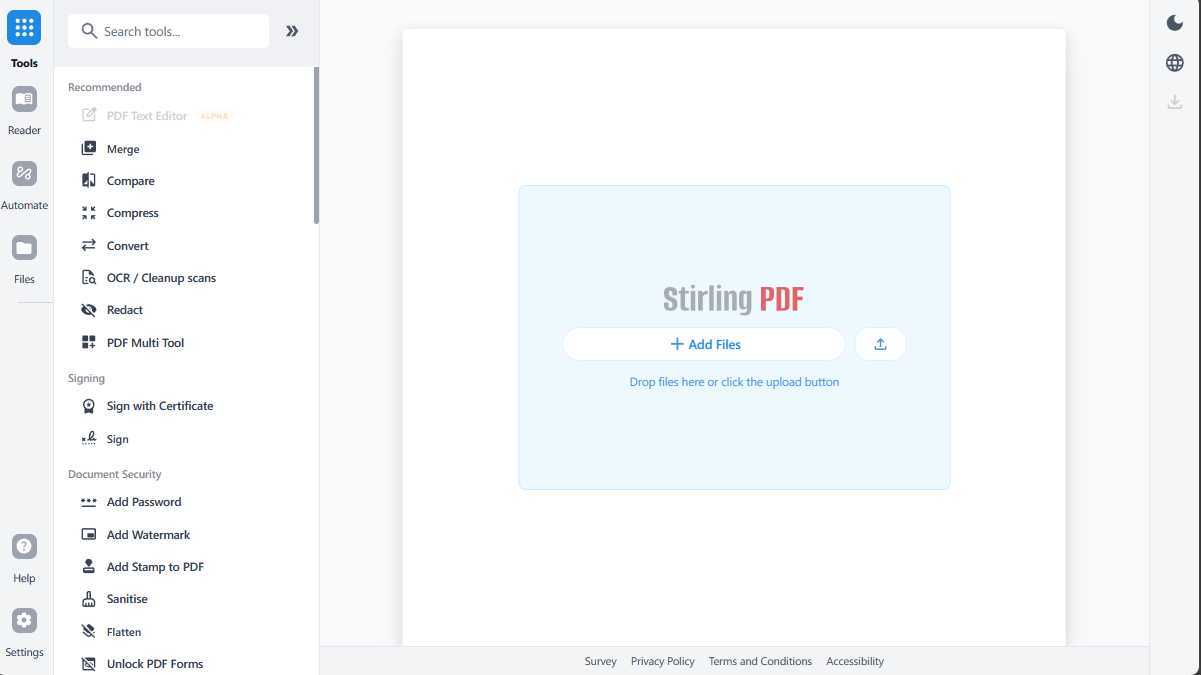
Stirling PDF is a powerful, self-hosted PDF platform with 50+ tools to merge, split, convert, OCR, sign, redact, and compress documents without sending files to an external service. It runs as a desktop app, in the browser, or as a private API deployed on your own servers, and supports no-code automation pipelines for processing PDFs at scale. Stirling PDF is open-core: the core toolset is open source, while some enterprise and SaaS features are separately licensed and proprietary.
Stirling PDF Docker Compose example
Self-host Stirling PDF on your own server, homelab, or VPS starting from this Docker Compose example.
It runs Stirling PDF in Docker containers using the official stirlingtools/stirling-pdf:latest image, with persistent volumes and automatic restarts preconfigured.
Review the environment variables and adjust them to your setup, save the file as compose.yml (or docker-compose.yml), and start the stack with docker compose up -d.
services:
  stirling-pdf:
    image: stirlingtools/stirling-pdf:latest
    restart: unless-stopped
    environment:
      # Require a login to use the app. Set to "true" to enable authentication (default admin credentials are created on first run).
      SECURITY_ENABLELOGIN: "false"
      # Default interface language / locale.
      SYSTEM_DEFAULTLOCALE: "en-US"
      # Maximum upload file size in MB.
      SYSTEM_MAXFILESIZE: "100"
      # Name shown in the UI and browser tab.
      UI_APPNAME: "Stirling-PDF"
    volumes:
      - tessdata:/usr/share/tessdata
      - config:/configs
      - logs:/logs

volumes:
  tessdata:
  config:
  logs:
Prefer a managed setup? WinterFlow installs, configures, and updates Stirling PDF for you using this same Docker Compose configuration.