
NutriTrace
Self-hosted personal nutrition and calorie tracker
Alternative to: myfitnesspal, cronometer, lose it, waistline
v1.4.0-dev03
2026-09-27Third dev pre-release of 1.4.0: preliminary foldable support, search that ignores accents, and Open Food Facts products that come in with the right values.
Added
-
Preliminary foldable support. NutriTrace knows where a foldable’s crease is, in the Android app and in browsers that report it, and lays out around it:
- Half open like a book, Settings puts its section list on one side and the section on the other, and the day’s meals fall onto the two pages.
- Dialogs, sheets, pickers, menus and Trace keep off the fold, and a menu opened near it takes the roomier side.
- In laptop posture, Trace sits on the half lying flat, leaving the day readable on the half standing up.
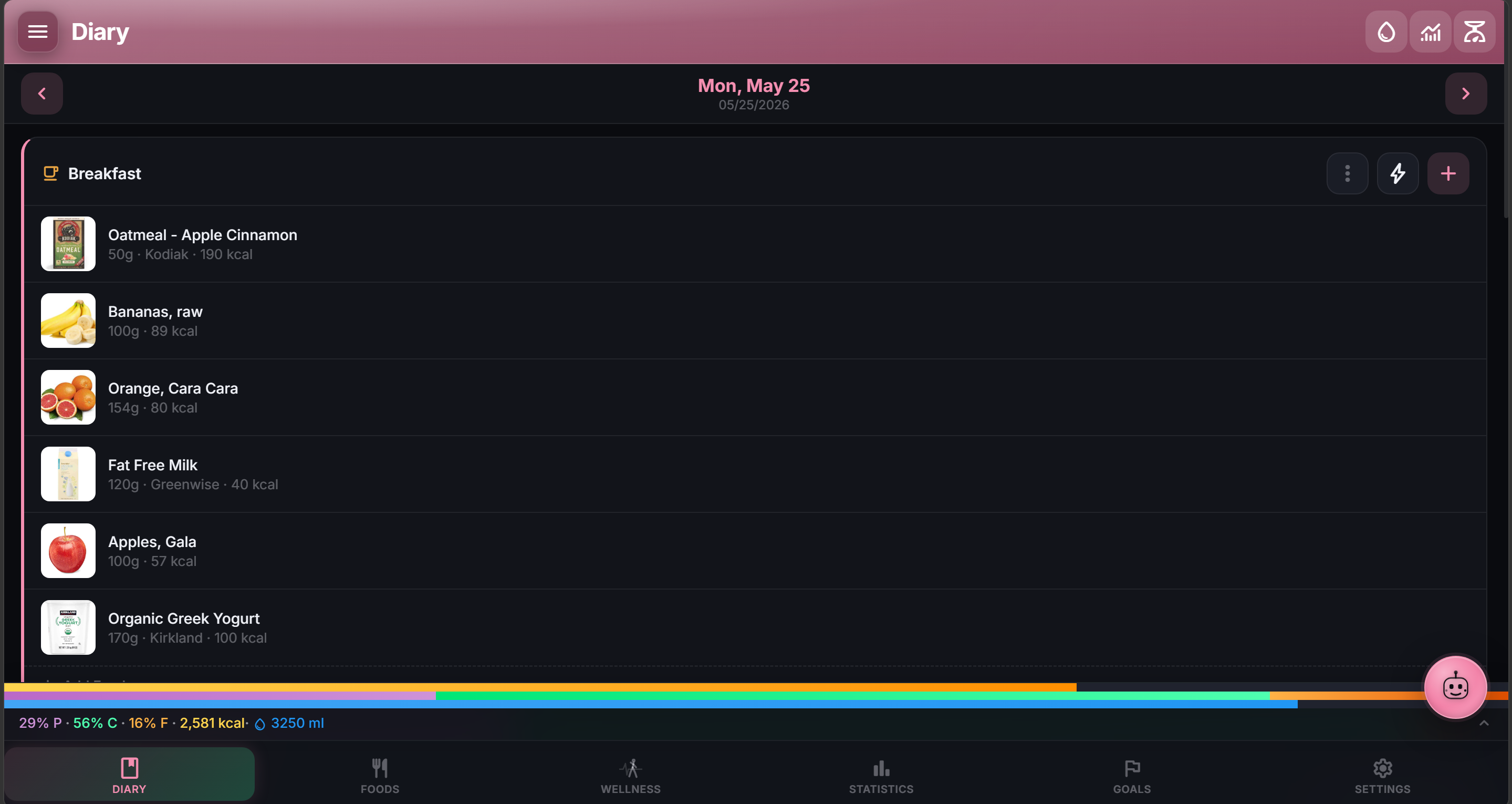
- Opened flat, or on any screen that size, the wider layouts turn on: Settings in two panes, Foods two cards across, side rails on Diary and Goals, the food and meal editors side by side, and Wellness insights alongside.
- Diagnostics shows what the hinge reports.
Charts and photos still cross the fold, since an opened foldable is a bigger screen to read them on.
Changed
- Trace’s new-food card no longer picks a meal for you. It starts on Don’t Log, so saving a food touches only your foods, and Save & Add to Diary turns on once you choose a meal under Log to.
Fixed
- Search ignores accents. “platano” finds “Plátano” and “cafe” finds “Café” wherever you search: your foods, meals and recipes, activities, Settings, Smart Log, Trace, the public API and MCP, offline too. A local Open Food Facts mirror finds accented names as well. Text without accents matches as before.
- Searches and scans on a local Open Food Facts mirror no longer fail now and then. Two at once could fail, and the server then asked Open Food Facts instead, or answered nothing when air-gapped.
- Refresh from OFF brings a food up to date with Open Food Facts (#241). It only filled empty fields, and a server with a local Open Food Facts mirror answered from its older copy. It now updates the values Open Food Facts has, converted to the food’s portion. Thanks @fatman00 for the report.
- Open Food Facts products with both “as sold” and “as prepared” values come in “as sold” (#241). Open Food Facts’ API gave NutriTrace only the “as prepared” values for these, such as canned beans, drink powders and baby formula.
- Open Food Facts products with no values no longer come in as 0 kcal (#241). Search results say “No values listed”, the product can’t be added to the diary or a meal until it has values, and Trace and Smart Log say so. If Open Food Facts only has “as prepared” values, the food editor offers them and notes it on the food.
- Trace, Smart Log and the meal editor use a product’s real values when a search result leaves them out. They used to save it as 0 kcal.
Security
- No security fixes this cycle.
npm auditreports 0 vulnerabilities for the app and the server, there are no open Dependabot alerts, and the only new dependency is androidx.window 1.3.0 on Android, which tells the app where a foldable’s crease is.
Testers: on a foldable, half open the phone and try Settings, a dialog and Trace. Search your foods without typing accents. Use Refresh from OFF on a canned or powdered product and check it matches the label.
NutriTrace is free and always will be. The iOS fund is for a Mac and an iPhone, so the Trace apps can run properly on iPhone.