
NutriTrace
Self-hosted personal nutrition and calorie tracker
Alternative to: myfitnesspal, cronometer, lose it, waistline
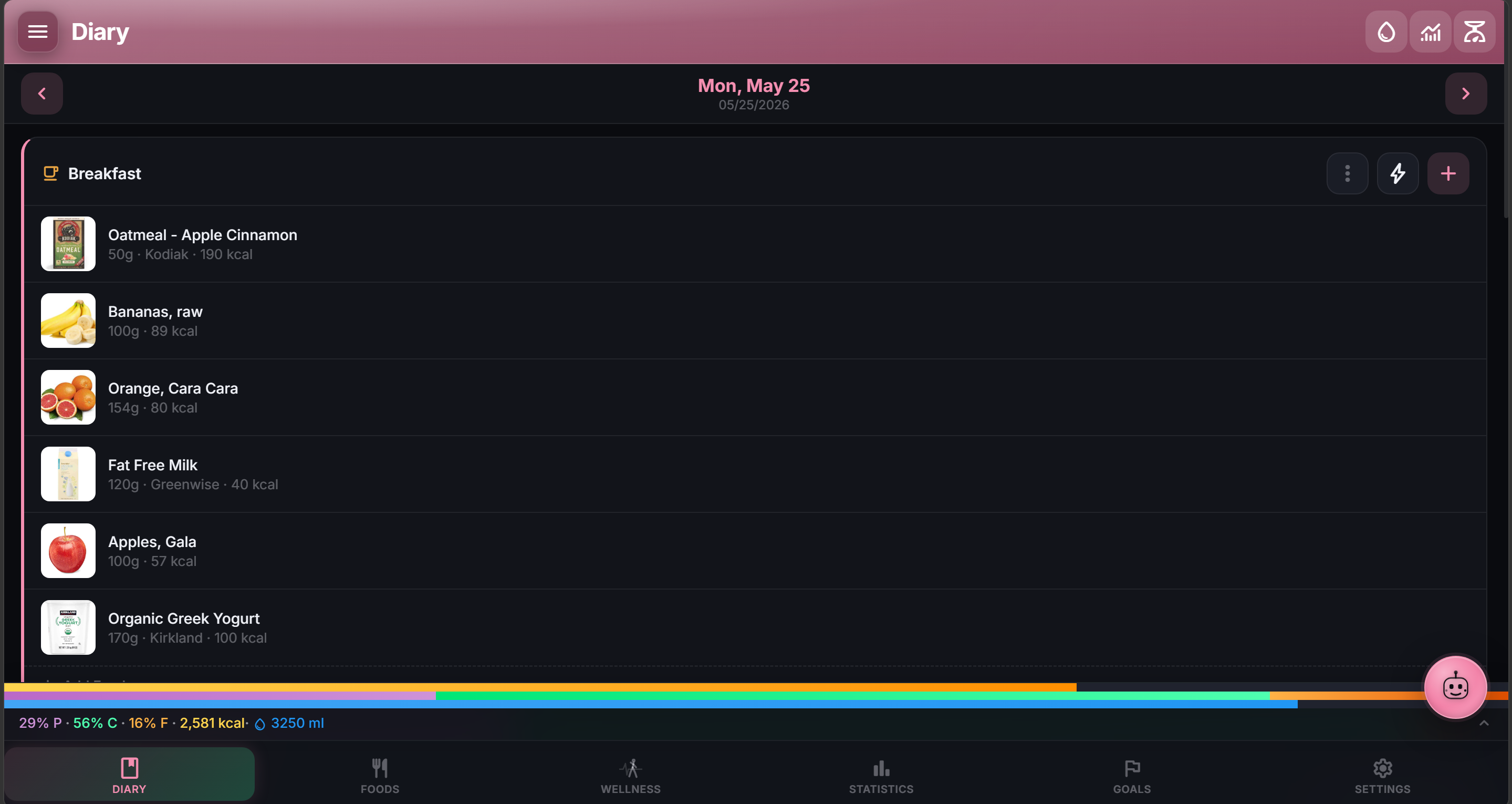
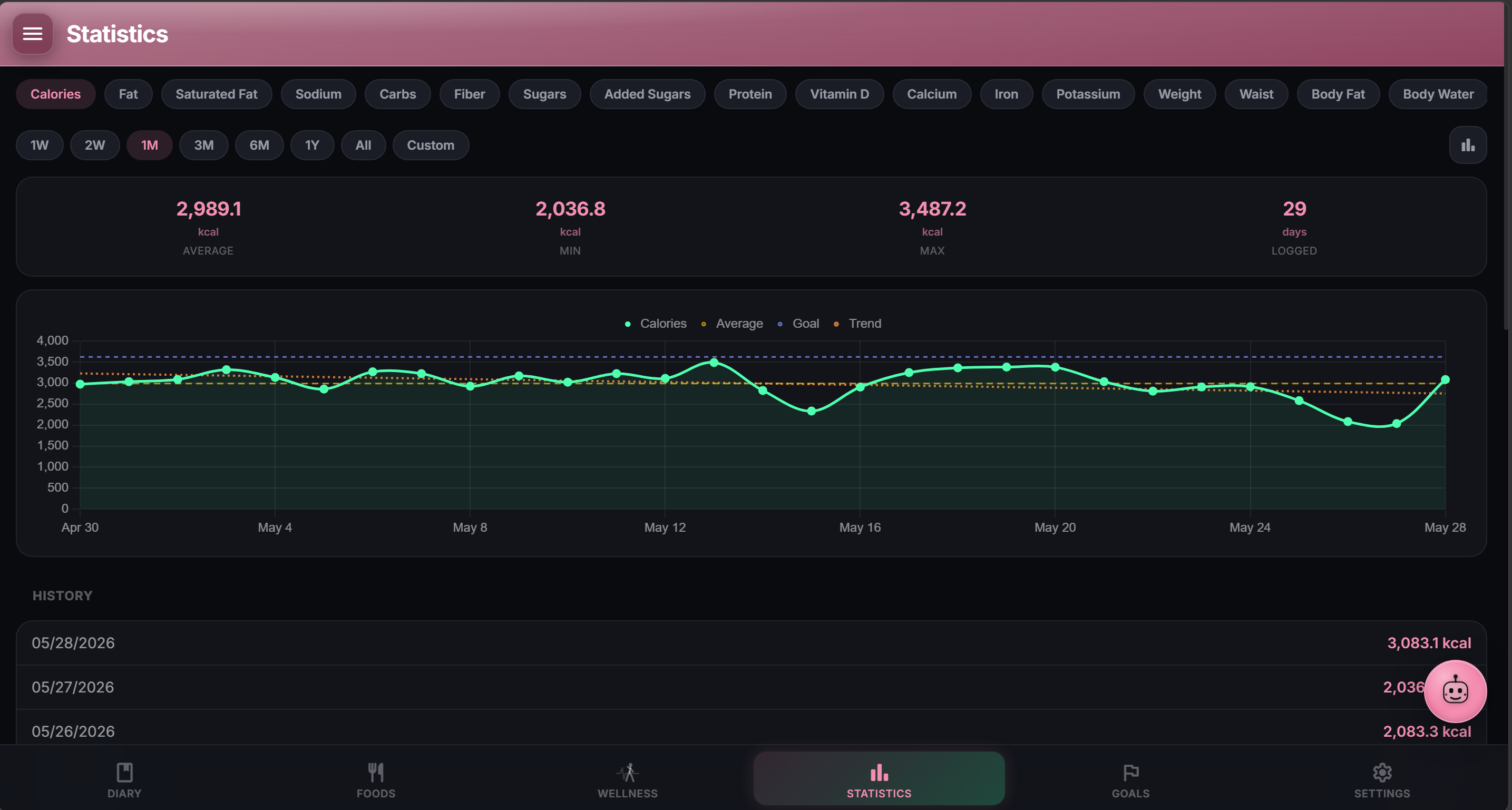
NutriTrace is a self-hosted personal nutrition tracker for logging meals, macros, and calories with no accounts required and no telemetry. It supports adaptive TDEE goal calculations, Open Food Facts and USDA food lookups, an AI diary assistant, and wellness sync with Fitbit, Garmin, Withings, and Health Connect. It also ships migration tools for importing data from MyFitnessPal, Lose It, Cronometer, and Waistline, plus a native Android companion app.
NutriTrace Docker Compose example
Self-host NutriTrace on your own server, homelab, or VPS starting from this Docker Compose example.
It runs NutriTrace in Docker containers using the official ghcr.io/traceapps/nutritrace:latest image, with persistent volumes and automatic restarts preconfigured.
Review the environment variables and adjust them to your setup, save the file as compose.yml (or docker-compose.yml), and start the stack with docker compose up -d.
services:
  nutritrace:
    image: ghcr.io/traceapps/nutritrace:latest
    restart: unless-stopped
    volumes:
      - db:/data/db
      - uploads:/data/uploads
    environment:
      # Path to the SQLite database file inside the container.
      DB_PATH: "/data/db/nutritrace.db"
      # Directory where user-uploaded images (food photos, avatars) are stored.
      UPLOADS_PATH: "/data/uploads"
      # Secret used to sign authentication (JWT) tokens. The server refuses to start with the dev default — set a long random string.
      JWT_SECRET: "changeme"
      # Optional one-time token that re-enables account recovery / admin reset. Leave blank to disable.
      RECOVERY_TOKEN: ""
      # Logging verbosity: error, warn, info, or debug.
      LOG_LEVEL: "info"
      # SMTP server hostname for outbound email (password resets, notifications). Leave blank to disable email.
      SMTP_HOST: ""
      # SMTP server port (587 for STARTTLS, 465 for implicit TLS).
      SMTP_PORT: "587"
      # Use an implicit TLS connection to the SMTP server (true for port 465, false for STARTTLS on 587).
      SMTP_SECURE: "false"
      # SMTP username.
      SMTP_USER: ""
      # SMTP password.
      SMTP_PASS: ""
      # From address for outbound email, e.g. NutriTrace <noreply@example.com>.
      SMTP_FROM: ""

volumes:
  db:
  uploads:
Values set to changeme are required — replace them with your own
values before starting NutriTrace.
Prefer a managed setup? WinterFlow installs, configures, and updates NutriTrace for you using this same Docker Compose configuration.