
NutriTrace
Self-hosted personal nutrition and calorie tracker
Alternative to: myfitnesspal, cronometer, lose it, waistline
v1.3.0-dev01
2026-09-10Minor release. Big themes: two-way catalog federation with CookTrace, opt-in diary day completion, a cluster of Open Food Facts local-mirror search fixes, and correctness fixes for Health Connect body composition and per-weekday calorie targets.
CookTrace federation, in short: if you run CookTrace alongside NutriTrace, the two catalogs now talk to each other. Recipes you build in CookTrace import into NutriTrace’s recipe catalog, one at a time from the Foods search or all at once from Settings. Pantry items come across into the foods library the same way, individually through a new CookTrace chip on the Foods tab or in bulk. Imported rows keep a link back to their source, so an edit on the CookTrace side surfaces a refresh prompt instead of silently drifting, and re-importing updates the same row rather than duplicating it. Opt-in and per-user, using a token you mint in CookTrace.
Community translations are open on Weblate.
Upgrade note. The foods table gains three federation columns automatically on first boot, no action needed. Pantry import additionally requires your CookTrace instance updated to a build carrying the
read:pantryscope, plus a freshly minted CookTrace token with that scope ticked. Existing recipe-pull tokens keep working for recipes.
Version note. This cycle was previously numbered 1.2.1. Since it adds features rather than only fixing bugs, it is renumbered to 1.3.0 per semver. The
v1.2.1-dev01throughv1.2.1-dev04pre-releases are superseded by this one; everything they contained is folded into the notes below.
Added
- Import CookTrace recipes. On the Foods screen’s Recipes tab, a CookTrace chip searches your CookTrace instance and opens the picked recipe in the Meal Editor, pre-filled with its ingredients, servings, photo and totals. Settings, Connected Services, CookTrace, Import All Recipes does the whole catalog at once, with live progress and per-recipe failures counted as skips rather than aborting the batch. Recipes keep the totals CookTrace computed: its rollup does density-aware conversion (it knows “2 cups flour” in grams via
g_per_cup), which cannot be reproduced from the ingredient rows alone, so saving preserves those figures instead of substituting a weaker items-derived sum. Editing the ingredients yourself, or running Recompute, hands the calculation back to NutriTrace. Ingredient nutrition resolves through the CookTrace pantry the way you would expect, with a generic taking its designated variant’s values, a variant with no values of its own inheriting from its generic, calories derived from carbohydrate, protein and fat when only macros were recorded, and an unlinked ingredient still matching a same-named pantry row. Each ingredient carries its pantry photo. - Import CookTrace pantry items. A CookTrace chip on the Foods tab searches your pantry and opens the picked row in the Food editor; Settings, Connected Services, CookTrace, Import Pantry Items brings the whole pantry across in one action. Generic parents that have variants are skipped, since the variants carry the real nutrition and a bare “Flour” next to “Flour, Bread” would be unusable; standalone items and variants both come across, with variants named “Parent, Child” so they read cleanly. Searching matches that composed name, so a variant stored as “Bread” under a “Flour” generic is still found by typing
flour. A row whose barcode already matches a food you created yourself is left untouched rather than overwritten, and reported separately so the counts reflect what actually changed. Requires a CookTrace token carrying the newread:pantryscope. - Imported rows stay linked to their source. Re-importing anything from CookTrace updates the row you already have instead of creating a second copy. Open a CookTrace-imported recipe and NutriTrace quietly checks the source in the background: if CookTrace’s copy is newer, a banner offers to pull the latest name, ingredients and totals, and it never overwrites without your say-so. If the source recipe has been deleted outright, a warning banner offers Unlink (keep your copy, drop the CookTrace link) or Delete (remove your copy). Being offline never triggers that banner. The provenance itself, including the From CookTrace badge and the link back to the original, survives a full-backup restore and propagates to your other devices through the normal sync path.
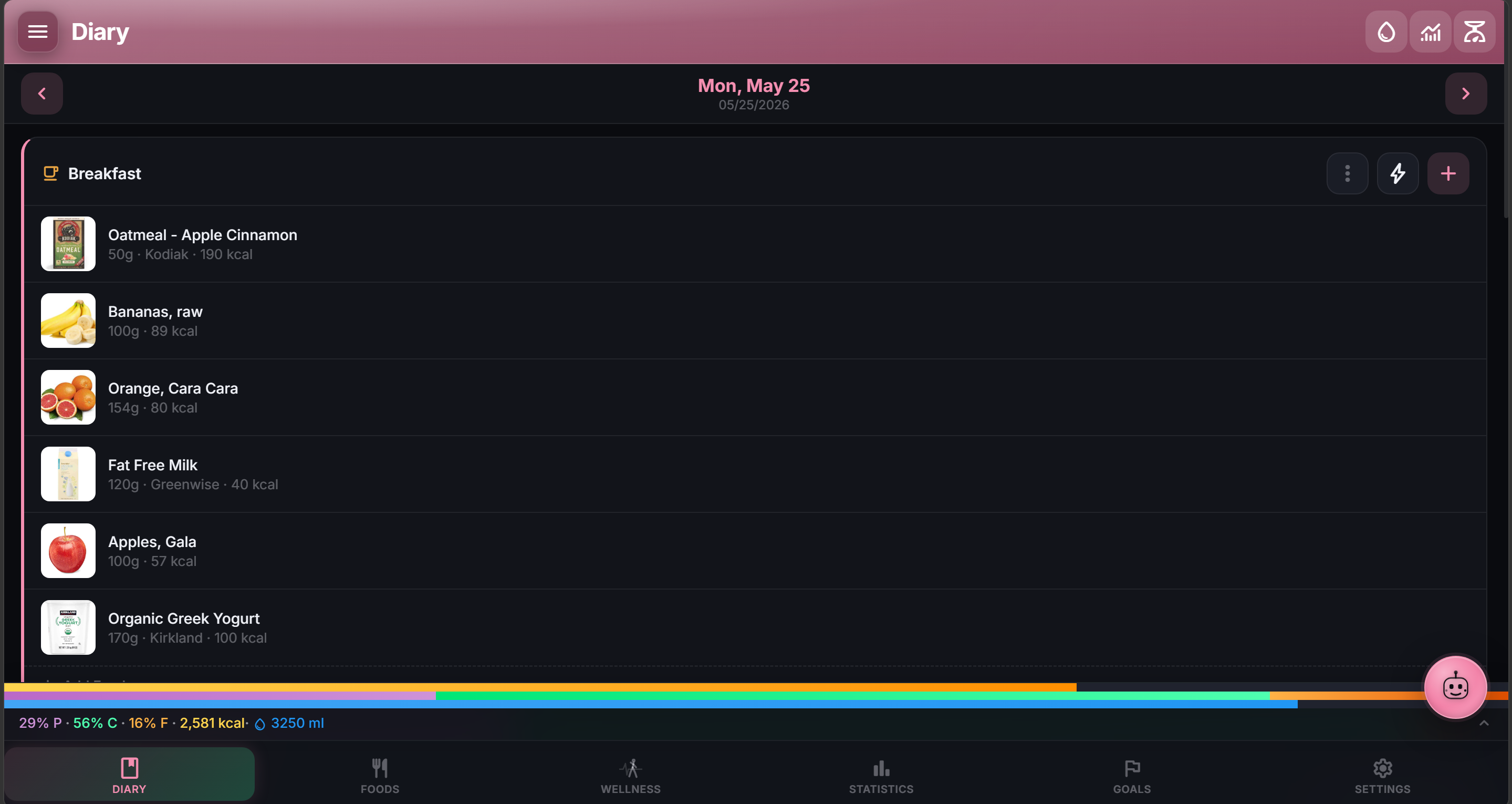
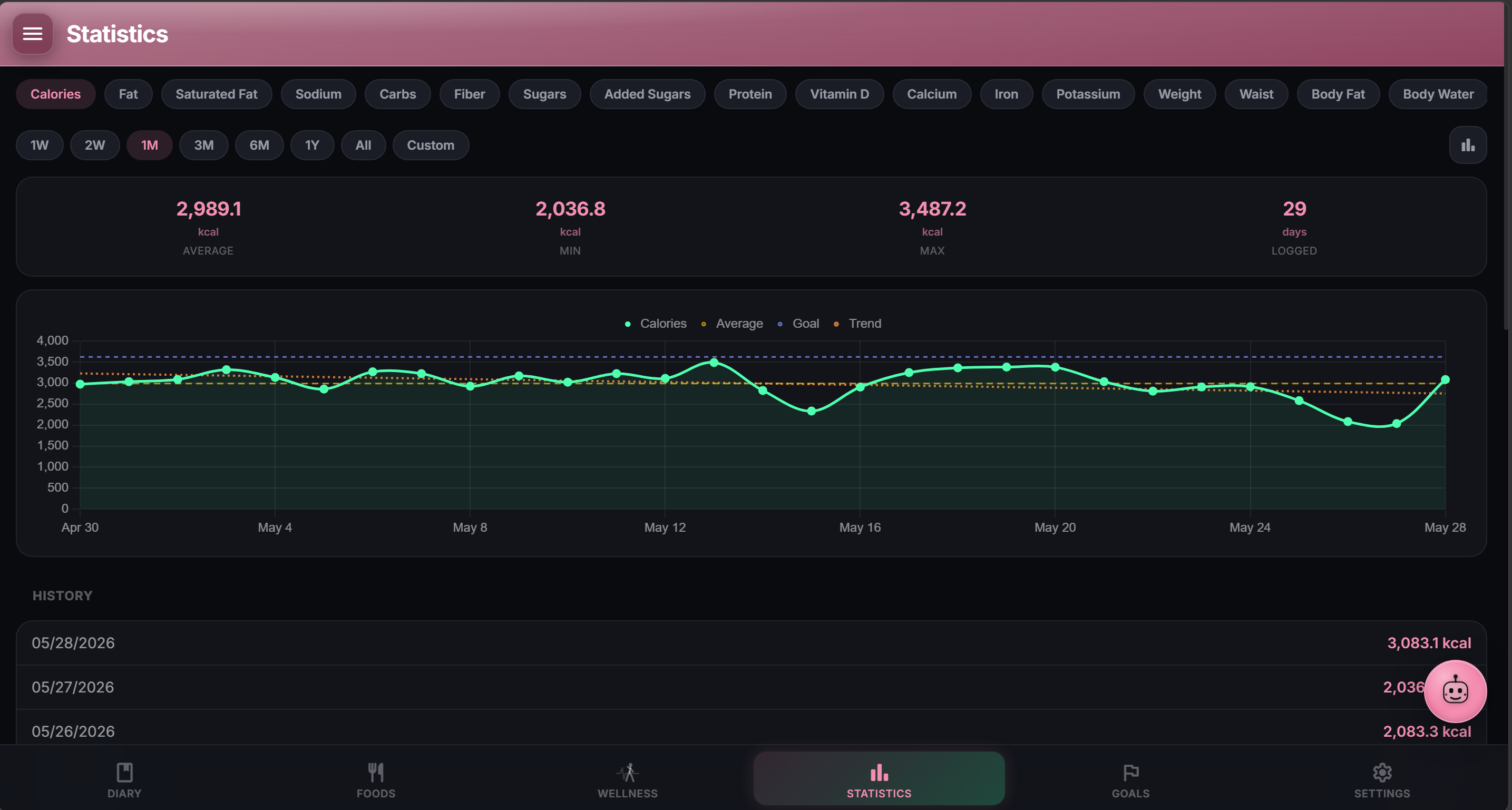
- Diary day completion (#207). Opt-in via Settings, Diary, Show Day Completion (off by default; when off the diary looks exactly like it did before this feature). When on: a check toggle in the date bar closes the current day, marked days show a green check on the week strip / date picker / date-bar label, Statistics grows a “Marked complete: N of M days” KPI in the right rail plus a row of tiny green dots below the chart’s x-axis, the weekly summary push and email both include a “Marked complete: X of 7 days” line, and the Android bedtime notification carries a Close today quick action that marks the day without opening the app. Per-meal companion: each meal card gets a check toggle, day-close confirms empty-and-unmarked slots (fasters mark breakfast skipped once and stop being re-prompted), and marking every populated meal auto-closes the day. Cross-device sync uses offline-safe rules: an offline device pushing null cannot clear a mark the other device set, and per-meal sets union-merge across devices. Storage adds
completed_at TEXTandcompleted_meals TEXTon the diary row (both covered by full-backup export/import and by cross-device sync). First time you mark a day complete without meal reminders enabled, a one-time tip points at Settings, Notifications so you can catch a missing snack earlier next time. - Average Heart Rate card in Wellness (#205). Health Connect was already ingesting
avg_heart_rateinto localwellness_data, but Wellness had no card definition for it, so the value silently existed on disk without a surface. Now shows as a distinct card in the Heart group alongside Resting Heart Rate. Distinct from Resting HR (fully at rest); this is the day’s average from your wearable, useful for spotting an unusually high or low day. Thanks @kgenerozov. - Opt-in “Mirror wellness weight to Body Stats” toggle (#200). Settings → Wellness has a new toggle (off by default). When on, weight readings that come in via Health Connect also populate that day’s diary Body Stats weight, so the Body Stats widget on Diary and the Weight goal on Goals both light up from your scale reading. Manual Body Stats entries are never overwritten; the mirror only fills days that are currently empty. Withings has always applied this mirror unconditionally, so its behavior stays the same regardless of the toggle.
- Custom nutrients now appear in the Food Editor (#201). Nutrients you create in Settings → Nutrients (Copper, Manganese, Selenium, whatever) now show up in the Food Editor’s nutrition grid, accept a per-100g value, save correctly, re-hydrate on next edit, flow through into diary totals, and participate in the linked-portion proportional-scaling. Bulk food import and the MCP create_food tool still recognize built-in ids only; follow-ups if anyone asks.
- Auto Share default for new foods, meals, and recipes (#183). Settings → Sharing has a new “Auto Share” block above the existing “Bulk Share” one. Set the Visibility dropdown to Everyone and every new food, meal, and recipe you create (in the app or via MCP) is shared with your group automatically. Existing items are left alone; Bulk Share is still the tool for retroactive changes. Only Private and Everyone are exposed for now; “share with specific users” as an automatic default is a separate follow-up. Admin’s global sharing toggle still wins: when sharing is off server-wide every new item is forced to Private regardless of the per-user setting.
- Select All / Select None on the Foods manage-mode bar (#175 follow-up). Both target the current filtered list, so source, category, and search filters scope the selection instead of blanket-selecting the whole library.
- Forward-proxy support for outbound server requests (#177).
HTTP_PROXY/HTTPS_PROXY/NO_PROXY(standardcurl/requestsconvention, lowercase variants also honored) route every outbound fetch through the configured proxy. No changes at call sites. - Autofocus + Enter-to-submit on the remaining sheets (#170). Foods quantity prompt, Foods multi-portion, and Diary edit-item sheets focus the first numeric input on open and submit on Enter, matching Quick Calories / Activity / Water / Body Stats which already had this.
- Chinese (Simplified) translation. Community contribution via Weblate.
Changed
- Sheets now select the existing value on focus (#170 follow-up). Typing over a pre-filled input replaces it in one keystroke instead of appending, matching the Body Stats weight-edit pattern. Applies to the Foods quantity prompt, Foods multi-portion, Diary edit-item, Quick Calories, Add Activity (name + duration), plus the two Goals editor sheets (per-nutrient goal and Water goal). The Goals editor and Water goal sheets also picked up autofocus and Enter-to-save which they were missing.
Fixed
- Mealie images now self-host when your Mealie instance is on the same LAN. The image self-hosting step has an SSRF guard that refuses to fetch from any private or loopback host (10.x, 172.16.x, 192.168.x, 127.x, link-local, IPv6 ULA). On a home-server setup where NutriTrace and Mealie sit on the same network, that silently blocked every recipe image: the raw private-IP URL got stored instead, and any client whose network could not reach that address showed an empty slot. NutriTrace now trusts the Mealie base URL you saved in Settings for image fetches only, since configuring it proves you can reach the host. Instances on genuinely separate networks still cannot fetch the image, because the server has no route to the private address; the recipe itself imports either way.
- Health Connect body composition no longer lands as 0 (#206). The pinned
@devmaxime/capacitor-health-connect1.1.0 only custom-converts a few record types (Weight, Steps, Sleep, RestingHeartRate). Everything else arrives in JavaScript as the AndroidXconnect-clientKotlintoString()string. Bone Mass, Lean Body Mass, BodyFat, Body Temperature, Respiratory Rate, Vo2 Max, and Basal Metabolic Rate previously read those strings vialatest.mass?.inKilograms || 0and stored 0 inwellness_data, so a real 25.4 kg Lean Mass rendered as “0.0 kg”. Also, BMR arrived in Watts and was silently written as kcal/day. Fixed with a shared parser layer (src/lib/health-connect-parsers.js) that handles every Kotlin string shape (mass=1.5 kilograms,Mass{value=1.5, unit=KILOGRAMS},Mass(inKilograms=1.5), no-space1.5kg, POUNDS conversion, and the Power/Percentage/Temperature analogues). BMR Watts convert to kcal/day using the correct physical factor (1 W = 20.65 kcal/day). Values that fail to parse are OMITTED (missing != zero) so nothing bogus gets stored. One-shot cleanup on next app launch prunes existingwellness_datarows saved as 0 for these metrics; the next Health Connect sync writes the correct values. Thanks @kgenerozov for the crisp repro and the AndroidX / plugin-internals detective work. - Health Connect: partial grants no longer skip missing permissions (#204). The permission request used to return early as soon as any read permission was granted, so a user who granted Steps or Sleep first never got asked for Heart Rate, Resting Heart Rate, or the four other types the read code queries (Distance, Total / Active calories, Resting Heart Rate). It now reconciles the desired list against currently granted permissions and requests just the missing ones, with a per-name fallback if the plugin rejects the batch (guards against the
@devmaximeplugin’s whole-batch-reject when a name isn’t in its record-type map). User-visible behavior change: users who previously granted only a subset will see one Health Connect dialog asking for the missing types the next time they toggle Enable in Settings, Wellness. Fully-granted users see no dialog. Thanks @kgenerozov for the repro. - Diary Remaining and Statistics goal line now honor per-weekday calorie / macro targets (#203). With “Different target per weekday” enabled, both surfaces were reading the weekly peak instead of the day’s actual target: a Sunday=2400 / Tuesday=2700 setup showed 404 kcal Remaining on Sunday after 2296 kcal logged, when it should have been 104. Diary now resolves the target from
days[weekday]based on the viewed calendar date (parsed as local midnight so it can’t flip across time zones), and Statistics uses the seven-day average ofdays[]for its range-based chart line and “vs goal” KPI (peak was misleading for a period summary). Percent-based macros derive from the correct per-day calorie target. Shared (single-target) users see no change. Thanks @kgenerozov for the crisp repro and root-cause trace. - /api/diary payload was ballooning to 50MB when a food had a base64 image (#199). The diary hydrator was stamping a food’s
img_urlonto every diary item referencing it across every date; a 430KB camera photo on one recipe would multiply into tens of megabytes across a busy library. Three-part fix: the hydrator now skipsdata:URLs so it can’t amplify them, the sync-push path routes incomingimg_urlvalues through the same/uploads/localizer that direct POST already uses (so native camera-photo foods stop landing raw), and a one-shot boot migration converts any existingdata:img_urlin foods and meals to real/uploads/files. On next restart your diary thumbnails reappear automatically with no manual re-pick. Diagnosed by @tellis82. - Foods appeared empty after leaving and returning to the section (#178). A slow initial
/api/foodsresponse rendered the “No foods yet” empty state over the user’s real library until the fetch resolved. Foods now holds a loading spinner while the initial load is in flight so the empty state only appears when the library is genuinely empty. - Diary week strip bars shifted whenever activity was logged, and drifted again when navigating between days (#180). The strip was applying the current day’s activity-adjusted goal as a single denominator across every column. Each day now resolves its own goal from its own dynamic TDEE (in dynamic mode) plus its own effective active kcal (respecting the manual / wearable policy). Logging or removing activity on any day refreshes the strip immediately.
- Diary week strip ring was stale after editing a serving size (#168 follow-up). The strip’s refresh signature now digests per-item scaled calories through the same helper the strip renders with, so any portion / quantity / unit swap updates the day’s ring immediately without a reload.
- Sync push and pull could hold the sync lock open for 10 to 19 minutes when a connection stalled. Both requests now abort after 30 seconds, so a wedged link surfaces as a visible sync failure instead of blocking every subsequent pull-to-refresh for the OS TCP-retry window.
- Foods manage-mode buttons floated inward at ≥1440px instead of anchoring to the right edge (#175 follow-up). The detail preview pane hides while manage mode is active, and the manage bar drops its 452px right inset so the buttons sit flush with the viewport at every width.
- USDA import stored total polyunsaturated fat under monounsaturated, and read only oleic acid for the monounsaturated figure (#179). FoodData Central nutrient IDs
1292(total monounsaturated) and1293(total polyunsaturated) now map correctly; ID1268(MUFA 18:1, a single fatty acid, not a category total) is no longer used. Totals for fat and energy were never affected, only the split between the two unsaturated categories. Existing rows keep the old values until they are re-imported. Fix contributed by @herver1971. - Multi-select cancel + delete were invisible in the wide-screen Diary layout (#198). The wide-layout rule was hiding the whole top-right action row (correct for the normal water / summary / body-stats icons since the right rail carries parity for those), but the multi-select cancel + delete live in the same row and the rail has no select-mode UI, so wide-screen users had no visible way to act on a selection. Row now stays visible whenever select mode is active. Diagnosed by @tellis82 to the exact selector.
- Diary merge preserves client-side reorder (port of the same fix landed in LiftTrace on 2026-08-31). If you drag an item to reorder within a meal on the client, the server merge now honors that order instead of restoring the prior sequence on the next pull.
- Reset / invite email links and test-email origin now honor
X-Forwarded-Protoso instances behind a reverse proxy generate the correct HTTPS URLs instead of falling back tohttp://. - Forward-proxy setup: friendlier error when the URL is missing a scheme (#177 follow-up from @yoyo-san). Bare
user:pass@host:portinHTTP_PROXY/HTTPS_PROXYfails at startup with undici’sInvalid URLmessage. Startup log now names the fix (add thehttp://prefix, embed credentials in the URL) and links to the docs. Docs also picked up an explicit “Value format” section covering the scheme requirement, authenticated-proxy syntax with URL-encoded credentials, and the credentials-in-logs caveat. - Product names with apostrophes were silently dropped from mirror search results (#185). Under
@duckdb/node-api1.4 the LIST columns come back wrapped asDuckDBListValue(real array under.items, struct fields under.entries), and the old_asArrayfell through to the string fallback, which stringified the wrapper into DuckDB’s SQL repr and doubled the embedded single quotes. Neither the JSON parser nor the Python-repr parser accepted that escape, so any product with an apostrophe in the name (Ben & Jerry’s, KELLOGG’S, Dunkin’, anything possessive) came back with an emptyproduct_nameand got filtered out client-side._asArraynow recursively unwraps.itemsand.entriesbefore the string fallback, and the downstream field readers already tolerated both shapes. - Search results within a rank were coming back in effectively random order, burying popular products (#186). The parquet search branch’s only sort key was the prefix-match rank; within a rank the parallel table scan filled pages in scan order, which put near-zero-scan regional clones ahead of mainline flagship products. Added
popularity_key DESC NULLS LASTas the within-rank tiebreak when the column exists (detected once at init frominformation_schemaso custom parquets without it don’t binder-error), withcode ASCas a deterministic fallback. - The OFF quality-tier filter classed every mirror row as “Unknown” and hid all results under any tier selection (#187).
_toOffProductwasn’t forwarding thecompletenessscore even though the client’s tier bucketer + result ranker both expected it. Now passed through on both the parquet and legacy.duckdbbranches, guarded by a type check so rows without the field passundefined(which the client already null-checks). - Typed or pasted barcodes in the search box returned “No results” even when the mirror had the product (#188). The scanner path uses a separate exact-code endpoint; text search never matched the
codecolumn. Added to the WHERE on both branches, so pasted barcodes now resolve and every plain-HTTP or desktop install (no camera scanner) gets a working barcode lookup. - Mirror search never loaded more than the first page even when hundreds of results matched (#189). The response
countwasrows.length(page size), so the client’shasMoremath could never fire. Now runs a parallelCOUNT(*)with the same predicates and returns the real total (Number()-wrapped so the BigInt serializes). BothORDER BYclauses also picked upcode ASCas a final unique tiebreak so pages partition cleanly without duplicating or dropping rows across boundaries. - Multi-word searches only matched exact adjacent phrases in the exact typed order (#190). The whole query was one
%q%pattern, so “dunkin croissant” would silently miss a product named “Bacon Egg and Cheese Croissant (Dunkin’)” because the two words are not adjacent, and reversing the words changed results.searchByNamenow tokenizes on whitespace and ANDs per-token substring matches against name, brands, and code. The prefix-rank CASE still uses the full phrase so exact-phrase starts sort first. - A search returning two rows with the same barcode froze the entire app until reload (#191). The stock OFF snapshot contains 60 duplicated codes across 4.7M rows (two genuinely different products can share a barcode via OFF data errors), which triggered Svelte’s
each_key_duplicateon the search-results list and killed the render loop. Both search-result each blocks (visibleApiResultsand the all-mode_allModeItems) now suffix their keys with the list index so a duplicate key is physically impossible. Duplicate rows stay visible on purpose so users can pick which of two barcode-collision entries matches their product. - Enabling user management no longer strands data written in single-user mode (TraceApps/docs#2). An instance running with no accounts writes every row under a placeholder owner. Registering the first account only re-parented foods, meals and the diary, so the Activity log, fasting sessions, Trace chat history, wearable data (wellness and workouts) and the Fitbit / Google Health / Withings / Garmin connections all became invisible to the new admin. All of them are now claimed, in one transaction. The same handover runs whether the first account is created with a password or by the first OIDC sign-in; both paths now share one implementation instead of keeping separate copies that drifted.
- Data left behind in single-user mode is adopted on upgrade. Instances that already enabled user management on an earlier build had their unowned rows stranded for good, since the handover only ever ran while the first account was being created. Startup now adopts them, once, when exactly one account exists. Zero accounts is ordinary single-user mode and is left alone; two or more is reported in the log rather than guessed at.
- Deleting an account no longer leaves its wearable data and OAuth tokens in the database.
wellness_data,workoutsand the Fitbit / Google Health / Withings / Garmin token rows carry no foreign key tousers, so they survived both the admin delete-user action and self-service account deletion. Live refresh tokens for a deleted account stayed on disk. All four removal paths (self-delete, admin delete, disable user management, lockout recovery) now clear them. Genuinely unowned rows are untouched, since disabling returns the instance to single-user mode where they must stay readable. /api/wellness/latestno longer hides wearable metrics in single-user mode. It read only theNULLowner while the pollers write0, so every Fitbit-sourced metric was invisible to that endpoint. Now reads both, matching the equivalent query inroutes/withings.js. Wearable tables receive two different placeholder owners (the pollers write0, the Android sync writesNULL) and carry UNIQUE indexes onuser_id, so the two sets are merged rather than colliding and aborting the registration. The same incomplete list existed a second time in the OIDC first-login bootstrap, so an instance whose first account arrives via SSO had the identical bug; both paths now share one implementation.
Security
- nodemailer bumped to 9.1.1 (GHSA-8m3c-c648-2xjj, high).
resolveContent()on aMailMessagebypasseddisableFileAccess/disableUrlAccesswhen called with the legacy signature. NutriTrace only sends templated transactional mail with no caller-supplied attachment paths, so practical exposure was low, but the patched release is a minor bump within 9.x with no migration.npm audit --productionnow reports 0 vulnerabilities.