
NutriTrace
Self-hosted personal nutrition and calorie tracker
Alternative to: myfitnesspal, cronometer, lose it, waistline
About
Versions (95)
v1.2.0
2026-08-23Minor release. Big themes: a first-pass wide-screen redesign across every section of the app, Model Context Protocol support for AI agents, a proper in-app update notification loop that actually tells you when a new version is out, the AI Assistant learning to be terse and use plain text, comma decimal separator supported everywhere numbers get typed, and a batch of fixes for pain points reported by the community since v1.1.2.
Community translations are open on Weblate.
Added
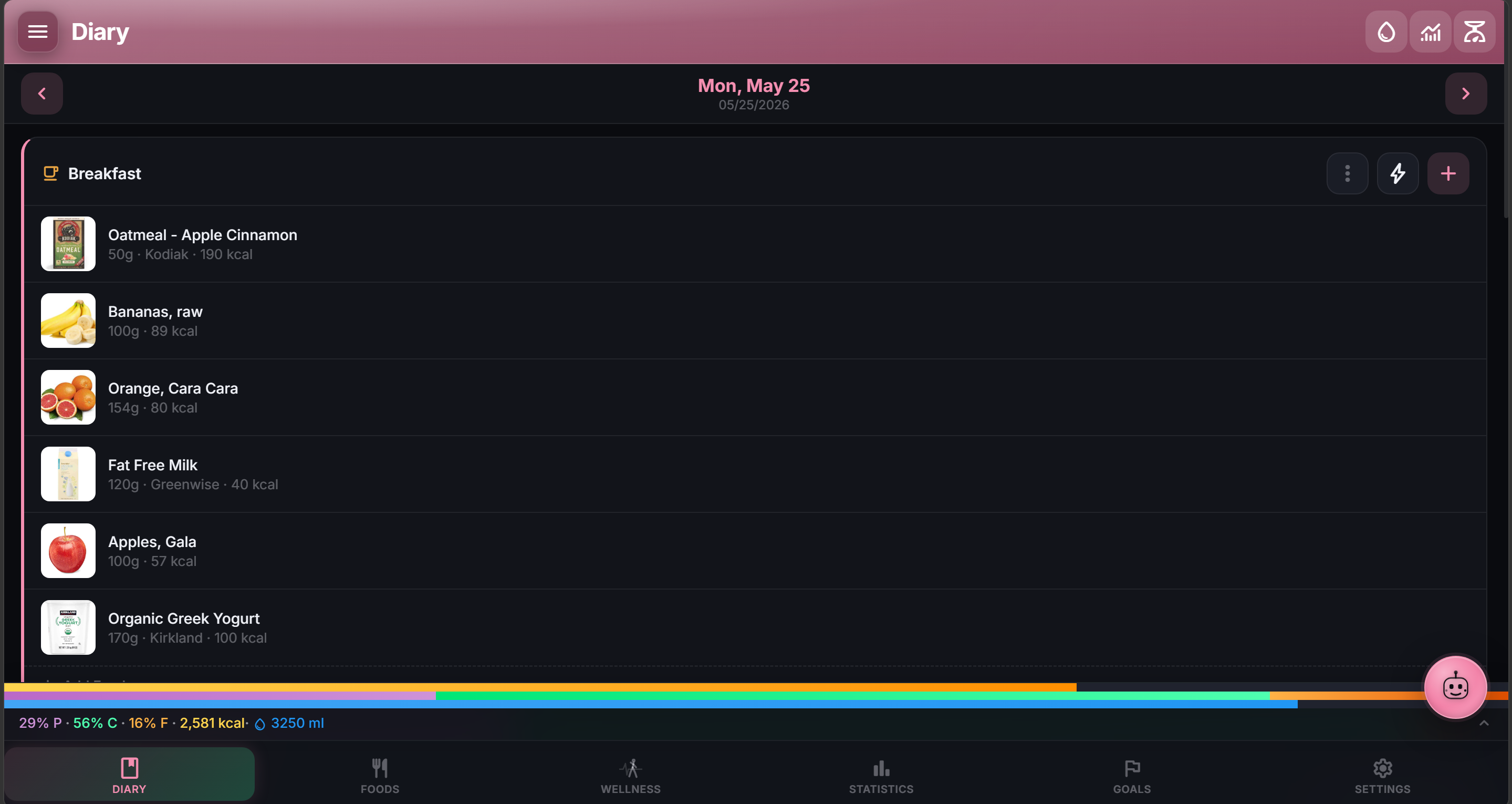
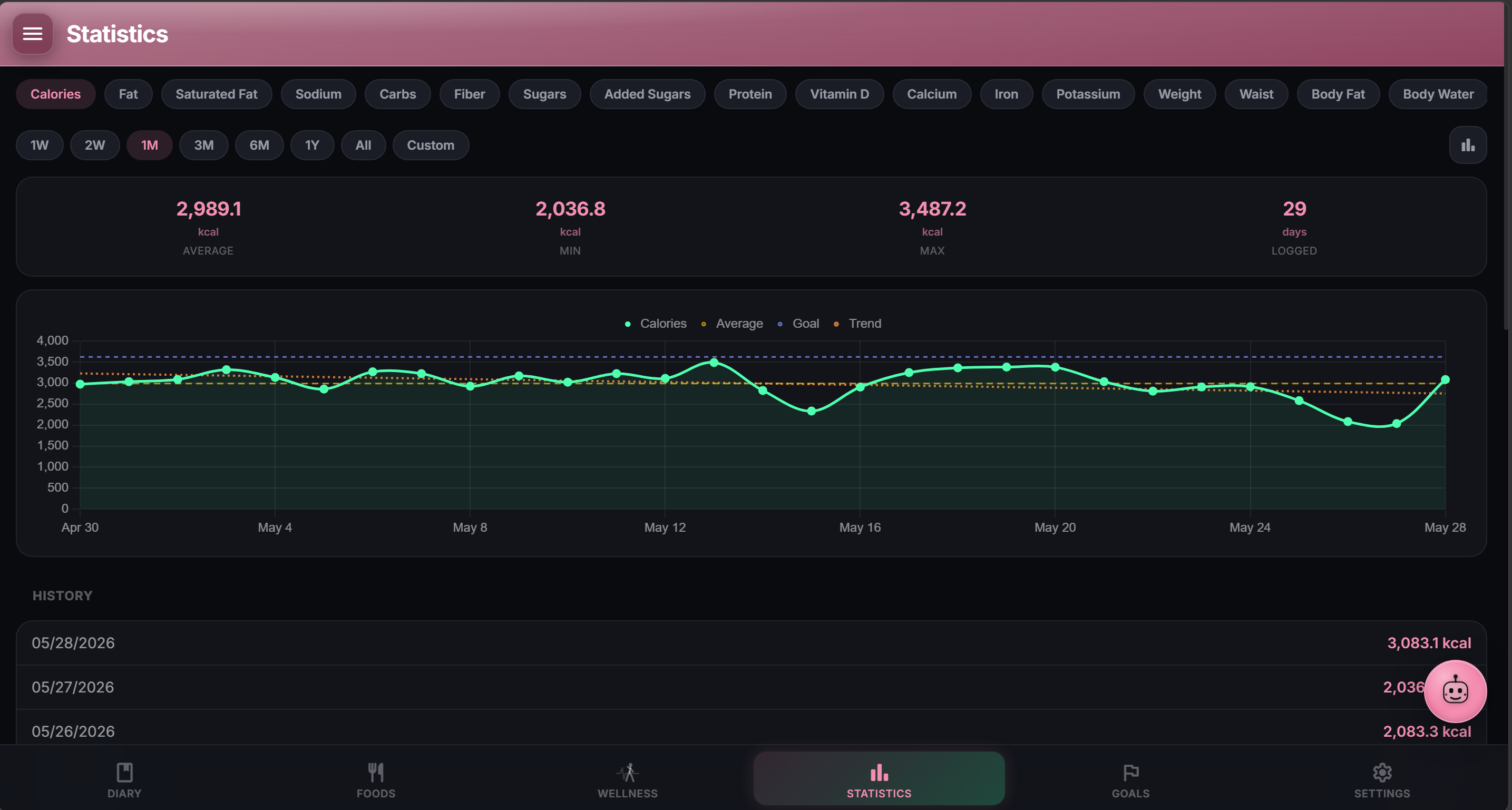
- Wide-screen redesign at ≥1280px, first pass. Every routed section (Diary, Foods, Statistics, Goals, Wellness, Settings) plus the Food and Meal editors got a proper desktop layout in this cycle. The goal is a genuinely useful experience on the extra horizontal real estate instead of a stretched-out phone stack. This is the starting point, not the finish line. Wider breakpoint coverage (foldables and small tablets currently fall back to the mobile layout), a per-user layout-width picker, and the full two-pane Settings shell are all on the backlog for future releases.
Force Mobile Layoutremains the opt-out for anyone who prefers the compact stack on wide screens. - Model Context Protocol (MCP) server (#103). NutriTrace now exposes a read + write MCP endpoint so Claude, Continue, and other MCP-aware agents can search your food catalog, log entries, propose meals, and read diary history without a separate API dance. Read tools cover foods (search / list / detail), meals (search / recent / detail), diary (by date / range / averages), and body stats. Write tools cover diary logging, quick calories, food catalog creation, and meal creation. All gated behind the
mcp:read/mcp:writeAPI-key scopes. Tolerates common nutriment aliases (protein,carbs,vitamin-b12) automatically. See /reference/mcp-tools/ for the full tool list. Thanks to @javydekoning for the meal-side tool feedback. POST /api/v1/activityendpoint (#154). External services can log a manual activity entry via API using the newwrite:activityscope. Supportsexternal_idfor idempotent posts.- Comma decimal separator across all numeric inputs (#160). Portion, quantity, nutrition per 100 g, weight and body measurements, water custom amount, Quick Calories, recipe amount, and all goal targets accept either
,or.. Comma-locale users can type “2,5” without fighting the form. - Shared image cropper across Food / Meal / Recipe editors (#159, thanks @librarian). Resize handle, touch support, unified visual. Previously each editor had its own cropper and the Recipe one was stuck top-left with no resize.
- Editor draft persistence. If Android’s low-memory killer terminates the app while you’re editing a food or meal (Samsung’s camera-mode lmkd is the usual culprit), your in-progress typing is restored on next open. A banner surfaces the restored draft with a Discard button so you can wipe it in one tap. Photos persist too via IndexedDB.
- Screen wake lock during AI-Assistant and Scan-Label requests (#158). Screen no longer sleeps mid-request and drops the connection.
Changed
- In-app updates now actually tell you when a new version is out. The update-check system was already present but silent in most cases: the PWA silently auto-swapped, Android only surfaced either a banner or a notification (not both), the check ran at most once per 24h, and there was no in-app cue anywhere else. Now: PWA users get a “Reload” prompt when a fresh bundle is deployed, Android shows both a banner AND a one-shot OS notification, check frequency is configurable in Settings → Updates (Hourly / Every 4 Hours / Every 12 Hours / Once a Day / Manual Only, default every 4 hours), a re-check fires when the tab regains focus so a laptop resumed from sleep updates immediately, and a small dot appears on the Settings nav icon while an update is pending. Skip-this-version clears every surface for that version in one tap.
- AI Assistant is quieter and plain-text by default (#163). Response length defaults to 2 to 4 sentences. Markdown is off so
**bold**and##headingsno longer show as literal characters. - AI Assistant asks fewer questions before logging (#163). A single substring hit in your local foods auto-logs the same way an exact hit did. The prior “6+ hits silently discarded” bug is also fixed.
- Manual estimate path in the AI Assistant (#163). Asking “don’t search, just estimate it” routes to a review card with the estimated nutrition instead of running a catalog search.
- Confirmation before clearing the AI chat history. Was a one-tap wipe with no way back.
Fixed
- Add Activity sheet crashed on Android (#162, thanks @knew3be for the diagnosis). A missing method on the native backend threw before the sheet could render. Bug present since v1.0.1. Also fixed the underlying divergence risk (proxy now surfaces missing methods as a warning + rejected promise instead of a silent sync crash).
- Clear all items in a meal actually clears on the server (#169, thanks @simonmoreau). The bulk clear was filtering items on the client but not sending delete markers, so the server put them right back on the next refresh.
- Add-to-Diary button no longer duplicates entries under mash-click (#156, thanks @sunjam). The button now disables the moment you tap it and stays disabled until the save completes.
- Statistics default metric honors category order (#155). Opening the Statistics tab picks the first metric under your Settings → Statistics ordering, skipping wearables that aren’t connected, body stats you’ve hidden, and water when it’s turned off.
- Health Connect no longer overwrites past dates with today’s data (#161, thanks @knew3be). Viewing an old day and tapping Sync used to write today’s steps and weight into that day. Per-metric read errors are now surfaced to Diagnostic Logs so silent failures can be diagnosed.
- Android external https images load directly instead of being routed through
/api/proxy(was slow and unnecessary on native). - Android diary photo hydration is fast again on days with many entries. Was full-scanning the foods + meals tables per read; now targeted at the items actually on the day.
Translations
- Weblate is open for community translations at hosted.weblate.org/projects/nutritrace. Contribute a locale (or improve an existing one) without a GitHub round-trip. See CONTRIBUTING.md for the workflow. Direct JSON pull requests still work too.
Security
- No new vulnerabilities.
npm auditreports 0. - Two new dependencies for the features above:
@modelcontextprotocol/sdk(MCP) andzod(MCP schema validation). Both actively maintained.