LiftTrace
Self-hosted weightlifting tracker with programs, PR tracking, and an AI coach
Alternative to: strong, hevy
v1.5.0-dev01
2026-11-07Heads-up before installing: if you show LiftTrace inside a dashboard (Homarr, Organizr, Home Assistant), set FRAME_ANCESTORS to its address or it shows blank. Running from source now needs Node 24 and build tools. Update the app, the watch and the server together: sets by distance or calories, the watch finishing a workout, and plain HTTP on the watch need this release on each.
First dev pre-release of the 1.5.0 minor. Two-step sign-in, excused days, sets tracked by distance or calories, a hold timer for each side, the rest timer on the lock screen, plain HTTP to a server on your own network, and LiftTrace in Russian. Everything in v1.4.0 is included.
Added
- Two-step sign-in (from nutritrace#222, thanks @fatman00). Settings > Profile > Two-Step Sign-In asks for a code from an authenticator app after your password, with ten recovery codes. Admins can require it for everyone; a locked-out owner can reset it with
RECOVERY_TOKENordocker exec lifttrace npm run reset-2fa -- <username>. Two-step sign-in - Excuse a day you couldn’t train (#121, by @backmind). Excuse This Day in the Diary marks a day as Injury, Illness, Appointment or Other. It comes off that week’s goal, is never called missed, and pauses a program that moves on by the calendar. Excused days
- Track sets by distance or calories (#119, by @sybernatus). Tracked By now offers Distance and Calories, so a 500 m row or a 20 cal bike is logged as itself, with its own records. An older app or watch shows these sets with an empty reps field, and an older server counts a loaded sled push as a heavy lift. Distance and calorie sets
- A hold timer for each side (#143, by @chrisfeagles). On an Alternating exercise tracked by Time, such as a side plank, the timer times the left side, then Switch Sides, then the right. Records follow your weaker side. Timing each side
- The rest timer shows on the lock screen and in the notification shade (Android). It counts down with what you lift next, with Skip Rest, +30s and Pause, and on Android 16 and later in the status bar too. Rest timer
- Pause a rest, on the rest bar, the notification and the watch. Nothing rings until you resume, and pausing on the phone pauses the watch and the other way around.
- Hear the rest alert with Do Not Disturb on (Android). Settings > Workout > Play Through Do Not Disturb plays it like an alarm, at your alarm volume. Off by default.
- The watch finishes a workout like the phone. Logging the last set finishes it, Finish Workout ends it early, and your server sends Workout Complete and the calories to NutriTrace (watch and server from this release, with user accounts). A workout finished on the watch also stays finished when the phone saves right after. Wear OS
- The Android app connects over plain HTTP to a server on your own network (from nutritrace#194). Private, Tailscale and
.local-style addresses only, after a warning and Connect Anyway; anything else stays HTTPS-only. The watch follows once both apps are updated. Guide - Cardio through the public API and MCP (#134, by @benniemosher).
/api/v1/cardio,get_cardioandlog_cardioread and log sessions, withexternal_idto make a write safe to repeat and a newcardio.loggedwebhook. Track Cardio now syncs; an older Android app can’t change it, so update it or turn it on in a browser. MCP - Start your program’s workout from the API (#140, by @surfingbytes).
POST /api/v1/workouts/:date/startandstart_program_workoutload your program’s next day as Load Workout does, safe to send again before each set. A set logged through the API, MCP or Trace now fills the next planned set instead of piling up after them. Guide - App icon shortcuts (from nutritrace#278). Long-press the app icon (Android, or the installed web app) for Start Workout and Log Weight. App icon shortcuts
Changed
- One rule for a trained day, everywhere (#121). A day counts as trained with a completed working set, or cardio while Track Cardio is on, and every screen, reminder and summary now agrees. Some numbers can move: a warm-up-only day no longer counts, and the weekly goal counts days trained, not workouts finished. Trained days
- Your days follow your clock (#121). A calendar program’s week now moves at your midnight, and your coach’s view of you, missed prescriptions, reminders and the weekly summary use the time zone your app last reported, not the server’s or UTC.
- A PR badge stays on the day it was set. Each set is judged against the days before its own, so a later day that matches it no longer takes Monday’s badge away.
- Trace loads a template the way the Diary does (#140), with this week’s targets in a multi-week program, timed sets, last session’s weights and your Auto Warm-Ups.
Fixed
- A set split into left and right reps counts at its weaker side. 10 left and 6 right split from 12 counted as 12 for records, PR badges and the estimated 1RM; it now counts as 6, older sets included. Volume still counts both sides. Sets
- A Strong export from the iPhone imports (#151, by @shouldabeen77). It said “No workouts found in file”. The iPhone file doesn’t say kg or lb, so its weights are read in your LiftTrace weight unit.
- A repeat of a set no longer gets a PR badge. Two sets of 150 x 8 after 145 x 8 both showed 🔥 PR; a set now has to beat every earlier set of that exercise that day too, in the badge, the summary and the notification.
- The volume chip compares set for set while you lift. After two of three sets it read red against all of last time’s three; it now compares your first two with last time’s first two until you finish.
- A program that moves on by the calendar moves on without user accounts too (#121). It stayed on its first week, or on the week you chose.
- Auto Warm-Ups never go down in weight. A light working weight got a ramp that dipped or repeated the bar (30 kg gave 20, 20, 25). Each warm-up is now heavier than the one before, so a light load gets fewer.
- Hold, distance and calorie records show where they belong. Trace’s training overview lists them, and the Records page no longer lists “0 kg × undefined” for a bodyweight exercise.
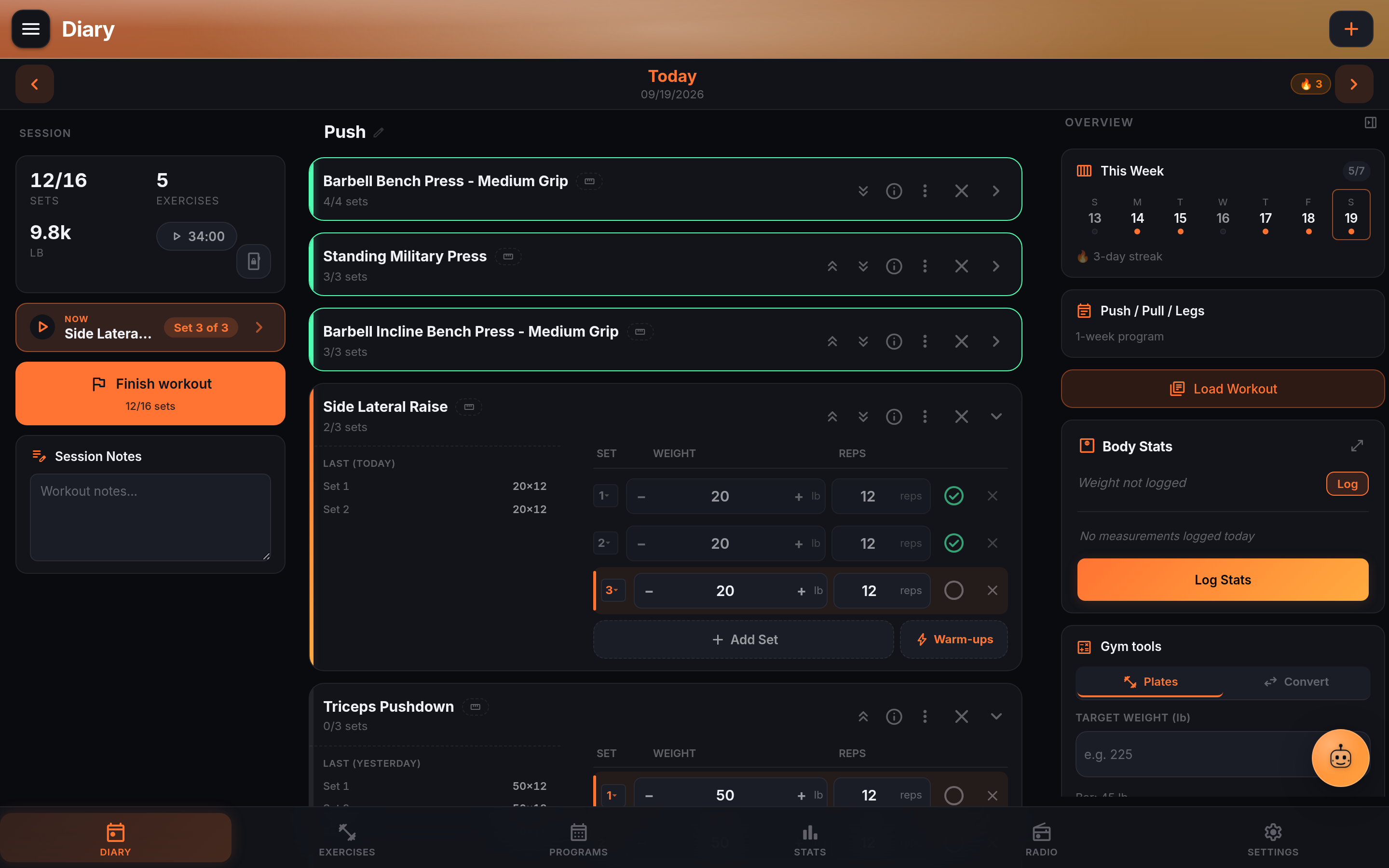
- Every number in a Diary set row shows on a narrow phone. At 320 to 390 px, the weight, reps and hold times no longer show cut off or empty, and the headings line up with Track RPE on.
- The Diary’s small buttons are easier to hit on a touch screen. Its buttons, and the edge tab on foldables and tablets, take a 44 px tap without overlapping their neighbors.
- Weights and records logged through MCP or the public API send their webhooks.
log_body_statandPUT /api/v1/body-stats/:datesendbody_stat.logged, andlog_setsendspr.setfor a new record.pr.setis now also sent for the heaviest load held (new_max_hold_weight). - Uploading an Android app’s data to a server no longer sends a webhook for each workout (#134), as restoring a backup never did, and a coach is no longer told an old prescribed workout was just completed.
- Sync keeps the newer edit of each field, by the rule every Trace app now shares. A change made offline or on Android could be lost to a later edit of a different field elsewhere. Each field now keeps the time it was changed, also through
POST /api/sync/pushand backups. Older apps keep working. How sync works - Something deleted elsewhere stays deleted. An edit to a workout, program or body-stats day deleted by a third-party sync client or a restored backup wrote into the deleted row; an older edit is now dropped and a newer one brings it back. A program or prescription deleted that way no longer shows, and settings cleared on the server stay cleared when an offline phone syncs.
- A backup restore brings back everything it holds, and keeps what was deleted. What was deleted stays deleted, a day’s workouts keep their order (#76), API tokens, webhooks and invites are now kept, and phones get the restored conversation and photos. On a server with another
TOKEN_ENC_KEY, make each webhook again. Backups - The web app’s saves survive a dropped connection (#134). A save whose answer was lost is no longer logged twice, deleting it right after reaches the server, and a change made while the one before was on its way is kept. An older server may need a prescription removed again.
- A server that stops answering counts as no connection within seconds. On gym Wi-Fi with a sign-in page or a weak signal, the web app opens with what it has kept, and changes wait as they do offline. Offline
- The app no longer opens with nobody signed in when your server can’t be reached. It shows the sign-in page saying why, with Retry, and single-user servers still open straight to the app. When the server can’t be reached
- The Android app shows your server’s SSO sign-in, or says why it can’t (found with notetrace#36, thanks @harikiran-lab). A sign-in proxy in the way is named instead of
Unexpected token '<', and Server Connection offers SSO too. Android behind a sign-in proxy - LiftTrace installs and updates behind a sign-in proxy (found with notetrace#37, thanks @harikiran-lab). A reload brings the new version at once, and an ended proxy session opens its sign-in page.
- Push notifications from the Android app arrive. Finishing a workout or setting a PR on the phone sent nothing to ntfy, Gotify or Apprise. Signed in to a server with user accounts, your server now sends them.
- Trace’s workout changes on Android reach your server right away, instead of failing the server’s cross-origin check and waiting for the next sync. Your server from this release fixes it for earlier apps too.
- Trace works with Gemini when a tool answers with a list (#147, reported by @wretchedxx). It failed with “Invalid JSON payload received”. With Trace set by environment variables, the server’s fix covers earlier apps too.
- Trace can go through a long training history (found with notetrace#34, thanks @harikiran-lab), instead of stopping with “Too many tool call rounds”. Workouts and PRs come page by page, and one answer can take 12 rounds.
- Trace’s replies are no longer cut off at 4,096 tokens, and a reply that stops short says so (found with notetrace#23, thanks @harikiran-lab). Trace asks for up to 16,384 tokens, and 4,096 where a provider won’t take that many.
- Trace no longer shows a blank answer when the model sends back nothing (found with nutritrace#286, thanks @jsapede). It asks once more, then says the answer was empty.
- Trace stops when a model keeps repeating the same lookup (found with nutritrace#287, thanks @jsapede), and asks it for an answer instead of using up every step.
- Scheduled backups run at the time you picked, in your time zone, and are named in it (found with notetrace#44, thanks @marinierb). A schedule set before this runs as it did, with Use My Time Zone to switch. Scheduled backups
- Single Sign-On under a subpath suggests the right redirect address. With
BASE_URLset, the suggested address left out the subpath, so sign-in failed once saved. - Replace with Server on the Android app’s connect screen asks before dropping unsent changes, as Settings’ Download does.
- Reminders from the Android app’s background check keep coming after it was closed mid-save. They stopped until you opened the app again.
- The Android app’s open pages show what a sync changed. Exercises, programs, the Diary, the Body Stats sheet and the workout editor read again quietly, keeping what you’re typing.
- Visiting the Diary, Statistics or Settings again no longer leaves extra work behind, which slowed down a long session.
- Choosing Light or Dark sticks when your system switches themes.
- The app’s icon on an iPhone home screen fills its square, without a white rim. Remove it from the home screen and add it again to get the new one.
- The Diary’s program week reads “Week 1 of 4” again, and a few other places got their dropped space back.
- Pickers that open above their button stay against it: the set number, RPE and load type pickers.
- All of Settings can be translated, including the Android connect screen’s Skip, Keep Server Only.
Translations
- Russian is in the language picker (#149), translated by @GalKander on Weblate. A phone set to Russian opens the app in it.
Security
- Linking a sign-in provider asks for your password first (from nutritrace#222), and your two-step code when that’s on, so a stolen session can’t link another sign-in to your account. A changed email waits for your password too.
- Changing your password signs out your other devices (found with nutritrace#222), as do turning two-step sign-in on or off and resetting it, and Settings > Profile has Sign Out Everywhere. API and MCP tokens keep working. Signing other devices out
- Older Android apps’ single sign-on is said in the log, and can be turned off (found with nutritrace#222). Builds from before the one-time code get their sign-in in a link another app could catch;
OIDC_APP_LINK_TOKEN=offrefuses them. - Creating an API token asks for your password (found with nutritrace#222), and new tokens expire: 30 days, 90 days, 1 year or No Expiry (90 days unless you choose). Tokens you already have keep working.
- The server log no longer shows a key or password from an address when an exercise lookup fails. They show as
***. - Other sites can no longer show LiftTrace inside a frame. If you show it in a dashboard (Homarr, Organizr, Home Assistant), set
FRAME_ANCESTORSto the dashboard’s address, for exampleFRAME_ANCESTORS=https://home.example.com, or it shows blank. Dashboards - Pages on lookalike addresses can no longer read or change your account. Only the Android app’s own addresses and
PUBLIC_URLare allowed, compared exactly. - Web pages on other sites can no longer make changes through your browser. On a server without accounts, a page could restore its own backup over yours. If your reverse proxy doesn’t pass the address you open (
HostorX-Forwarded-Host), setPUBLIC_URL. Changes refused - The Docker image runs on Node 24 (found with nutritrace#302, thanks @mahfuz-rahman007), with security fixes Node 20 no longer gets. From source you need Node 24, plus Python 3, make and a C++ compiler for the server’s
npm install. Dev setup - markdown-it 15.0.3 closes GHSA-gfr2-rv44-r23c and GHSA-vfgh-jcmw-g37q, a slow render that only an AI provider ignoring Trace’s length limit could trigger.
- vite 6.4.5 closes GHSA-587h-7wmj-h5pm, GHSA-698v-4r3x-3vcv and GHSA-r825-w8mm-5pxw, in the development server only; the app and server you install never include it.
- hono 4.13.13 on the server closes GHSA-5r4p-p66f-jhc7. LiftTrace never used the affected part.
- Server dependencies updated (body-parser, multer, undici, zod and others):
npm auditreports 0 vulnerabilities for the server. The 12 low and moderate findings left in the app are in build tools and aren’t in what you install.
Verify the download. lifttrace-v1.5.0-dev01.apk: SHA-256 dae3d4bbdce4f23d7b22586ae1fb7c5977b6f5287479fdcdc2944e01faa3beab, VirusTotal report; lifttrace-wear-v1.5.0-dev01.apk: SHA-256 8a9f0cb8eba8e57a098fa6113ae7deae860ebcd986fea4cc715a72a7b9df1f3e, VirusTotal report.
LiftTrace is free and always will be. Support on Ko-fi goes toward a Mac and an iPhone so my apps can come to Apple devices, and GitHub Sponsors helps with the monthly costs.