
LiftTrace
Self-hosted weightlifting tracker with programs, PR tracking, and an AI coach
Alternative to: strong, hevy
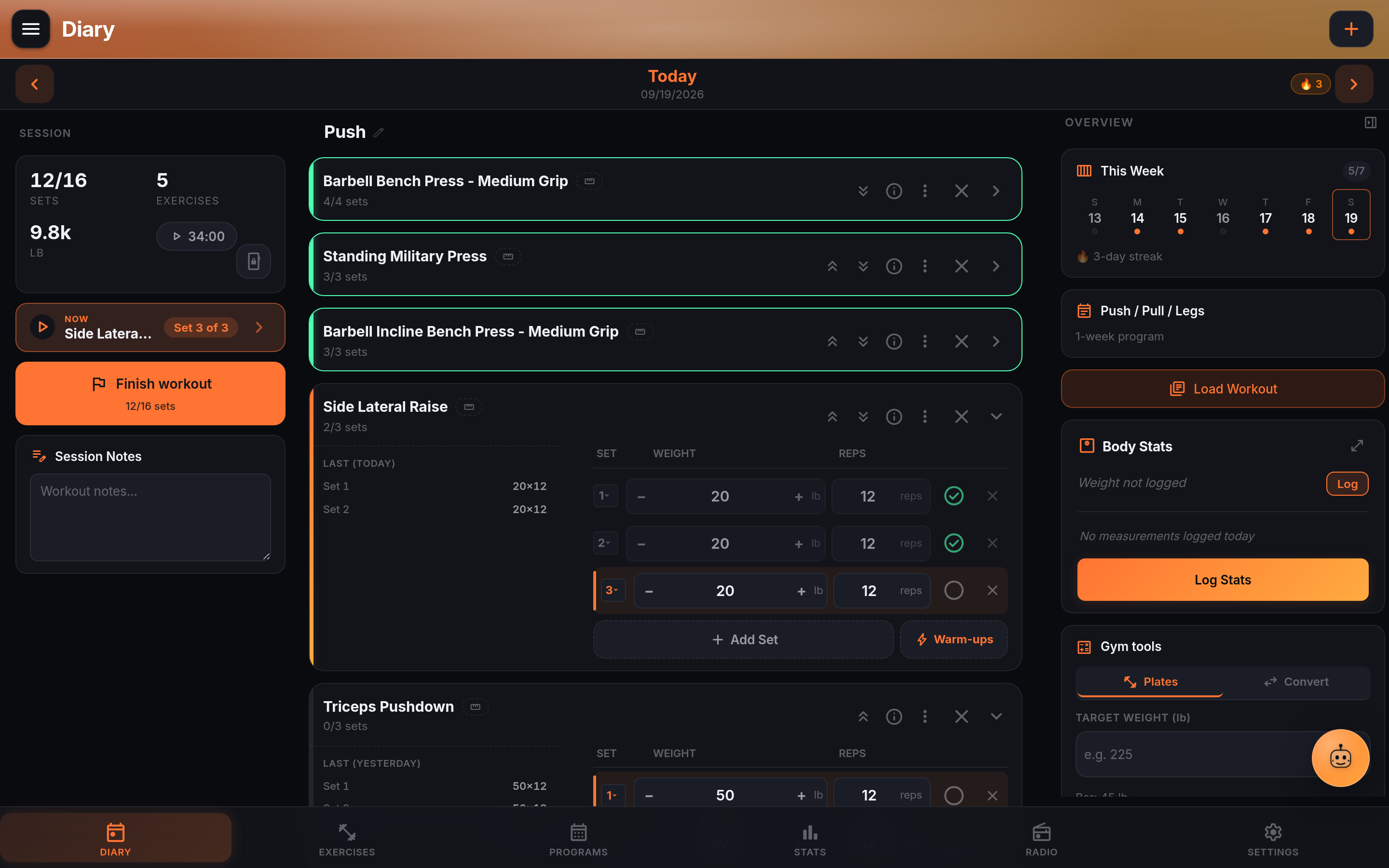
LiftTrace is a self-hosted weightlifting tracker that runs entirely in a single Docker container, with a PWA for the browser and a native Android app for your phone. It offers workout diary and set logging, multi-week training programs and templates, an exercise library sourced from multiple providers, progress charts and PR tracking, trainer/athlete coaching accounts, and an AI coach backed by Claude, OpenAI, or Gemini. All data stays in a local SQLite file and uploads folder, with no accounts, telemetry, or subscriptions.
LiftTrace Docker Compose example
Self-host LiftTrace on your own server, homelab, or VPS starting from this Docker Compose example.
It runs LiftTrace in Docker containers using the official ghcr.io/traceapps/lifttrace:latest image, with persistent volumes and automatic restarts preconfigured.
Review the environment variables and adjust them to your setup, save the file as compose.yml (or docker-compose.yml), and start the stack with docker compose up -d.
services:
  lifttrace:
    image: ghcr.io/traceapps/lifttrace:latest
    volumes:
      - db:/data/db
      - uploads:/data/uploads
    restart: unless-stopped
    environment:
      # Path to the SQLite database file (lives in the db volume). Keep in sync with the db volume mount.
      DB_PATH: "/data/db/lifttrace.db"
      # Directory for uploaded exercise media and backup ZIPs (lives in the uploads volume). Keep in sync with the uploads volume mount.
      UPLOADS_PATH: "/data/uploads"
      # Secret used to sign session JWTs; the server refuses to start in production with the dev default. Generate with: openssl rand -base64 48
      JWT_SECRET: "changeme"
      # Logging verbosity: error, warn, info, or debug.
      LOG_LEVEL: "info"
      # Mount the app under a URL subpath (must start with "/", no trailing slash), e.g. "/lifttrace". Leave empty to serve at the root.
      BASE_URL: ""
      # Set to "1" only when serving over plain HTTP on a trusted LAN; leave empty when behind an HTTPS reverse proxy.
      INSECURE_COOKIES: ""
      # AI coach (Trace): set to "true" to auto-enable the AI coach for all users.
      AI_ENABLED: ""
      # AI coach provider: claude, openai, gemini, or oai-compat.
      AI_PROVIDER: ""
      # AI coach: API key for the selected cloud provider.
      AI_API_KEY: ""
      # AI coach: override the provider's default model.
      AI_MODEL: ""
      # AI coach: base URL for a local or OpenAI-compatible provider.
      AI_BASE_URL: ""
      # Comma-separated exercise catalogs to auto-seed on first boot: wger, free-db, exercisedb, exercisedb-oss.
      EXERCISE_SOURCES: ""
      # SMTP host for outgoing email (password resets, invites); leave empty to disable email.
      SMTP_HOST: ""
      # SMTP server port.
      SMTP_PORT: "587"
      # Use an implicit TLS connection for SMTP (true) instead of STARTTLS (false).
      SMTP_SECURE: "false"
      # SMTP username.
      SMTP_USER: ""
      # SMTP password.
      SMTP_PASS: ""
      # From address for outgoing email, e.g. "LiftTrace <noreply@example.com>".
      SMTP_FROM: ""

volumes:
  db:
  uploads:
Values set to changeme are required — replace them with your own
values before starting LiftTrace.
Prefer a managed setup? WinterFlow installs, configures, and updates LiftTrace for you using this same Docker Compose configuration.