LiftTrace
Self-hosted weightlifting tracker with programs, PR tracking, and an AI coach
Alternative to: strong, hevy
v1.4.0-dev01
2026-09-22First dev pre-release of the 1.4.0 minor. Two headlines: LiftTrace on a watch, and offline mode, so a gym with no signal stops being a problem. Also in: filming a set for your coach to review, reading your training over a date range from AI clients and scripts, update checks that are off until you ask for them, and fonts served by your own instance instead of Google.
Added
- LiftTrace on your wrist. A Wear OS app for watches running Wear OS 3 and up. It opens on the set you are in front of, weight and reps already filled in, so logging one is a tap, and you can edit sets, mark them done and add one from the watch. The session timer and the rest timer are the same ones the phone keeps, so either device starts, pauses or stops them, and the rest timer buzzes on your wrist. Supersets alternate the way you train them, holds count down and log themselves, and what you lifted last time sits under the exercise name. Wear OS.
- Film a set and have your coach review it (#57, requested by @backmind). A set can now carry a clip: film it in the app, or pick one you already have. Your coach watches it, pauses where the problem is, and leaves a note stamped at that moment, so tapping “0:04” in your Diary jumps the video straight there, and you can reply without leaving the player. Clips are never readable by URL: only you and your own coach can open one, and an admin is nobody’s exception. Attaching one needs a connection. Set videos.
- Reading your training over a date range, for AI clients and scripts (#93, by @kgenerozov). New
get_workoutsandget_body_statsreads answer a whole range at once, and recent workouts, records and per-exercise progress take the same bounds. Full-detail reads answer the most recent 30 sessions and say when there were more, and a record read over a range is the best lift within those dates rather than an all-time one. The same filters are on the REST API. MCP tools. - Offline mode (#211 in NutriTrace, the same idea here). In a gym with no signal the app still opens, today’s workout is there, and you can keep logging: sets, reps, weight, notes, body stats, cardio, your own exercises and settings. What you change goes up on its own when the connection returns, merged set by set rather than one device overwriting the other. The menu button shows an amber cloud while anything is waiting. Train without a connection.
- What else works in offline mode. Starting a program or moving its week, coaching notes, replies and prescribing work, progress photos, your profile and picture, and pictures on your own exercises. Programs, templates, your catalogue, recent workouts and Statistics all read from what this browser has already seen.
- Offline mode says what it cannot reach. Exercise videos and catalogue imports, creating or editing a program or template, Trace, adding or removing a member, and anything admin need a connection. A change your server refuses is set aside, named in plain words and written to Settings, Diagnostics, while a server that is merely busy is retried instead.
Changed
- Update checks are off until you turn them on, and your server does the asking. Every browser and phone used to ask GitHub directly every 4 hours. Setup now asks, skipping the question leaves checks off, and a fresh install contacts nothing on its own. Existing installs keep checking as before.
UPDATE_CHECK=offkeeps them off for good. Reported on r/selfhosted.
Fixed
- A brand new install starts up again. Set videos added two database migrations above the table they change, which an existing instance already had and a fresh one did not, so a first run stopped with “no such table” and the server never came up. Only ever affected installs made from the dev builds of this cycle.
- A filmed set shows a still, not a giant play symbol. The review screen and the coach’s player handed Android a video with no poster, so it drew its own play glyph blown up to the size of the box until you pressed play. Both now show a frame from the clip itself: the moment you stopped filming, or a frame decoded from the file you picked. Exercise videos use the exercise’s own picture.
- “A New Version Is Available” on the web now says what it means, and Reload works. The browser banner used the Android wording and its Reload button could do nothing at all, and a tab left open never noticed a new version. Same fix in all four Trace apps.
- The bottom nav’s active-tab pill now follows your accent colour (#114, found and fixed by @benniemosher). Half its gradient was a hardcoded orange, so any other accent left an orange highlight behind.
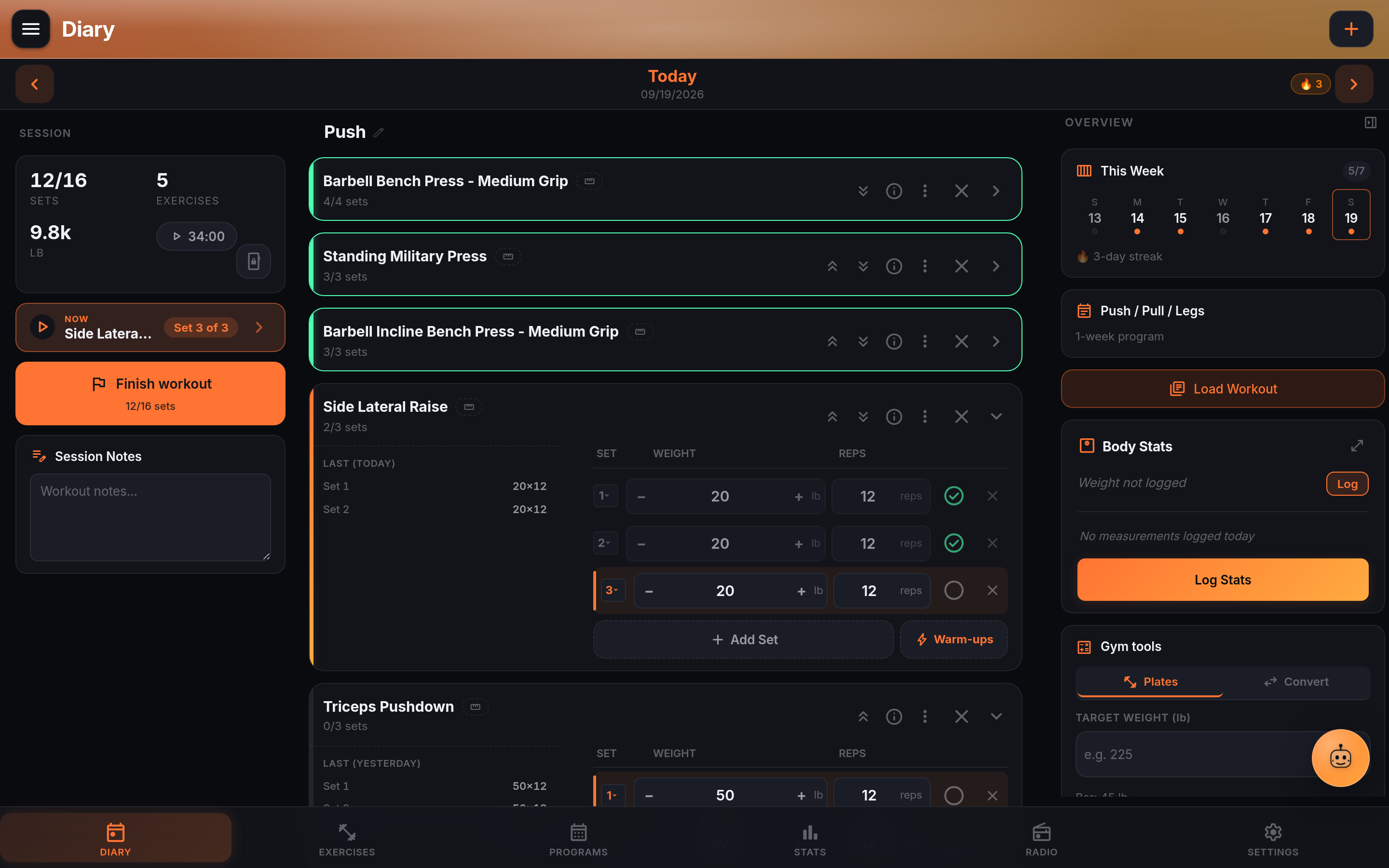
- Tapping a day in the Diary’s “This Week” strip, or a row in “Recent”, now loads that day (#111, found and fixed by @benniemosher). Both moved the date header without fetching the workout behind it.
- The hold timer’s “open this hold’s date” button now loads that day too. Same cause as the week strip, and the last place in the Diary it happened.
- Moving an exercise past a superset no longer breaks the superset up. The arrows swapped single rows, so an exercise below a pairing pulled its second lift out of the group. They move whole blocks now.
- A coach’s note stays on the exercise it was written about, even when the member reorders or removes exercises afterwards. Notes were pinned to a position in the session; they follow the exercise itself now.
- The Trace button no longer covers what’s on top of it. It floated above every sheet and dialog, so wherever you had dragged it, it could sit over a title or a button. Same fix as NutriTrace #233.
- The installed app survives a reload with no connection. It kept only a fallback page, so its own code came from the network and reopening it in a dead zone left a blank screen.
- Something deleted while online stays deleted when the connection goes. A deleted progress photo could reappear the moment you were offline again. Reported in testing.
- A progress photo added with no connection shows straight away and is never refused for its size. It was kept at full size and turned away on arrival, and it did not appear on the timeline while it waited.
- Adding a progress photo with no connection no longer says “Could not save photo”. The photo was saved and did arrive; the screen was told in the wrong shape and reported a failure that never happened.
- Adding a photo with no connection no longer fails on an installed app. The part of the app that keeps a photo was fetched from your server at the exact moment there was nothing to fetch from.
- A picture kept offline holds its transparency, and an unusual camera format is converted rather than lost. A drawing could come back with a black background, and an iPhone’s HEIC would have been refused on arrival without saying so.
- The copy this browser keeps now has a ceiling, and if storage runs out, what you have changed is kept and the copy makes way for it.
- A sync no longer empties the copy this browser keeps. Everything was cleared once the queue went up, so losing signal again left you with nothing to look at.
- Work changed while a sync was running no longer waits for you to do something else before it goes up.
- What a row created offline became is now remembered on disk, not just while the page stays open, so a sync that stopped halfway can’t leave work queued against an id your server never had.
- Fonts are served by your own instance. The app loaded Inter and the icon font from Google on every page load, so Google saw the address of everyone who opened it, whatever your settings said. Reported on r/selfhosted.
Security
- No security fixes this cycle.
npm auditreports 0 vulnerabilities for the app and the server, and there are no open Dependabot alerts. The privacy changes above (fonts, update checks) came out of a review on r/selfhosted.
Two APKs this time. lifttrace-v1.4.0-dev01.apk is the phone app. lifttrace-wear-v1.4.0-dev01.apk is the watch app: install it on the watch itself (adb over Wi-Fi, or your watch’s own sideload route). Both are signed with the same key, which the pairing depends on.
Testers: the watch app has not been used on a real watch yet, so that is where the surprises will be. Offline mode is the other half: log in a gym with no signal, kill the connection mid-set, reload the installed app with no signal. If something you did offline never arrives, or arrives twice, say what you did and roughly when.