
LiftTrace
Self-hosted weightlifting tracker with programs, PR tracking, and an AI coach
Alternative to: strong, hevy
v1.3.0
2026-09-20Action needed when you update: the container now listens on port 3002. If your compose file maps
"3002:3003", change it to"3002:3002". If a reverse proxy or tunnel reaches the container directly (lifttrace:3003, or a Traefikloadbalancer.server.port=3003label), point it at3002. Until you do, LiftTrace will not respond after the update. The host port stays 3002, so bookmarks and the Android app’s server address keep working. Installs that setPORTthemselves are not affected.
Minor release. The headline is that a day is no longer one workout: multiple independent sessions per day, timed sets with a hold timer for planks and carries, and progress photos with before and after comparison. LiftTrace also opens up to outside tools for the first time, with an MCP server, a versioned REST API and outgoing webhooks, all off by default. Plus a rewritten weekly summary, a redrawn muscle recovery body map, and a long run of Android sync and Diary fixes.
Added
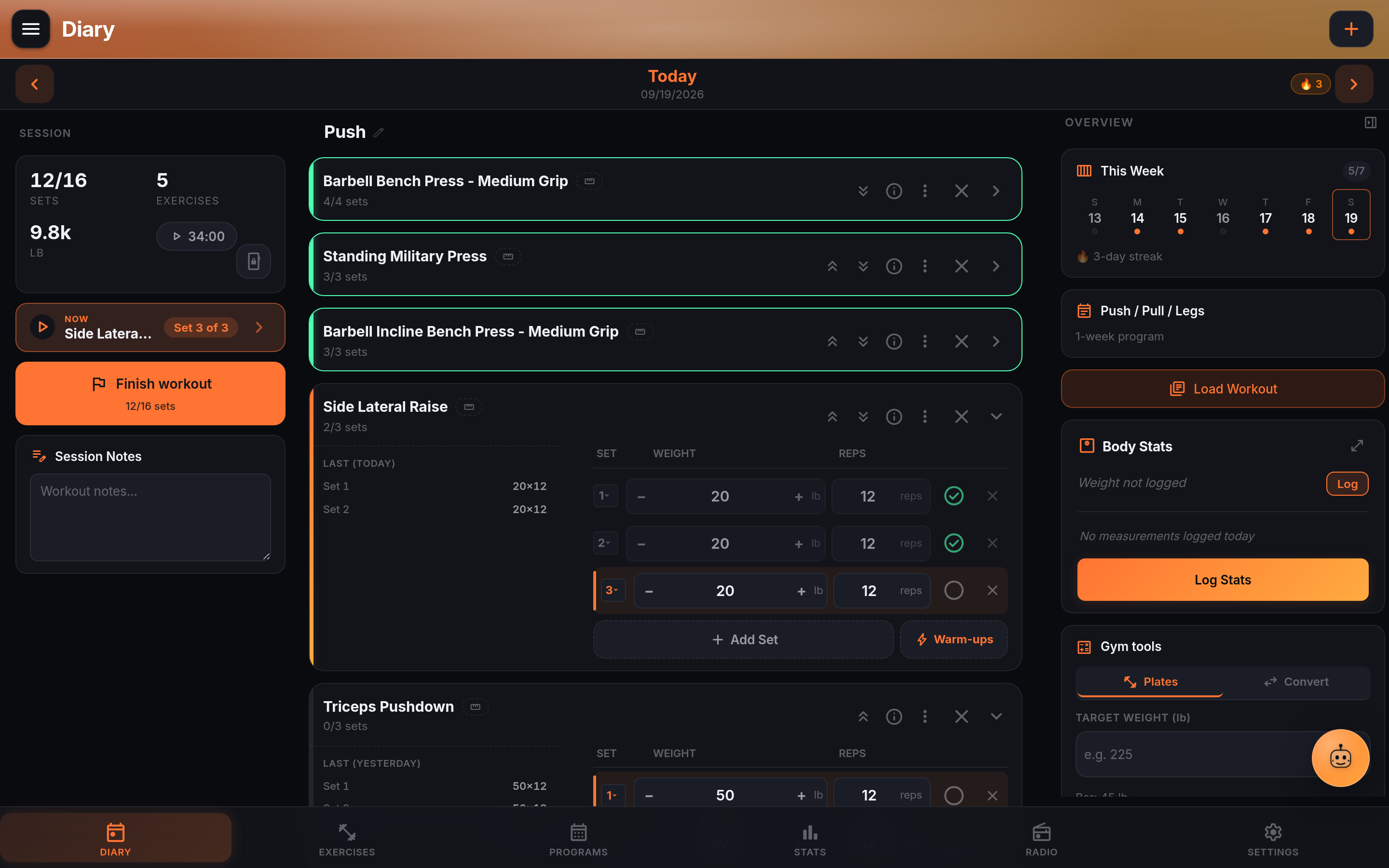
- Multiple independent workout sessions per day (#76, requested by @yoyo-san). Log a stretching routine and a lifting session on the same date, each with its own exercises, sets and completion state. A session tab strip appears once a second session exists, with a ”+” to start one and a delete action on each tab. Loading a template or program over a started session now asks whether to replace it or start a new one alongside it, which also closes a data-loss bug: loading a second template on a day with a completed workout used to delete every exercise from the first one with no confirmation. Streaks and calendar activity still count a day as done if any session on it is complete.
- Timed sets for planks, holds and carries (#89, requested by @chrisfeagles). An exercise can be tracked by Time instead of Reps, with weight still available for weighted holds. Typing a time works like a microwave:
45is 0:45,130is 1:30. A hold timer inside the time field counts you in, times the hold and ticks the set off for you, reading large enough to see from the floor, keeping the screen awake and counting correctly if the phone locks. Personal records track the longest hold with their own celebration, Statistics and exercise history chart hold time, programs and templates can prescribe a time, Smart-Add understandsplank 3x45s, CSV export gains aduration_seccolumn, and the Strong, Hevy, FitNotes and Garmin importers stop throwing hold durations away. Timed sets stay out of weight times reps volume and estimated 1RM, where they would only distort the numbers. - Progress photos. Attach dated photos to your body-stats history, on their own page at
/progress, reached from Statistics and from the Body Stats sheet. The timeline groups by month and shows the weight logged that day; Compare stacks any two with a draggable wipe between them, with a “Compare First and Latest” shortcut; the scrubber opens a photo full frame with a date track underneath, or plays the whole record as a time-lapse. Captures default to today but the date is settable, so an old camera roll can be backfilled. iPhone HEIC photos are converted in the browser, since no browser displays HEIC. Photos sync across devices, are included in full backups, are deleted from disk when removed, and never expire. Unlike avatars and exercise media, photo files are not readable from/uploadsby URL and are served only to the account that owns them. - MCP server for external AI clients (#78, requested by @bursaar). LiftTrace speaks the Model Context Protocol at
/api/mcp, off by default (MCP_ENABLED=1). Read tools for workouts, records, progress, programs and body stats, additive write tools behindMCP_WRITE_ENABLED=1, and one destructive tool behind its own flag, scope and per-call confirmation. Writes go through the same server-side merge the app’s own saves use, so a concurrent save can’t be clobbered. New Settings, API Tokens section issues scoped personal access tokens, hashed at rest and shown once. See the MCP setup guide. - Public REST API (#77, requested by @bursaar). A versioned API at
/api/v1, off by default (PUBLIC_API_ENABLED=1), for scripts that want plain JSON rather than MCP. Ten routes covering workouts, records, progress, programs, body stats and progress photos, with writes behind a second flag. It uses the same tokens and scopes as MCP, so one token works for both. Seedocs/public-api.md. - Outgoing webhooks (#79, requested by @bursaar). Point LiftTrace at a URL and it fires a signed POST when a workout is completed, a personal record is set, a program advances a week, a body stat is logged or a progress photo is added. For n8n, Home Assistant or anything else, without polling. Off by default (
WEBHOOKS_ENABLED=1). Each delivery is signed with HMAC-SHA256 and retried up to three times, the secret is encrypted at rest and shown once, and target URLs are checked against the same protection used for the radio proxy, so private, loopback and cloud-metadata addresses are blocked and redirects are not followed. Seedocs/webhooks.md. - Sync status in the sidebar. On Android connected to a server, the sidebar shows Synced, Syncing, Offline or Can’t reach the server. Colour means one thing everywhere now: amber when the phone simply has no network, so nothing is lost, and red when the server is reachable but the sync is failing.
- Exercise browser display density toggle (#74, requested by @josefelixh). A compact or comfortable view switch next to the category filters at desktop widths. The exercise detail pane also stays put while you browse instead of scrolling away.
- Statistics: overlay a second body measurement on the Body Weight chart. Pick any measurement tracked in the diary as a dashed second series with its own scale, weight on the left and the overlay on the right. The tab is now titled Body Measurements.
- Trace can see your cardio, and log it. Cardio is stored separately from lifting, so Trace never saw it: it could tell someone training five days a week that they had done nothing since Tuesday, and would try to record a run as a lifting session. It now reads cardio sessions and logs new ones. It can also read your progress photo history, meaning dates, counts and the weight logged on them, never the images.
Changed
- The container now listens on port 3002, the same as the host port. Action needed when you update. The image used to listen on 3003 inside the container while the sample compose file published it on 3002, so the two numbers never matched. Both are 3002 now. If your compose file has
"3002:3003", change it to"3002:3002"; if a reverse proxy or tunnel reaches the container directly (lifttrace:3003, or a Traefikloadbalancer.server.port=3003label), point it at3002. Until you do, LiftTrace won’t respond after the update. Installs that setPORTthemselves are not affected, and the host port stays 3002, so bookmarks and the Android app’s server address keep working. - The weekly summary says how the week actually went (#98, requested by @backmind). It used to be a workout count and a volume number with no unit. The email now shows sessions against your weekly goal, working sets, volume with its unit, time trained and personal records, each compared with your average week over the month before, the week’s new records, and your sets by muscle group as simple bars that display in any mail client. A View This Week button opens Statistics on those seven days. The push notification gets the same in one line, such as “4 of 5 sessions, 62 sets, 3 PRs, 48,200 lbs volume (+8% vs your 4-week average)”.
- Muscle recovery body map, redrawn. The old figure had its hip 71% of the way down the body instead of 50%, so the legs were about half the length they should be, with shoulders and waist the same width. The figure now follows standard proportions with a real taper, muscle regions are anatomical shapes clipped to the silhouette, and the knee, calf and feet exist.
- Trace settings now match NutriTrace. Smart Log gets its own switch, on by default, and a Voice Input Language setting for when you speak a different language than your phone is set to. Where AI is configured through environment variables, the section says so, the provider, model and base URL are locked, and the API key field is hidden since the server holds it.
- Claude Fable 5.1 in Trace’s model list. It is now the most capable Claude option; Fable 5 stays selectable, marked as previous.
- Statistics desktop rail headings and comparison cards now translate (#83), along with the API Tokens intro link (#84) and the email settings environment banner, all of which stayed English in every translated locale.
Fixed
Android and sync
- Statistics showed zeros and “Failed to load stats” (#101, reported and diagnosed by @kgenerozov). The phone’s own copy of Statistics had no answer for the body map, so the whole page failed, and it had drifted from the server elsewhere: it ignored the date range, started weeks on Sunday, put workouts on the wrong weekday west of UTC, dropped the streak to 0 until you trained, and counted single-arm volume once instead of twice. The phone now matches the server, Statistics asks the server when connected, and a failure shows an error with Retry instead of zeros.
- A workout disappeared from the Diary when the connection dropped (#102, reported and diagnosed by @kgenerozov). An offline save was queued correctly but the Diary was then cleared. The workout stays on screen, offline edits reach the server when you are back, edits to a session started offline stay on that session, deleting one before it syncs keeps it deleted, and queued saves to the same day stay in order.
- Editing a set could revert a moment later on a flaky connection. The Diary reloaded from the on-device copy on every background sync, so a copy lagging behind an edit that had already saved visibly undid it. It now reloads only when a sync actually touched that workout, and never applies anything older than what is on screen.
- A stale session id could spawn a duplicate session on every set edit, and deleting a session didn’t stick (#87, diagnosed by @kgenerozov). Deleting a workout is now recorded rather than erased, so other devices learn about it instead of pushing the workout back.
- Sync failed on pull with an “ON CONFLICT” error after the multi-session update (#82, diagnosed by @kgenerozov). A deletion on a day with more than one session could also be applied to the wrong session.
- Tapping a weight or reps field brought up the system text toolbar over the set row (#95, reported and diagnosed by @kgenerozov). Nothing is selected now: the value dims when you tap and the first digit replaces it. Backspace, a second tap and the arrow keys still edit normally.
- Reminders ignored the times set in Settings, the streak reminder never fired, and the weekly summary arrived every day (#97, found and fixed by @backmind). The on-device reminders read setting names the app never stores, so every one fell back to a default, and they were scheduled as repeating alarms that opening the app kept pushing a day out. They now read the real names and fire at the time of day you chose.
- Trace’s Base URL and API Key could not be saved in portrait, and AI settings drifted from the web (#94, reported by @kgenerozov). The Save buttons sat past the edge of the screen; both fields now save when you leave them. A setting changed while offline no longer stays marked as waiting to sync for good.
- The back button closes what’s open first. Back now closes an open sheet, dialog, menu, picker, the full-screen player, the Trace chat or the sidebar before leaving the page.
- Sheets no longer slide under the status bar, including with the keyboard up. Body Stats, Gym Tools, the Diary date picker, the workout summary, Smart Log and the shared sheet all stay below it and scroll their content instead.
- Dragging the Trace button, the Diary’s add button or the progress photo sliders no longer triggers pull-to-refresh.
- An exercise’s library load type was cleared on every sync, resetting Per Side or Alternating back to unset on the device.
Diary and workouts
- Auto-Fill Last Weights could skip your last session (#103, reported and diagnosed by @kgenerozov). It looked at the newest workout an exercise appeared in even if nothing was ticked, so today’s unfinished workout could send up template values. It now uses your last session with completed working sets, the same one the Last row shows, and warm-ups are no longer copied in as working sets.
- A workout couldn’t be added back after Clear Workout (#99, reported by @LeVraiRoiDHyrule). Exercises copied into a day now get ids of their own, so a template can be loaded as often as you like. Days already affected work again with no change to your data.
- Taking an exercise out of a superset made the whole superset disappear (#96, found and fixed by @backmind). The exercise now moves below the block, so the members left behind stay together.
- Starting a new workout right after clearing or deleting one could revert to the old session (#86, reported by @bauerbyter).
- Reordering exercises silently reverted. Moving an exercise, or joining one into a superset, applied for a moment and then snapped back once the save reached the server.
- Weight and reps inputs inside a superset are readable again on a phone (#75, diagnosed by @backmind). With RPE on, both could render at zero width, showing nothing while the value was saved correctly underneath.
- Editing a day in an older program duplicated every exercise on it, and deleting one didn’t work (#85, reported by @iparout).
- Delete Workout could leave the workout in place on a day with more than one session.
- The bottom of the side columns was hidden behind the Radio player (#104, reported by @LeVraiRoiDHyrule). On wider screens, rows like Delete Workout could sit behind the player or the rest timer. The columns now leave room for them.
- The Diary Body Stats widget and sheet showed “not logged” for records that exist on the server (#80, diagnosed by @josefelixh).
Statistics, records and Trace
- Deleted workouts still counted in Statistics and personal records. A deleted workout was hidden from the Diary but still held records, added to volume and charts, counted as training for reminders and the weekly summary, and showed up in program progress and coach views. It is now left out of all of them, and re-importing a workout you deleted no longer skips it as a duplicate.
- Trace said lifts were missing from your log when they weren’t (#92, reported and diagnosed by @kgenerozov). The model invented date ranges in the wrong year, found nothing and reported the exercise as unlogged. Trace now checks its own ranges, knows today’s real date, and refuses to write to a date more than 60 days out until you confirm it.
- Radio couldn’t play from Jellyfin 12 (#100, reported by @LeVraiRoiDHyrule). Radio signs in the way current Jellyfin expects and falls back to the older way for earlier servers. The Test button signs in for real, and a saved sign-in that stops working renews itself.
- The weekly summary counted the wrong days. It went out on the server’s weekday rather than yours, its week covered eight days, and days you opened but never trained counted as workouts.
- Weekly charts put workouts in the wrong week on servers set to a time zone west of UTC.
- Workout CSV exports had an empty exercise column.
- The muscle recovery map looked empty if you had not trained recently, drawing untrained muscles in almost the same colour as the body.
- A Settings category now opens at its top, and going back returns you to where you were on the list.
- An API token’s expiry showed “expires just now” for its entire lifetime, then flipped to “expires 3d ago” once it lapsed.
- Deleting a workout over MCP, then logging to its date, misbehaved, reporting success while the real workout stayed, or bringing the deleted one back with its old sets.
Security
- Progress photos are served behind authentication, unlike avatars and exercise media which remain readable by URL.
- Full-backup archives were downloadable without signing in. The default backup directory sits inside the uploads path, which is served ahead of the auth check so images can load, so a backup ZIP there was fetchable by URL even though every backup route is admin-only. That directory is now excluded. Scheduled backups are off by default, so an install that never enabled them had nothing there to reach, and there is no directory listing, so a filename had to be known or guessed. The archive holds a full database dump, so if yours has been internet-facing with backups enabled, a look through your access log for
/uploads/backups/will settle it either way. - Uploaded files are stored and served more strictly. An upload’s extension now comes from what kind of file it actually is rather than its name, and everything under
/uploadsis served withX-Content-Type-Options: nosniffand a sandboxing content policy. - Webhook targets are checked for private and cloud-metadata addresses on every attempt, including retries, and redirects are not followed.
- Dependency advisories cleared over the cycle:
multer,nodemailer,adm-zip,devalue,fast-uri,@xmldom/xmldom,qsandbrowserslist.npm auditreports 0 vulnerabilities for both the app and the server, and every open Dependabot alert is already patched on this release.
Upgrading
Docker: pull :latest from GHCR (ghcr.io/traceapps/lifttrace) or Docker Hub (traceapps/lifttrace), after making the port change above.
The Android APK is attached to this release; the in-app updater will surface it on the next check.
LiftTrace is free and always will be. The iOS fund is raising $1,300 toward a Mac and an iPhone, so the Trace apps can run properly on iPhone.