
Chatwoot
Open-source customer support and omnichannel messaging platform
Alternative to: intercom, zendesk, salesforce
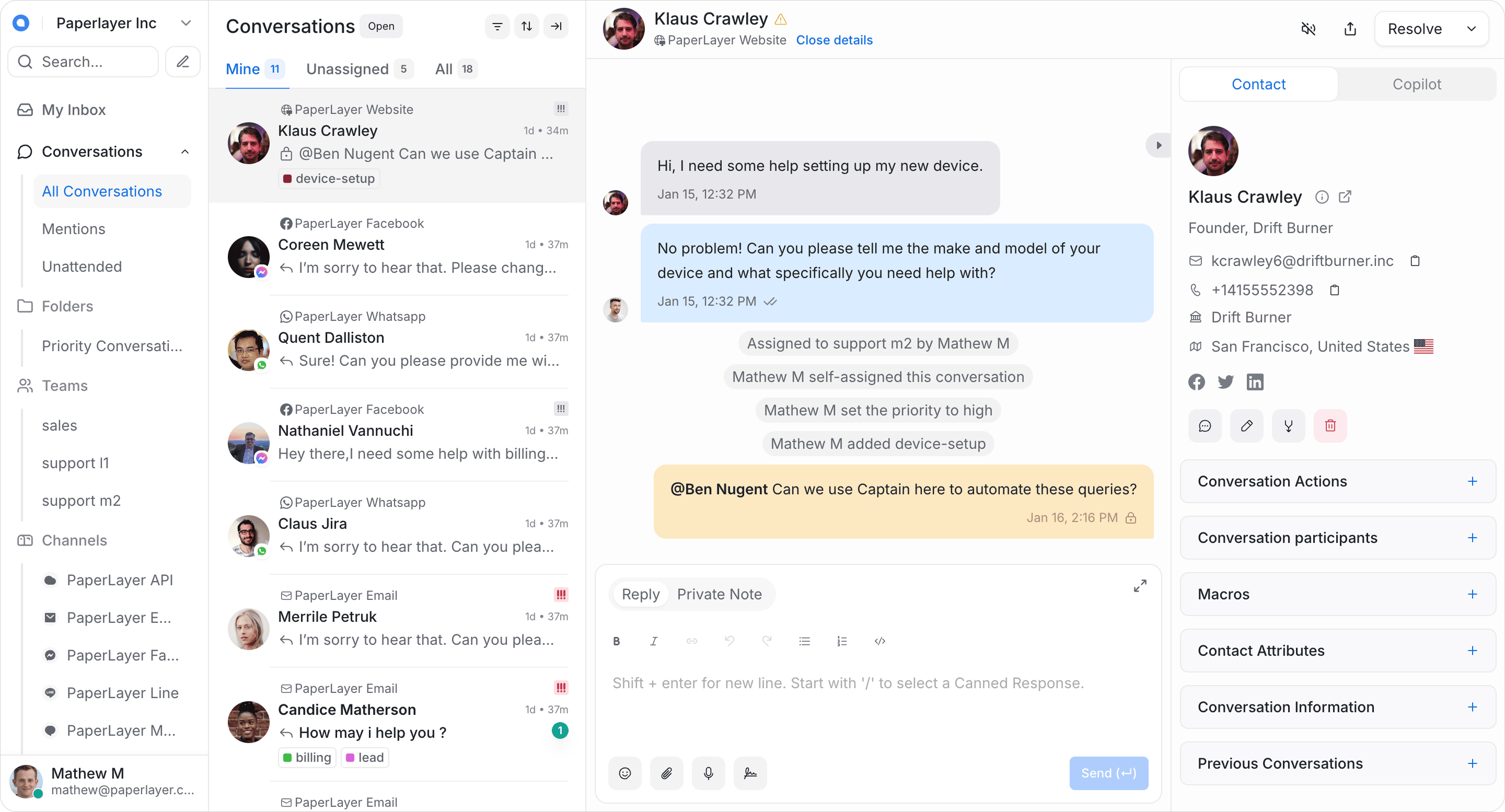
Chatwoot is an open-source, self-hosted customer engagement suite that centralizes live chat, email, and social/messaging channels into one shared team inbox. It gives support teams canned responses, automation rules, and reporting, offering a modern self-hosted alternative to Intercom, Zendesk, and Salesforce Service Cloud.
Chatwoot Docker Compose example
Self-host Chatwoot on your own server, homelab, or VPS starting from this Docker Compose example.
It runs Chatwoot in Docker containers using the official chatwoot/chatwoot:latest, pgvector/pgvector:pg16, redis:alpine images, with persistent volumes and automatic restarts preconfigured.
Review the environment variables and adjust them to your setup, save the file as compose.yml (or docker-compose.yml), and start the stack with docker compose up -d.
x-app: &app
  image: chatwoot/chatwoot:latest
  restart: unless-stopped
  volumes:
    - storage:/app/storage
  environment: &app-env
    NODE_ENV: "production"
    RAILS_ENV: "production"
    INSTALLATION_ENV: "docker"
    # Secret used to sign and verify cookies/sessions. Set to a long random hex string.
    SECRET_KEY_BASE: "changeme"
    # Public URL where Chatwoot is reachable (scheme + host, no trailing slash).
    FRONTEND_URL: "changeme"
    # Redirect all HTTP traffic to HTTPS.
    FORCE_SSL: "false"
    # Allow visitors to create new accounts from the login screen.
    ENABLE_ACCOUNT_SIGNUP: "false"
    # Postgres host (points at the bundled postgres service).
    POSTGRES_HOST: "postgres"
    # Postgres database name.
    POSTGRES_DATABASE: "chatwoot"
    # Postgres username.
    POSTGRES_USERNAME: "chatwoot"
    # Postgres password (must match the postgres service).
    POSTGRES_PASSWORD: "changeme"
    # Redis connection URL (points at the bundled redis service).
    REDIS_URL: "redis://redis:6379"
    # Redis password (must match the redis service).
    REDIS_PASSWORD: "changeme"
    # From-address for outgoing email. Example: Chatwoot <accounts@example.com>
    MAILER_SENDER_EMAIL: "Chatwoot <accounts@chatwoot.com>"
    # SMTP server hostname for outgoing email.
    SMTP_ADDRESS: ""
    # SMTP server port.
    SMTP_PORT: "587"
    # SMTP username.
    SMTP_USERNAME: ""
    # SMTP password.
    SMTP_PASSWORD: ""
    # Storage backend for uploads (local or s3_compatible).
    ACTIVE_STORAGE_SERVICE: "local"
    RAILS_LOG_TO_STDOUT: "true"
    LOG_LEVEL: "info"

services:
  rails:
    <<: *app
    depends_on:
      postgres:
        condition: service_healthy
      redis:
        condition: service_started
    entrypoint: docker/entrypoints/rails.sh
    command: ["bundle", "exec", "rails", "s", "-p", "3000", "-b", "0.0.0.0"]

  sidekiq:
    <<: *app
    depends_on:
      postgres:
        condition: service_healthy
      redis:
        condition: service_started
    command: ["bundle", "exec", "sidekiq", "-C", "config/sidekiq.yml"]

  postgres:
    image: pgvector/pgvector:pg16
    restart: unless-stopped
    volumes:
      - postgres_data:/var/lib/postgresql/data
    environment:
      POSTGRES_DB: "chatwoot"
      POSTGRES_USER: "chatwoot"
      # Postgres password (must match POSTGRES_PASSWORD in the app services).
      POSTGRES_PASSWORD: "changeme"
    healthcheck:
      test: ["CMD", "pg_isready", "-U", "chatwoot"]
      interval: 10s
      timeout: 5s
      retries: 5

  redis:
    image: redis:alpine
    restart: unless-stopped
    command: ["sh", "-c", "redis-server --requirepass \"changeme\""]
    volumes:
      - redis_data:/data

volumes:
  storage:
  postgres_data:
  redis_data:
Values set to changeme are required — replace them with your own
values before starting Chatwoot.
Prefer a managed setup? WinterFlow installs, configures, and updates Chatwoot for you using this same Docker Compose configuration.