
Twenty
The open alternative to Salesforce, designed for AI
Alternative to: salesforce, hubspot, pipedrive, zoho crm
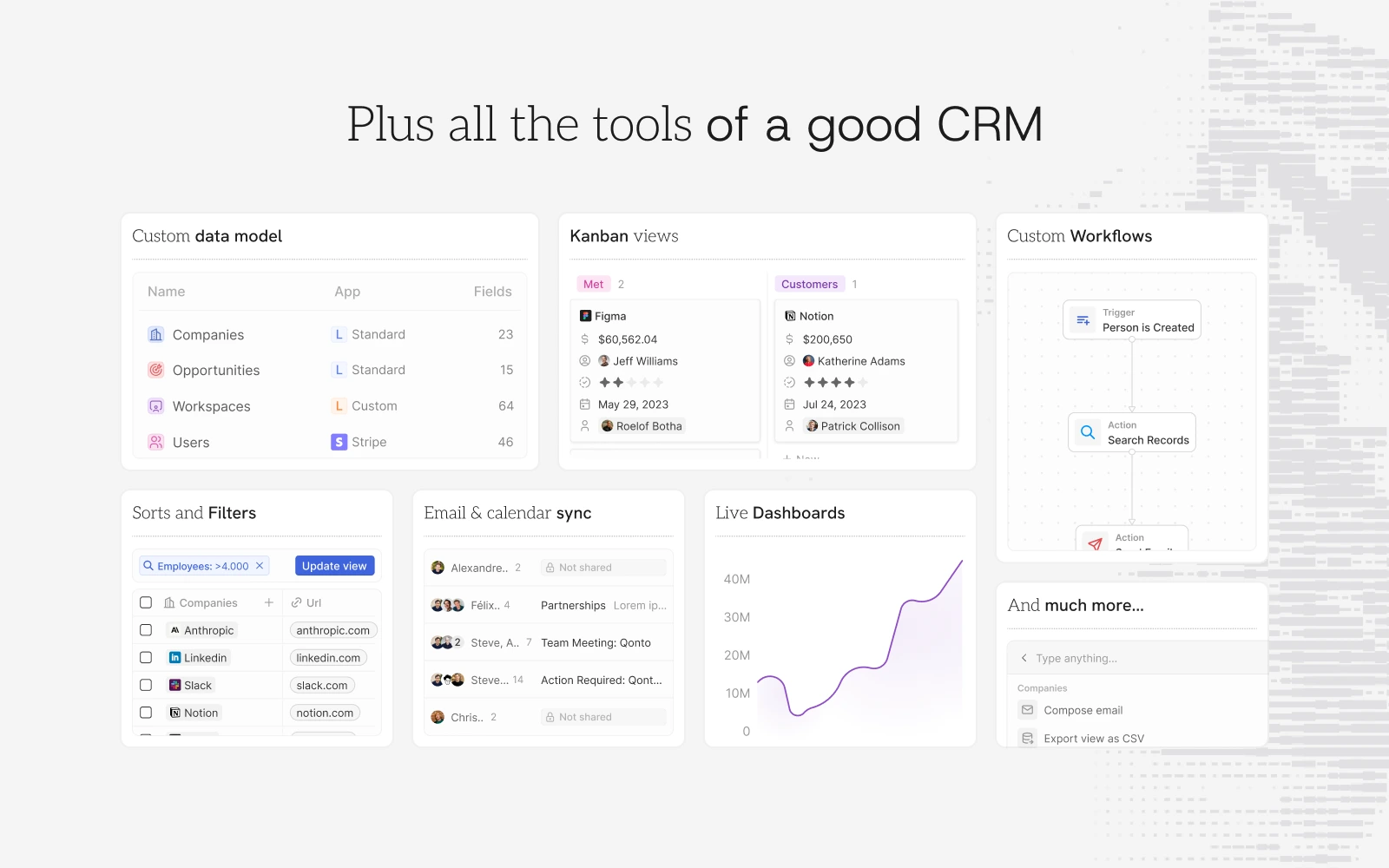
Twenty is an open-source CRM that gives teams the building blocks for a custom CRM that adapts as the business evolves. It provides the core primitives of a modern CRM out of the box: custom objects for companies, people and opportunities, Kanban and table views, sorting and filtering, email and calendar sync, and workflow automation, all extendable as code.
Twenty Docker Compose example
Self-host Twenty on your own server, homelab, or VPS starting from this Docker Compose example.
It runs Twenty in Docker containers using the official twentycrm/twenty:latest, twentycrm/twenty:latest, postgres:16, redis images, with persistent volumes and automatic restarts preconfigured.
Review the environment variables and adjust them to your setup, save the file as compose.yml (or docker-compose.yml), and start the stack with docker compose up -d.
services:
  server:
    image: twentycrm/twenty:latest
    restart: unless-stopped
    volumes:
      - server-local-data:/app/packages/twenty-server/.local-storage
    environment:
      NODE_PORT: "3000"
      # Connection string for the PostgreSQL database (internal service).
      PG_DATABASE_URL: "postgres://postgres:postgres@db:5432/default"
      # Redis connection string (internal service).
      REDIS_URL: "redis://redis:6379"
      # Public URL where Twenty is reachable. Used to build links and OAuth callbacks.
      SERVER_URL: "http://localhost:3000"
      # Storage backend for uploaded files: "local" or "s3".
      STORAGE_TYPE: "local"
      # Key used to encrypt sensitive data at rest. Set to a long random string.
      ENCRYPTION_KEY: "changeme"
      # Application secret used to sign authentication tokens. Set to a long random string.
      APP_SECRET: "changeme"
    depends_on:
      db:
        condition: service_healthy
      redis:
        condition: service_healthy
    healthcheck:
      test: curl --fail http://localhost:3000/healthz
      interval: 5s
      timeout: 5s
      retries: 20

  worker:
    image: twentycrm/twenty:latest
    restart: unless-stopped
    volumes:
      - server-local-data:/app/packages/twenty-server/.local-storage
    command: ["yarn", "worker:prod"]
    environment:
      PG_DATABASE_URL: "postgres://postgres:postgres@db:5432/default"
      REDIS_URL: "redis://redis:6379"
      SERVER_URL: "http://localhost:3000"
      # Migrations and cron registration already run on the server service.
      DISABLE_DB_MIGRATIONS: "true"
      DISABLE_CRON_JOBS_REGISTRATION: "true"
      STORAGE_TYPE: "local"
      ENCRYPTION_KEY: "changeme"
      APP_SECRET: "changeme"
    depends_on:
      db:
        condition: service_healthy
      server:
        condition: service_healthy

  db:
    image: postgres:16
    restart: unless-stopped
    volumes:
      - db-data:/var/lib/postgresql/data
    environment:
      POSTGRES_DB: "default"
      POSTGRES_USER: "postgres"
      POSTGRES_PASSWORD: "postgres"
    healthcheck:
      test: pg_isready -U postgres -h localhost -d postgres
      interval: 5s
      timeout: 5s
      retries: 10

  redis:
    image: redis
    restart: unless-stopped
    command: ["--maxmemory-policy", "noeviction"]
    healthcheck:
      test: ["CMD", "redis-cli", "ping"]
      interval: 5s
      timeout: 5s
      retries: 10

volumes:
  db-data:
  server-local-data:
Values set to changeme are required — replace them with your own
values before starting Twenty.
Prefer a managed setup? WinterFlow installs, configures, and updates Twenty for you using this same Docker Compose configuration.