
SplitPro
Open source alternative to Splitwise for splitting group expenses
Alternative to: splitwise, tricount, settle up
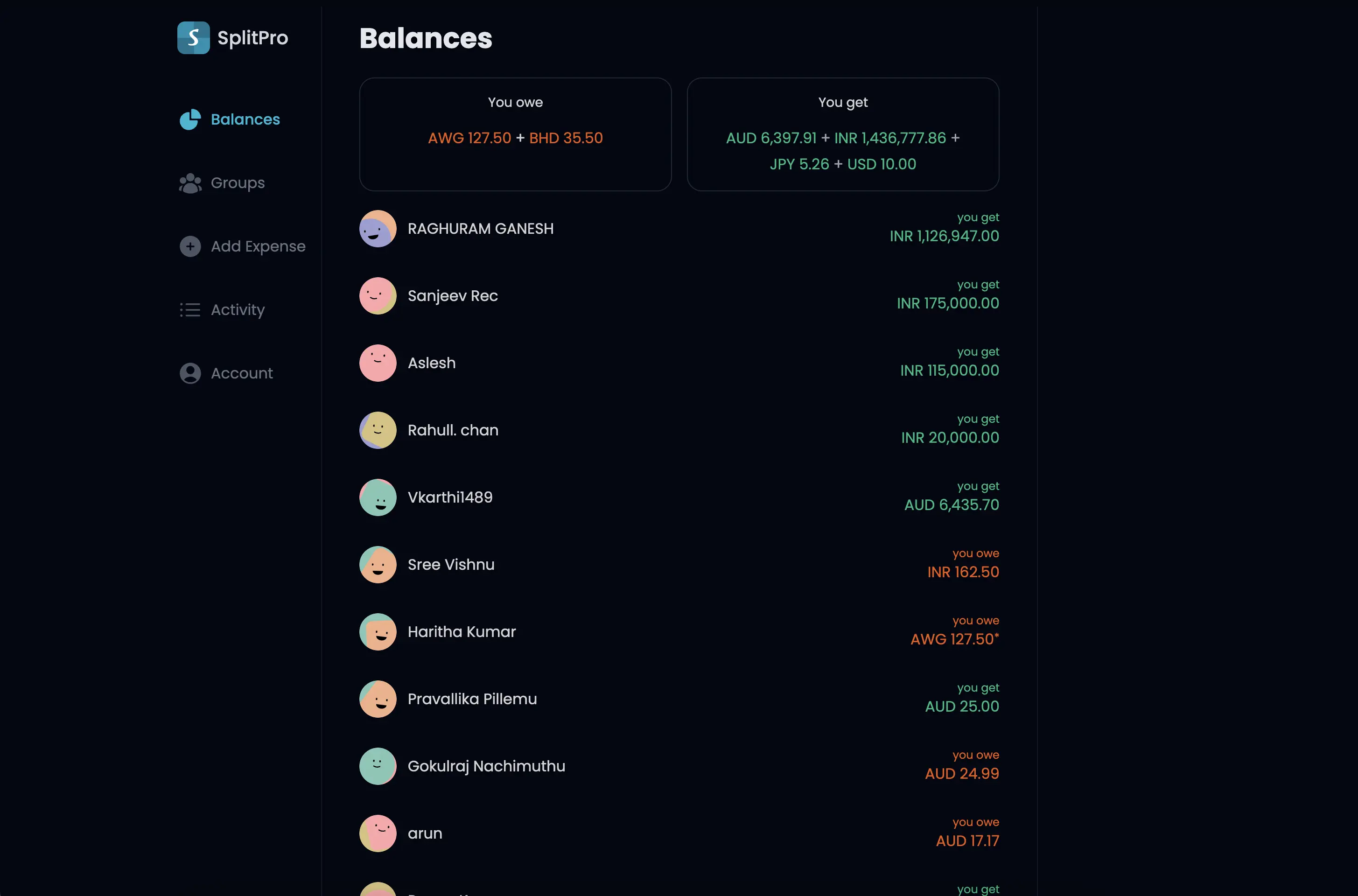
SplitPro helps groups of friends, roommates, or travelers track and split shared expenses across multiple currencies. It supports equal, percentage, share, and exact splits, recurring expenses, receipt uploads with scanning, and importing data from Splitwise, all from a self-hosted web app.
SplitPro Docker Compose example
Self-host SplitPro on your own server, homelab, or VPS starting from this Docker Compose example.
It runs SplitPro in Docker containers using the official ossapps/splitpro:latest, ossapps/postgres:17.7-trixie images, with persistent volumes and automatic restarts preconfigured.
Review the environment variables and adjust them to your setup, save the file as compose.yml (or docker-compose.yml), and start the stack with docker compose up -d.
services:
  splitpro:
    image: ossapps/splitpro:latest
    restart: unless-stopped
    depends_on:
      postgres:
        condition: service_healthy
    volumes:
      - uploads:/app/uploads
    environment:
      # Port the SplitPro web server listens on inside the container.
      PORT: "3000"
      # Listen on all interfaces so a reverse proxy on the Docker network can reach the app.
      HOSTNAME: "0.0.0.0"
      # PostgreSQL connection string (the bundled postgres service).
      DATABASE_URL: "postgresql://splitpro:splitpro@postgres:5432/splitpro"
      # Secret used to sign NextAuth sessions. Generate one with: openssl rand -base64 32
      NEXTAUTH_SECRET: "changeme"
      # Public URL where SplitPro is reachable in the browser (must match exactly for sign-in to work).
      NEXTAUTH_URL: "http://localhost:3000"
      # Page users land on at "/". The default /home is a marketing page; /balances is a common choice for self-hosting.
      DEFAULT_HOMEPAGE: "/home"
      # Allow sending invitation emails to people who are added to groups or expenses.
      ENABLE_SENDING_INVITES: "false"
      # Disable email (magic link) sign-up for new users; existing users can still sign in.
      DISABLE_EMAIL_SIGNUP: "false"
      # Only allow sign-in for users who have been invited.
      INVITE_ONLY: "false"
      # Sender address for magic-link and invitation emails.
      FROM_EMAIL: ""
      # SMTP server host. SMTP (or an OAuth/OIDC provider below) is required to sign in.
      EMAIL_SERVER_HOST: ""
      # SMTP server port.
      EMAIL_SERVER_PORT: ""
      # SMTP username.
      EMAIL_SERVER_USER: ""
      # SMTP password.
      EMAIL_SERVER_PASSWORD: ""
      # Google OAuth client ID (redirect URI: <NEXTAUTH_URL>/api/auth/callback/google).
      GOOGLE_CLIENT_ID: ""
      # Google OAuth client secret.
      GOOGLE_CLIENT_SECRET: ""
      # Display name of a generic OIDC provider; its lowercase form is used in the callback URL.
      OIDC_NAME: ""
      # Generic OIDC client ID.
      OIDC_CLIENT_ID: ""
      # Generic OIDC client secret.
      OIDC_CLIENT_SECRET: ""
      # OIDC discovery URL, e.g. https://example.com/.well-known/openid-configuration
      OIDC_WELL_KNOWN_URL: ""
      # Automatically redirect to the single configured OAuth provider on the sign-in page.
      OAUTH_AUTO_REDIRECT: "false"
      # Currency exchange rate provider: frankfurter, openexchangerates or nbp.
      CURRENCY_RATE_PROVIDER: "frankfurter"
      # App ID for Open Exchange Rates (only when CURRENCY_RATE_PROVIDER is openexchangerates).
      OPEN_EXCHANGE_RATES_APP_ID: ""
      # Maximum receipt upload size in MB.
      UPLOAD_MAX_FILE_SIZE_MB: "10"

  postgres:
    # PostgreSQL with the pg_cron extension, required for recurring expenses. Kept on the major version upstream ships.
    image: ossapps/postgres:17.7-trixie
    restart: unless-stopped
    command:
      - postgres
      - -c
      - shared_preload_libraries=pg_cron
      - -c
      - cron.database_name=splitpro
      - -c
      - cron.timezone=UTC
    volumes:
      - database:/var/lib/postgresql/data
    environment:
      # Database user created on first start.
      POSTGRES_USER: "splitpro"
      # Database password. Internal to this stack; must match DATABASE_URL.
      POSTGRES_PASSWORD: "splitpro"
      # Database created on first start.
      POSTGRES_DB: "splitpro"
    healthcheck:
      test: ["CMD-SHELL", "pg_isready -U splitpro -d splitpro"]
      interval: 10s
      timeout: 5s
      retries: 5

volumes:
  uploads:
  database:
Values set to changeme are required — replace them with your own
values before starting SplitPro.
Prefer a managed setup? WinterFlow installs, configures, and updates SplitPro for you using this same Docker Compose configuration.