
Speedtest Tracker
Self-hosted application that monitors the performance and uptime of your internet connection
Alternative to: ookla speedtest
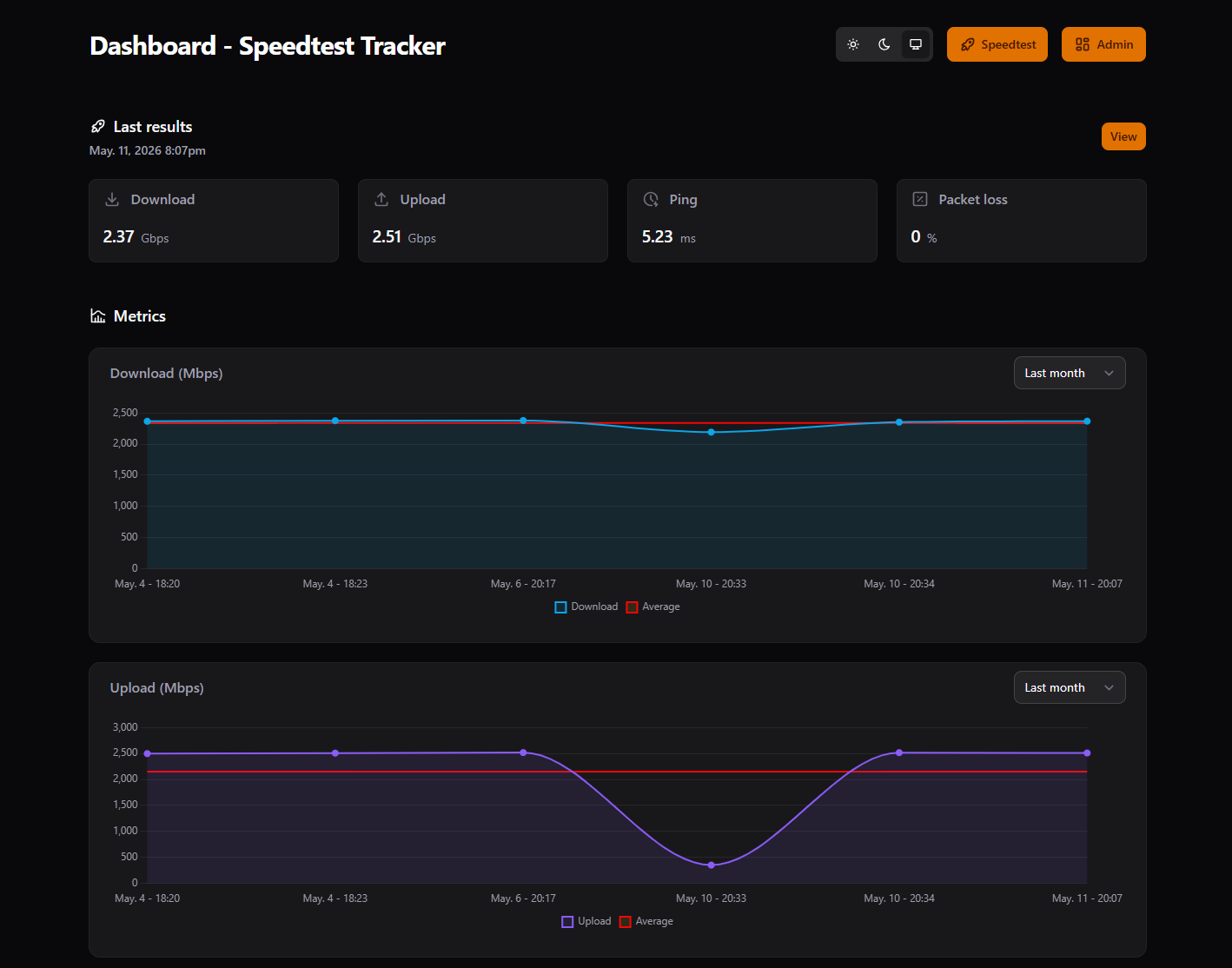
Speedtest Tracker schedules regular speed tests and records download and upload speeds, ping, packet loss and more. View historical data and trends on a dashboard, and get notified when your internet performance drops below a threshold you set. Available in multiple languages.
Speedtest Tracker Docker Compose example
Self-host Speedtest Tracker on your own server, homelab, or VPS starting from this Docker Compose example.
It runs Speedtest Tracker in Docker containers using the official lscr.io/linuxserver/speedtest-tracker:latest image, with persistent volumes and automatic restarts preconfigured.
Review the environment variables and adjust them to your setup, save the file as compose.yml (or docker-compose.yml), and start the stack with docker compose up -d.
services:
  speedtest-tracker:
    image: lscr.io/linuxserver/speedtest-tracker:latest
    restart: unless-stopped
    environment:
      # User ID the application runs as (owns files on the config volume).
      PUID: "1000"
      # Group ID the application runs as.
      PGID: "1000"
      # Timezone for the container (IANA name, e.g. "Europe/London").
      TZ: "UTC"
      # Laravel key used to encrypt stored data. Must be a valid "base64:..." value.
      # This is an insecure shared default — generate your own: echo "base64:$(openssl rand -base64 32)"
      APP_KEY: "base64:nBN7ya8G6sVNwM0CX5kWVjEAsAV1QuP97m7LabrDGdc="
      # Full public URL (protocol, host, and port if non-standard) where Speedtest Tracker is reached.
      APP_URL: "http://localhost"
      # Database type. SQLite stores everything in the config volume.
      DB_CONNECTION: "sqlite"
      # Speed test schedule in cron format (e.g. "0 */6 * * *"). Leave empty to disable scheduled tests.
      SPEEDTEST_SCHEDULE: ""
      # Comma-separated list of Ookla server IDs to test against. Leave empty to pick automatically.
      SPEEDTEST_SERVERS: ""
      # Timezone used to display dates in the UI.
      DISPLAY_TIMEZONE: "UTC"
      # Days to keep test results. 0 keeps them forever.
      PRUNE_RESULTS_OLDER_THAN: "0"
    volumes:
      - config:/config

volumes:
  config:
Prefer a managed setup? WinterFlow installs, configures, and updates Speedtest Tracker for you using this same Docker Compose configuration.