
SOLECTRUS
Self-hosted photovoltaic dashboard for monitoring solar production, consumption, battery usage, grid exchange, and financial performance.
Alternative to: enphase enlighten, solaredge monitoring, sma sunny portal
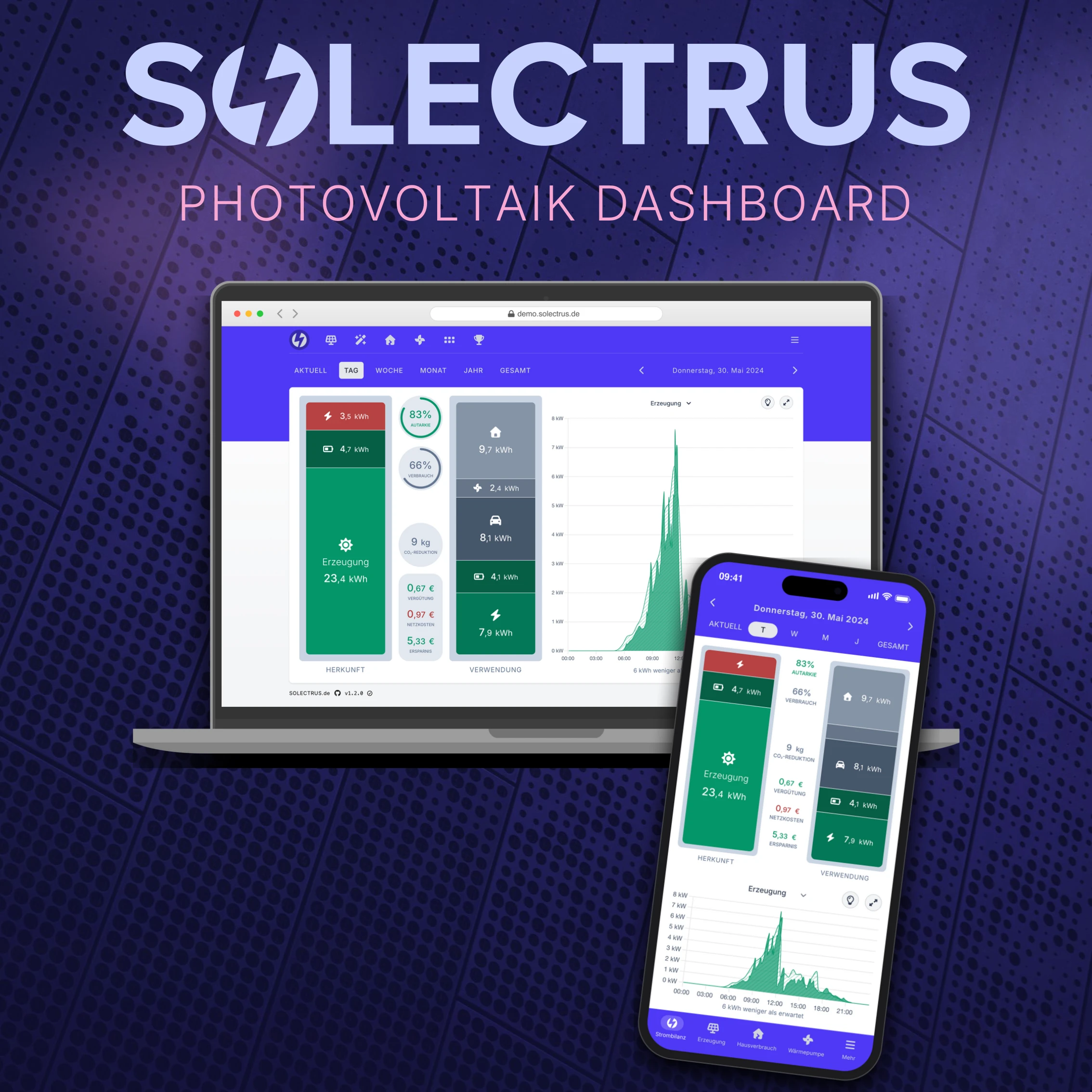
SOLECTRUS is a self-hosted dashboard for monitoring photovoltaic (solar) systems, giving real-time insight into energy generation, consumption, battery usage, and grid exchange. It automatically calculates costs and savings so you can track and optimize the performance of your PV system. Dedicated collectors feed data from popular inverter, battery, and smart-meter brands (SENEC, Tibber, Shelly, and more) into a bundled InfluxDB instance, all deployable via Docker Compose.
SOLECTRUS Docker Compose example
Self-host SOLECTRUS on your own server, homelab, or VPS starting from this Docker Compose example.
It runs SOLECTRUS in Docker containers using the official ghcr.io/solectrus/solectrus:latest, influxdb:2-alpine, postgres:18-alpine, redis:8-alpine images, with persistent volumes and automatic restarts preconfigured.
Review the environment variables and adjust them to your setup, save the file as compose.yml (or docker-compose.yml), and start the stack with docker compose up -d.
services:
  dashboard:
    image: ghcr.io/solectrus/solectrus:latest
    depends_on:
      postgresql:
        condition: service_healthy
      influxdb:
        condition: service_healthy
      redis:
        condition: service_healthy
    environment:
      # Timezone used by the app for schedules and timestamps.
      TZ: "UTC"
      # Public domain name or IP address where the dashboard is reached.
      APP_HOST: "changeme"
      # Redirect http to https. Keep "false" when a reverse proxy in front terminates TLS.
      FORCE_SSL: "false"
      # Secret used to sign cookies. Any non-empty string boots the app; use a long random value in production.
      SECRET_KEY_BASE: "changeme"
      # Run Puma in single mode (0) to reduce memory usage.
      WEB_CONCURRENCY: "0"
      # Commissioning date of your photovoltaic system (YYYY-MM-DD).
      INSTALLATION_DATE: "2024-01-01"
      # Password to log in as administrator (manage settings, historical prices, ...).
      ADMIN_PASSWORD: "changeme"
      # Interval in seconds for polling InfluxDB for new data.
      INFLUX_POLL_INTERVAL: "5"
      # PostgreSQL connection (internal to the compose network).
      DB_HOST: "postgresql"
      DB_USER: "postgres"
      DB_PASSWORD: "solectrus"
      # Redis connection URL (internal to the compose network).
      REDIS_URL: "redis://redis:6379/1"
      # InfluxDB connection (internal to the compose network).
      INFLUX_HOST: "influxdb"
      INFLUX_ORG: "solectrus"
      INFLUX_BUCKET: "solectrus"
      # Must match DOCKER_INFLUXDB_INIT_ADMIN_TOKEN on the influxdb service.
      INFLUX_TOKEN: "solectrus-influxdb-token"
    restart: unless-stopped
    healthcheck:
      test: ["CMD-SHELL", "nc -z 127.0.0.1 3000 || exit 1"]
      interval: 30s
      timeout: 10s
      retries: 5
      start_period: 10s

  influxdb:
    image: influxdb:2-alpine
    volumes:
      - influxdb_data:/var/lib/influxdb2
    environment:
      # Timezone used by InfluxDB.
      TZ: "UTC"
      # Run the one-time automated setup on first start.
      DOCKER_INFLUXDB_INIT_MODE: "setup"
      # Initial admin username for the InfluxDB UI (internal only).
      DOCKER_INFLUXDB_INIT_USERNAME: "admin"
      # Initial admin password for the InfluxDB UI (min. 8 chars, internal only).
      DOCKER_INFLUXDB_INIT_PASSWORD: "changeme-influxdb-password"
      # Organization name. Must match the dashboard's INFLUX_ORG. Cannot be changed after first run.
      DOCKER_INFLUXDB_INIT_ORG: "solectrus"
      # Bucket that stores the time-series data. Must match the dashboard's INFLUX_BUCKET.
      DOCKER_INFLUXDB_INIT_BUCKET: "solectrus"
      # Admin API token. Must match the dashboard's INFLUX_TOKEN.
      DOCKER_INFLUXDB_INIT_ADMIN_TOKEN: "solectrus-influxdb-token"
    command: influxd run --bolt-path /var/lib/influxdb2/influxd.bolt --engine-path /var/lib/influxdb2/engine --store disk
    restart: unless-stopped
    healthcheck:
      test: ["CMD", "influx", "ping"]
      interval: 30s
      timeout: 10s
      retries: 5
      start_period: 30s

  postgresql:
    # Do not change the major version once data exists, or the database will not start.
    image: postgres:18-alpine
    volumes:
      - db_data:/var/lib/postgresql
    environment:
      # Timezone used by PostgreSQL.
      TZ: "UTC"
      # Password for the internal PostgreSQL database. Must match the dashboard's DB_PASSWORD.
      POSTGRES_PASSWORD: "solectrus"
    restart: unless-stopped
    healthcheck:
      test: ["CMD-SHELL", "pg_isready -U postgres"]
      interval: 10s
      timeout: 20s
      retries: 5
      start_period: 60s

  redis:
    image: redis:8-alpine
    volumes:
      - redis_data:/data
    environment:
      # Timezone used by Redis.
      TZ: "UTC"
    restart: unless-stopped
    healthcheck:
      test: ["CMD", "redis-cli", "ping"]
      interval: 10s
      timeout: 20s
      retries: 5
      start_period: 60s

volumes:
  influxdb_data:
  db_data:
  redis_data:
Values set to changeme are required — replace them with your own
values before starting SOLECTRUS.
Prefer a managed setup? WinterFlow installs, configures, and updates SOLECTRUS for you using this same Docker Compose configuration.