
SharedMoments
Private photo and moment-sharing app for couples, families, and friends
Alternative to: tinybeans, between, google photos
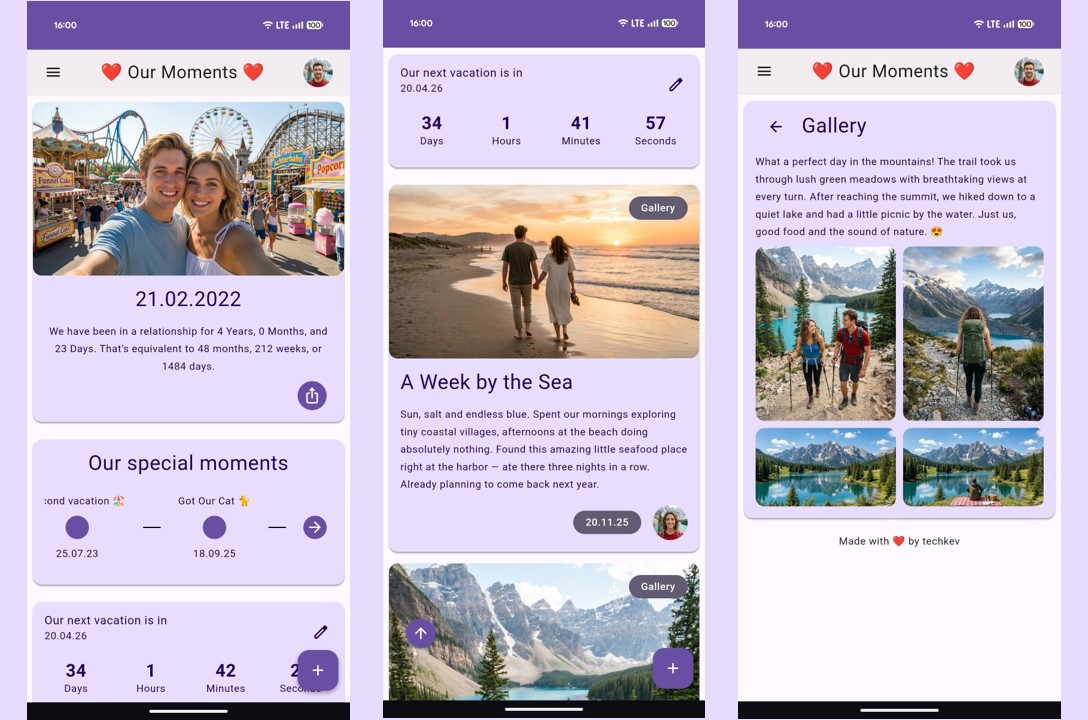
SharedMoments is a self-hosted web app for capturing and reliving important moments together. Upload photos and videos, track milestones on a shared timeline, set countdowns to upcoming events, and get notified on special days across dedicated Couples, Family, and Friends editions. It includes an optional AI writing assistant for memory descriptions, push/email/Telegram notifications, passkey login, and full data export/import.
SharedMoments Docker Compose example
Self-host SharedMoments on your own server, homelab, or VPS starting from this Docker Compose example.
It runs SharedMoments in Docker containers using the official techkev/sharedmoments:latest image, with persistent volumes and automatic restarts preconfigured.
Review the environment variables and adjust them to your setup, save the file as compose.yml (or docker-compose.yml), and start the stack with docker compose up -d.
services:
  sharedmoments:
    image: techkev/sharedmoments:latest
    restart: unless-stopped
    volumes:
      - sm-database:/app/app/database
      - sm-uploads:/app/app/uploads
      - /etc/localtime:/etc/localtime:ro
    environment:
      # Secret key for signing sessions and tokens. Generate with: python3 -c "import secrets; print(secrets.token_hex(32))"
      SECRET_KEY: "changeme"
      # OpenAI API key for the optional AI writing assistant.
      OPENAI_API_KEY: ""
      # OpenAI model used by the AI writing assistant.
      OPENAI_MODEL: "gpt-4o-mini"
      # Anthropic API key for the optional AI writing assistant.
      ANTHROPIC_API_KEY: ""
      # Anthropic model used by the AI writing assistant.
      ANTHROPIC_MODEL: "claude-haiku-4-5"
      # Base URL of an Ollama server for local AI (optional).
      OLLAMA_BASE_URL: "http://host.docker.internal:11434"
      # Ollama model used for local AI.
      OLLAMA_MODEL: "llama3.2"
      # SMTP server hostname for email notifications (optional).
      SMTP_HOST: ""
      # SMTP server port.
      SMTP_PORT: "587"
      # SMTP username.
      SMTP_USER: ""
      # SMTP password.
      SMTP_PASS: ""
      # From address for outgoing email.
      SMTP_FROM: ""
      # Telegram bot token for Telegram notifications (optional).
      TELEGRAM_BOT_TOKEN: ""
      # Run in public demo mode (resets data, limited sessions). Keep false for a real instance.
      DEMO_MODE: "false"
      # Session timeout, in minutes, when DEMO_MODE is enabled.
      DEMO_SESSION_TIMEOUT: "30"

volumes:
  sm-database:
  sm-uploads:
Values set to changeme are required — replace them with your own
values before starting SharedMoments.
Prefer a managed setup? WinterFlow installs, configures, and updates SharedMoments for you using this same Docker Compose configuration.