
Plumio
Self-hosted markdown notes app with document encryption and multi-organization support
Alternative to: notion, obsidian, google docs
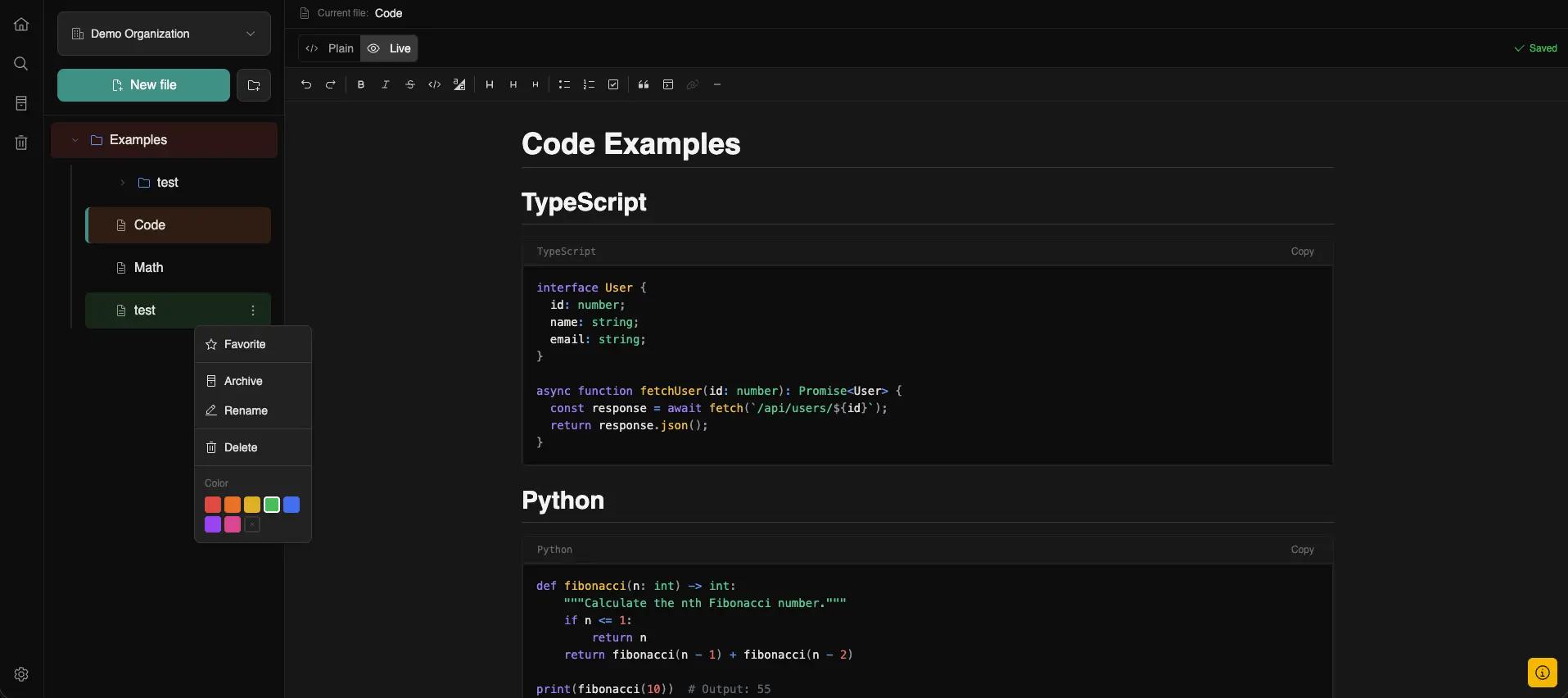
Plumio is a self-hosted markdown editor for individuals and teams who want a secure, private, and customizable note-taking solution. It offers live markdown preview, document encryption, multi-user and multi-organization support, color-coded document organization, webhooks, and API key management for integrating with external tools.
Plumio Docker Compose example
Self-host Plumio on your own server, homelab, or VPS starting from this Docker Compose example.
It runs Plumio in Docker containers using the official ghcr.io/albertasaftei/plumio:latest image, with persistent volumes and automatic restarts preconfigured.
Review the environment variables and adjust them to your setup, save the file as compose.yml (or docker-compose.yml), and start the stack with docker compose up -d.
services:
  plumio:
    image: ghcr.io/albertasaftei/plumio:latest
    volumes:
      - data:/data
    restart: unless-stopped
    environment:
      NODE_ENV: "production"
      BACKEND_INTERNAL_PORT: "3001"
      DOCUMENTS_PATH: "/data/documents"
      DB_PATH: "/data/plumio.db"
      # Secret used to sign user session tokens. Generate with: openssl rand -base64 32
      JWT_SECRET: "changeme"
      # AES-256 key for document encryption, exactly 64 hex characters. Replace with: openssl rand -hex 32
      # If lost or changed, encrypted documents cannot be read.
      ENCRYPTION_KEY: "0000000000000000000000000000000000000000000000000000000000000000"
      # Encrypt document content at rest (requires a valid ENCRYPTION_KEY).
      ENABLE_ENCRYPTION: "true"
      # Comma-separated origins allowed to call the API, e.g. https://notes.example.com (add app://plumio for the desktop app).
      ALLOWED_ORIGINS: "http://localhost:3000"
      # Public URL of this instance, used in password reset links.
      APP_URL: "http://localhost:3000"
      # Maximum size of a single attachment upload, in megabytes.
      MAX_ATTACHMENT_SIZE_MB: "25"
      # SMTP server hostname for password reset emails (optional).
      SMTP_HOST: ""
      # SMTP server port.
      SMTP_PORT: "587"
      # SMTP username.
      SMTP_USER: ""
      # SMTP password.
      SMTP_PASS: ""
      # Sender address for password reset emails, e.g. Plumio <notes@example.com>
      SMTP_FROM: ""

volumes:
  data:
Values set to changeme are required — replace them with your own
values before starting Plumio.
Prefer a managed setup? WinterFlow installs, configures, and updates Plumio for you using this same Docker Compose configuration.