Photoview
Simple, fast photo gallery for browsing your own filesystem of photos and videos
Alternative to: google photos, apple photos, amazon photos
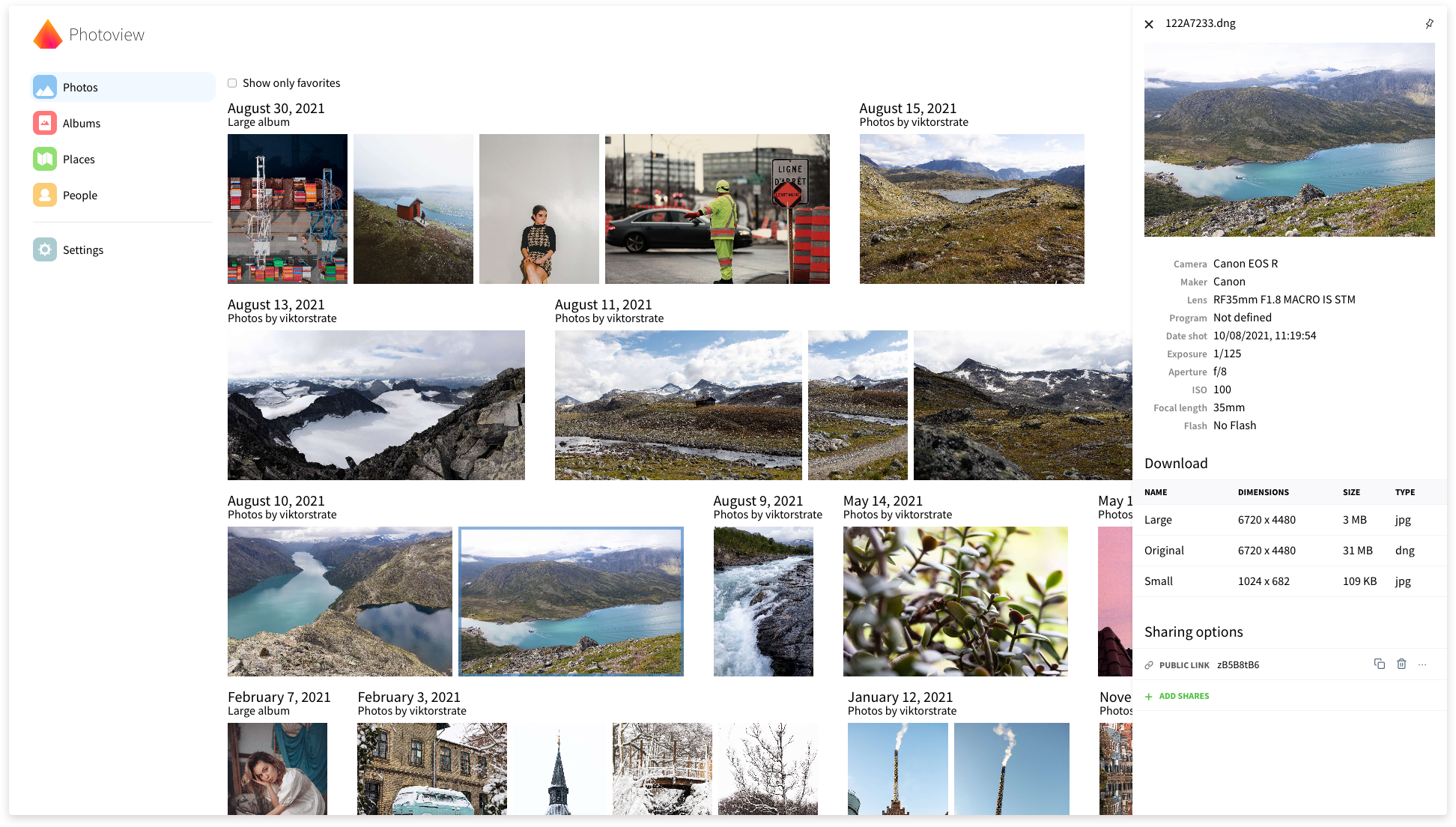
Photoview is a simple and user-friendly photo gallery made for photographers, providing an easy and fast way to navigate directories with thousands of high-resolution photos. It maps existing folders on the server's filesystem directly to albums, supports RAW file formats and video playback, and automatically detects faces to group photos of the same person. Albums and individual media can be shared via public, optionally password-protected links.
Photoview Docker Compose example
Self-host Photoview on your own server, homelab, or VPS starting from this Docker Compose example.
It runs Photoview in Docker containers using the official photoview/photoview:2, photoview/photoview:2, mariadb:lts images, with persistent volumes and automatic restarts preconfigured.
Review the environment variables and adjust them to your setup, save the file as compose.yml (or docker-compose.yml), and start the stack with docker compose up -d.
services:
  # One-shot init: make sure the media-cache volume is owned by the photoview
  # user before the main container (which runs unprivileged) starts.
  photoview-prepare:
    image: photoview/photoview:2
    user: root
    entrypoint: []
    command: /bin/bash -c "chown -R photoview:photoview /home/photoview/media-cache"
    cap_add:
      - CHOWN
    volumes:
      - cache:/home/photoview/media-cache

  photoview:
    image: photoview/photoview:2
    restart: unless-stopped
    depends_on:
      photoview-prepare:
        condition: service_completed_successfully
      mariadb:
        condition: service_healthy
    environment:
      # Database driver to use: "mysql" (MariaDB/MySQL), "postgres" or "sqlite".
      PHOTOVIEW_DATABASE_DRIVER: "mysql"
      # MariaDB connection string, in the form user:password@tcp(host)/database.
      PHOTOVIEW_MYSQL_URL: "photoview:changeme@tcp(mariadb)/photoview"
      # IP address the server binds to inside the container.
      PHOTOVIEW_LISTEN_IP: "0.0.0.0"
      # Port the server listens on inside the container.
      PHOTOVIEW_LISTEN_PORT: "80"
      # Optional Mapbox API token to enable the maps / places features. Leave empty to disable.
      MAPBOX_TOKEN: ""
    volumes:
      - cache:/home/photoview/media-cache
      - photos:/photos

  mariadb:
    image: mariadb:lts
    restart: unless-stopped
    command: mariadbd --innodb-buffer-pool-size=512M --transaction-isolation=READ-COMMITTED --character-set-server=utf8mb4 --collation-server=utf8mb4_unicode_ci --max-connections=512 --innodb-rollback-on-timeout=OFF --innodb-lock-wait-timeout=120
    environment:
      MARIADB_AUTO_UPGRADE: "1"
      # Name of the database Photoview stores its data in.
      MARIADB_DATABASE: "photoview"
      # Application database user.
      MARIADB_USER: "photoview"
      # Password for the application database user.
      MARIADB_PASSWORD: "changeme"
      # Password for the MariaDB root user.
      MARIADB_ROOT_PASSWORD: "changeme"
    volumes:
      - db_data:/var/lib/mysql
    healthcheck:
      test: healthcheck.sh --connect --innodb_initialized
      interval: 15s
      timeout: 5s
      retries: 5
      start_period: 1m

volumes:
  cache:
  photos:
  db_data:
Values set to changeme are required — replace them with your own
values before starting Photoview.
Prefer a managed setup? WinterFlow installs, configures, and updates Photoview for you using this same Docker Compose configuration.