Part-DB
Open-source inventory management system for electronic components
Alternative to: partsbox, sortly
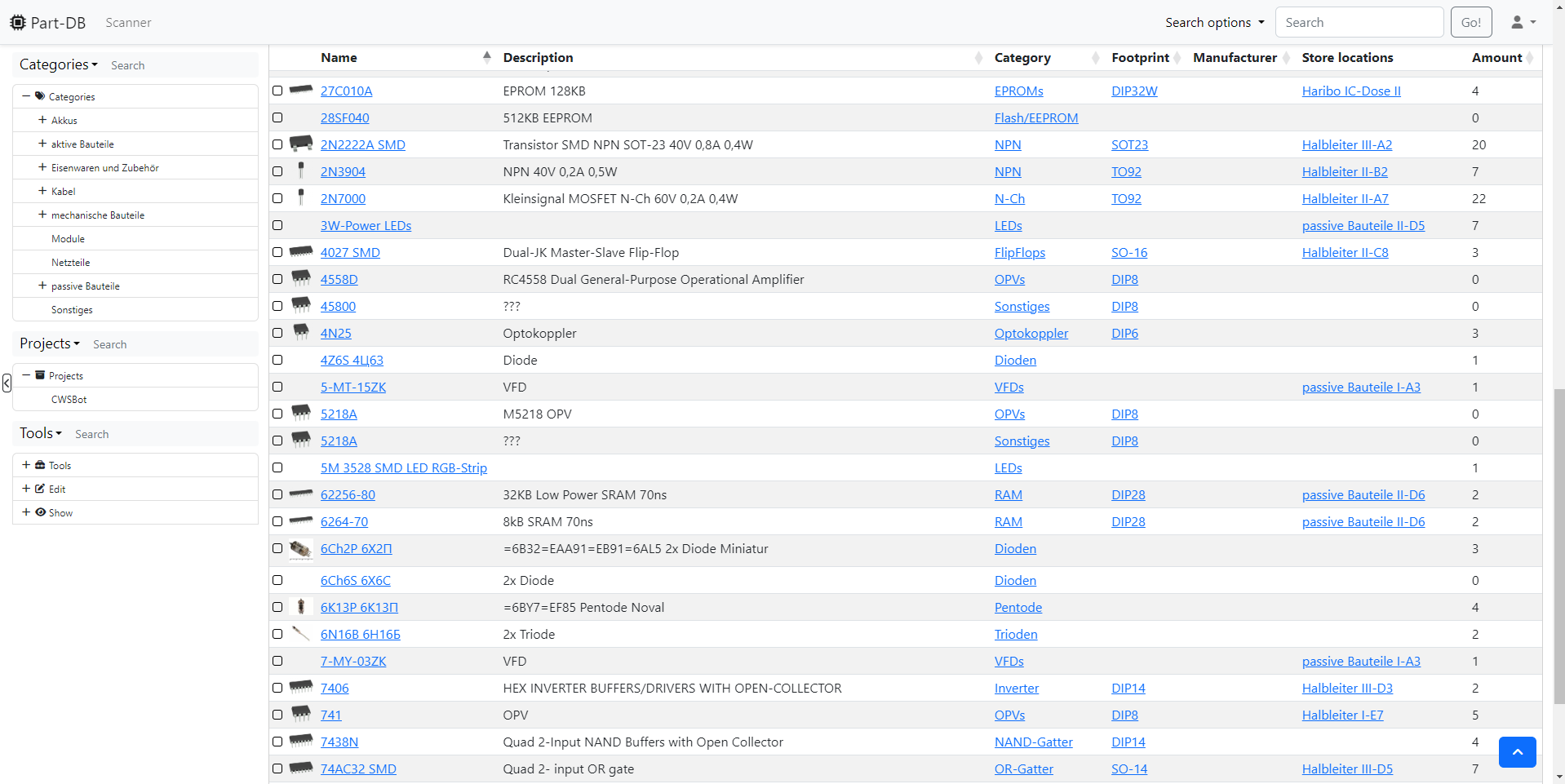
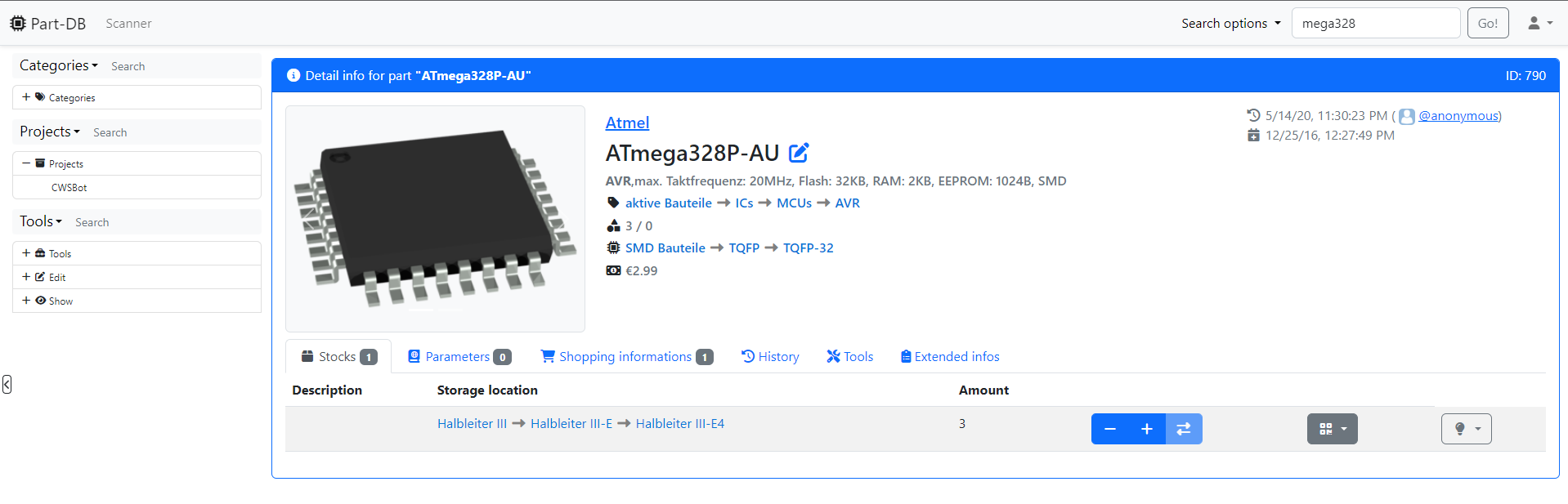
Part-DB tracks your electronic parts inventory, letting you assign each component to a category, footprint, manufacturer, and one or more store locations, with attached datasheets and pricing. It generates barcodes/labels, supports bills of materials for projects, and can automatically pull part data, datasheets and prices from suppliers like Digikey, Farnell and LCSC. It also integrates directly with KiCad as a live parts datasource for PCB design.
Part-DB Docker Compose example
Self-host Part-DB on your own server, homelab, or VPS starting from this Docker Compose example.
It runs Part-DB in Docker containers using the official jbtronics/part-db1:latest image, with persistent volumes and automatic restarts preconfigured.
Review the environment variables and adjust them to your setup, save the file as compose.yml (or docker-compose.yml), and start the stack with docker compose up -d.
services:
  partdb:
    image: jbtronics/part-db1:latest
    restart: unless-stopped
    volumes:
      - uploads:/var/www/html/uploads
      - public_media:/var/www/html/public/media
      - db:/var/www/html/var/db
    environment:
      # Database connection — bundled file-based SQLite database stored in the db volume
      - DATABASE_URL=sqlite:///%kernel.project_dir%/var/db/app.db
      # Docker environment preset (application logs are redirected to stderr)
      - APP_ENV=docker
      # Secret used to sign cookies and CSRF tokens. MUST be changed to a unique random value before going live (openssl rand -hex 32)
      - APP_SECRET=changeme
      # Automatically run database migrations on startup so the schema is created on first boot and updated on upgrade
      - DB_AUTOMIGRATE=true
      # Default server-wide language when a user has not chosen one (en, de, ru, fr, ...)
      - DEFAULT_LANG=en
      # Default server-wide timezone (e.g. Europe/Berlin, America/New_York)
      - DEFAULT_TIMEZONE=UTC
      # Internal currency (ISO 4217) assumed when no currency is set. This can NOT be changed after data is created
      - BASE_CURRENCY=EUR
      # Installation name shown in the browser title and in the site header
      - INSTANCE_NAME=Part-DB
      # Allow users to download attachments to the server by providing a URL (potential SSRF risk; 0 = disabled)
      - ALLOW_ATTACHMENT_DOWNLOADS=0
      # Use Gravatar for user avatars when a user has no avatar defined
      - USE_GRAVATAR=0
      # Primary URL used to generate absolute links (labels, emails, SAML). Must end with a trailing slash
      - DEFAULT_URI=http://localhost:8080/
      # Reverse-proxy networks Part-DB trusts for X-Forwarded-* headers (WinterFlow proxies the app on a private network)
      - TRUSTED_PROXIES=10.0.0.0/8,172.16.0.0/12,192.168.0.0/16,127.0.0.0/8,::1

volumes:
  uploads:
  public_media:
  db:
Values set to changeme are required — replace them with your own
values before starting Part-DB.
Prefer a managed setup? WinterFlow installs, configures, and updates Part-DB for you using this same Docker Compose configuration.