
Overleaf
An open-source online real-time collaborative LaTeX editor
Alternative to: overleaf
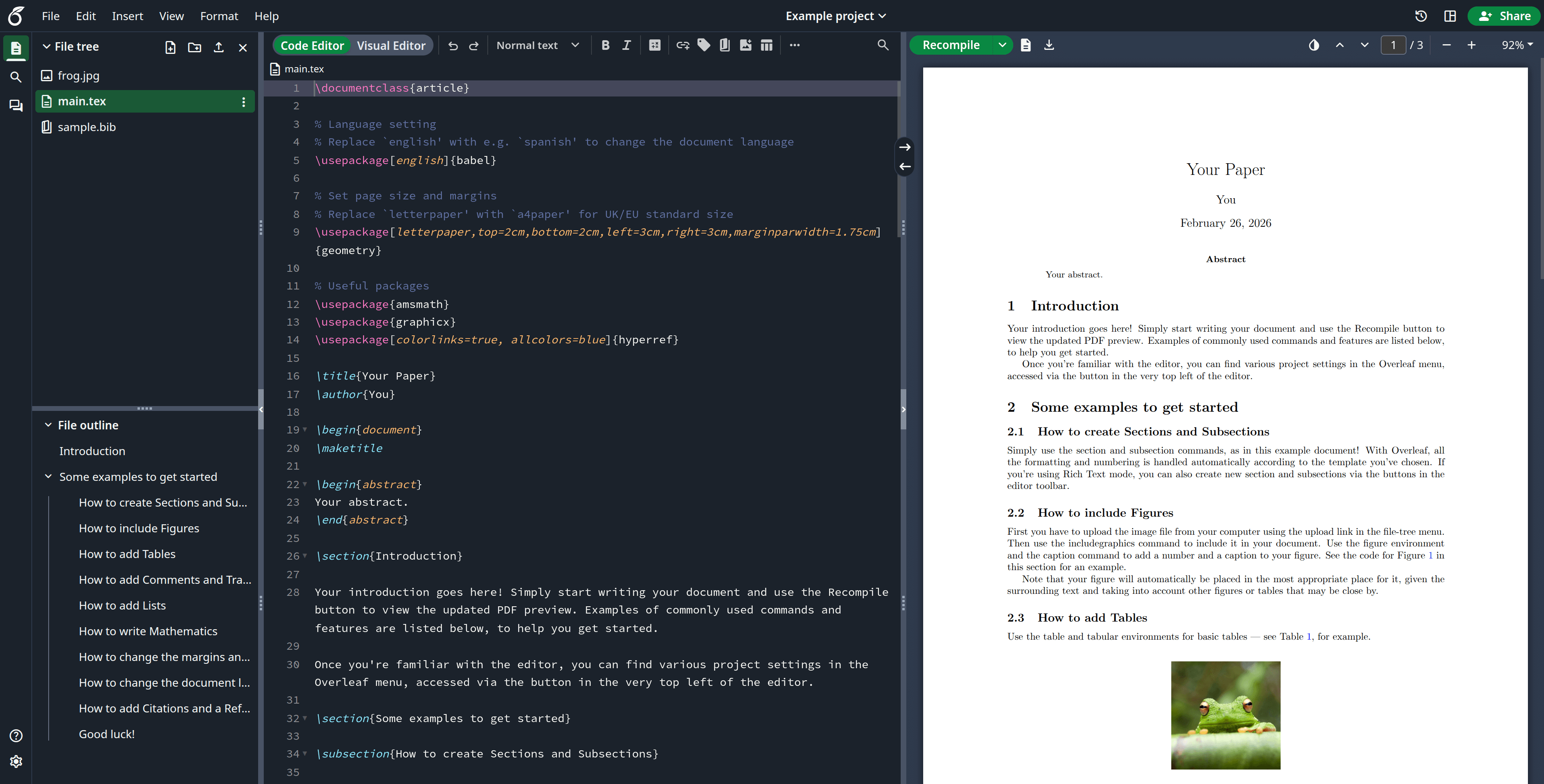
Overleaf Community Edition combines a rich-text and raw LaTeX code editor with a live-rendered PDF preview, project file management, and real-time multi-user collaboration. It's the same editor that powers the hosted overleaf.com service, packaged as a self-hosted Docker image so labs and workplaces can run it entirely on their own infrastructure.
Overleaf Docker Compose example
Self-host Overleaf on your own server, homelab, or VPS starting from this Docker Compose example.
It runs Overleaf in Docker containers using the official sharelatex/sharelatex:latest, mongo:8.0, redis:6.2 images, with persistent volumes and automatic restarts preconfigured.
Review the environment variables and adjust them to your setup, save the file as compose.yml (or docker-compose.yml), and start the stack with docker compose up -d.
services:
  sharelatex:
    image: sharelatex/sharelatex:latest
    depends_on:
      mongo:
        condition: service_healthy
      redis:
        condition: service_started
    stop_grace_period: 60s
    volumes:
      - sharelatex_data:/var/lib/overleaf
    environment:
      # Display name shown in the UI.
      OVERLEAF_APP_NAME: "Overleaf Community Edition"
      # MongoDB connection string (the mongo service runs as a replica set).
      OVERLEAF_MONGO_URL: "mongodb://mongo/sharelatex"
      # Redis host used for the real-time/document services.
      OVERLEAF_REDIS_HOST: "redis"
      REDIS_HOST: "redis"
      # Enable file conversions (image/PDF previews) via ImageMagick.
      ENABLE_CONVERSIONS: "true"
      # Skip the email-confirmation step for locally created accounts.
      EMAIL_CONFIRMATION_DISABLED: "true"
      # Public URL where users reach Overleaf. Must match the reverse-proxy address.
      OVERLEAF_SITE_URL: "https://overleaf.example.com"
    restart: unless-stopped

  mongo:
    image: mongo:8.0
    # Overleaf uses MongoDB transactions and therefore requires a replica set.
    command: "--replSet overleaf"
    environment:
      MONGO_INITDB_DATABASE: "sharelatex"
    # Lets the single-node replica set resolve its own advertised host during init.
    extra_hosts:
      - "mongo:127.0.0.1"
    volumes:
      - mongo_data:/data/db
    # Initiates the single-node replica set on first boot (empty data dir).
    configs:
      - source: mongo_init
        target: /docker-entrypoint-initdb.d/mongodb-init-replica-set.js
    healthcheck:
      test: echo 'db.stats().ok' | mongosh localhost:27017/test --quiet
      interval: 10s
      timeout: 10s
      retries: 5
    restart: unless-stopped

  redis:
    image: redis:6.2
    volumes:
      - redis_data:/data
    restart: unless-stopped

configs:
  mongo_init:
    content: |
      rs.initiate({ _id: 'overleaf', members: [{ _id: 0, host: 'mongo:27017' }] })

volumes:
  sharelatex_data:
  mongo_data:
  redis_data:
Prefer a managed setup? WinterFlow installs, configures, and updates Overleaf for you using this same Docker Compose configuration.