
openGym
Self-hosted gym and body-weight tracker with workout planning and muscle recovery tracking
Alternative to: strong, hevy, fitnotes
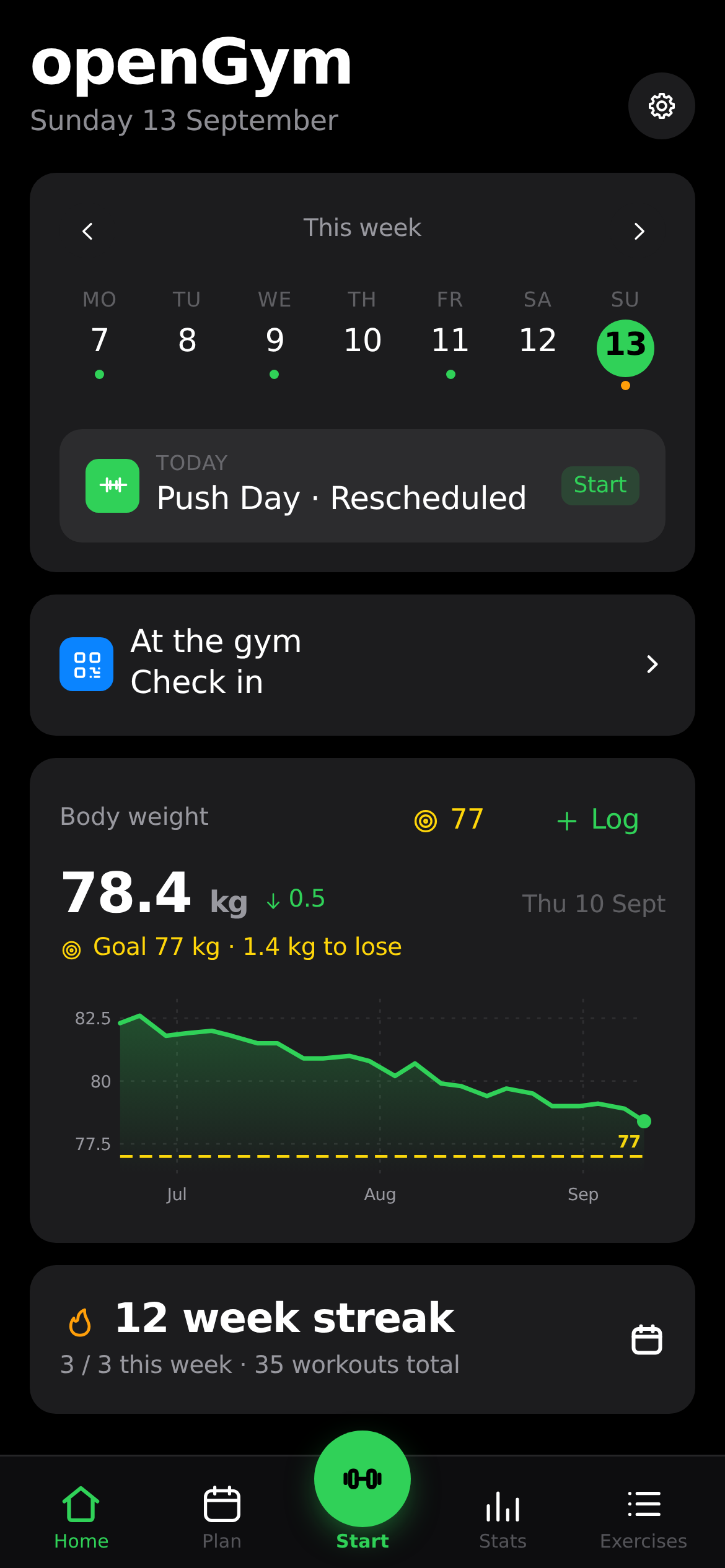
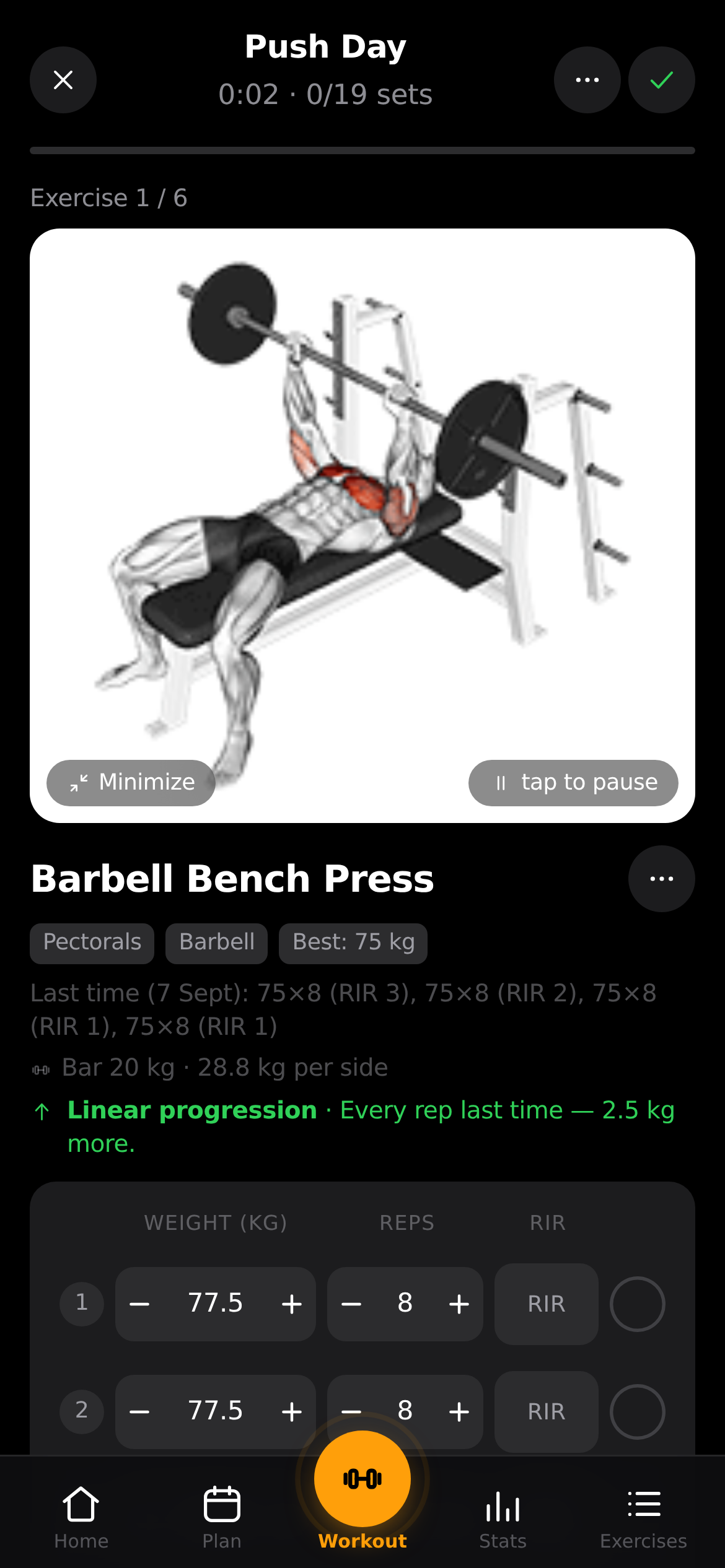
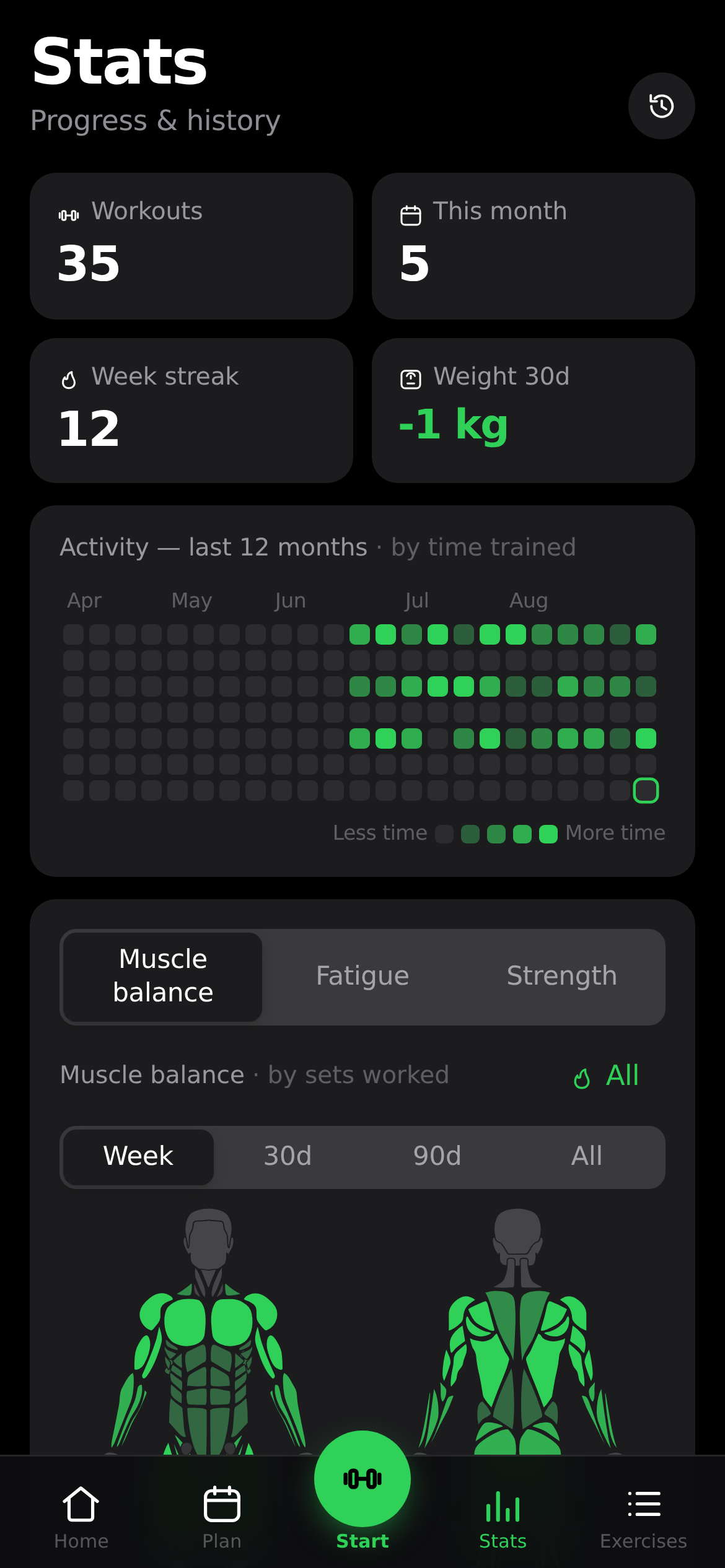
openGym is a self-hosted gym and body-weight tracker that lets you plan weekly routines, run guided workouts with supersets, warm-up and drop sets, and log body weight, all synced across your devices. It visualizes which muscles are trained, fatigued, or detrained, and can import workout history from FitNotes, Strong, and Hevy. The app runs as a Progressive Web App with passkey login, keeping all data on your own server.
openGym Docker Compose example
Self-host openGym on your own server, homelab, or VPS starting from this Docker Compose example.
It runs openGym in Docker containers using the official alpine/git, ghcr.io/duartesantos8/opengym-api:latest, ghcr.io/duartesantos8/opengym-web:latest images, with persistent volumes and automatic restarts preconfigured.
Review the environment variables and adjust them to your setup, save the file as compose.yml (or docker-compose.yml), and start the stack with docker compose up -d.
name: opengym

services:
  # One-time init: downloads the exercise images + GIFs (~140 MB) into the media
  # volumes on first start, then exits. Source: github.com/hasaneyldrm/exercises-dataset
  # (metadata/text MIT; images/animations © Gym visual, used under that dataset's terms —
  # openGym neither redistributes nor relicenses them). Skipped once the media is present.
  media:
    image: alpine/git
    volumes:
      - media_img:/out/img
      - media_gif:/out/gif
    entrypoint: ["/bin/sh", "-c"]
    command:
      - |
        if [ -z "$$(ls -A /out/img 2>/dev/null)" ]; then
          echo "↓ Downloading exercise media (~140 MB, one time)…"
          git clone --depth 1 https://github.com/hasaneyldrm/exercises-dataset /tmp/ds
          cp /tmp/ds/images/*.jpg /out/img/ && cp /tmp/ds/videos/*.gif /out/gif/
          echo "✓ Exercise media ready ($$(ls /out/img | wc -l) images)."
        else
          echo "✓ Exercise media already present — skipping download."
        fi
    restart: "no"

  # Passkey auth + per-user data (Node backend). Reachable only through the web container.
  api:
    image: ghcr.io/duartesantos8/opengym-api:latest
    restart: unless-stopped
    environment:
      # Port the API listens on. The web container proxies to this same value, so keep them in sync.
      PORT: "3000"
      # Where per-user data is stored inside the container (mapped to the data volume).
      DATA_DIR: "/data"
      # Trust the X-Forwarded-For / X-Real-IP headers the web container sets, so the
      # sign-in throttle counts real client IPs instead of the web container's address.
      TRUST_PROXY: "1"
      # Passkey relying-party ID — the public hostname users reach the app on (e.g. gym.example.com).
      # Passkeys are bound to this value, so it must match the final domain.
      RP_ID: "localhost"
      # Full public origin URL, exactly how users access the app (scheme + host [+ port]).
      # Must match RP_ID's host; required for passkey registration/login to work.
      ORIGIN: "http://localhost:8080"
    volumes:
      # Users, passkeys, per-user state, uploads, session secret — BACK THIS UP.
      - data:/data
      # Optional AI-coach provider credential cache; kept out of ./data so it never
      # lands in a data backup. Safe to lose (just re-authenticate the provider).
      - coach_auth:/coach-auth

  # React frontend served by nginx; proxies /api to the api service and serves the
  # exercise media from the shared volumes. Single origin for passkeys.
  web:
    image: ghcr.io/duartesantos8/opengym-web:latest
    restart: unless-stopped
    depends_on:
      media:
        condition: service_completed_successfully
      api:
        condition: service_started
    environment:
      # Port nginx listens on inside the container.
      NGINX_PORT: "80"
      # Service name of the API container nginx proxies to (must match the api service).
      BACKEND: "api"
      # Port the API listens on — must match the api service's PORT.
      PORT: "3000"
      # Docker's embedded DNS resolver. Only change on a non-Docker runtime.
      RESOLVER: "127.0.0.11"
      # Empty drops the CF-Connecting-IP header so a direct client cannot forge the logged
      # address. Cloudflare users set this to $$http_cf_connecting_ip.
      CF_CONNECTING_IP: ""
      # Subpath for deployments served under a prefix (e.g. "/gym", no trailing slash).
      # Empty serves the app at the site root.
      BASE_PATH: ""
      # Largest photo/video upload nginx forwards to the API. Keep above the API's own limit.
      MEDIA_UPLOAD_MAX: "48m"
    volumes:
      - media_img:/usr/share/nginx/html/img:ro
      - media_gif:/usr/share/nginx/html/gif:ro

volumes:
  data:
  coach_auth:
  media_img:
  media_gif:
Prefer a managed setup? WinterFlow installs, configures, and updates openGym for you using this same Docker Compose configuration.