
ntfy
Send push notifications to your phone or desktop using PUT/POST
Alternative to: Pushover, Pushbullet
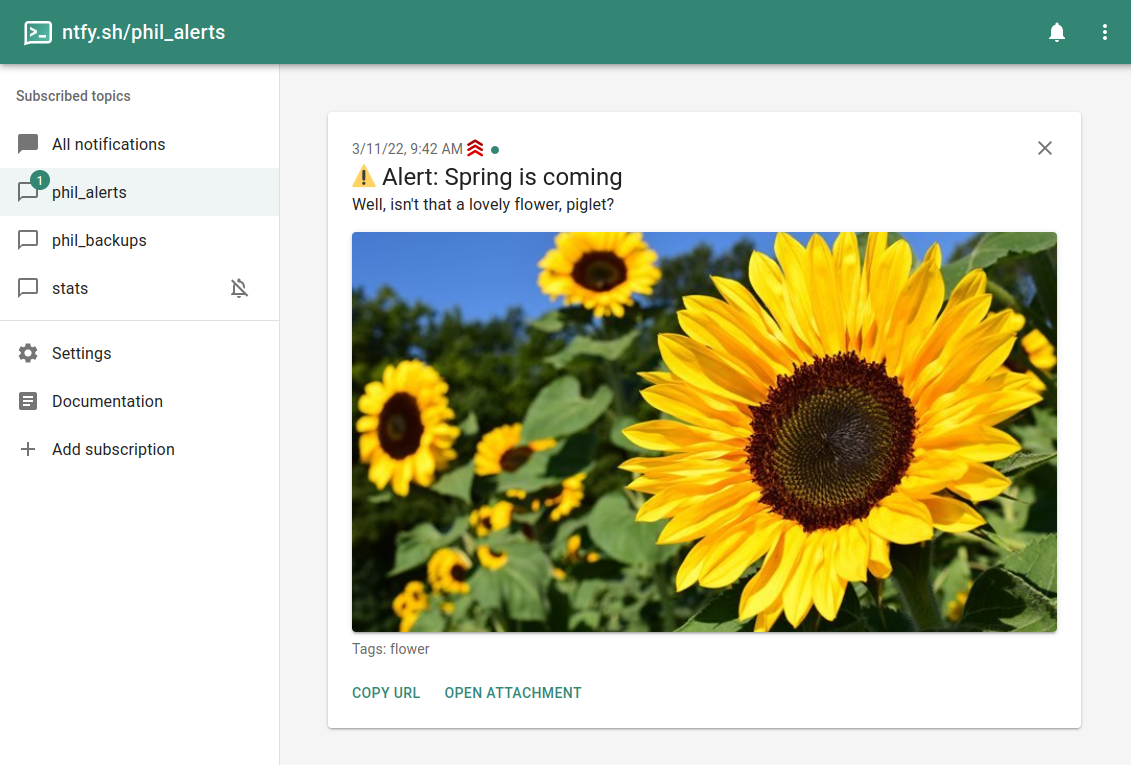
ntfy (pronounced "notify") is a simple HTTP-based pub-sub notification service that lets you send push notifications to your phone or desktop via scripts from any computer, without signup or cost. Subscribe to topics from the Android/iOS apps, the web app, or the CLI, and publish messages with priorities, attachments, action buttons, tags, and emojis using a simple PUT/POST request. It's open source, so you can run your own server instead of relying on the public ntfy.sh instance.
ntfy Docker Compose example
Self-host ntfy on your own server, homelab, or VPS starting from this Docker Compose example.
It runs ntfy in Docker containers using the official binwiederhier/ntfy:latest image, with persistent volumes and automatic restarts preconfigured.
Review the environment variables and adjust them to your setup, save the file as compose.yml (or docker-compose.yml), and start the stack with docker compose up -d.
services:
  ntfy:
    image: binwiederhier/ntfy:latest
    command:
      - serve
    restart: unless-stopped
    environment:
      # Server timezone
      TZ: "UTC"
      # Public base URL of this ntfy server (e.g. https://ntfy.example.com). Needed for the web app, mobile push and links to resolve correctly when running behind a reverse proxy.
      NTFY_BASE_URL: ""
      # SQLite file used to cache published messages so subscribers can fetch notifications they missed while offline.
      NTFY_CACHE_FILE: "/var/cache/ntfy/cache.db"
      # SQLite file storing users and access-control entries. Manage users with the `ntfy user` command.
      NTFY_AUTH_FILE: "/var/cache/ntfy/auth.db"
      # Default access when no ACL entry matches. "deny-all" makes this a private server (create users with `ntfy user add`); set "read-write" to allow anonymous publish/subscribe.
      NTFY_AUTH_DEFAULT_ACCESS: "deny-all"
      # Trust the X-Forwarded-For header from the reverse proxy in front of ntfy so per-visitor rate limiting works correctly.
      NTFY_BEHIND_PROXY: "true"
    volumes:
      - cache:/var/cache/ntfy

volumes:
  cache:
Prefer a managed setup? WinterFlow installs, configures, and updates ntfy for you using this same Docker Compose configuration.