
MyFin
Personal finances platform with budgeting, accounts and stats
Alternative to: ynab, mint
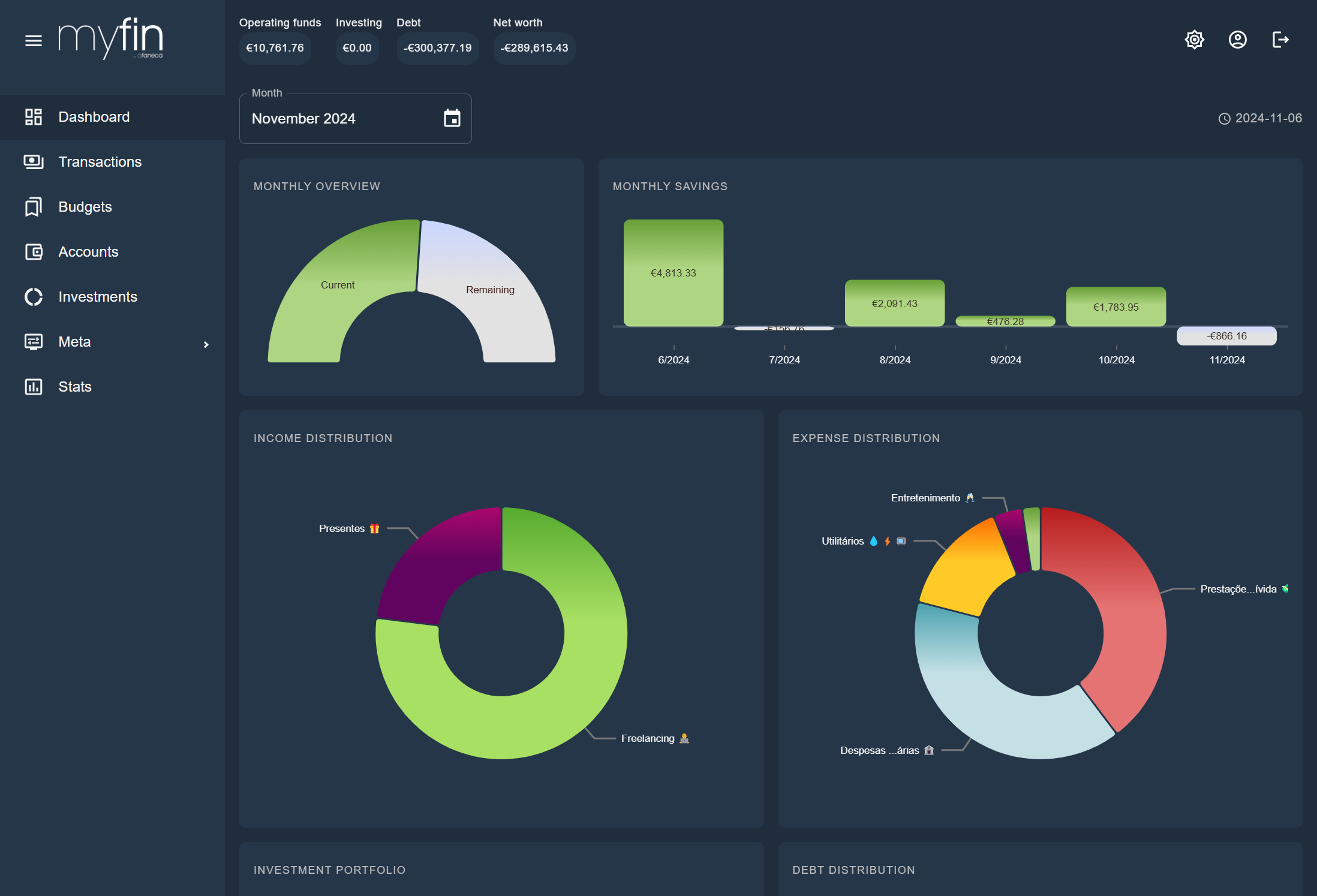
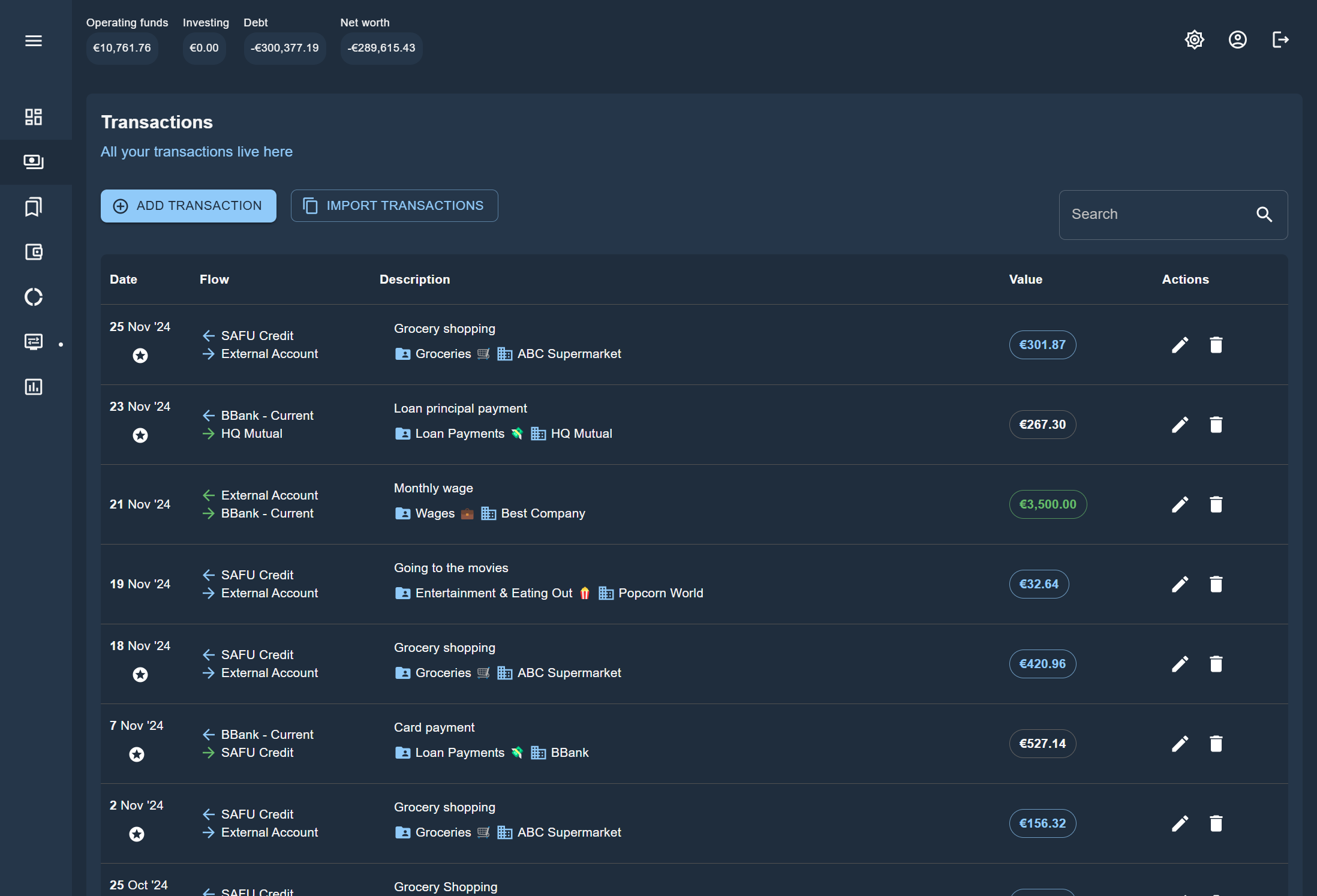
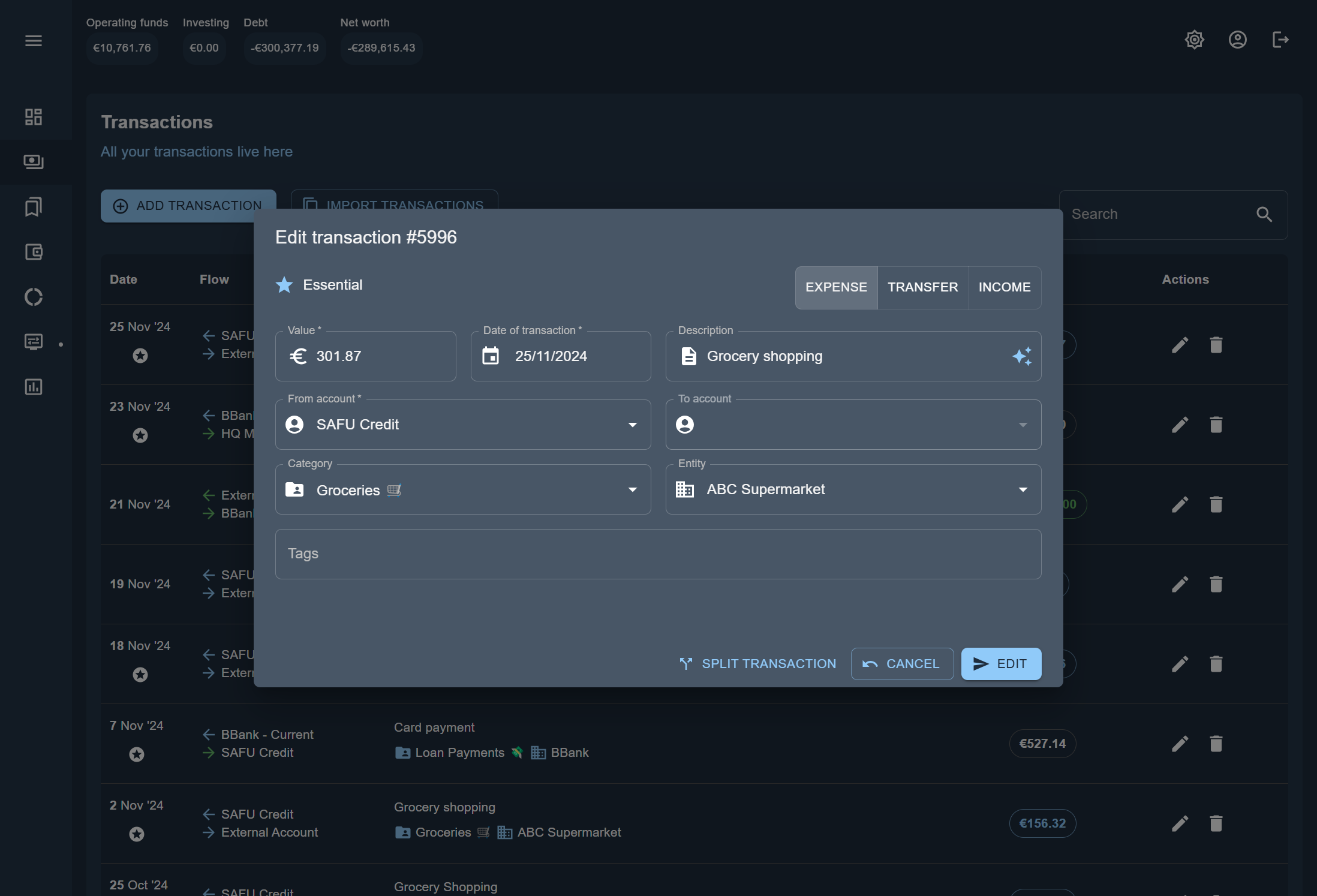
MyFin is a self-hosted personal finances platform with a full-fledged monthly budgeting tool. Track accounts, balances and transactions, import them in batches from CSV or your bank, split transactions and auto-categorize them with rules. It also offers investment tracking, net-worth stats with forecasts, multiple languages and light/dark themes.
MyFin Docker Compose example
Self-host MyFin on your own server, homelab, or VPS starting from this Docker Compose example.
It runs MyFin in Docker containers using the official mysql:8.4, ghcr.io/afaneca/myfin-api:latest, ghcr.io/afaneca/myfin:latest images, with persistent volumes and automatic restarts preconfigured.
Review the environment variables and adjust them to your setup, save the file as compose.yml (or docker-compose.yml), and start the stack with docker compose up -d.
services:
  db:
    image: mysql:8.4
    restart: unless-stopped
    environment:
      # Root password (MySQL is only reachable inside the compose network).
      MYSQL_ROOT_PASSWORD: "myfinrootpassword"
      # Application database name.
      MYSQL_DATABASE: "myfin"
      # Application database user.
      MYSQL_USER: "myfin"
      # Application database password.
      MYSQL_PASSWORD: "myfinpassword"
    volumes:
      - db_data:/var/lib/mysql
    healthcheck:
      test: ["CMD-SHELL", "mysql -h 127.0.0.1 -umyfin -pmyfinpassword -e 'SELECT 1' myfin"]
      interval: 10s
      timeout: 5s
      retries: 10
      start_period: 30s

  myfin-api:
    image: ghcr.io/afaneca/myfin-api:latest
    restart: unless-stopped
    depends_on:
      db:
        condition: service_healthy
    environment:
      # Database name (matches MYSQL_DATABASE above).
      DB_NAME: "myfin"
      # Database user (matches MYSQL_USER above).
      DB_USER: "myfin"
      # Database password (matches MYSQL_PASSWORD above).
      DB_PW: "myfinpassword"
      # Internal database host (the "db" service).
      DB_HOST: "db"
      # Internal database port.
      DB_PORT: "3306"
      # SMTP server used for password-recovery emails (optional).
      SMTP_HOST: ""
      # SMTP server port.
      SMTP_PORT: "465"
      # Set to "true" to use TLS when connecting to the SMTP server.
      SMTP_SECURE: "true"
      # SMTP account username (optional).
      SMTP_USER: ""
      # SMTP account password (optional).
      SMTP_PASSWORD: ""
      # From address for outgoing emails (optional).
      SMTP_FROM: ""
      # Port the API listens on.
      PORT: "3001"
      # Set to "true" to enable verbose request logging.
      LOGGING: "false"
      # Set to "true" to skip session validation (development only — keep "false").
      BYPASS_SESSION_CHECK: "false"
      # Set to "true" to allow anyone to create an account. The first account is created through the setup wizard either way.
      ENABLE_USER_SIGNUP: "false"
      # Express 'trust proxy' setting: "1" trusts the first reverse-proxy hop in front of the API.
      TRUST_PROXY: "1"

  myfin-frontend:
    image: ghcr.io/afaneca/myfin:latest
    restart: unless-stopped
    depends_on:
      myfin-api:
        condition: service_healthy
    environment:
      # Browser-facing URL of the API (the "myfin-api" service, port 3001). The web UI calls the API directly from the browser.
      VITE_MYFIN_BASE_API_URL: "http://localhost:3001"

volumes:
  db_data:
Prefer a managed setup? WinterFlow installs, configures, and updates MyFin for you using this same Docker Compose configuration.