
Mail-Archiver
Web application for archiving, searching, and exporting emails from multiple accounts
Alternative to: mailstore, google vault, mimecast, barracuda email archiving
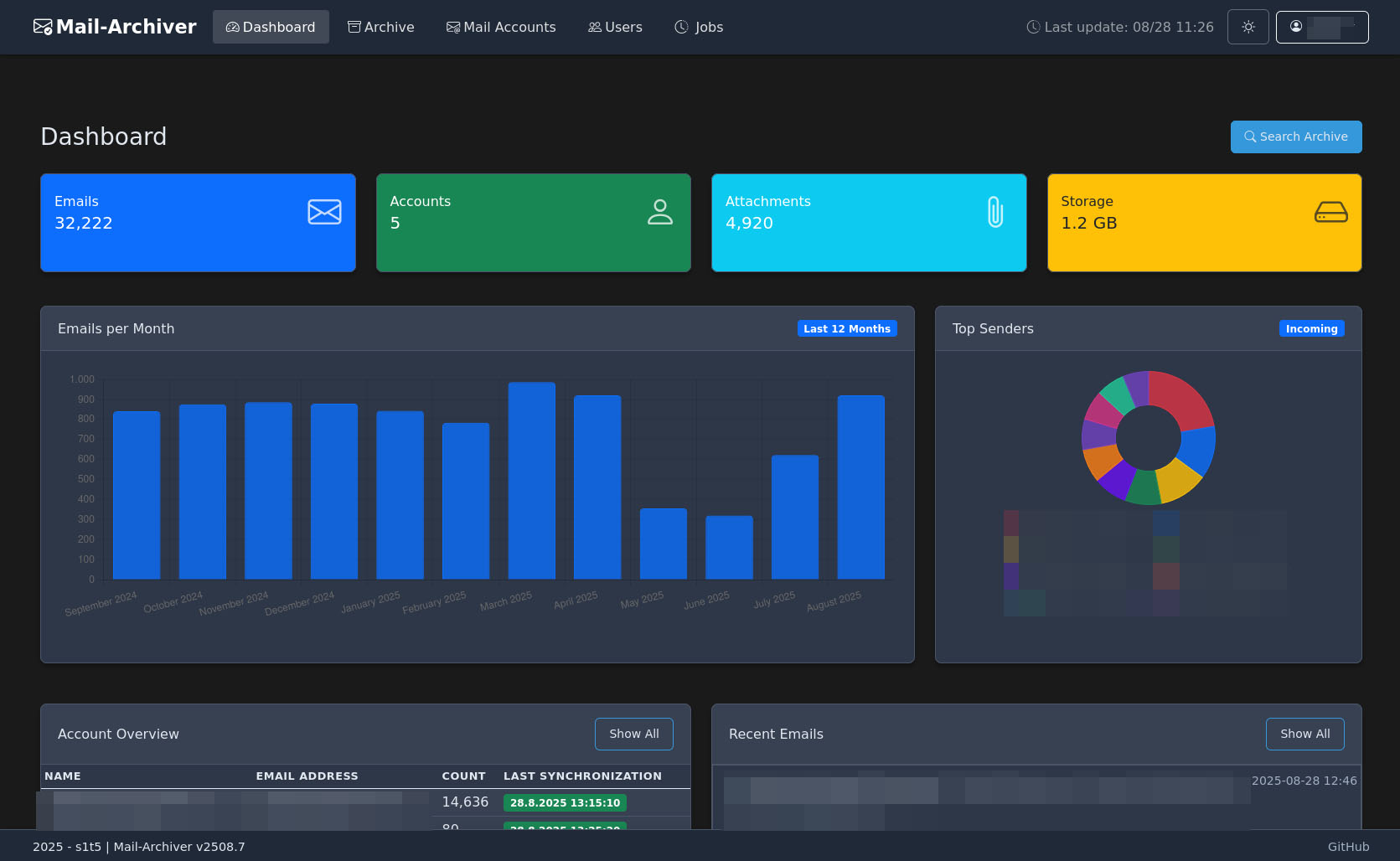
Mail-Archiver is a self-hosted solution for archiving, searching, and exporting emails across multiple accounts and providers, including IMAP, Microsoft 365, and Outlook.com. It automatically syncs mailboxes on a schedule, offers full-text search with attachment previews, mailbox migration between accounts, and export to mbox/EML formats. A dashboard, multi-user access with permissions, and retention policies with a compliance deletion lock round out the feature set.
Mail-Archiver Docker Compose example
Self-host Mail-Archiver on your own server, homelab, or VPS starting from this Docker Compose example.
It runs Mail-Archiver in Docker containers using the official s1t5/mailarchiver:latest, postgres:17-alpine images, with persistent volumes and automatic restarts preconfigured.
Review the environment variables and adjust them to your setup, save the file as compose.yml (or docker-compose.yml), and start the stack with docker compose up -d.
services:
  mailarchive-app:
    image: s1t5/mailarchiver:latest
    restart: unless-stopped
    environment:
      # PostgreSQL connection string — host, database, user and password must
      # match the postgres service below.
      - ConnectionStrings__DefaultConnection=Host=postgres;Database=MailArchiver;Username=mailuser;Password=masterkey;
      # Username for the web UI administrator login.
      - Authentication__Username=admin
      # Password for the web UI administrator login — change this before exposing the app.
      - Authentication__Password=changeme
      # IANA time zone used when displaying dates in the UI.
      - TimeZone__DisplayTimeZoneId=Etc/UTC
    volumes:
      - data_protection_keys:/app/DataProtection-Keys
    depends_on:
      postgres:
        condition: service_healthy

  postgres:
    image: postgres:17-alpine
    restart: unless-stopped
    environment:
      # Application database name (must match the connection string above).
      POSTGRES_DB: MailArchiver
      # Database user (must match the connection string above).
      POSTGRES_USER: mailuser
      # Database password (must match the connection string above).
      POSTGRES_PASSWORD: masterkey
    volumes:
      - postgres_data:/var/lib/postgresql/data
    healthcheck:
      test: ["CMD-SHELL", "pg_isready -U mailuser -d MailArchiver"]
      interval: 10s
      timeout: 5s
      retries: 5
      start_period: 10s

volumes:
  data_protection_keys:
  postgres_data:
Values set to changeme are required — replace them with your own
values before starting Mail-Archiver.
Prefer a managed setup? WinterFlow installs, configures, and updates Mail-Archiver for you using this same Docker Compose configuration.