
LeafWiki
Lightweight self-hosted Markdown wiki, a single Go binary with no database
Alternative to: notion, confluence, gitbook
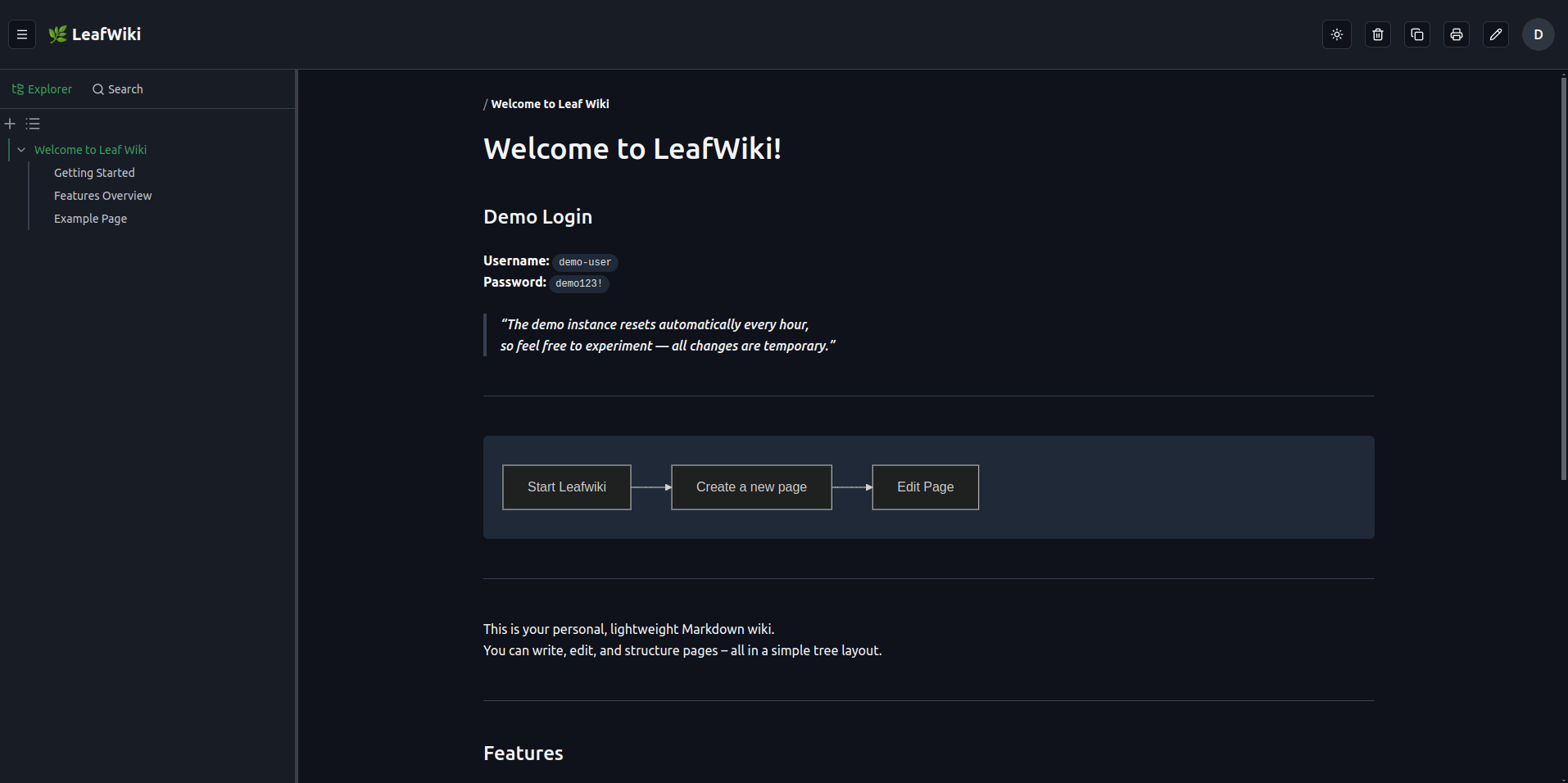
LeafWiki is a personal, lightweight Markdown wiki for engineers and self-hosters who want straightforward documentation without complex infrastructure. Pages are stored as plain Markdown files on disk with tree-based navigation, full-text search, tag filtering, and backlink tracking, so backups are just filesystem copies. It ships as a single Go binary with SQLite, with optional revision history, link refactoring, email/SMTP support, and Git-based backup.
LeafWiki Docker Compose example
Self-host LeafWiki on your own server, homelab, or VPS starting from this Docker Compose example.
It runs LeafWiki in Docker containers using the official ghcr.io/perber/leafwiki:latest image, with persistent volumes and automatic restarts preconfigured.
Review the environment variables and adjust them to your setup, save the file as compose.yml (or docker-compose.yml), and start the stack with docker compose up -d.
services:
  leafwiki:
    image: ghcr.io/perber/leafwiki:latest
    restart: unless-stopped
    volumes:
      - data:/app/data
    environment:
      # Address the server binds to. Must be 0.0.0.0 so the app is reachable from outside the container (e.g. via a reverse proxy).
      LEAFWIKI_HOST: "0.0.0.0"
      # Port the server listens on.
      LEAFWIKI_PORT: "8080"
      # Directory where wiki pages (Markdown), the SQLite database and uploads are stored.
      LEAFWIKI_DATA_DIR: "/app/data"
      # Secret used to sign authentication tokens (JWT). Keep it secret.
      LEAFWIKI_JWT_SECRET: "changeme"
      # Password for the initial admin account (only applied on first start, when no admin exists yet).
      LEAFWIKI_ADMIN_PASSWORD: "changeme"
      # Username for the initial admin account.
      LEAFWIKI_ADMIN_USERNAME: "admin"
      # Email address for the initial admin account.
      LEAFWIKI_ADMIN_EMAIL: "admin@localhost"
      # Allow authentication cookies over plain HTTP. Keep true when TLS is terminated by an upstream reverse proxy.
      LEAFWIKI_ALLOW_INSECURE: "true"
      # SMTP server hostname for outgoing email (e.g. password reset). Leave empty to disable email.
      LEAFWIKI_SMTP_HOST: ""
      # SMTP server port.
      LEAFWIKI_SMTP_PORT: "587"
      # SMTP authentication username.
      LEAFWIKI_SMTP_USERNAME: ""
      # SMTP authentication password.
      LEAFWIKI_SMTP_PASSWORD: ""
      # Sender email address (required when SMTP is enabled).
      LEAFWIKI_SMTP_FROM: ""
      # Sender display name.
      LEAFWIKI_SMTP_FROM_NAME: "LeafWiki"
      # SMTP security type: none, starttls or tls.
      LEAFWIKI_SMTP_SECURITY: "starttls"
      # Public base URL of the wiki, used in email links (required when SMTP is enabled).
      LEAFWIKI_PUBLIC_URL: ""

volumes:
  data:
Values set to changeme are required — replace them with your own
values before starting LeafWiki.
Prefer a managed setup? WinterFlow installs, configures, and updates LeafWiki for you using this same Docker Compose configuration.