
Invoice Ninja
Invoice, quote, project and time-tracking app for small businesses
Alternative to: quickbooks, freshbooks, zoho invoice
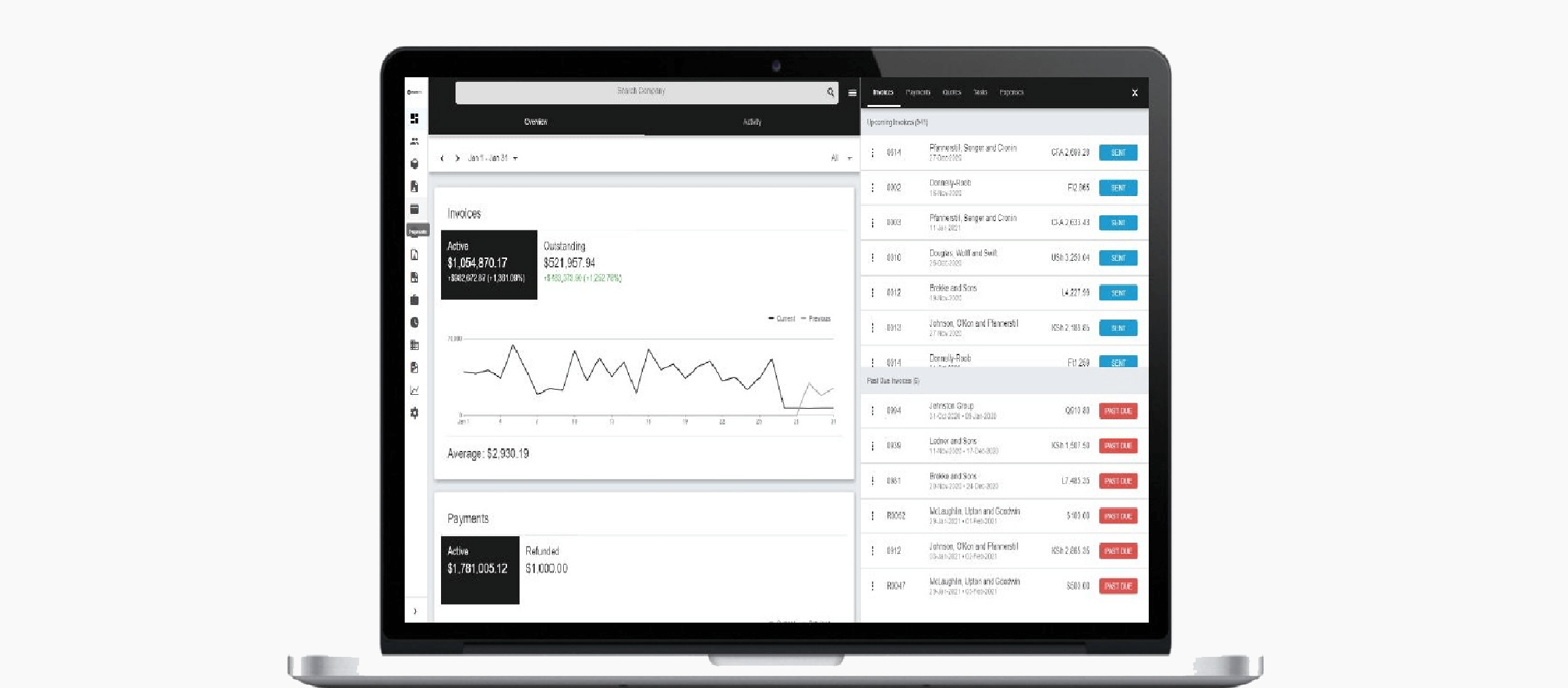
Invoice Ninja is an invoicing, quoting, project and time-tracking app built with Laravel. It lets freelancers and small businesses create and send invoices and quotes, accept online payments, track expenses and billable time, and manage client projects and tasks. All Pro and Enterprise features from the hosted app are included in the self-hosted, source-available edition.
Invoice Ninja Docker Compose example
Self-host Invoice Ninja on your own server, homelab, or VPS starting from this Docker Compose example.
It runs Invoice Ninja in Docker containers using the official invoiceninja/invoiceninja-debian:latest, nginx:alpine, mysql:8, redis:alpine images, with persistent volumes and automatic restarts preconfigured.
Review the environment variables and adjust them to your setup, save the file as compose.yml (or docker-compose.yml), and start the stack with docker compose up -d.
services:
  app:
    image: invoiceninja/invoiceninja-debian:latest
    restart: unless-stopped
    volumes:
      - app_public:/var/www/html/public
      - app_storage:/var/www/html/storage
    environment:
      # Public URL of your Invoice Ninja instance (no trailing slash).
      APP_URL: "http://localhost"
      # Laravel application encryption key. Generate your own with: echo "base64:$(openssl rand -base64 32)"
      APP_KEY: "base64:RR++yx2rJ9kdxbdh3+AmbHLDQu+Q76i++co9Y8ybbno="
      # Run database migrations and first-run initialization on startup.
      APP_ENV: "production"
      # Show detailed error pages (keep false in production).
      APP_DEBUG: "false"
      # Force HTTPS links; set to true when served over HTTPS.
      REQUIRE_HTTPS: "false"
      # Trust X-Forwarded-* headers from any reverse proxy in front of the app.
      TRUSTED_PROXIES: "*"
      # Email of the admin account created on first start.
      IN_USER_EMAIL: "admin@example.com"
      # Password of the admin account created on first start.
      IN_PASSWORD: "changeme"
      PHANTOMJS_PDF_GENERATION: "false"
      # PDF generation engine.
      PDF_GENERATOR: "snappdf"
      CACHE_DRIVER: "redis"
      QUEUE_CONNECTION: "redis"
      SESSION_DRIVER: "redis"
      REDIS_HOST: "redis"
      REDIS_PASSWORD: "null"
      REDIS_PORT: "6379"
      FILESYSTEM_DISK: "debian_docker"
      DB_CONNECTION: "mysql"
      DB_HOST: "mysql"
      DB_PORT: "3306"
      DB_DATABASE: "ninja"
      DB_USERNAME: "ninja"
      # Password of the MySQL user (must match MYSQL_PASSWORD on the mysql service).
      DB_PASSWORD: "ninja"
      # Mail transport: "smtp" to send email, "log" to only write emails to the log.
      MAIL_MAILER: "log"
      # SMTP server hostname.
      MAIL_HOST: "smtp.mailtrap.io"
      # SMTP server port.
      MAIL_PORT: "2525"
      # SMTP username.
      MAIL_USERNAME: "null"
      # SMTP password.
      MAIL_PASSWORD: "null"
      # SMTP encryption: tls, ssl or null.
      MAIL_ENCRYPTION: "null"
      # Sender address for outgoing emails.
      MAIL_FROM_ADDRESS: "user@example.com"
      # Sender name for outgoing emails.
      MAIL_FROM_NAME: "Self Hosted User"
      # GoCardless/Nordigen secret ID for the bank integration (optional).
      NORDIGEN_SECRET_ID: ""
      # GoCardless/Nordigen secret key for the bank integration (optional).
      NORDIGEN_SECRET_KEY: ""
      IS_DOCKER: "true"
      SCOUT_DRIVER: "null"
    depends_on:
      mysql:
        condition: service_healthy
      redis:
        condition: service_healthy

  nginx:
    image: nginx:alpine
    restart: unless-stopped
    volumes:
      - ./laravel.conf:/etc/nginx/conf.d/default.conf:ro
      - app_public:/var/www/html/public:ro
      - app_storage:/var/www/html/storage:ro
    depends_on:
      app:
        condition: service_healthy

  mysql:
    image: mysql:8
    restart: unless-stopped
    environment:
      MYSQL_DATABASE: "ninja"
      MYSQL_USER: "ninja"
      # Password of the MySQL user (must match DB_PASSWORD on the app service).
      MYSQL_PASSWORD: "ninja"
      # MySQL root password.
      MYSQL_ROOT_PASSWORD: "ninjaAdm1nPassword"
    volumes:
      - mysql_data:/var/lib/mysql
    healthcheck:
      test: ["CMD", "mysqladmin", "ping", "-h", "localhost"]

  redis:
    image: redis:alpine
    restart: unless-stopped
    volumes:
      - redis_data:/data
    healthcheck:
      test: ["CMD", "redis-cli", "ping"]

volumes:
  app_public:
  app_storage:
  mysql_data:
  redis_data:
Values set to changeme are required — replace them with your own
values before starting Invoice Ninja.
Extra files
The Docker Compose configuration above bind-mounts the following file. Save it next to your compose.yml,
keeping the same relative path.
laravel.conf
# https://laravel.com/docs/master/deployment#nginx
server {
    listen 80 default_server;
    server_name _;
    root /var/www/html/public;

    add_header X-Frame-Options "SAMEORIGIN";
    add_header X-Content-Type-Options "nosniff";

    index index.php;

    charset utf-8;

    location / {
        try_files $uri $uri/ /index.php?$query_string;
    }

    location = /favicon.ico { access_log off; log_not_found off; }
    location = /robots.txt  { access_log off; log_not_found off; }

    error_page 404 /index.php;

    location ~ \.php$ {
        fastcgi_pass app:9000;
        fastcgi_param SCRIPT_FILENAME $realpath_root$fastcgi_script_name;
        include fastcgi_params;
    }

    location ~ /\.(?!well-known).* {
        deny all;
    }
}
Prefer a managed setup? WinterFlow installs, configures, and updates Invoice Ninja for you using this same Docker Compose configuration.