
HortusFox
Self-hosted collaborative plant management and tracking system
Alternative to: planta
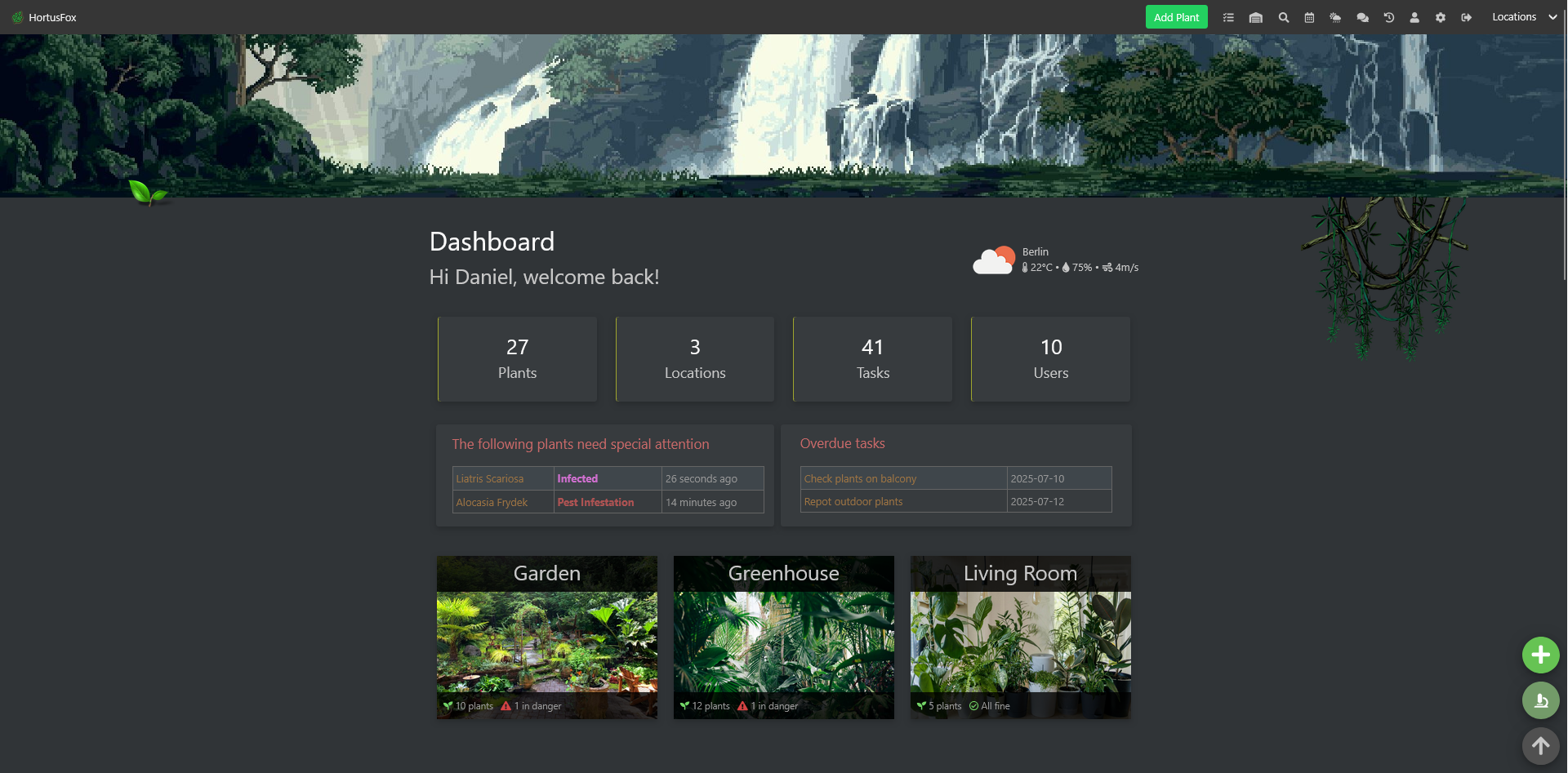
HortusFox is a self-hosted, collaborative plant management system for organizing houseplants by location, scheduling care tasks, and monitoring plant health with a built-in warning system for plants that need attention. Multiple users can share access to manage plants together with family, roommates, or friends, using notes, tags, and photos for each plant. It also tracks the inventory of supplies needed for plant care and keeps a history log of actions taken.
HortusFox Docker Compose example
Self-host HortusFox on your own server, homelab, or VPS starting from this Docker Compose example.
It runs HortusFox in Docker containers using the official ghcr.io/danielbrendel/hortusfox-web:latest, mariadb:latest images, with persistent volumes and automatic restarts preconfigured.
Review the environment variables and adjust them to your setup, save the file as compose.yml (or docker-compose.yml), and start the stack with docker compose up -d.
services:
  app:
    image: ghcr.io/danielbrendel/hortusfox-web:latest
    restart: unless-stopped
    depends_on:
      db:
        condition: service_healthy
    volumes:
      - app_images:/var/www/html/public/img
      - app_logs:/var/www/html/app/logs
      - app_backup:/var/www/html/public/backup
      - app_themes:/var/www/html/public/themes
      - app_migrate:/var/www/html/app/migrations
    environment:
      # Email address for the initial administrator account (used to log in).
      APP_ADMIN_EMAIL: "admin@example.com"
      # Password for the initial administrator account. Change this before first login.
      APP_ADMIN_PASSWORD: "password"
      # Timezone used for timestamps throughout the app.
      APP_TIMEZONE: "UTC"
      # Hostname of the database service (matches the db service name below).
      DB_HOST: "db"
      # Port the database listens on.
      DB_PORT: "3306"
      # Database name HortusFox connects to (matches MARIADB_DATABASE).
      DB_DATABASE: "hortusfox"
      # Database user HortusFox connects as (matches MARIADB_USER).
      DB_USERNAME: "user"
      # Password for the database user (matches MARIADB_PASSWORD).
      DB_PASSWORD: "password"
      # Character set used for the database connection.
      DB_CHARSET: "utf8mb4"

  db:
    image: mariadb:latest
    restart: unless-stopped
    environment:
      # Root password for the MariaDB instance (internal to the compose network).
      MARIADB_ROOT_PASSWORD: "my-secret-pw"
      # Database created on first start.
      MARIADB_DATABASE: "hortusfox"
      # Application database user created on first start.
      MARIADB_USER: "user"
      # Password for the application database user (matches DB_PASSWORD above).
      MARIADB_PASSWORD: "password"
    volumes:
      - db_data:/var/lib/mysql
    healthcheck:
      test: ["CMD", "healthcheck.sh", "--connect", "--innodb_initialized"]
      interval: 10s
      timeout: 5s
      retries: 10

volumes:
  db_data:
  app_images:
  app_logs:
  app_backup:
  app_themes:
  app_migrate:
Prefer a managed setup? WinterFlow installs, configures, and updates HortusFox for you using this same Docker Compose configuration.