
Hi.Events
Open-source event management and ticket selling platform
Alternative to: eventbrite, tickettailor, dice.fm, tito
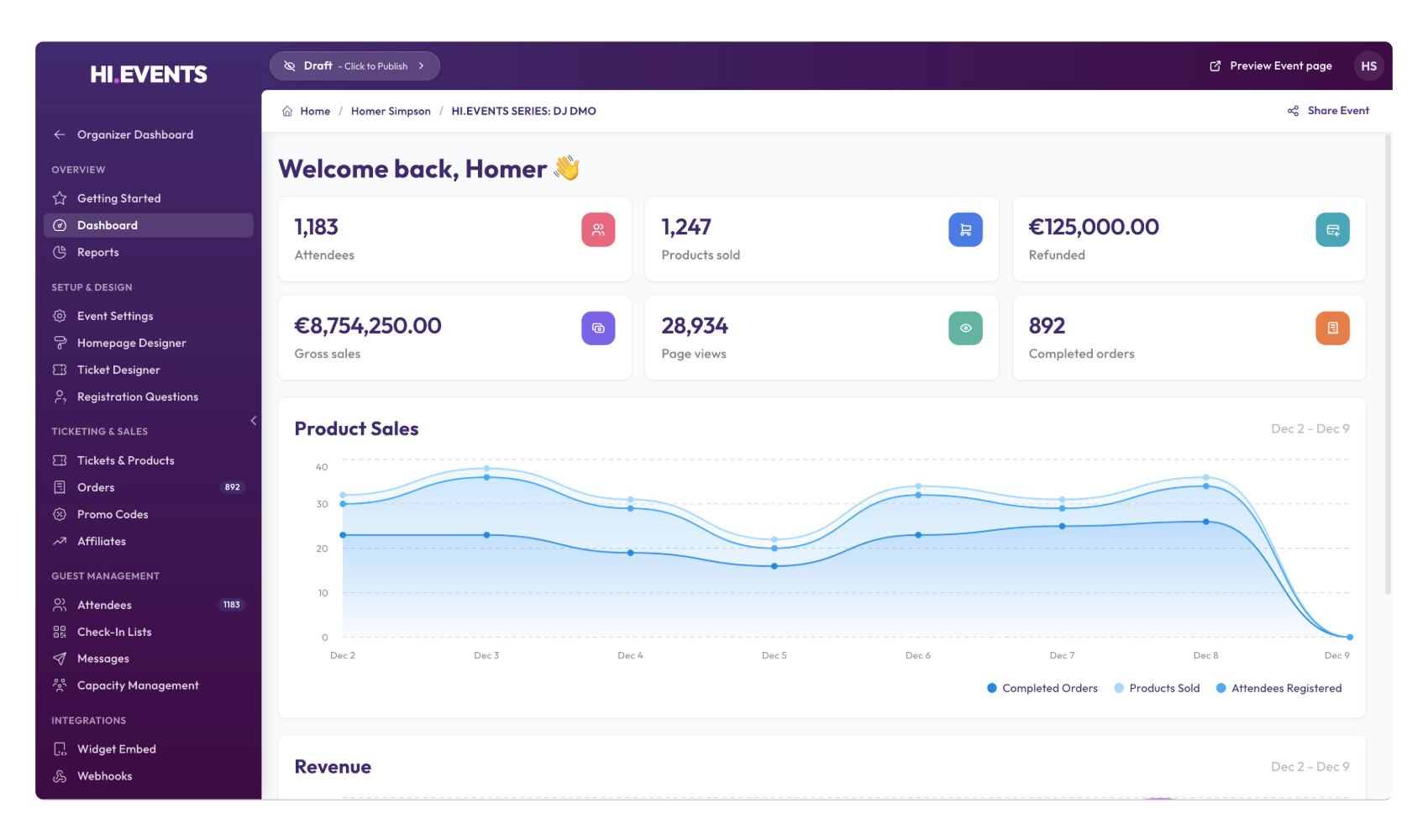
Hi.Events is an open-source event ticketing and management platform for selling tickets to conferences, concerts, club nights, workshops, and festivals. It supports flexible ticket types, promo codes, add-ons, tax and fee handling, a drag-and-drop event page builder, and embeddable ticket widgets, giving organizers full control of branding, checkout, and data.
Hi.Events Docker Compose example
Self-host Hi.Events on your own server, homelab, or VPS starting from this Docker Compose example.
It runs Hi.Events in Docker containers using the official daveearley/hi.events-all-in-one:latest, postgres:17-alpine, redis:7-alpine images, with persistent volumes and automatic restarts preconfigured.
Review the environment variables and adjust them to your setup, save the file as compose.yml (or docker-compose.yml), and start the stack with docker compose up -d.
services:
  all-in-one:
    image: daveearley/hi.events-all-in-one:latest
    restart: unless-stopped
    environment:
      # Public URL of the frontend (used by the browser). Must match the external hostname.
      VITE_FRONTEND_URL: "http://localhost:8123"
      # Public URL the browser calls for the API (same origin, /api path).
      VITE_API_URL_CLIENT: "http://localhost:8123/api"
      # Internal server-side API URL used inside the container (do not change).
      VITE_API_URL_SERVER: "http://localhost:80/api"
      # Stripe publishable key exposed to the browser (dummy test value by default).
      VITE_STRIPE_PUBLISHABLE_KEY: "pk_test_123456789"
      # Application name shown in the UI.
      VITE_APP_NAME: "Hi.Events"
      # Where Laravel writes logs ("stderr" streams them to the container log).
      LOG_CHANNEL: "stderr"
      # Queue backend for background jobs (emails, webhooks).
      QUEUE_CONNECTION: "redis"
      # Laravel application encryption key. Must be a valid base64:... value.
      # This is an insecure shared default — replace it with your own generated key
      # (e.g. "base64:$(openssl rand -base64 32)") for any real deployment.
      APP_KEY: "base64:GK0qJ7RtOjcQ0iNU2asuFkF+/yJT+up9KB+vfzQhOMU="
      # Public base URL for stored/served assets.
      APP_CDN_URL: "http://localhost:8123/storage"
      # Public URL of the frontend (backend side).
      APP_FRONTEND_URL: "http://localhost:8123"
      # Secret used to sign auth tokens. Insecure shared default — replace it
      # with your own generated value (e.g. "$(openssl rand -base64 32)") for real use.
      JWT_SECRET: "6s1k0fhp408/aG0s3DUZO2V3eZw7ftu1f3AYIpVR1ZM="
      # Set to "true" to prevent new users from registering.
      APP_DISABLE_REGISTRATION: "false"
      # Multi-tenant SaaS mode — keep disabled for a normal self-hosted instance.
      APP_SAAS_MODE_ENABLED: "false"
      APP_SAAS_STRIPE_APPLICATION_FEE_PERCENT: "0"
      APP_SAAS_STRIPE_APPLICATION_FEE_FIXED: "0"
      # Optional logo shown in outgoing emails.
      APP_EMAIL_LOGO_URL: ""
      APP_EMAIL_LOGO_LINK_URL: ""
      # Mail transport. Defaults to "log" (emails are written to the container log).
      # Set to "smtp" and fill in the MAIL_* values below to actually send email.
      MAIL_MAILER: "log"
      MAIL_DRIVER: "log"
      # SMTP server hostname.
      MAIL_HOST: "mail.local"
      # SMTP server port.
      MAIL_PORT: "1025"
      # SMTP username.
      MAIL_USERNAME: "null"
      # SMTP password.
      MAIL_PASSWORD: "null"
      # SMTP encryption ("tls", "ssl" or "null").
      MAIL_ENCRYPTION: "null"
      MAIL_AUTO_TLS: "true"
      MAIL_VERIFY_PEER: "true"
      # Sender identity for outgoing email.
      MAIL_FROM_ADDRESS: "test@example.com"
      MAIL_FROM_NAME: "Hi Events"
      # Laravel filesystem disks for public and private file storage.
      FILESYSTEM_PUBLIC_DISK: "public"
      FILESYSTEM_PRIVATE_DISK: "local"
      # PostgreSQL connection string (points at the bundled postgres service).
      DATABASE_URL: "postgresql://postgres:secret@postgres:5432/hi-events"
      # Redis connection (points at the bundled redis service).
      REDIS_HOST: "redis"
      REDIS_PASSWORD: ""
      REDIS_PORT: "6379"
      # Stripe API keys (dummy test values — set real keys to accept payments).
      STRIPE_PUBLIC_KEY: "pk_test_123456789"
      STRIPE_SECRET_KEY: "sk_test_123456789"
      STRIPE_WEBHOOK_SECRET: "whsec_test_123456789"
      # Queue name used for outgoing webhooks.
      WEBHOOK_QUEUE_NAME: "webhook-queue"
    depends_on:
      postgres:
        condition: service_healthy
      redis:
        condition: service_healthy

  postgres:
    image: postgres:17-alpine
    restart: unless-stopped
    environment:
      POSTGRES_DB: "hi-events"
      POSTGRES_USER: "postgres"
      POSTGRES_PASSWORD: "secret"
    volumes:
      - pgdata:/var/lib/postgresql/data
    healthcheck:
      test: ["CMD-SHELL", "pg_isready -U postgres -d hi-events"]
      interval: 10s
      timeout: 5s
      retries: 5

  redis:
    image: redis:7-alpine
    restart: unless-stopped
    volumes:
      - redisdata:/data
    healthcheck:
      test: ["CMD", "redis-cli", "ping"]
      interval: 10s
      timeout: 5s
      retries: 5

volumes:
  pgdata:
  redisdata:
Prefer a managed setup? WinterFlow installs, configures, and updates Hi.Events for you using this same Docker Compose configuration.