
HedgeDoc
Real-time collaborative markdown notes
Alternative to: hackmd, google docs, notion
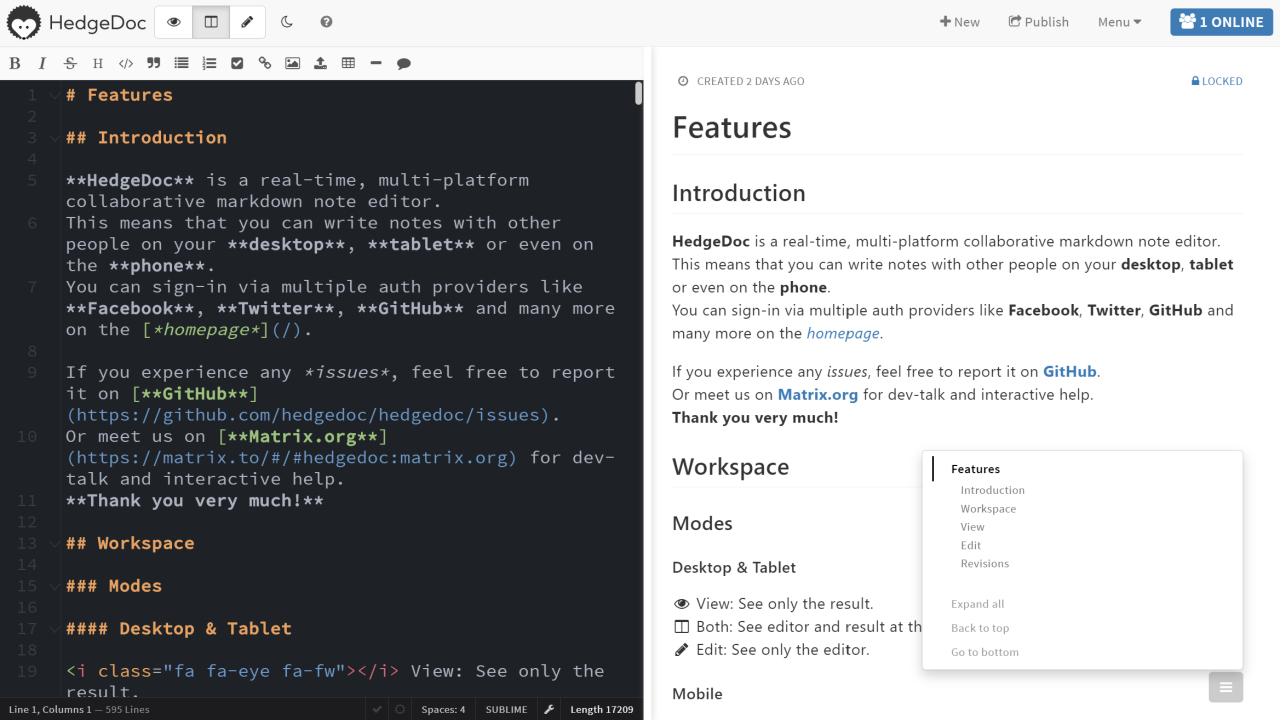
HedgeDoc lets you create real-time collaborative markdown notes, so you can write notes with other people on your desktop, tablet, or phone. It supports sign-in via multiple auth providers and renders diagrams, math, and slideshows alongside standard markdown.
HedgeDoc Docker Compose example
Self-host HedgeDoc on your own server, homelab, or VPS starting from this Docker Compose example.
It runs HedgeDoc in Docker containers using the official postgres:18-alpine, quay.io/hedgedoc/hedgedoc:latest images, with persistent volumes and automatic restarts preconfigured.
Review the environment variables and adjust them to your setup, save the file as compose.yml (or docker-compose.yml), and start the stack with docker compose up -d.
services:
  database:
    image: postgres:18-alpine
    restart: unless-stopped
    environment:
      POSTGRES_USER: "hedgedoc"
      POSTGRES_PASSWORD: "hedgedoc"
      POSTGRES_DB: "hedgedoc"
    volumes:
      - database:/var/lib/postgresql/data
    healthcheck:
      test: ["CMD-SHELL", "pg_isready -U hedgedoc -d hedgedoc"]
      interval: 10s
      timeout: 5s
      retries: 5

  app:
    image: quay.io/hedgedoc/hedgedoc:latest
    restart: unless-stopped
    depends_on:
      database:
        condition: service_healthy
    environment:
      # Connection string for the PostgreSQL database. Format: <type>://<user>:<password>@<host>:<port>/<database>
      CMD_DB_URL: "postgres://hedgedoc:hedgedoc@database:5432/hedgedoc"
      # The domain under which HedgeDoc is served — just the (sub)domain, no protocol or path. Change this to your public domain.
      CMD_DOMAIN: "localhost"
      # Whether generated links should be HTTPS URLs. Set true when served behind an HTTPS reverse proxy.
      CMD_PROTOCOL_USESSL: "true"
      # Whether HSTS headers should be sent. Set true when serving over HTTPS.
      CMD_HSTS_ENABLE: "true"
      # Whether generated links should contain the port. Set false when behind a reverse proxy on the default ports (80/443).
      CMD_URL_ADDPORT: "false"
    volumes:
      - uploads:/hedgedoc/public/uploads

volumes:
  database:
  uploads:
Prefer a managed setup? WinterFlow installs, configures, and updates HedgeDoc for you using this same Docker Compose configuration.