
Healthchecks
Cron job and scheduled task monitoring service
Alternative to: healthchecks.io, cronitor, dead man's snitch
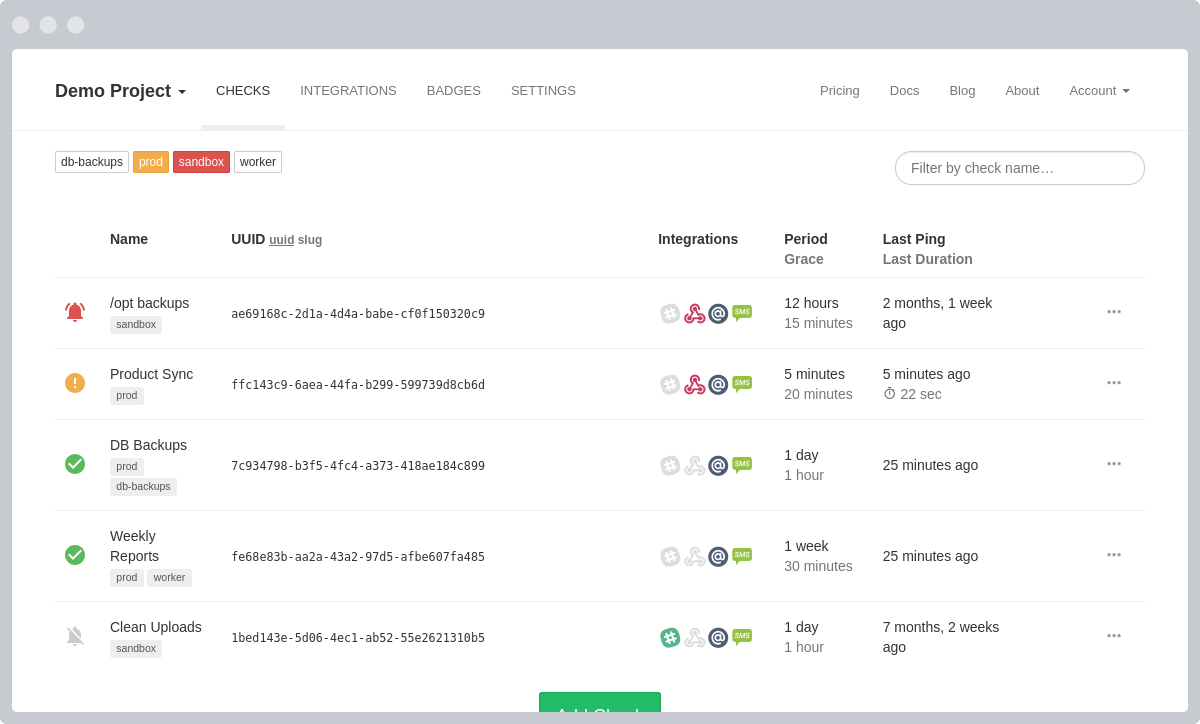
Healthchecks is a cron job monitoring service that listens for HTTP requests and email messages ("pings") from your cron jobs and scheduled tasks. When an expected ping does not arrive on time, Healthchecks sends out alerts through 25+ notification integrations, including Slack, Discord, Telegram and PagerDuty. It provides a live-updating web dashboard, status badges, monthly email reports, and team/project management for self-hosted deployments.
Healthchecks Docker Compose example
Self-host Healthchecks on your own server, homelab, or VPS starting from this Docker Compose example.
It runs Healthchecks in Docker containers using the official healthchecks/healthchecks:latest image, with persistent volumes and automatic restarts preconfigured.
Review the environment variables and adjust them to your setup, save the file as compose.yml (or docker-compose.yml), and start the stack with docker compose up -d.
services:
  healthchecks:
    image: healthchecks/healthchecks:latest
    volumes:
      - data:/data
    restart: unless-stopped
    environment:
      # Database engine to use: sqlite (default, self-contained), postgres, or mysql.
      DB: "sqlite"
      # Path to the SQLite database file. Kept inside the persistent volume mounted at /data.
      DB_NAME: "/data/hc.sqlite"
      # A secret key used for cryptographic signing. Set this to a long, random string.
      SECRET_KEY: "changeme"
      # The base URL of this Healthchecks instance. Used in ping URLs and outgoing emails.
      SITE_ROOT: "changeme"
      # Display name for this instance, shown in the UI and email subjects.
      SITE_NAME: "Healthchecks"
      # Turns Django debug mode off. Keep this False in production.
      DEBUG: "False"
      # Comma-separated host/domain names this site can serve. "*" allows any host (safe behind a reverse proxy).
      ALLOWED_HOSTS: "*"
      # The "From:" address used for outgoing notification emails.
      DEFAULT_FROM_EMAIL: "healthchecks@example.org"
      # SMTP server hostname for sending email notifications. Leave empty to disable email.
      EMAIL_HOST: ""
      # SMTP server port.
      EMAIL_PORT: "587"
      # SMTP authentication username.
      EMAIL_HOST_USER: ""
      # SMTP authentication password.
      EMAIL_HOST_PASSWORD: ""
      # Whether to use TLS for the SMTP connection.
      EMAIL_USE_TLS: "True"

volumes:
  data:
Values set to changeme are required — replace them with your own
values before starting Healthchecks.
Prefer a managed setup? WinterFlow installs, configures, and updates Healthchecks for you using this same Docker Compose configuration.