Gramps Web
Open source online genealogy system
Alternative to: ancestry, myheritage, familysearch
v26.4.0
2026-04-03This :hatching_chick: release brings a ton of big and small improvements! Enjoy! :rabbit: :nest_with_eggs:
Event List: Timeline, Ages, Icons
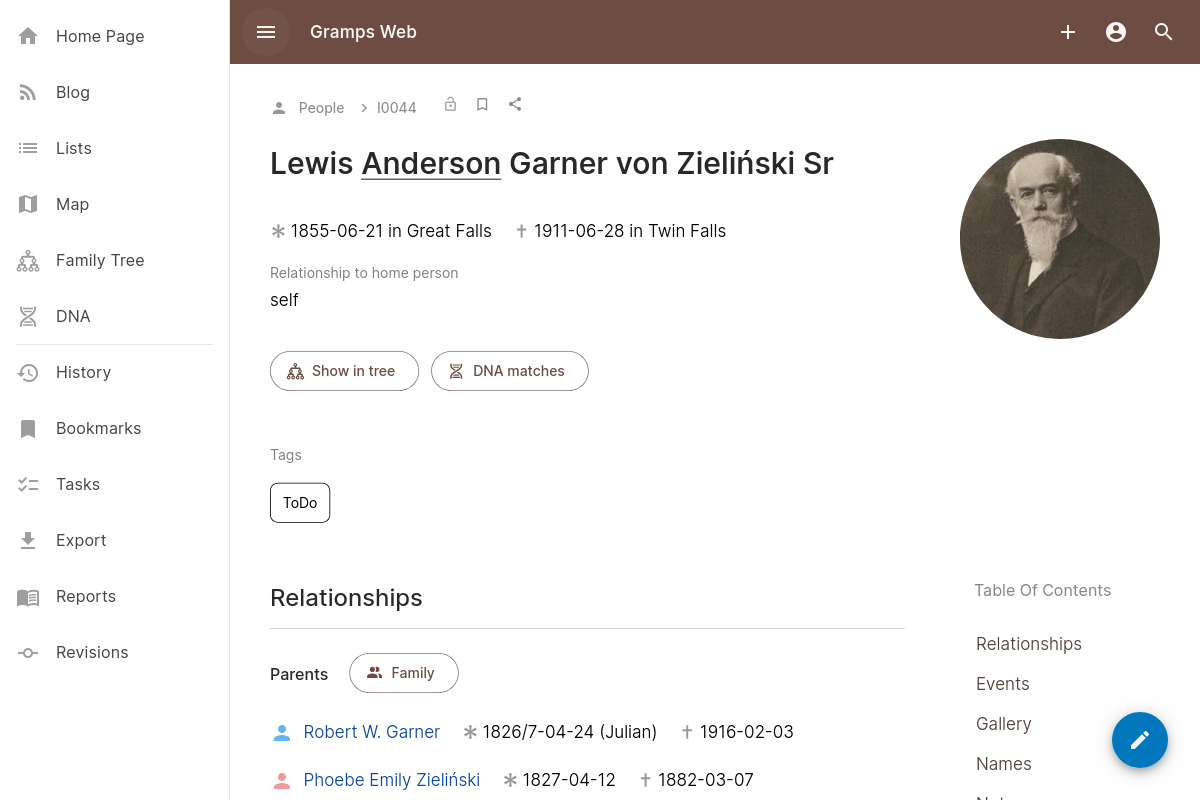
The event list in the person view has been completely overhauled and enhanced.
There are now switches to optionally show family events (like marriages) or the events of relatives (children, partners) in the same chronological list, bringing back most of the functionatlity of the old timeline view.
For all events, the person’s age at the time of the event is now displayed.
Finally, events without media files (i.e. without a thumbnail) have an icon that depends on the event type (rings for marriage, a gravestone for burial) rather than a generic calendar icon
Implemented in https://github.com/gramps-project/gramps-web/pull/1019 and https://github.com/gramps-project/gramps-web/pull/1017
Organize Tags
So far, tags could only be assigned to objects, and new tags added, but it wasn’t possible to rename tags, change their color, or delete them.
This releases adds a dedicated “Organize Tags” view (only accessible to editors and owners) that allows all this (https://github.com/gramps-project/gramps-web/pull/1032)
Two more improvements have been made related to tags:
- More clarifying text has been added to the “New Tag” dialog and an improved color picker that looks consistent on all platforms (https://github.com/gramps-project/gramps-web/pull/1030)
- All “new object” views (new person, new event, etc.) now allow to add tags on object creation, not just when editing an object (https://github.com/gramps-project/gramps-web/pull/1036)
Change the Family Tree Name
It is now possible to change the family tree name, i.e. the name of the Gramps database (https://github.com/gramps-project/gramps-web/pull/1028), from the administration settings.
While this doesn’t have a visible impact on the rest of Gramps Web for now, it’s worth looking into because in a near future release (possibly 26.5), the default text in the app bar and browser title will change from “Gramps Web” to your database name.
In single-tree setups, changing the database name from the administration settings requires additional configuration: the TREE_ID configuration variable must be set to the tree ID (which can be found at the bottom of the “System Information” tab). This can be achieved e.g. by settting the GRAMPSWEB_TREE_ID environment variable in a docker-compose file.
Other New Features
- For people with multiple parent families (e.g. adopted people) or multiple spouses, those families can now be reordered https://github.com/gramps-project/gramps-web/pull/1034
- It’s now possible to edit the tree’s “researcher information” from within Gramps Web https://github.com/gramps-project/gramps-web/pull/1010
- The browser’s title bar now shows more useful information than just “Gramps Web” (for instance, the current object’s Gramps ID) https://github.com/gramps-project/gramps-web/pull/1027
- URLs are clickable also in the source publication info field https://github.com/gramps-project/gramps-web/pull/1035
- Two more keyboard shortcuts have been added:
g+dfor DNA,g+afor AI chat https://github.com/gramps-project/gramps-web/pull/1033 - The note editor now supports strikethrough (
like this) https://github.com/gramps-project/gramps-web/pull/1018 - The “New Person” dialog and the tree views now correctly handle the genders “other” (does not fit “male” or “female”) and “unknown” (cannot be determined from sources) https://github.com/gramps-project/gramps-web/pull/1020
Component Modernization
The modernization of web component dependencies is ongoing and you’ll see even more Material 3 elements in this release, in particular:
- In the search result list element https://github.com/gramps-project/gramps-web/pull/1015
- In the editable list element https://github.com/gramps-project/gramps-web/pull/1016
Fixes
- Do not send localized type strings to the backend https://github.com/gramps-project/gramps-web/pull/1026
- Unnecessary rerender on visibility change https://github.com/gramps-project/gramps-web/pull/1021
- The login form now doesn’t allow submission with empty username or password https://github.com/gramps-project/gramps-web/pull/1029
Full Changelog: https://github.com/gramps-project/gramps-web/compare/v26.3.1.1…v26.4.0