
FileRise
Web file manager with uploads, tagging, share links and an in-browser editor
Alternative to: dropbox, google drive, onedrive, box
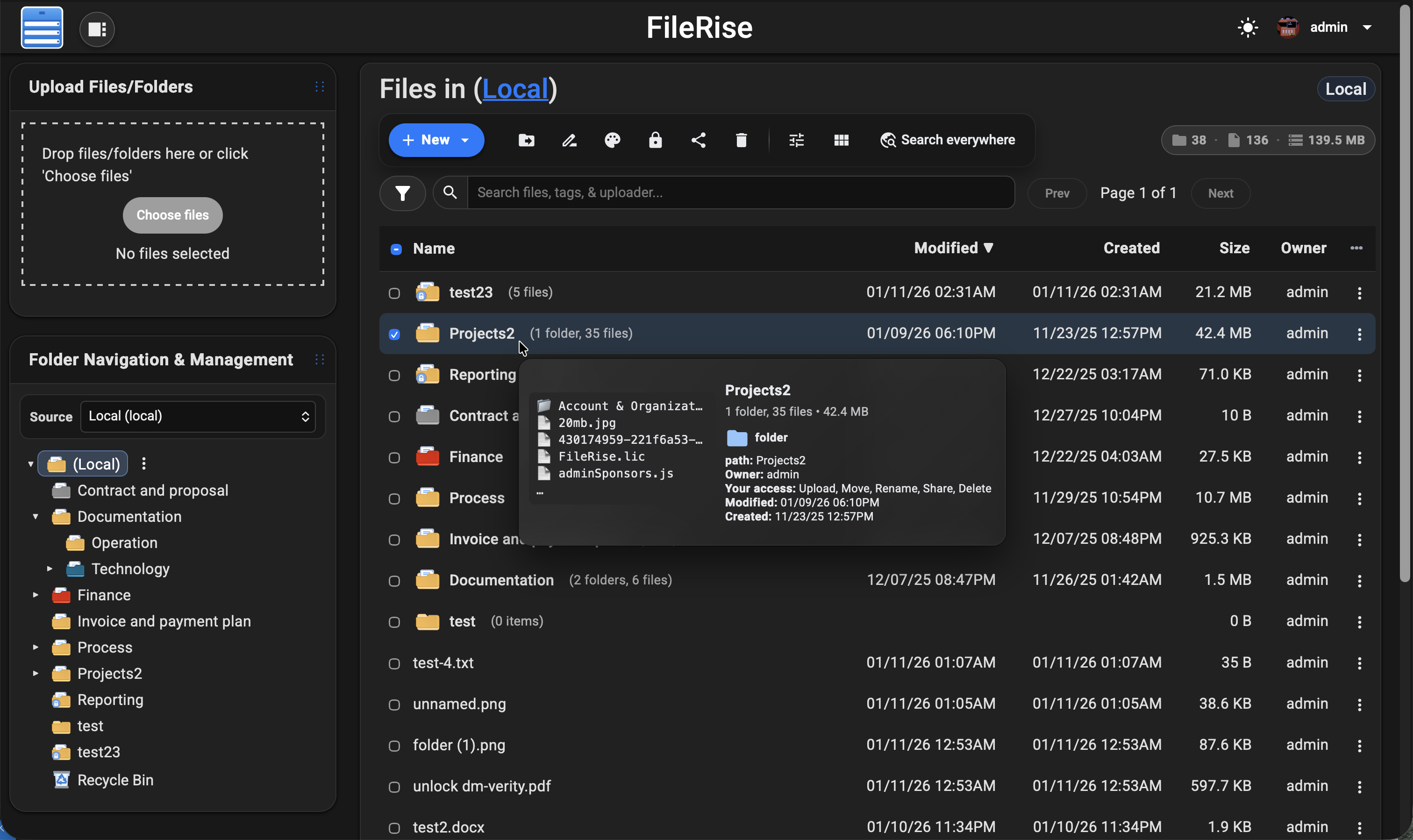
FileRise is a self-hosted web file manager and storage hub with WebDAV, sharing, and per-folder ACLs. It offers drag-and-drop resumable uploads, password-protected share links and upload-only file requests, tags and search, optional folder-level encryption, OnlyOffice integration, and OIDC/TOTP login, all in one PHP app with no external database.
FileRise Docker Compose example
Self-host FileRise on your own server, homelab, or VPS starting from this Docker Compose example.
It runs FileRise in Docker containers using the official error311/filerise-docker:latest image, with persistent volumes and automatic restarts preconfigured.
Review the environment variables and adjust them to your setup, save the file as compose.yml (or docker-compose.yml), and start the stack with docker compose up -d.
services:
  filerise:
    image: error311/filerise-docker:latest
    restart: unless-stopped
    environment:
      # PHP / container timezone.
      TIMEZONE: "UTC"
      # PHP date format used for timestamps in the UI.
      DATE_TIME_FORMAT: "m/d/y  h:iA"
      # Max total upload size per request; also sets the PHP/Apache upload limits.
      TOTAL_UPLOAD_SIZE: "5G"
      # Set to "true" when FileRise is served over HTTPS (e.g. behind a TLS-terminating reverse proxy).
      SECURE: "false"
      # Public URL of this instance, used for share links, portals and redirects (e.g. https://files.example.com). Leave blank to auto-detect.
      FR_PUBLISHED_URL: ""
      # Secret used to encrypt stored tokens, permissions and admin config. Leave blank on a new install to auto-generate and persist one in the metadata volume.
      PERSISTENT_TOKENS_KEY: ""
      # If running as root, remap the www-data user to this UID.
      PUID: "1000"
      # If running as root, remap the www-data group to this GID.
      PGID: "1000"
      # Recursively normalize ownership/permissions on uploads/ and metadata/ at startup.
      CHOWN_ON_START: "true"
      # Index existing files in the uploads folder once at startup.
      SCAN_ON_START: "true"
    volumes:
      - uploads:/var/www/uploads
      - users:/var/www/users
      - metadata:/var/www/metadata
    healthcheck:
      test: ["CMD-SHELL", "curl -fsS http://localhost/ || exit 1"]
      interval: 30s
      timeout: 5s
      retries: 3
      start_period: 20s

volumes:
  uploads:
  users:
  metadata:
Prefer a managed setup? WinterFlow installs, configures, and updates FileRise for you using this same Docker Compose configuration.