
Econumo
A budgeting app for personal, couple and family finances
Alternative to: ynab, mint, monarch money, quicken
v1.7.0
2026-10-25📖 Read the full release notes, with screenshots →
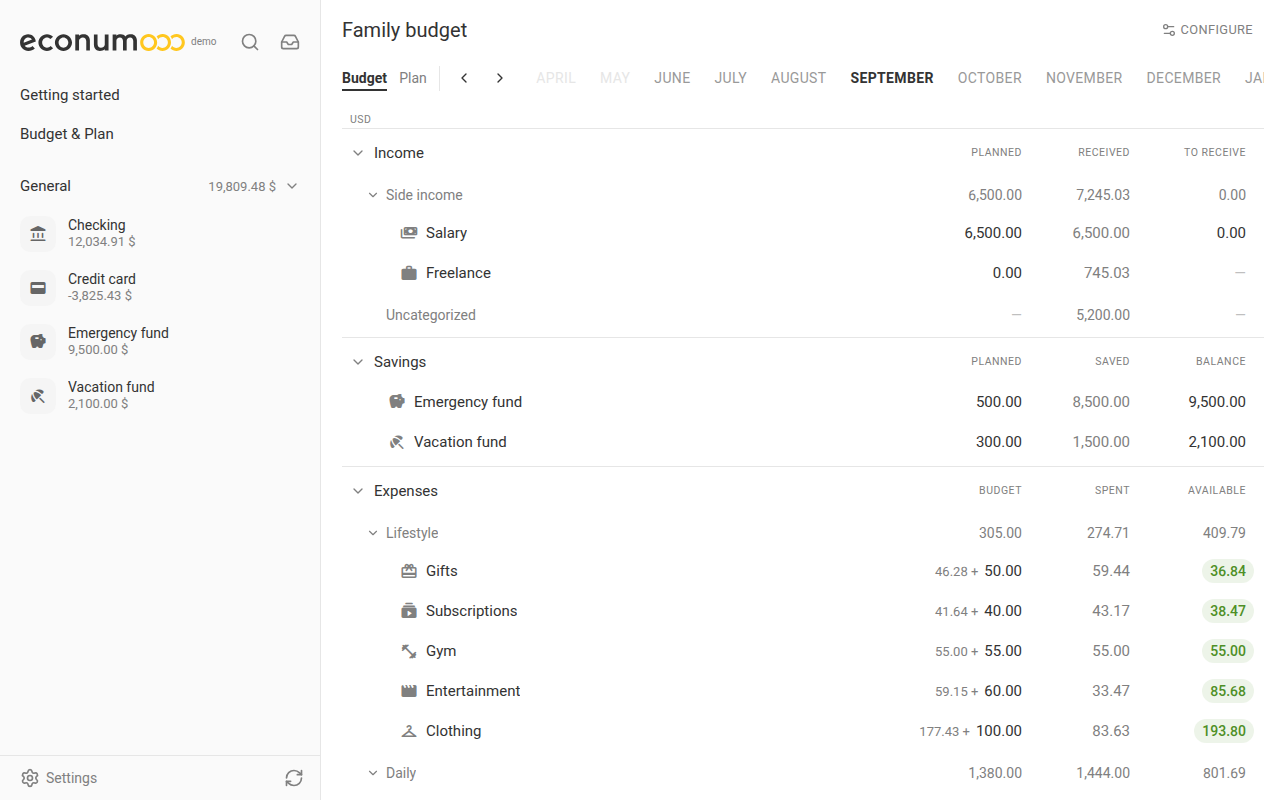
v1.7.0 brings two headline features. Apple Pay transactions are added automatically: pay with your iPhone and the transaction appears in Econumo. And Econumo now has a dark mode. The release also lets you drag transactions into the order your bank shows them, shows the recurring payments still due while you set a budget or plan, and groups a couple’s same-name tags in a shared budget.
What’s new
- Apple Pay transactions added automatically (#342, #369): set it up once under Settings → Apple Wallet, and every Apple Pay tap on your iPhone is sent straight to Econumo by a Shortcut. Setup takes about 5 minutes: install the econumo Shortcut, connect it, and create a Wallet automation in the Shortcuts app. The page walks you through each step for iOS 26 and iOS 27 and ticks steps off by itself as your phone reaches Econumo. Econumo receives only the card name, merchant, amount and currency, never card numbers.
- The first time a card is used, you map it to one of your accounts (or ignore it). Its payments wait in the Inbox until then. After that, its payments land in that account as they happen.
- Remap or unmap a card at any time. Payments you already have stay where they are.
- Import rules (Settings → Import rules) fill in the category, payee, tag and labels of imported payments, or skip them. After you edit an imported transaction, Econumo offers to turn the change into a rule.
- The Apple Wallet page lists every tap received and what happened to it.
- Limitations: it works only when you tap your iPhone to pay. Apple Pay on websites isn’t supported, and a payment made with no signal may not be added.
- Dark mode (#348, #355): choose System, Light or Dark under Settings → Personal settings → Theme. The choice is stored per device, so your phone and laptop can differ. System follows your device’s appearance as it changes.
Other improvements
- Drag to reorder transactions (#366): put a day’s transactions in the same order as your bank statement. On desktop, drag a row by the grip that appears on hover. On a phone or tablet, press and hold a row. Dropping a row into another day moves it to that day and keeps its time. On a transfer, each account keeps its own order.
- Recurring payments help you plan (#363, #376): when you set a budget or a plan, the editor lists the recurring payments still due that month, plus the item’s transactions dated later in the month, converted to the item’s currency. The list ends with Spent and Total. Tap it to put the Total into the input. It appears from the current month on, in the Budget editor, on the phone and in the Plan grid. Spent, Actual and Available still count only real transactions. A plan below what’s spent plus what’s still due turns red (expenses only).
- Same-name tags grouped, for couples (#361): in a shared budget, each partner often keeps their own tag with the same name (“Travel” and “Travel”). They now show as one line, “Travel · 2 tags”, with the combined Budget, Spent and Available, or the combined plan and actual in the Plan grid. Open the line to see each tag with its owner’s name. Each tag keeps its own limit. Nothing is merged. Tags in the Plan grid also expand into their categories now, as they already did in the Budget.
- What’s new (#370): after an upgrade, a card in the sidebar links to that release’s notes. Dismiss it on one device and it’s gone on all of them.
- Jump to a month and year (#352, #353, #354): on an account page, drag the marker along the timeline to scroll through the history, with the date shown as you drag, or click it to pick a month. In the transaction form, the date picker’s month and year headers now open lists, so you can enter an old transaction without stepping back month by month.
Fixes & improvements
- Faster loading, and transaction history you can read offline. Transactions are kept on your device and only accounts that changed are downloaded again. If something looks out of date, use Settings → Clear cache and reload, or hold the sync button (#343, #368).
- Econumo offers to install itself as an app on your phone or computer, with steps for each browser (#359, #358).
- The recurring payment date picker opens at the planned month (#356).
- The home page reopens the Budget or Plan view you last used on that device (#372).
- In the Budget and Plan, the income “Uncategorized” row opens its transaction list (#375).
- Strings refined across all 11 languages, and dependencies updated (#357, #373).
For self-hosters
Upgrading: pull the new image and restart. Database migrations run automatically on boot. As always, back up your database file or volume first. This release:
- adds a per-account revision counter and per-transaction sort positions. On the first boot, a migration step gives every existing transaction its position, keeping the order you see today. It works one account at a time and may take a little longer on large databases.
- clears the category on income transactions that carry an expense category, and the reverse (written before the server refused them). Each affected transaction gets a note in its description saying the category was removed. Recurring templates are cleaned the same way.
Apple Pay import is always available. The Shortcut sends each payment from the iPhone to your instance, so your instance has to be reachable from the phone wherever you pay (on the internet or over your VPN), not just on your home network.
Any SMTP server can send mail (#364). Set MAILER_DSN to smtp://user:pass@host:587?from=… (STARTTLS required) or smtps://user:pass@host:465?from=… (implicit TLS). For a relay on a trusted network with no TLS, such as a Postfix container, add &insecure=true. See .env.example for examples.
Third-party API clients (all additive):
POST /api/v1/transaction/move-transactionreorders a transaction within its day (aboveId) or moves it to another day (date). Transactions carrysortKeyandrecipientSortKey. Lists are ordered by day, then by these keys, no longer by time of day.- Accounts carry
transactionsRevisionandtransactionsCount.GET /api/v1/transaction/get-account-transaction-list?accountIds=…returns the transactions of the requested accounts with their revisions.get-transaction-listis unchanged. - Recurring payments still due:
get-budgetelements gainupcomingandbudgetUpcoming,get-budget-plancells gainupcoming, andget-transaction-listgains anupcoming[]array. The existing fields still carry real transactions only. - New
POST /api/v1/user/update-last-seen-version. - Responses are gzipped when the client sends
Accept-Encoding: gzip.
The ghcr.io/econumo/econumo:latest image tag points to this build; to pin the exact version use ghcr.io/econumo/econumo:v1.7.0.
Contributors
@dmtrkzntsv and @zaracorel, with Claude (Opus 5.5, Sonnet 5.5) co-authoring.
Full changelog: v1.6.1…v1.7.0