
Domain Locker
All-in-one tool for tracking and monitoring your domain name portfolio
Alternative to: Efty, WhoisXML API
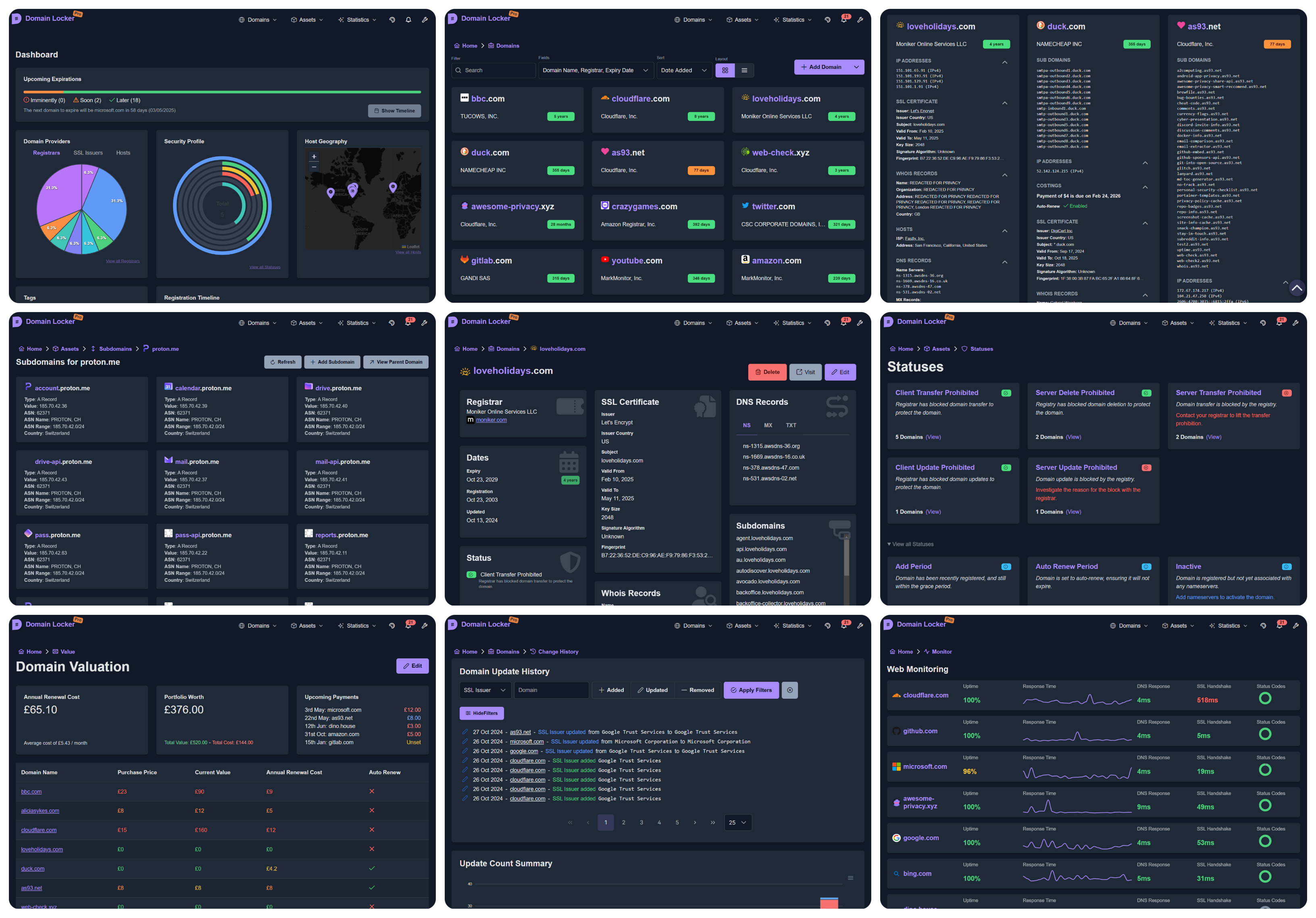
Domain Locker is a self-hosted dashboard for managing your domain name portfolio in one place. It automatically fetches and tracks registrar, DNS, SSL certificate, and WHOIS data for every domain, and sends alerts before certificates or registrations expire. Includes visual analytics, change history, and multi-channel notifications via email, webhook, Slack, or Telegram.
Domain Locker Docker Compose example
Self-host Domain Locker on your own server, homelab, or VPS starting from this Docker Compose example.
It runs Domain Locker in Docker containers using the official postgres:15-alpine, lissy93/domain-locker:latest, alpine:latest images, with persistent volumes and automatic restarts preconfigured.
Review the environment variables and adjust them to your setup, save the file as compose.yml (or docker-compose.yml), and start the stack with docker compose up -d.
services:
  postgres:
    image: postgres:15-alpine
    restart: unless-stopped
    environment:
      # Name of the PostgreSQL database Domain Locker connects to
      POSTGRES_DB: "domain_locker"
      # PostgreSQL user that owns the database
      POSTGRES_USER: "postgres"
      # Password for the PostgreSQL user
      POSTGRES_PASSWORD: "changeme2420"
    volumes:
      - postgres_data:/var/lib/postgresql/data
    healthcheck:
      test: ["CMD-SHELL", "pg_isready -U postgres"]
      interval: 5s
      timeout: 3s
      retries: 10

  app:
    image: lissy93/domain-locker:latest
    restart: unless-stopped
    environment:
      # Deployment mode; "selfHosted" enables the local Postgres backend
      DL_ENV_TYPE: "selfHosted"
      # Hostname of the Postgres service on the compose network
      DL_PG_HOST: "postgres"
      # Port Postgres listens on
      DL_PG_PORT: "5432"
      # Postgres user Domain Locker authenticates as
      DL_PG_USER: "postgres"
      # Password for the Postgres user
      DL_PG_PASSWORD: "changeme2420"
      # Name of the Postgres database
      DL_PG_NAME: "domain_locker"
    depends_on:
      postgres:
        condition: service_healthy
    healthcheck:
      test: ["CMD", "wget", "--spider", "-q", "http://localhost:3000/api/health"]
      interval: 15s
      timeout: 3s
      retries: 3
      start_period: 30s

  updater:
    image: alpine:latest
    restart: unless-stopped
    depends_on:
      app:
        condition: service_healthy
    command: >
      /bin/sh -c "
        apk add --no-cache curl &&
        echo '0 3 * * * /usr/bin/curl -f -X POST http://app:3000/api/domain-updater || echo \"ERROR: domain-updater failed at \$$(date)\" >&2' > /etc/crontabs/root &&
        echo '0 4 * * * /usr/bin/curl -f -X POST http://app:3000/api/expiration-reminders || echo \"ERROR: expiration-reminders failed at \$$(date)\" >&2' >> /etc/crontabs/root &&
        echo '*/15 * * * * /usr/bin/curl -f -X POST http://app:3000/api/domain-monitor || echo \"ERROR: domain-monitor failed at \$$(date)\" >&2' >> /etc/crontabs/root &&
        echo '0 2 * * 0 /usr/bin/curl -f -X POST http://app:3000/api/cleanup-monitor-data || echo \"ERROR: cleanup-monitor-data failed at \$$(date)\" >&2' >> /etc/crontabs/root &&
        crond -f -L /dev/stdout
      "

volumes:
  postgres_data:
Values set to changeme are required — replace them with your own
values before starting Domain Locker.
Prefer a managed setup? WinterFlow installs, configures, and updates Domain Locker for you using this same Docker Compose configuration.