dayGLANCE
Privacy-first day planner with visual time-blocking and zero lock-in
Alternative to: sunsama, motion, todoist
About
Versions (103)
v3.10.0
2026-07-02New: Goals Roadmap and Areas
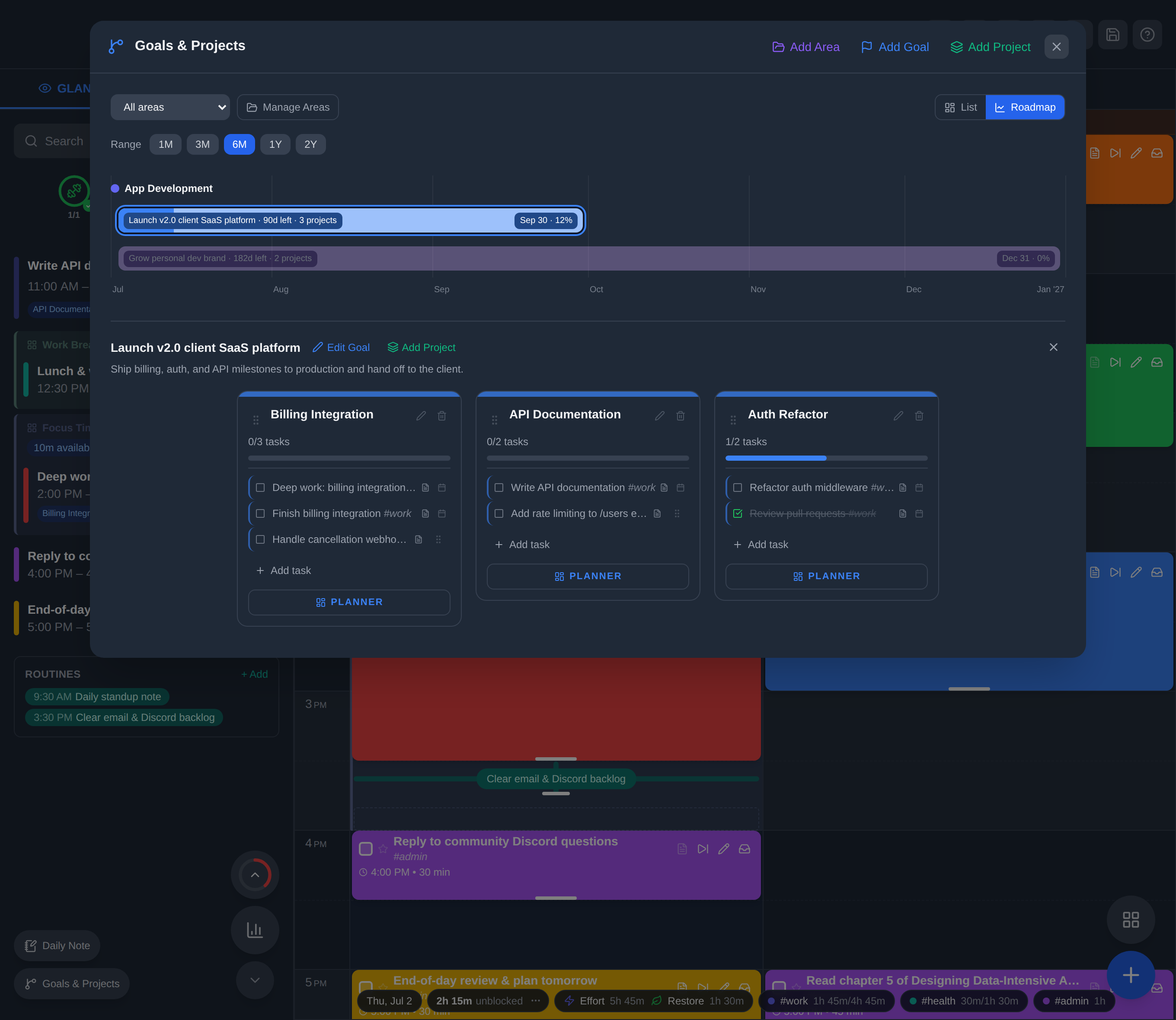
- Areas: group your goals into higher-level categories like “Money/Finance” or “App Development.” Choose an area when creating or editing a goal, filter the Goals dashboard by area, and manage areas (name, color, order) from the new Manage Areas screen. Standalone projects stay independent of areas.
- Goal start dates: goals now have a start date alongside their target date, defaulting to today for new goals.
- Roadmap view: a new timeline view of your goals. Toggle between List and Roadmap at the top of the Goals dashboard. Each goal is a colored bar from its start date to its target date, with a fuel-gauge fill for completion, plus days remaining, child-project count, and target date. Goals are grouped by area, and you can zoom the window from 1 month out to 2 years.
- Goal detail panel: click a bar to focus that goal. The other bars dim and a panel opens below the chart with the goal, Edit Goal and Add Project actions, and all of its projects and tasks, identical to the List view. Reorder projects within a goal by dragging.
- Available on desktop, tablet, and mobile, in light and dark mode, and synced across your devices (WebDAV, iCloud, and GLANCEvault).
Fixes
- Tasker integration: intents now fire reliably when dayGLANCE is in the background or fully closed (cold start), and the correct action runs for each intent. Automations are more dependable.
- Obsidian sync (desktop): the vault path is now consistent across all desktop app builds.
Existing goals are unaffected. They simply start with no area and no start date until you add them.