
Dawarich
Self-hostable alternative to Google Timeline (Google Location History)
Alternative to: google timeline, google maps timeline, google location history
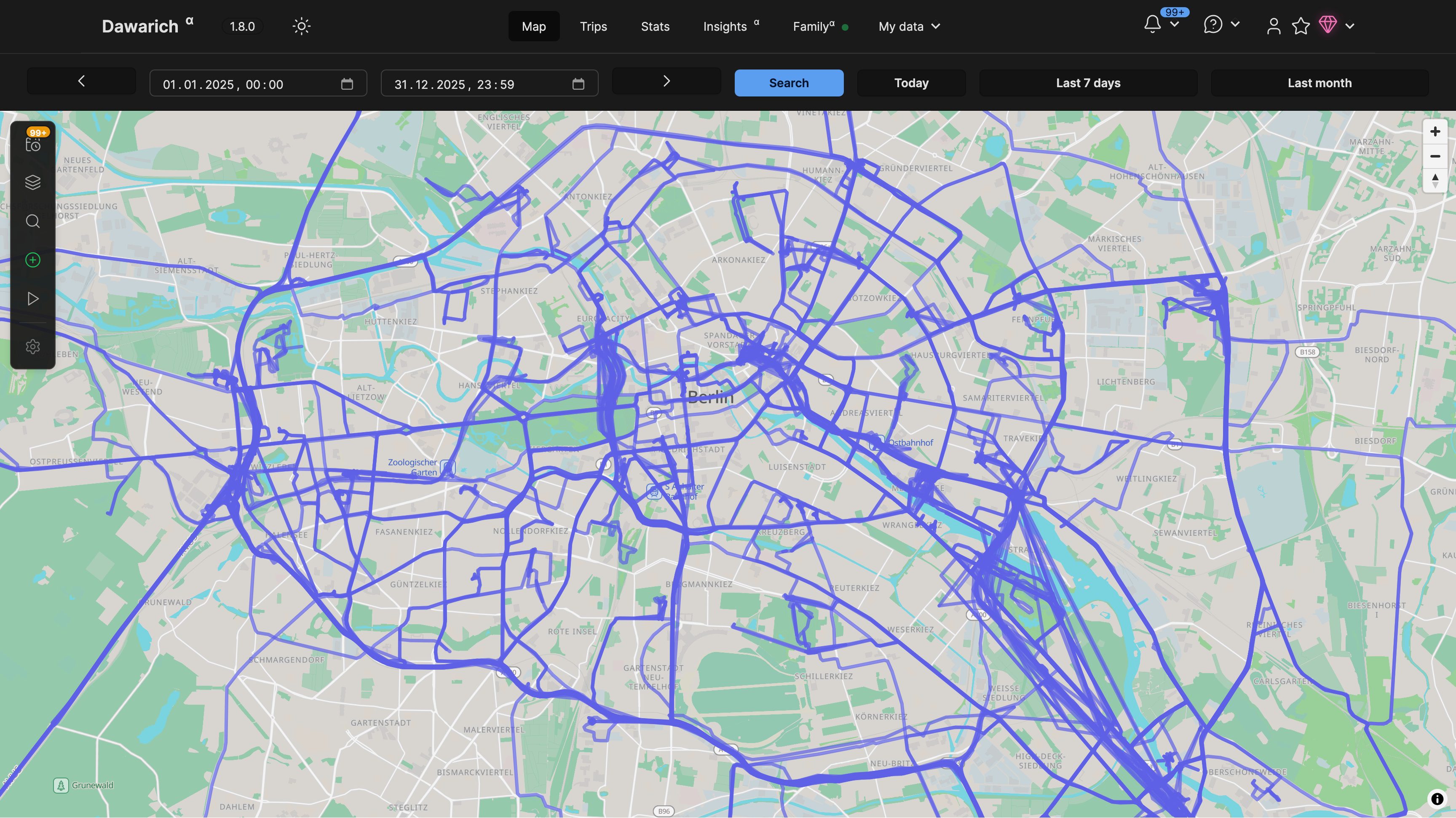
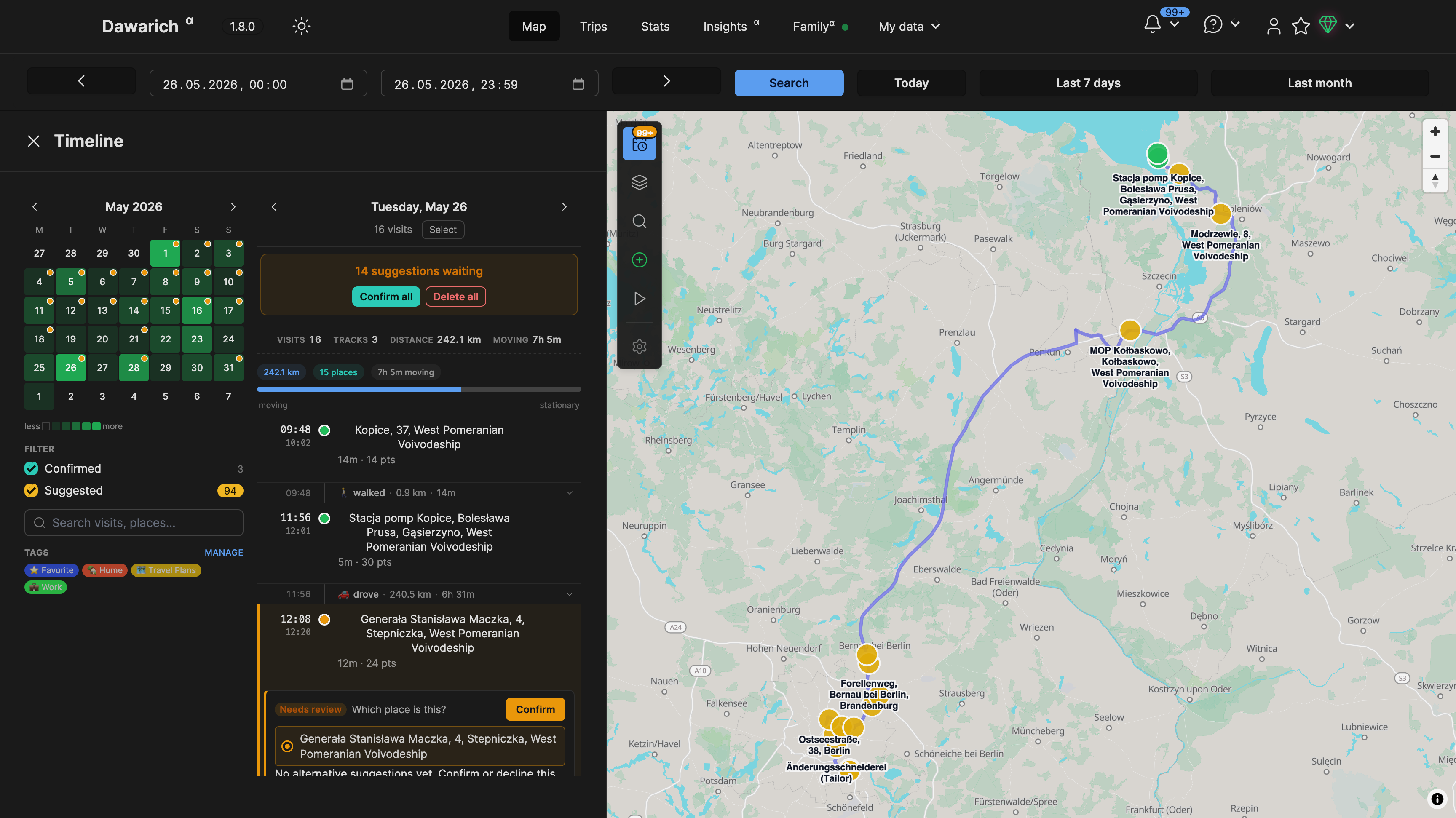
Dawarich is a self-hostable location history tracker that replaces Google Timeline. It visualizes your location data on interactive maps, lets you create and analyze trips, and integrates with photo apps like Immich and Photoprism to geotag images. You can import history from Google Maps, OwnTracks, GPX and GeoJSON, and share your live location with family members.
Dawarich Docker Compose example
Self-host Dawarich on your own server, homelab, or VPS starting from this Docker Compose example.
It runs Dawarich in Docker containers using the official redis:7-alpine, postgis/postgis:17-3.5-alpine, freikin/dawarich:latest, freikin/dawarich:latest images, with persistent volumes and automatic restarts preconfigured.
Review the environment variables and adjust them to your setup, save the file as compose.yml (or docker-compose.yml), and start the stack with docker compose up -d.
services:
  redis:
    image: redis:7-alpine
    restart: unless-stopped
    command: redis-server --save 900 1 --save 300 10 --appendonly no
    volumes:
      - shared:/data
    healthcheck:
      test: ["CMD", "redis-cli", "--raw", "incr", "ping"]
      interval: 10s
      timeout: 10s
      retries: 5
      start_period: 30s

  db:
    image: postgis/postgis:17-3.5-alpine
    restart: unless-stopped
    shm_size: 1G
    environment:
      POSTGRES_USER: "postgres"
      POSTGRES_PASSWORD: "password"
      POSTGRES_DB: "dawarich_development"
    volumes:
      - db_data:/var/lib/postgresql/data
      - shared:/var/shared
    healthcheck:
      test: ["CMD-SHELL", "pg_isready -U postgres -d dawarich_development"]
      interval: 10s
      timeout: 10s
      retries: 5
      start_period: 30s

  app:
    image: freikin/dawarich:latest
    restart: unless-stopped
    entrypoint: web-entrypoint.sh
    command: ["bin/rails", "server", "-p", "3000", "-b", "::"]
    volumes:
      - public:/var/app/public
      - watched:/var/app/tmp/imports/watched
      - storage:/var/app/storage
      - db_data:/dawarich_db_data
    environment:
      RAILS_ENV: "production"
      # Redis connection URL used for background jobs and caching.
      REDIS_URL: "redis://redis:6379"
      # PostgreSQL connection settings.
      DATABASE_HOST: "db"
      DATABASE_PORT: "5432"
      DATABASE_USERNAME: "postgres"
      DATABASE_PASSWORD: "password"
      DATABASE_NAME: "dawarich_development"
      # Comma-separated list of hosts allowed to reach the app. Set this to your public domain.
      APPLICATION_HOSTS: "localhost"
      # Timezone used for displaying and grouping data (e.g. Europe/Berlin).
      TIME_ZONE: "UTC"
      # Scheme the app is served under. Set to "https" when behind an HTTPS reverse proxy.
      APPLICATION_PROTOCOL: "http"
      # Long random secret used to sign sessions and cookies. Generate with `openssl rand -hex 64`.
      SECRET_KEY_BASE: "changeme"
      # Store reverse-geocoding results locally to reduce external lookups.
      STORE_GEODATA: "true"
      RAILS_LOG_TO_STDOUT: "true"
      SELF_HOSTED: "true"
    healthcheck:
      test: ["CMD-SHELL", "wget -qO - http://127.0.0.1:3000/api/v1/health | grep -q '\"status\"\\s*:\\s*\"ok\"'"]
      interval: 10s
      timeout: 10s
      retries: 30
      start_period: 30s
    depends_on:
      db:
        condition: service_healthy
      redis:
        condition: service_healthy

  sidekiq:
    image: freikin/dawarich:latest
    restart: unless-stopped
    entrypoint: sidekiq-entrypoint.sh
    command: ["sidekiq"]
    volumes:
      - public:/var/app/public
      - watched:/var/app/tmp/imports/watched
      - storage:/var/app/storage
    environment:
      RAILS_ENV: "production"
      # Redis connection URL used for background jobs and caching.
      REDIS_URL: "redis://redis:6379"
      # PostgreSQL connection settings.
      DATABASE_HOST: "db"
      DATABASE_PORT: "5432"
      DATABASE_USERNAME: "postgres"
      DATABASE_PASSWORD: "password"
      DATABASE_NAME: "dawarich_development"
      # Comma-separated list of hosts allowed to reach the app. Set this to your public domain.
      APPLICATION_HOSTS: "localhost"
      # Timezone used for displaying and grouping data (e.g. Europe/Berlin).
      TIME_ZONE: "UTC"
      # Scheme the app is served under. Set to "https" when behind an HTTPS reverse proxy.
      APPLICATION_PROTOCOL: "http"
      # Long random secret used to sign sessions and cookies. Generate with `openssl rand -hex 64`.
      SECRET_KEY_BASE: "changeme"
      # Store reverse-geocoding results locally to reduce external lookups.
      STORE_GEODATA: "true"
      # Number of Sidekiq worker threads for background processing.
      BACKGROUND_PROCESSING_CONCURRENCY: "5"
      RAILS_LOG_TO_STDOUT: "true"
      SELF_HOSTED: "true"
    healthcheck:
      test: ["CMD-SHELL", "pgrep -f sidekiq"]
      interval: 10s
      timeout: 10s
      retries: 30
      start_period: 30s
    depends_on:
      db:
        condition: service_healthy
      redis:
        condition: service_healthy
      app:
        condition: service_healthy

volumes:
  db_data:
  shared:
  public:
  watched:
  storage:
Values set to changeme are required — replace them with your own
values before starting Dawarich.
Prefer a managed setup? WinterFlow installs, configures, and updates Dawarich for you using this same Docker Compose configuration.