
ConvertX
Self-hosted online file converter supporting over 1000 formats
Alternative to: cloudconvert, convertio, zamzar
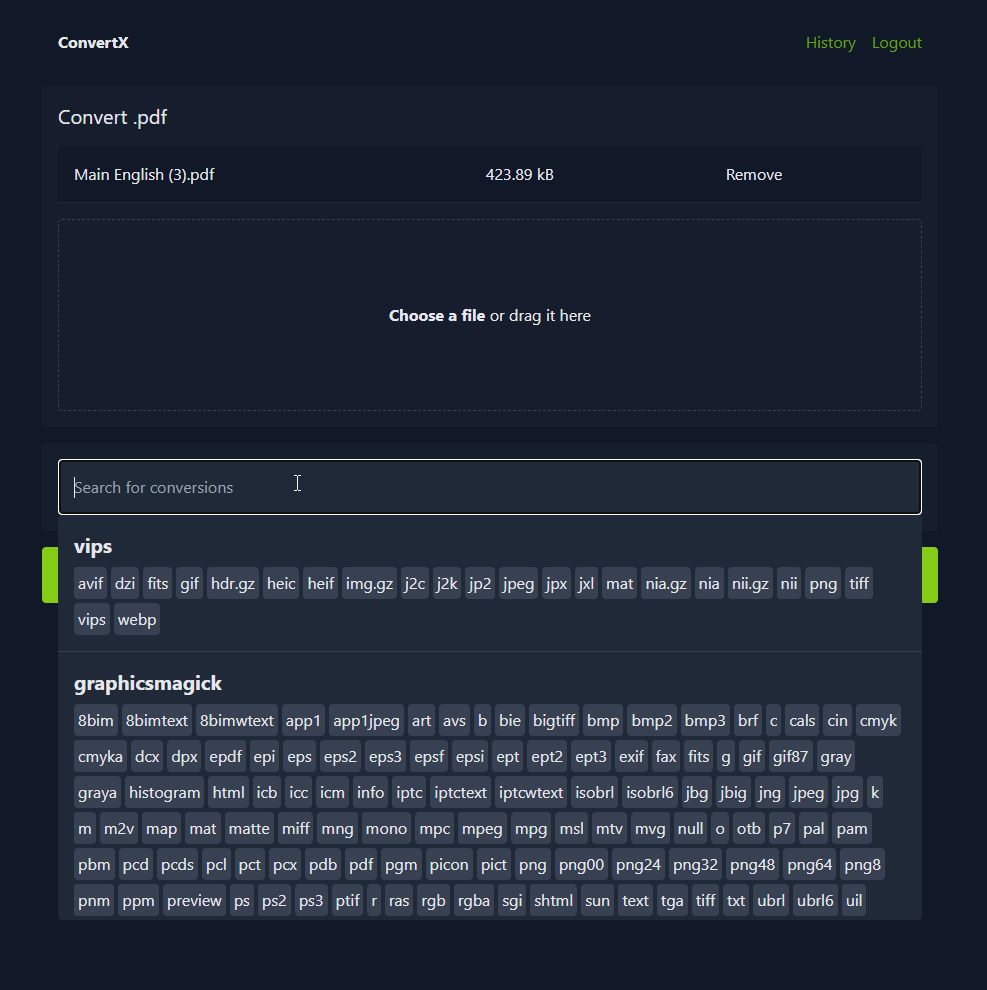
ConvertX is a self-hosted web app for converting files between more than a thousand formats, from documents and e-books to images, vector art, video, and 3D assets. It wraps well-known open-source converters like FFmpeg, LibreOffice, Pandoc, Calibre, and ImageMagick behind a single drag-and-drop interface, and supports batch processing, password protection, and multiple user accounts.
ConvertX Docker Compose example
Self-host ConvertX on your own server, homelab, or VPS starting from this Docker Compose example.
It runs ConvertX in Docker containers using the official ghcr.io/c4illin/convertx:latest image, with persistent volumes and automatic restarts preconfigured.
Review the environment variables and adjust them to your setup, save the file as compose.yml (or docker-compose.yml), and start the stack with docker compose up -d.
services:
  convertx:
    image: ghcr.io/c4illin/convertx:latest
    restart: unless-stopped
    volumes:
      - data:/app/data
    environment:
      # A long, random secret used to sign the JSON Web Tokens for user sessions. Set this to a unique value.
      JWT_SECRET: "changeme"
      # Timezone used for timestamps and automatic file cleanup scheduling.
      TZ: "UTC"
      # Allow visitors to register their own accounts from the login page.
      ACCOUNT_REGISTRATION: "false"
      # Allow the app to be served over plain HTTP. Keep false when running behind an HTTPS reverse proxy.
      HTTP_ALLOWED: "false"
      # Allow using the converter without logging in (no account required).
      ALLOW_UNAUTHENTICATED: "false"
      # How often, in hours, converted files are automatically deleted. Set to 0 to disable auto-deletion.
      AUTO_DELETE_EVERY_N_HOURS: "24"
      # Hide the conversion history page from users.
      HIDE_HISTORY: "false"
      # Language used for date formatting, as a BCP 47 tag (e.g. en, fr, de).
      LANGUAGE: "en"
      # Let unauthenticated users share their conversion history with each other.
      UNAUTHENTICATED_USER_SHARING: "false"
      # Maximum number of conversions to run at the same time. Set to 0 for unlimited.
      MAX_CONVERT_PROCESS: "0"
      # Sub-path the app is served from when hosted under a URL prefix (e.g. /convertx). Leave empty for root.
      WEBROOT: ""
      # Extra input arguments passed to FFmpeg for video/audio conversions.
      FFMPEG_ARGS: ""
      # Extra output arguments passed to FFmpeg for video/audio conversions.
      FFMPEG_OUTPUT_ARGS: ""

volumes:
  data:
Values set to changeme are required — replace them with your own
values before starting ConvertX.
Prefer a managed setup? WinterFlow installs, configures, and updates ConvertX for you using this same Docker Compose configuration.