
Cloudreve
Self-hosted file management system with multi-cloud support
Alternative to: dropbox, google drive, onedrive
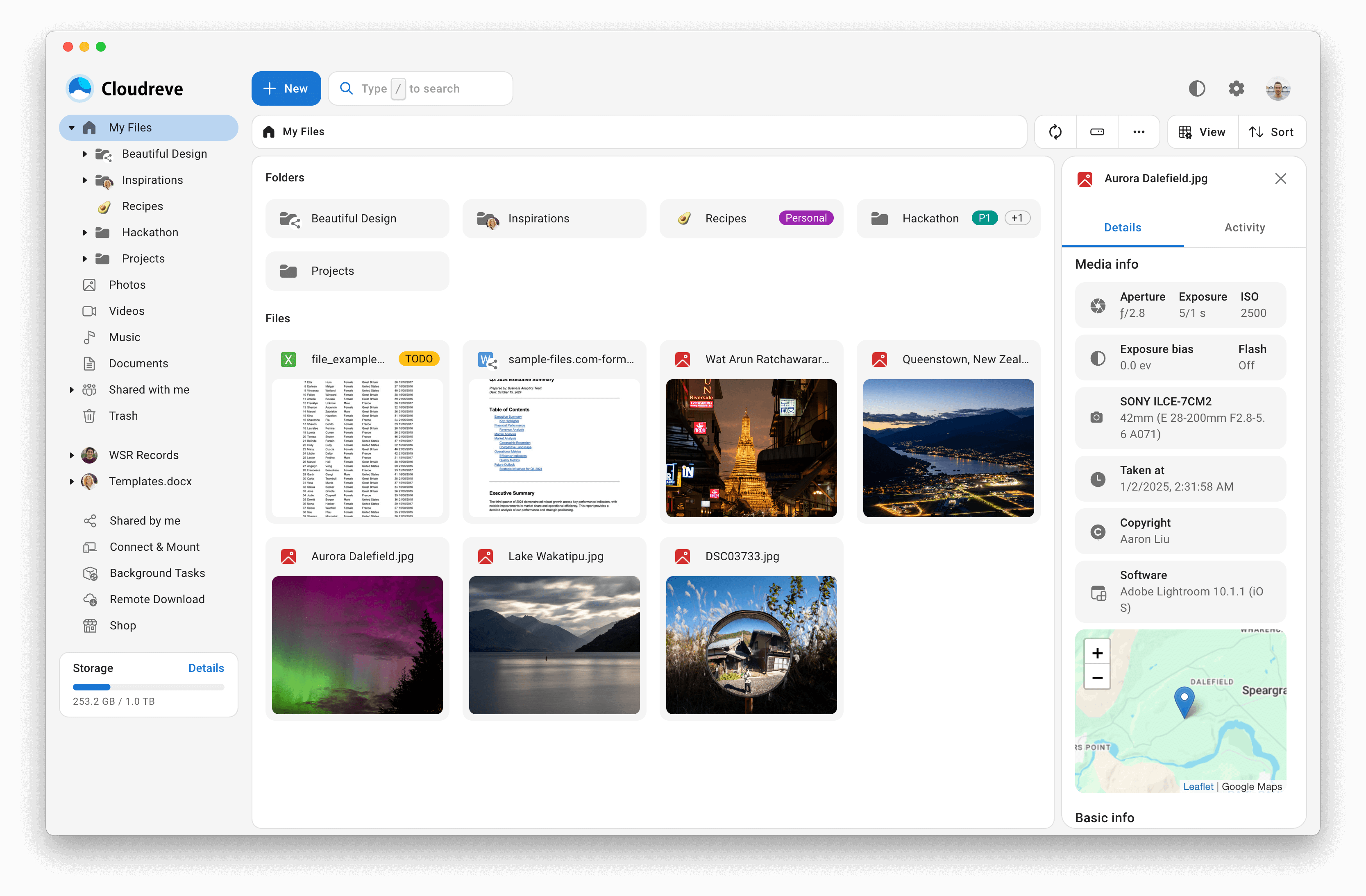
Cloudreve is a self-hosted file management and sharing system that can store files locally or across multiple cloud providers, including OneDrive, S3-compatible storage, Aliyun OSS, and Tencent COS. It supports WebDAV, drag-and-drop resumable uploads, multi-user groups, expiring share links, and in-browser previews and editing for videos, images, and office documents.
Cloudreve Docker Compose example
Self-host Cloudreve on your own server, homelab, or VPS starting from this Docker Compose example.
It runs Cloudreve in Docker containers using the official cloudreve/cloudreve:latest, postgres:17, redis:latest images, with persistent volumes and automatic restarts preconfigured.
Review the environment variables and adjust them to your setup, save the file as compose.yml (or docker-compose.yml), and start the stack with docker compose up -d.
services:
  cloudreve:
    image: cloudreve/cloudreve:latest
    depends_on:
      - postgresql
      - redis
    restart: unless-stopped
    environment:
      # Database driver — Cloudreve v4 stores its metadata in PostgreSQL.
      - CR_CONF_Database.Type=postgres
      # Hostname of the PostgreSQL service on the compose network.
      - CR_CONF_Database.Host=postgresql
      # PostgreSQL user Cloudreve connects as.
      - CR_CONF_Database.User=cloudreve
      # Name of the PostgreSQL database.
      - CR_CONF_Database.Name=cloudreve
      # PostgreSQL port.
      - CR_CONF_Database.Port=5432
      # Redis server address (host:port) used for caching and sessions.
      - CR_CONF_Redis.Server=redis:6379
    volumes:
      - backend_data:/cloudreve/data

  postgresql:
    # Pinned to a major version; PostgreSQL is only reachable inside the compose network.
    image: postgres:17
    restart: unless-stopped
    environment:
      # Superuser / owner of the Cloudreve database.
      - POSTGRES_USER=cloudreve
      # Database created on first start.
      - POSTGRES_DB=cloudreve
      # Trust auth is safe here: the database is not published outside the compose network.
      - POSTGRES_HOST_AUTH_METHOD=trust
    volumes:
      - database_postgres:/var/lib/postgresql/data

  redis:
    image: redis:latest
    restart: unless-stopped
    volumes:
      - redis_data:/data

volumes:
  backend_data:
  database_postgres:
  redis_data:
Prefer a managed setup? WinterFlow installs, configures, and updates Cloudreve for you using this same Docker Compose configuration.