
BookLogr
A simple, self-hosted service to keep track of your personal library
Alternative to: goodreads, storygraph
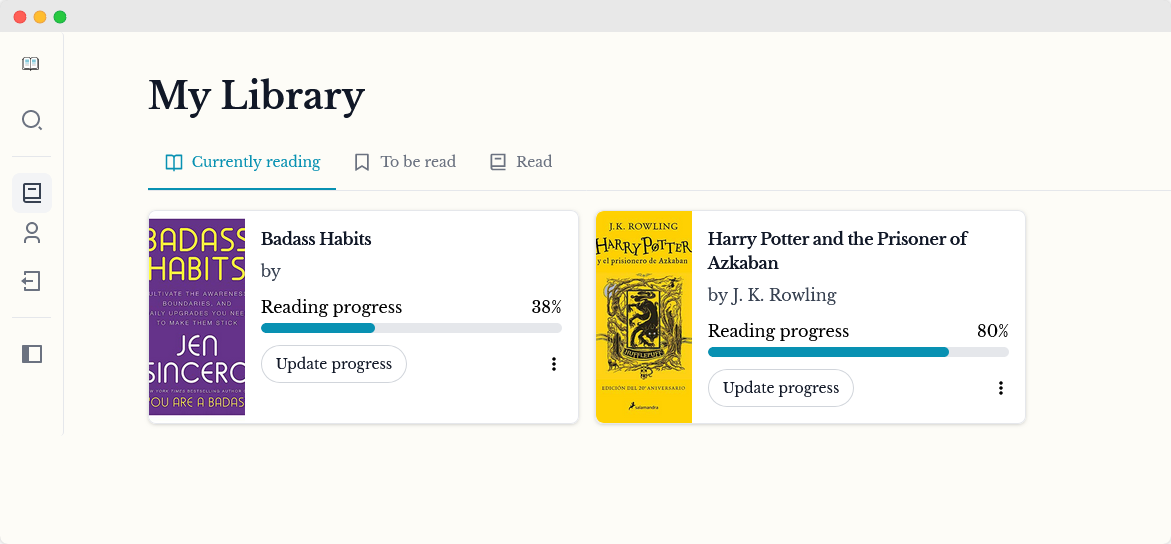
BookLogr is a self-hosted web app for managing your personal book library. Look up books by title or ISBN via OpenLibrary, organize them into Reading, Already Read, To Be Read and Did Not Finish lists, track your current page, rate and review books, and optionally share a public profile of your library with friends and family.
BookLogr Docker Compose example
Self-host BookLogr on your own server, homelab, or VPS starting from this Docker Compose example.
It runs BookLogr in Docker containers using the official mozzo/booklogr:latest, mozzo/booklogr-web:latest images, with persistent volumes and automatic restarts preconfigured.
Review the environment variables and adjust them to your setup, save the file as compose.yml (or docker-compose.yml), and start the stack with docker compose up -d.
services:
  booklogr-api:
    image: mozzo/booklogr:latest
    restart: unless-stopped
    volumes:
      - data:/app/instance
    environment:
      # Database connection string. Default uses a local SQLite file kept in the data volume.
      DATABASE_URL: "sqlite:///books.db"
      # Secret key used to sign authentication tokens. Set to a long random string.
      AUTH_SECRET_KEY: "changeme"
      # Allow visitors to register a new account.
      AUTH_ALLOW_REGISTRATION: "True"
      # Require email verification before a new account can be used.
      AUTH_REQUIRE_VERIFICATION: "False"
      # Run in single-user mode (disables multi-account support).
      SINGLE_USER_MODE: "False"
      # Folder inside the container where data exports are written.
      EXPORT_FOLDER: "export_data"
      # SMTP server hostname for outgoing mail (leave empty to disable email).
      MAIL_SERVER: ""
      # SMTP username.
      MAIL_USERNAME: ""
      # SMTP password.
      MAIL_PASSWORD: ""
      # From address for outgoing mail.
      MAIL_SENDER: ""

  booklogr-web:
    image: mozzo/booklogr-web:latest
    restart: unless-stopped
    depends_on:
      - booklogr-api
    environment:
      # Public URL of the BookLogr API as reached from the user's browser. Must be externally accessible.
      BL_API_ENDPOINT: "http://localhost:5000/"
      # Google OAuth client ID to enable "Sign in with Google". Leave empty to disable.
      BL_GOOGLE_ID: ""
      # Enable demo mode (read-only public instance).
      BL_DEMO_MODE: "false"

volumes:
  data:
Values set to changeme are required — replace them with your own
values before starting BookLogr.
Prefer a managed setup? WinterFlow installs, configures, and updates BookLogr for you using this same Docker Compose configuration.