
BoardGameTracker
Self-hosted board game collection and play-session statistics tracker
Alternative to: boardgamegeek
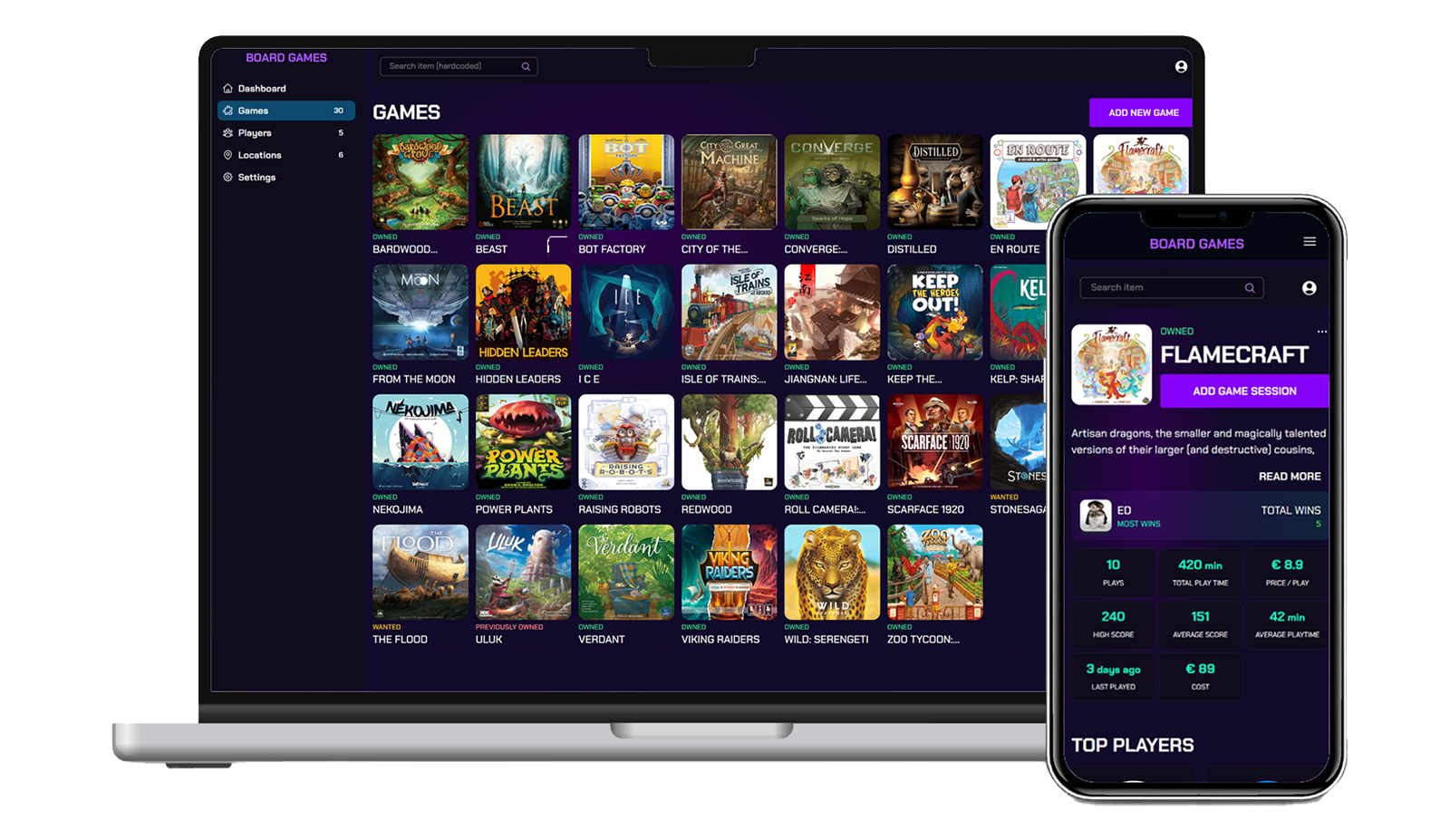
BoardGameTracker is a self-hosted app for board game enthusiasts to track spending on their collection, analyze game statistics and identify favorites, monitor player performance and win rates, and visualize gaming trends over time. It logs play sessions per game and player, stores everything in PostgreSQL, and is deployable via Docker Compose.
BoardGameTracker Docker Compose example
Self-host BoardGameTracker on your own server, homelab, or VPS starting from this Docker Compose example.
It runs BoardGameTracker in Docker containers using the official uping/boardgametracker:latest, pgvector/pgvector:pg16 images, with persistent volumes and automatic restarts preconfigured.
Review the environment variables and adjust them to your setup, save the file as compose.yml (or docker-compose.yml), and start the stack with docker compose up -d.
services:
  boardgametracker:
    image: uping/boardgametracker:latest
    restart: unless-stopped
    depends_on:
      db:
        condition: service_healthy
    volumes:
      - images:/app/images
      - logs:/app/logs
      - manuals:/app/manuals
    environment:
      # Hostname of the PostgreSQL service (matches the "db" service below).
      DB_HOST: "db"
      # PostgreSQL user (internal to the compose network).
      DB_USER: "dbuser"
      # PostgreSQL password (internal to the compose network).
      DB_PASSWORD: "boardgametracker"
      # PostgreSQL database name.
      DB_NAME: "boardgametracker"
      # PostgreSQL port.
      DB_PORT: "5432"
      # Secret used to sign authentication tokens. Use at least 32 characters.
      JWT_SECRET: "changeme_use_at_least_32_characters"
      # Timezone used for dates shown in the app.
      TZ: "UTC"
      # Enable the optional AI/RAG assistant. Requires a separate Ollama service,
      # so it is disabled by default to keep this stack self-contained.
      RAG_ENABLED: "false"
    healthcheck:
      test: ["CMD", "curl", "-f", "http://localhost:5444/api/health"]
      interval: 30s
      timeout: 5s
      retries: 3
      start_period: 10s

  db:
    image: pgvector/pgvector:pg16
    restart: unless-stopped
    volumes:
      - postgres-data:/var/lib/postgresql/data
    environment:
      POSTGRES_DB: "boardgametracker"
      POSTGRES_USER: "dbuser"
      POSTGRES_PASSWORD: "boardgametracker"
    healthcheck:
      test: ["CMD-SHELL", "pg_isready -U dbuser -d boardgametracker"]
      interval: 10s
      timeout: 5s
      retries: 5
      start_period: 10s

volumes:
  images:
  logs:
  manuals:
  postgres-data:
Values set to changeme are required — replace them with your own
values before starting BoardGameTracker.
Prefer a managed setup? WinterFlow installs, configures, and updates BoardGameTracker for you using this same Docker Compose configuration.